EduBrain
Provides instant, step-by-step homework solutions across 90+ subjects
I’ll have to admit, when I first stumbled across EduBrain, I was skeptical. Another AI promising to save my academic soul? Sure, buddy. But after a couple of hours tinkering with it — okay, maybe I was procrastinating on a calculus assignment — I’m kind of smitten. This tool is like that friend who’s always got your back, whipping up clear, step-by-step solutions faster than you can say “I’m doomed.” You can type in a question, upload a photo of a textbook problem, or even snap a picture of your chicken-scratch notes, and EduBrain delivers answers that make sense. It’s free, no sign-up nonsense, and covers a jaw-dropping 90+ subjects, from physics to philosophy.
My favorite moment was uploading a blurry photo of a geometry problem I’d scrawled during a caffeine-fueled panic. The Snap-Upload-Solve feature worked like magic, spitting out a breakdown of angles and theorems that actually made me nod along like I understood. Math, my old nemesis, felt less like a brick wall. Users on X echo this, with one calling it “a lifesaver for late-night algebra cramming.” The platform’s AI adapts to your academic level — high school, college, or beyond — and tailors explanations to your needs. It’s like having a tutor who never sleeps, doesn’t judge, and works for free.
But let’s not get too starry-eyed. The tool’s humanities support, like for English or history, can feel a bit shallow. I tried it with a literature question about symbolism in The Great Gatsby, and while it gave a decent summary, it missed the deeper emotional layers I needed for a solid essay. Coding help, too, is basic — fine for Python 101, but don’t expect it to debug your complex algorithms. Compared to Quizlet, which excels at flashcards and study sets, or Wolfram Alpha, a beast for computational problems, EduBrain is broader but less specialized. Its customer support is email-only, which feels like sending a carrier pigeon in 2025.
The surprise? It handles niche subjects like statistics or anthropology with ease, which I didn’t expect from a free tool. I tossed it a probability question, and it walked me through the logic like a patient professor. To get the most out of it, ask clear, specific questions and review the answers to catch any AI slip-ups. Use it as a starting point, not a gospel, and you’ll be amazed at how it lightens the homework load.
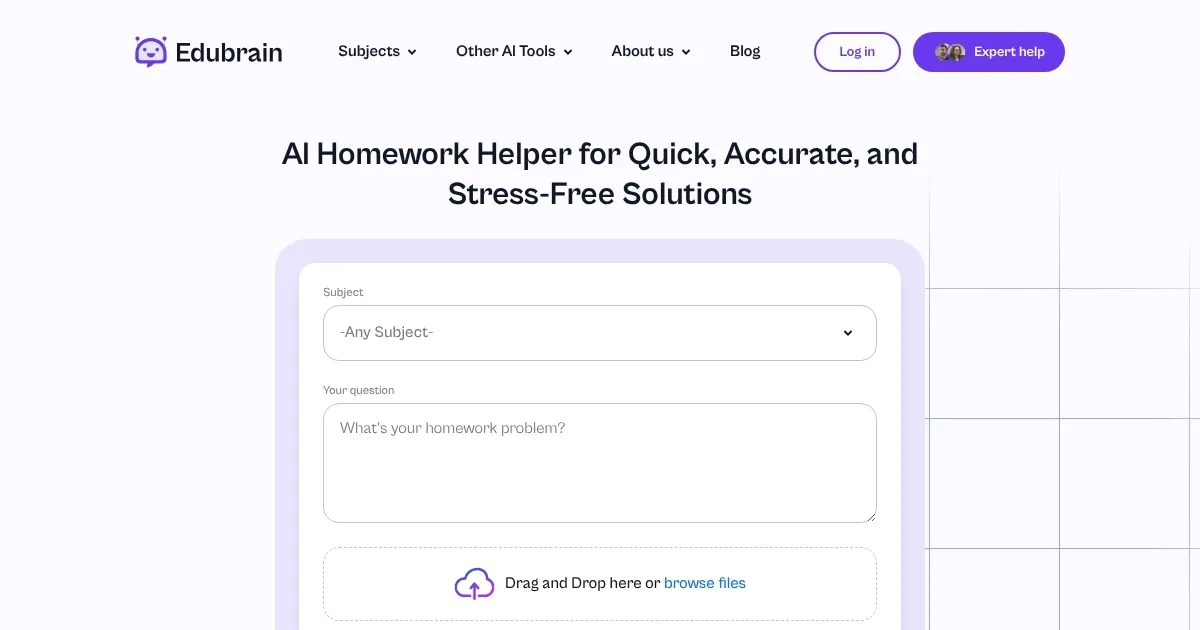
Homepage Screenshot 📸
What are the key features? ✨
- Snap-Upload-Solve: Upload images of homework problems for instant, detailed solutions.
- Step-by-Step Explanations: Breaks down complex problems into clear, logical steps.
- Wide Subject Coverage: Supports over 90 subjects, from math to humanities.
- Real-Time Feedback: Provides instant responses to enhance understanding.
- No Sign-Up Required: Access the tool freely without account creation.
Who is it for? 🤔
Examples of what you can use it for 💡
- High School Student: Uses EduBrain.ai to solve algebra problems with step-by-step explanations for better exam prep.
- College Student: Uploads a chemistry lab question to get structured guidance for a report.
- Graduate Student: Analyzes statistical data for a thesis with real-time AI feedback.
- Tutor: Quickly finds answers to student questions during a session for efficient teaching.
- Self-Learner: Explores philosophy concepts with tailored explanations to deepen understanding.
Pros & Cons ⚖️
- Free with unlimited use.
- Supports 90+ subjects.
- Image-upload feature.
- Limited humanities depth.
FAQs 💬
Ready to try EduBrain?
Provides instant, step-by-step homework solutions across 90+ subjects
Visit EduBrainEduBrain alternatives 🔗