Skip to content
logo-darklogo-darklogo-darklogo-dark
  • Tool Categories
    • 🎨Art & Creative Design505
    • 🏢Business Management644
    • 💻Coding & Development514
    • 👮Detection83
    • 🧠General Use728
    • 🏥Health & Wellness55
    • 📷Image & Photo Analysis100
    • 🖼️Image Generation & Editing618
    • 📐Interior & Architectural Design37
    • 🎓Learning & Education483
    • ⚖️Legal & Finance90
    • 🎭Lifestyle & Entertainment236
    • 📢Marketing & Advertising627
    • 🎧Music & Audio138
    • 👔Office & Workplace1,014
    • 🔬Research & Data Analysis373
    • 👥Social Media245
    • 🎥Video Generation & Editing426
    • 👧🏻Virtual Companion135
    • 🎤Voice Generation & Editing381
    • ✍️Writing & Editing808
    • All Categories
    • AI Use Cases
  • News
  • Events
    • Academic Conferences
    • Developer Conferences
    • Expos / Trade Shows
    • Industry Summits
    • Workshops / Training
    • All Events
    • Past Events
  • Saved Tools
  • Suggest a Tool
    ✕
    Home › Image Generation & Editing › Image Generation› Gening AI
    Gening AI

    Gening AI

    Chat with customizable AI characters for free, no sign-up needed

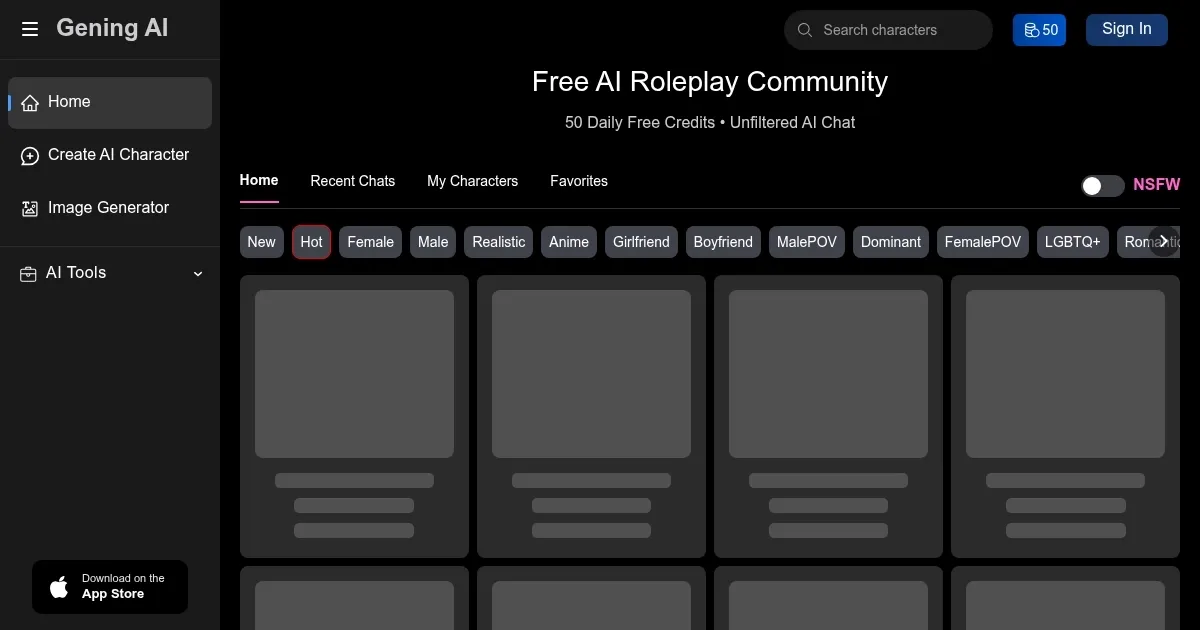
    I’ve recently spent some tinkering with Gening AI, and let me tell you, it’s like stumbling into a digital costume party where everyone’s an AI with a personality dialed up to eleven. RIght off the bat, you’re greeted with a sleek, no-nonsense interface that invites you to chat with virtual characters or whip up images without needing to hand over your email. I dove into the AI Character Chat, picking a snarky anime rogue from their library. With 50 free credits daily, I was off, spinning a tale of a cyberpunk heist. The AI kept up, tossing back witty one-liners, though it occasionally veered into oddly formal territory, like my rogue suddenly quoting Shakespeare.

    The Summon feature for image generation? A wild ride. I typed ‘neon-drenched samurai in a rainy alley’ and got a vibrant, anime-style visual that popped off the screen. Adjusting style weights felt like mixing paint colors — fun, but a bit trial-and-error. Face Swap was less thrilling; my attempt to put my cat’s face on a superhero looked more like a blurry cartoon than a masterpiece. The platform’s voice synthesis tool, though, was a quiet delight, letting me add a gravelly voice to my rogue’s dialogue, even if the options felt limited.

    What’s the catch? The credit system, while free to start, runs dry fast if you’re generating images or deep in roleplay. I burned through my 50 credits quicker than expected, and the nudge toward paid plans felt like a gentle poke in the wallet. Compared to Janitor AI, which leans heavier into community-driven characters, Gening AI’s solo creation vibe is both freeing and isolating. SoulFun offers similar customization but with more emotional depth in chats, which Gening sometimes lacks. Some Trustpilot reviews mentioned chats vanishing overnight, and I noticed a slight lag when switching between features.

    The real surprise was the privacy angle — no ads, no watermarks, and chats that stay yours. It’s a breath of fresh air in a world where every click feels tracked. But the unfiltered chats? They’re a double-edged sword. I stumbled into some spicy dialogue options that might not suit everyone, especially younger users. For casual creators, it’s a blast, but power users might crave more polish.

    My advice: Jump in with the free credits, craft a quirky character, and test the image generator with vivid prompts. Save your creations manually, as the platform’s memory isn’t ironclad. If you love unfiltered freedom, stick around, but check competitors like SoulFun for deeper emotional connections.

    Visit Gening AI ↗
    Categories
    🖼️ Image
    🖼️ Image Generation 🪄 Text to Image 🧑‍🎤 Avatar Generation
    🎨 Art
    🎨 Art Generation
    🎥 Video
    📹 Video Generation

    Homepage Screenshot 📸

    Gening AI screenshot

    Video Overview 🎬

    Gening AI - Video Overview

    What are the key features? ✨

    • AI Character Chat: Engage in roleplay or casual conversations with customizable AI characters.
    • Summon Image Generator: Create images from text prompts in styles like anime or cyberpunk.
    • Face Swap: Swap faces in images for creative or personalized content.
    • Voice Synthesis: Generate text-to-speech audio for narration or character voices.
    • Multi-Language Support: Chat in languages like English, Chinese, Spanish, and Portuguese.

    Who is it for? 🤔

    Gening AI is ideal for creative individuals, such as writers, artists, and roleplay enthusiasts, who want to craft unique AI characters or generate visuals without needing technical skills or account registration. It suits casual users exploring AI-driven storytelling or image creation, as well as small-scale creators needing commercial-ready content, thanks to its privacy-focused, ad-free platform and flexible credit system.

    Examples of what you can use it for 💡

    • Fiction Writer: Crafts detailed AI characters to test dialogue for novels or scripts.
    • Artist: Uses Summon to generate anime-style visuals for creative projects.
    • Roleplay Enthusiast: Engages in immersive storytelling with custom AI companions.
    • Content Creator: Creates unique images or voices for social media content.
    • Casual User: Experiments with face-swapping for fun, personalized edits.

    Pros & Cons ⚖️

    • No sign-up required for basic use.
    • 50 free daily credits for chats, images.
    • Supports multiple languages for chats.
    • Chats may not save reliably.
    • Unfiltered content may be inappropriate.

    FAQs 💬

    Is registration required to use Gening AI?
    No, you can start chatting or generating images without signing up, using 50 free daily credits.
    Can I use generated content commercially?
    Yes, paid plans include commercial rights for images and other content.
    What languages does Gening AI support?
    It supports English, Chinese, Spanish, Portuguese, and more for chats.
    How many free credits do I get daily?
    You receive 50 free credits daily for chats, image generation, or other features.
    Can I create my own AI characters?
    Yes, you can customize characters with unique names, personalities, and appearances.
    Does Gening AI offer voice features?
    Yes, the voice synthesis tool generates audio for narration or character voices.
    Is there a mobile app for Gening AI?
    No, it’s browser-based only, unlike some competitors with apps.
    Are my chats private on Gening AI?
    Yes, chats are secure, with no ads or external access to your data.
    What happens if I run out of credits?
    You can wait for the next day’s free credits or purchase more via one-time plans.
    Can I generate videos with Gening AI?
    Yes, you can upload images to create AI-generated videos.

    Ready to try Gening AI?

    Chat with customizable AI characters for free, no sign-up needed

    Visit Gening AI ↗

    Gening AI alternatives 🔗

    1. Character.AI Character.AI Generates interactive AI-driven chats with fictional characters.
    2. OurDream.ai OurDream.ai Creates personalized AI companions for chat, voice, and media generation
    3. Janitor AI Janitor AI Creates and chats with customizable AI characters for immersive roleplay.
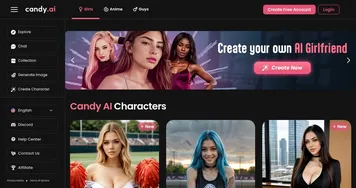
    4. Candy AI Candy AI An online platform that lets users create virtual companions for conversation and companionship
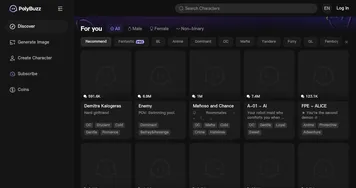
    5. PolyBuzz PolyBuzz Provides free, private, and unrestricted AI chats with more than 20 million characters
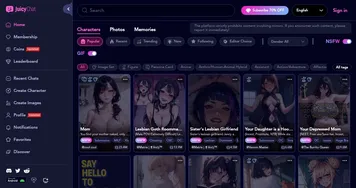
    6. JuicyChat JuicyChat Engage in unfiltered, personalized NSFW AI character chats
    Share
    Gening AI screenshot enlarged
    Best AI Tools

    Discover the best AI tools for any use case

    Explore
    • Tool Categories
    • AI Use Cases
    • AI Events
    • AI News
    • Saved Tools
    Company
    • About Us
    • Contact Us
    • Media & Partnerships
    • Suggest a Tool
    Legal
    • Privacy Policy
    • Terms of Service
    Copyright © 2026 Best AI Tools 415 Mission Street, 37th Floor, San Francisco, CA 94105