Humva
An AI tool that lets you create videos using lifelike avatars
Humva is a fancy tool that lets you create videos using lifelike avatars. These avatars can speak your words and express emotions to make your videos more engaging. As such, it can be especially helpful for people who want to make videos without showing their faces.
Just imagine being able to create a professional-looking video without any filming included. With Humva, you can do just that. Simply choose an avatar, type in your script, and the avatar will deliver your message with realistic lip-syncing. It’s that simple.
The platform guides you through each step, from selecting an avatar to finalizing your video. This is meant to make it accessible to everyone — whether you’re a business owner, educator, or content creator.
Humva provides users with a slew of avatars to choose from, including professional spokespersons, all kinds of friendly characters, and more. You can even customize avatars to better represent your brand or message to create videos that resonate with your audience.
Finally, we should mention that Humva is cost-effective. Whereas traditional video production can be expensive and time-consuming, Humva lets you create multiple videos without breaking the bank. This makes it a great choice for anyone looking to produce quality content on a budget.
To sum it up, Humva offers a practical solution for creating professional videos using avatars. Its ease of use and affordability make it a valuable tool for different kinds of users. And we love it for that.
Homepage Screenshot 📸
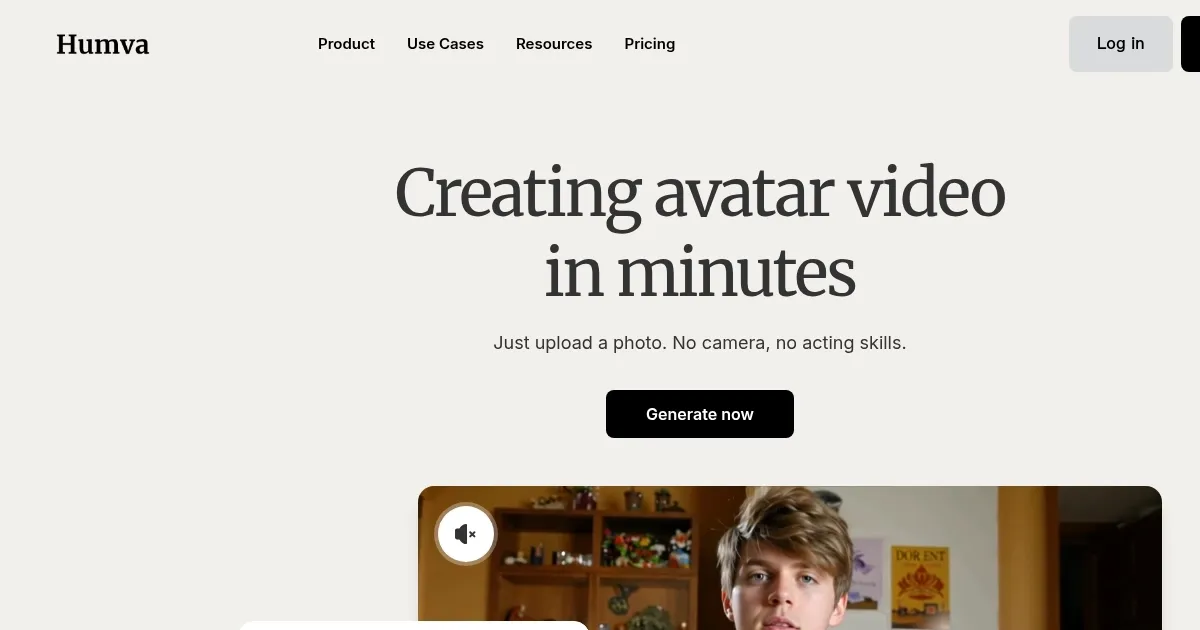
Video Overview 🎬

What are the key features? ✨
- Realistic avatars: Choose from a range of avatars that can speak your script with natural lip-syncing, adding a professional touch to your videos.
- Customizations: Personalize avatars to match your brand or message. You can adjust their appearance and voice to suit your needs.
- User-friendly interface: The platform is designed to be intuitive, guiding you through each step of video creation.
- Quick video production: Create videos in minutes, saving you time and effort compared to traditional methods.
- Affordable pricing: Humva offers different pricing plans, including a free option, making it accessible to users with different budgets.
Who is it for? 🤔
Examples of what you can use it for 💡
- Create engaging presentations to showcase your products or services
- Develop informative videos for teaching or training purposes
- Produce eye-catching videos for platforms like Instagram or Facebook
- Use avatars to create helpful videos addressing common customer questions
- Bring your creative ideas to life, whether it's storytelling or sharing personal messages
Pros & Cons ⚖️
- Quickly produce videos without the need for filming or editing
- Affordable plans make it accessible to different kinds of users
- Suitable for different applications, from business to education
- The free plan is rather limited (makes sense)
Humva alternatives 🔗