Migaku
Transforms media into language-learning tools with flashcards and translations
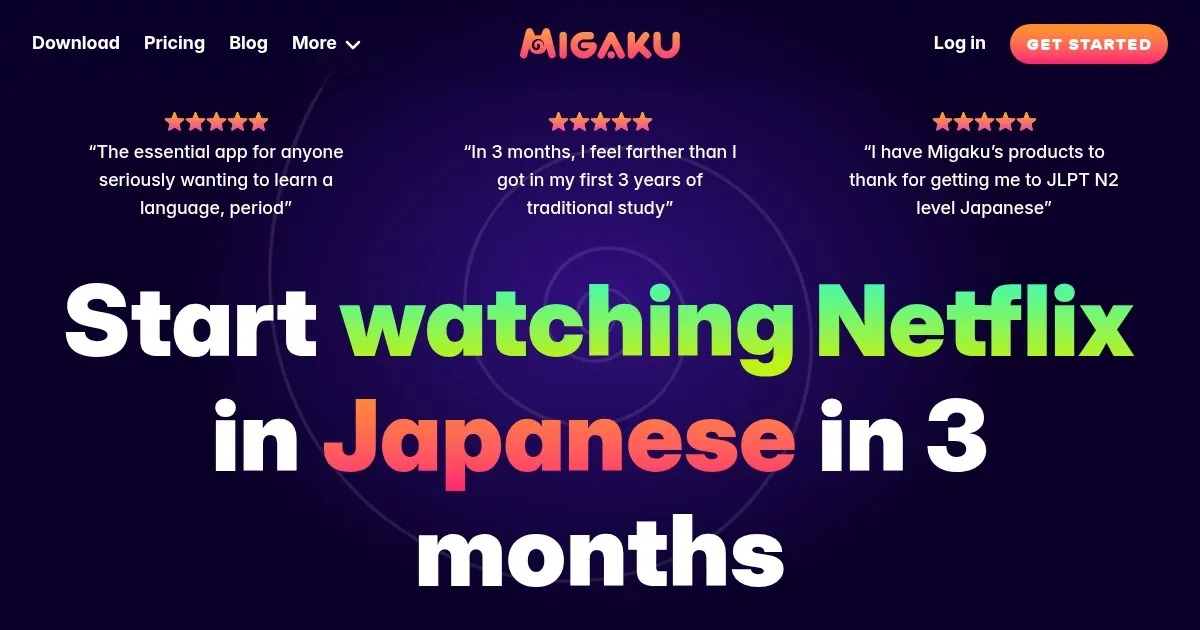
Migaku is a language-learning game-changer, a clever suite of tools that slips seamlessly into your daily media consumption. Imagine watching a Japanese anime on Netflix, clicking a subtitle, and instantly creating a flashcard with audio, a screenshot, and an AI-powered explanation of the word’s nuance. That’s Migaku’s magic. Built by a team of polyglots who’ve cracked the code on fluency, this platform prioritizes immersion, letting you learn from content you already love, whether it’s YouTube videos, Reddit threads, or e-books. The browser extension is the star, parsing text or subtitles on major streaming platforms to offer instant dictionary lookups, frequency stats, and one-click flashcard creation. It’s like having a language tutor embedded in your browser.
The app’s strength lies in its focus on context. Instead of rote memorization, Migaku grounds vocabulary in real-world usage, making words stick. Its Fundamentals and Academy Courses guide beginners to 80% comprehension in about six months with just 10 flashcards a day. For intermediate learners, features like the Subtitle Browser and Toolbar Translator let you dissect sentences on the fly, while Migaku Memory optimizes review timing to lock in knowledge. The platform supports 10 languages, including Japanese, Spanish, and Korean, and syncs across devices, so you can study offline on a plane or in a café. I think the community aspect is a hidden gem, with an active Discord where learners swap tips and developers respond to feedback.
Not everything’s perfect, though. Some users report occasional bugs, like subtitle overlap or audio file clutter when batch-creating cards. The mobile app, while functional, can feel clunkier than the desktop version, especially on older devices. Compared to competitors like LingQ or Anki, Migaku’s integration with streaming platforms is unmatched, but its pricing — monthly, yearly, or lifetime subscriptions — might feel steep for casual learners. LingQ offers similar immersion tools but lacks Migaku’s slick video integration, while Anki’s free flashcards require more manual setup.
What might surprise you? The OCR feature on mobile. Snap a photo of a menu in Seoul, and Migaku instantly translates and creates flashcards from the Korean text. It’s a small but delightful touch for travelers. The platform’s data-driven approach, tracking your known words and generating comprehension scores for web pages, feels like a personal coach nudging you toward fluency.
For best results, start with Migaku’s beginner courses to build a foundation, then dive into immersion with your favorite shows. Experiment with the browser extension’s hotkeys to speed up card creation, and join the Discord for community support. If you’re serious about learning a language, Migaku’s tools make the process feel less like studying and more like living the language.
Homepage Screenshot 📸
Video Overview 🎬

What are the key features? ✨
- Browser Extension: Integrates with Netflix and YouTube for instant word lookups and flashcard creation.
- Subtitle Browser: Allows navigation of video subtitles with filtering and bookmarking options.
- Migaku Memory: Schedules flashcard reviews to optimize retention using spaced repetition.
- Toolbar Translator: Provides real-time translations for text and subtitles across platforms.
- OCR (Mobile): Creates flashcards from images like menus or books on iOS and Android.
Who is it for? 🤔
Examples of what you can use it for 💡
- Beginner Student: Uses Fundamentals Course to learn 1,500 core Japanese words for 80% media comprehension.
- Intermediate Learner: Creates flashcards from Netflix subtitles to master Spanish idioms in context.
- Advanced Polyglot: Tracks vocabulary progress in Korean via Migaku Memory while watching K-dramas.
- Traveler: Uses mobile OCR to learn menu terms in Mandarin at a restaurant.
- Exam Prepper: Exports flashcards to Anki for efficient JLPT N1 vocabulary review.
Pros & Cons ⚖️
- Integrates with Netflix and YouTube.
- Creates media-rich flashcards easily.
- Tracks vocabulary progress.
- Supports 10 languages.
- Subtitle overlap issues.
FAQs 💬
Ready to try Migaku?
Transforms media into language-learning tools with flashcards and translations
Visit MigakuMigaku alternatives 🔗