Olly
Generates personalized comments and predicts post virality on social platforms
I fired up Olly Social the other morning, coffee in hand, scrolling LinkedIn like usual, and there it was, this cheeky sidebar whispering ideas for a comment on a marketing thread. Just a quick spin, maybe an hour total so far, but already it hooked me with that effortless vibe, like borrowing a witty roommate’s brain for your feed. The extension loads fast, no heavy installs, and suddenly you’re generating replies that capture your snarky edge without the blank-page stare-down. I fed it a prompt for “casual tech bro,” and out popped a line about “nailing that algorithm hack, total game-changer for my side hustle,” which landed three replies in minutes. Wild how it scans the post’s context, pulling in details to make it personal, not pasted.
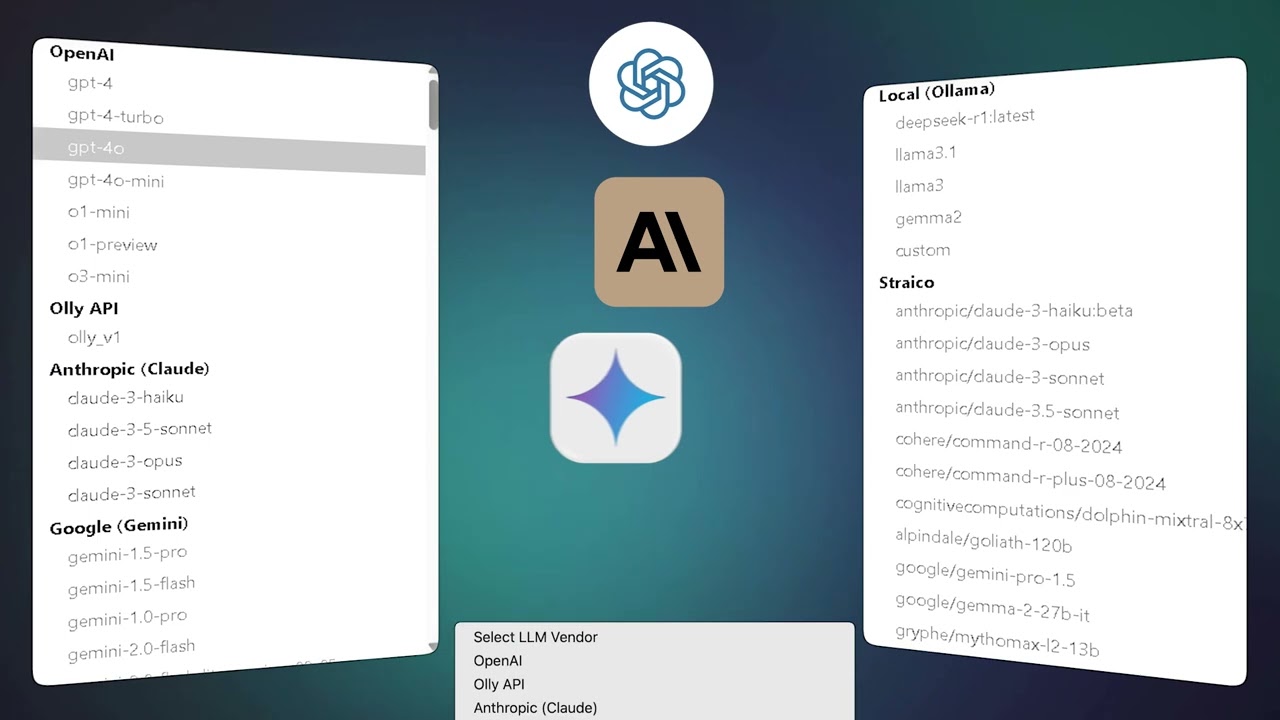
Diving into the virality scorer felt like peeking behind the curtain of social sorcery, I tossed in a draft about AI ethics, and it rated it 72%, suggesting tweaks like adding a question to spark debate. Spot on, because when I posted the revised version, shares trickled in faster than expected. The tech hums quietly, leveraging Claude or Gemini models you pick, even local Ollama for offline runs if you’re paranoid about clouds. But here’s the rub from my brief tango, you still highlight text manually each time, which breaks the rhythm a tad, like chopping veggies mid-stir-fry. And the free limit hit me quick after ten comments, nudging toward paid.
Compared to Buffup, which cranks out bulk schedules but feels stiff for on-the-fly chats, Olly’s browser-native flow wins for spontaneity. Buffup shines in team calendars, sure, but Olly’s AI Personalities let me clone a “formal consultant” voice for client posts, a neat trick agencies swear by on Product Hunt. Surprises popped up too, the summary tool condensed a 20-tweet thread into bullet gold, saving me from doom-scroll fatigue. Users on X echo that, one influencer crediting it for 150% reach bumps, though a few mutter about occasional off-tone replies that need prompt fiddling. I get it, AI’s not psychic yet, but the real-time monitoring dashboard, with its spike graphs on engagement, turns guesswork into glances.
Picture this brief encounter as a teaser trailer, the gamification leaderboard teasing rivals’ scores to fuel your fire, and multi-platform support stretching to TikTok without hiccups. Downsides linger, like Instagram’s partial rollout meaning no full auto there yet, and setup with API keys took a retry or two. Still, for my taste, it outpaces SocialBee in comment depth, where SocialBee’s more about queues than quips. Witty turns aside, the passion here lies in reclaiming time, letting creativity breathe while bots handle the grunt work.
Grab the free version today, pick three posts in your niche, experiment with tones, and log those scores, you might just uncover your feed’s hidden rhythm in a session or two.
Homepage Screenshot 📸

Video Overview 🎬
What are the key features? ✨
- AI Comments: Generates context-aware comments in customizable tones to boost engagement on social posts.
- Virality Scores: Analyzes content to predict viral potential with numerical ratings and improvement suggestions.
- Post Generation: Creates full posts and summaries tailored to user voice across multiple platforms.
- AI Personalities: Builds reusable profiles for brand-specific commenting styles, ideal for agencies.
- Real-Time Analytics: Tracks performance metrics like reach and replies in an integrated dashboard.
Who is it for? 🤔
Examples of what you can use it for 💡
- Influencer: Crafts personalized replies to fan comments on Instagram to foster loyalty and increase interaction rates.
- Agency Manager: Deploys multiple AI Personalities for client brands on LinkedIn to maintain distinct voices across campaigns.
- Content Creator: Generates post ideas with virality scores on X to prioritize high-impact content for faster growth.
- Small Business Owner: Automates keyword-targeted comments on Facebook groups to drive leads without daily monitoring.
- Marketer: Summarizes long threads on Reddit for quick insights and repurposed content in newsletters.
Pros & Cons ⚖️
- Natural-sounding output
- Multi-model support
- Affordable lifetime option
- Manual highlighting needed
- Free tier limits
FAQs 💬
Ready to try Olly?
Generates personalized comments and predicts post virality on social platforms
Visit OllyOlly alternatives 🔗