Skip to content
logo-darklogo-darklogo-darklogo-dark
  • Tool Categories
    • 🎨Art & Creative Design505
    • 🏢Business Management644
    • 💻Coding & Development514
    • 👮Detection83
    • 🧠General Use728
    • 🏥Health & Wellness55
    • 📷Image & Photo Analysis100
    • 🖼️Image Generation & Editing618
    • 📐Interior & Architectural Design37
    • 🎓Learning & Education483
    • ⚖️Legal & Finance90
    • 🎭Lifestyle & Entertainment236
    • 📢Marketing & Advertising627
    • 🎧Music & Audio138
    • 👔Office & Workplace1,014
    • 🔬Research & Data Analysis373
    • 👥Social Media245
    • 🎥Video Generation & Editing426
    • 👧🏻Virtual Companion135
    • 🎤Voice Generation & Editing381
    • ✍️Writing & Editing808
    • All Categories
    • AI Use Cases
  • News
  • Events
    • Academic Conferences
    • Developer Conferences
    • Expos / Trade Shows
    • Industry Summits
    • Workshops / Training
    • All Events
    • Past Events
  • Saved Tools
  • Suggest a Tool
    ✕
    Home › Writing & Editing › Copywriting› Unbounce Smart Copy
    Unbounce Smart Copy

    Unbounce Smart Copy

    An AI-driven tool designed to generate high-quality copies for different purposes

    Unbounce’s Smart Copy is an AI-driven tool designed to generate high-quality copies for various needs, including ads, emails, blogs, and landing pages. It helps users overcome writer’s block by providing content suggestions and templates tailored to different marketing requirements.

    Speaking of templates, Smart Copy includes more than 45 of them, making it super-easy to produce taglines, product descriptions, and social media content in multiple languages.

    The platform offers seamless integration with popular tools through its web app, desktop app, and Chrome extension. Users can write, rewrite, and expand content directly within their favorite applications, enhancing productivity and ensuring consistent messaging across different channels.

    Smart Copy is said to be ideal for anyone looking to streamline their content creation process without sacrificing quality. Its built-in features like grammar checks, content insights, and user-friendly interfaces make it accessible for all skill levels — from novices to experienced marketers.

    In a nutshell, Smart Copy by Unbounce is a comprehensive solution for anyone needing efficient, professional copywriting. It saves time and improves content effectiveness — making valuable for enhancing marketing efforts and achieving business goals. Check it out.

    Visit Unbounce Smart Copy ↗
    Categories
    ✍️ Writing
    ✒️ Copywriting 🤖 Writing Assistant 🅰️ Text Generation ✍️ Blog Generation
    📢 Advertising
    🚀 Marketing 🎨 Ad Creative 📧 Email Generation 💻 Digital Marketing
    💻 Coding
    🚀 Landing Page Building

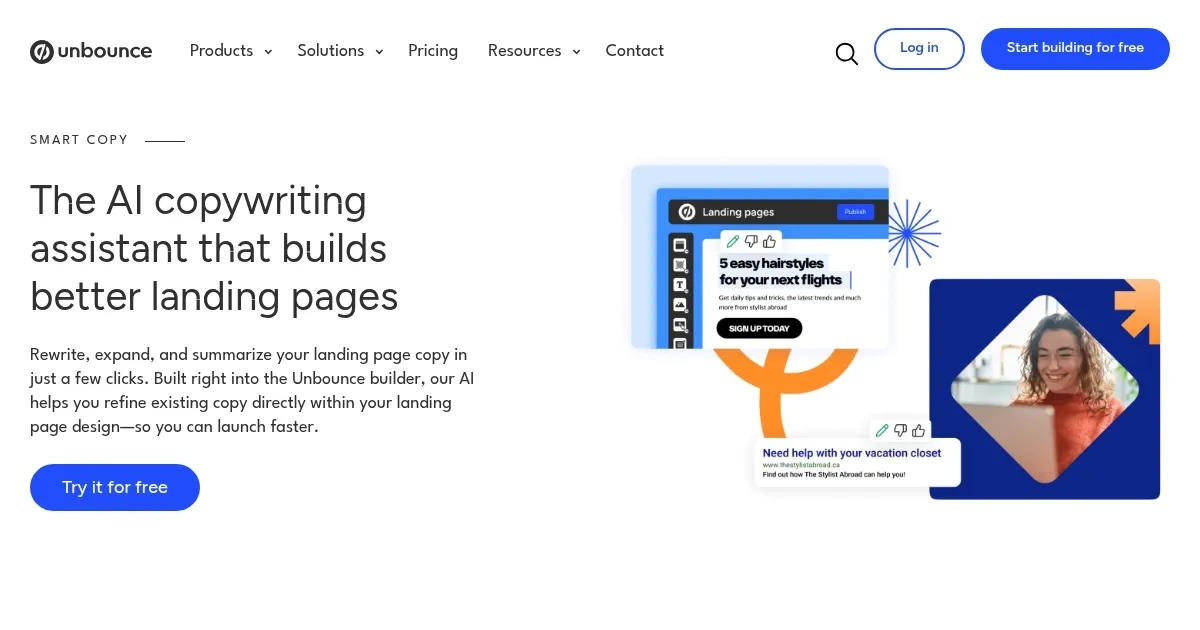
    Homepage Screenshot 📸

    Unbounce Smart Copy screenshot

    Video Overview 🎬

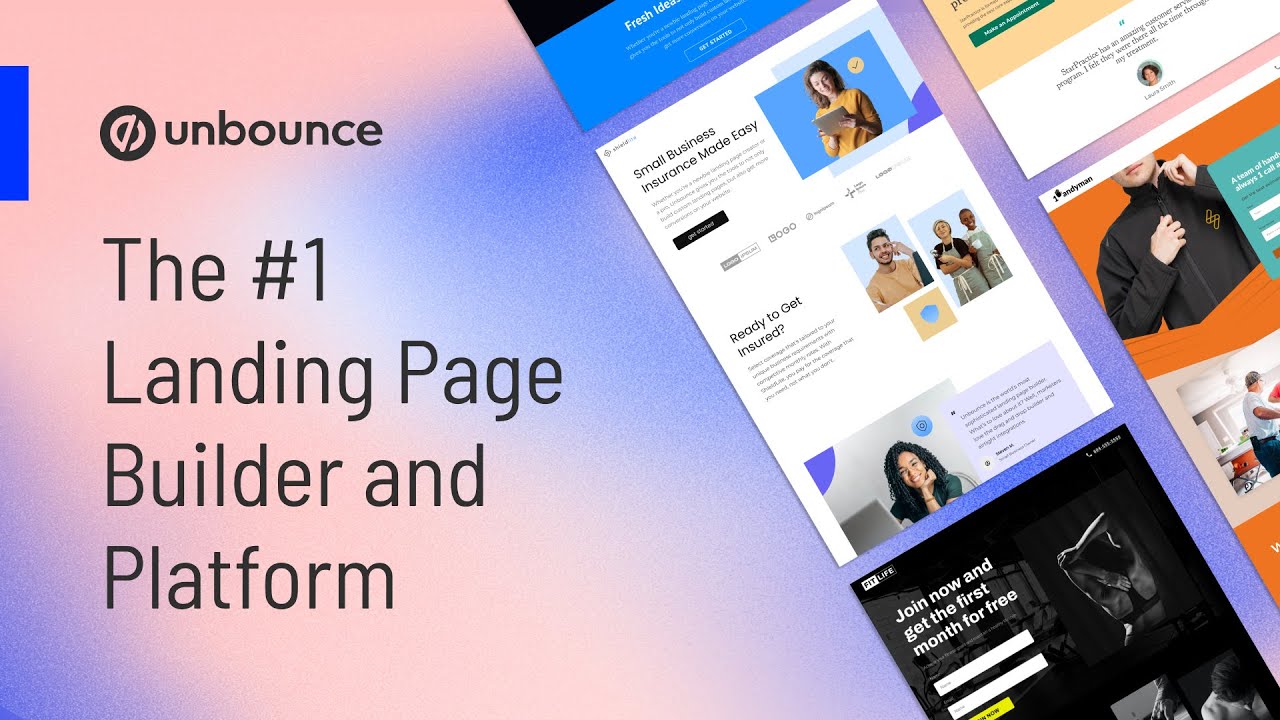
    Unbounce Smart Copy - Video Overview

    What are the key features? ✨

    • AI-powered writing: Smart Copy generates high-quality, engaging content for various uses like ads, emails, and websites - transforming ideas into on-brand content.
    • Templates: The tool offers over 45 templates to help users create ad copy, taglines, product descriptions, landing pages, and more.
    • Browser extension & desktop app: Users can write, rewrite, summarize, or expand content directly from their browser or desktop applications.
    • Multi-language support: Smart Copy can write in over 30 languages, making it useful for global users.
    • Integrated: The platform includes built-in tools like Grammarly for grammar checks, and the ability to expand, remix, or generate the next sentence.

    Who is it for? 🤔

    Smart Copy targets marketers, small businesses, content creators, and agencies looking to streamline their content creation process. It is designed for professionals who need to generate engaging copies quickly and efficiently without sacrificing creativity or accuracy. The tool is also beneficial for those seeking to enhance their marketing efforts and improve productivity.

    Examples of what you can use it for 💡

    • Generate engaging ad copy and email content to enhance marketing campaigns and improve conversion rates
    • Draft blog posts, articles, and other long-form content to keep your audience engaged
    • Create compelling product descriptions that highlight key features and benefits
    • Craft catchy and impactful social media posts that resonate with your audience
    • Develop landing page copy that converts visitors into leads or customers

    Pros & Cons ⚖️

    • Generate all kinds of marketing texts with ease
    • Also great for articles and blog posts
    • Browser extension is pretty useful
    • ChatGPT alone could do many of these things

    FAQs 💬

    What does Smart Copy actually do inside Unbounce?
    Smart Copy acts as an AI assistant built into the Unbounce builder. It rewrites, expands, or summarizes copy directly on your landing page for faster refinements and real-time previews.
    Can I use Smart Copy without building a full landing page?
    Yes, you access it via the web app, Chrome extension, or desktop app. This lets you generate or remix copy for ads, emails, blogs, or other uses outside Unbounce.
    How many copy variations does it generate per request?
    It usually provides several options for each prompt. You review them quickly and apply your preferred one with a single click to test different versions.
    Is it good for ad copy like Google Ads or Facebook?
    Many users say yes, especially since it respects character limits and generates test-ready headlines and descriptions. Always double-check for platform rules and accuracy.
    Does Smart Copy support multiple languages?
    It handles several languages for copy generation. English remains the strongest, but you can create content in others depending on your prompt.
    What kind of starting input works best?
    Provide a rough draft, keywords, audience details, or brand info. The more context you give, the more relevant and on-brand the suggestions become.
    Can beginners use Smart Copy effectively?
    Absolutely. The interface stays simple, and features like one-click apply make it approachable. Some practice helps get the best results from prompts.
    How does it compare to standalone AI writers?
    Smart Copy shines in the Unbounce ecosystem for seamless page edits. Standalone tools might offer more templates or long-form depth, but lack the in-builder integration.
    Is there a Chrome extension for everyday writing?
    Yes, the extension works across sites and apps. Highlight text in Gmail, Docs, or social platforms to rewrite, expand, or continue it instantly.
    Does it check for plagiarism or originality?
    Some versions include basic originality checks. Generated copy draws from broad patterns, so review and customize to ensure it fits your unique voice.

    Ready to try Unbounce Smart Copy?

    An AI-driven tool designed to generate high-quality copies for different purposes

    Visit Unbounce Smart Copy ↗

    Unbounce Smart Copy alternatives 🔗
    1. Ahrefs AI writing tools Ahrefs AI writing tools Enhance your marketing and content performance with Ahrefs' free copywriting tools powered by AI
    2. CopyGenius CopyGenius Use AI to automatically write ad copy, product descriptions, blog outlines, and more
    3. Copymatic Copymatic Text, article, and image generation platform and chatbot
    4. GravityWrite GravityWrite Create blogs, ad copies, emails, social media posts, and more in seconds
    5. LogicBalls LogicBalls A variety of free AI-powered apps and tools that can enhance your productivity
    6. Anyword Anyword Generative AI for performance writing helping you scale on-brand content
    Share
    Unbounce Smart Copy screenshot enlarged
    Best AI Tools

    Discover the best AI tools for any use case

    Explore
    • Tool Categories
    • AI Use Cases
    • AI Events
    • AI News
    • Saved Tools
    Company
    • About Us
    • Contact Us
    • Media & Partnerships
    • Suggest a Tool
    Legal
    • Privacy Policy
    • Terms of Service
    Copyright © 2026 Best AI Tools 415 Mission Street, 37th Floor, San Francisco, CA 94105