logo-darklogo-darklogo-darklogo-dark
  • Tool Categories
    • ๐ŸŽจArt & Creative Design505
    • ๐ŸขBusiness Management644
    • ๐Ÿ’ปCoding & Development514
    • ๐Ÿ‘ฎDetection83
    • ๐Ÿง General Use728
    • ๐ŸฅHealth & Wellness55
    • ๐Ÿ“ทImage & Photo Analysis100
    • ๐Ÿ–ผ๏ธImage Generation & Editing618
    • ๐Ÿ“Interior & Architectural Design37
    • ๐ŸŽ“Learning & Education483
    • โš–๏ธLegal & Finance90
    • ๐ŸŽญLifestyle & Entertainment236
    • ๐Ÿ“ขMarketing & Advertising627
    • ๐ŸŽงMusic & Audio138
    • ๐Ÿ‘”Office & Workplace1,014
    • ๐Ÿ”ฌResearch & Data Analysis373
    • ๐Ÿ‘ฅSocial Media245
    • ๐ŸŽฅVideo Generation & Editing426
    • ๐Ÿ‘ง๐ŸปVirtual Companion135
    • ๐ŸŽคVoice Generation & Editing381
    • โœ๏ธWriting & Editing808
    • All Categories
    • AI Use Cases
  • News
  • Events
    • Academic Conferences
    • Developer Conferences
    • Expos / Trade Shows
    • Industry Summits
    • Workshops / Training
    • All Events
    • Past Events
  • Saved Tools
  • Suggest a Tool
โœ•
Home › Writing & Editing › Writing Assistant› GravityWrite
GravityWrite

GravityWrite

Create blogs, ad copies, emails, social media posts, and more in seconds

GravityWrite is an AI-powered writing tool aimed at streamlining the content creation process for various types of content, including blogs, ad copies, emails, social media posts, and more. As that’s the case with similar tools, it can help you produce content quickly, using more than 80 powerful AI writing tools — such as an instant article writer, website/SEO content creator, ad copy generator, social media post generator, YouTube video script writer, and email marketing content creator. This, in turn, makes the tool particularly appealing for freelancers, small business owners, or marketers requiring a wide range of content typesโ€‹โ€‹.

The platform is easy to use, offering an intuitive dashboard that allows content creators to easily navigate and utilize its features. As noted above, these include tools for article creation, advertisement creation, YouTube scripting, copywriting instruments, picture prompts, and writing aids, among others. This comprehensive toolkit ensures that the content not only engages and resonates with the intended audience but is also well-researched and accurate.

GravityWrite also offers flexibility in pricing with a free plan alongside premium options, catering to various needs and budgetsโ€‹โ€‹.

You may still need to check for GravityWrite-produced articles, as AI is still not perfect, but it’s getting there. Nevertheless, it will save you a lot of time in your content-production effort. Check it out.

Visit GravityWrite ↗
Categories
โœ๏ธ Writing
๐Ÿค– Writing Assistant โœ๏ธ Blog Generation โœ’๏ธ Copywriting โ™ป๏ธ Content Repurposing ๐Ÿ…ฐ๏ธ Text Generation โœ‰๏ธ Email Writing ๐ŸŽฌ Script Writing
๐Ÿ“ข Advertising
๐Ÿš€ Marketing ๐Ÿ” SEO
๐Ÿ‘ฅ Social
๐Ÿ“ Social Media Post Generation

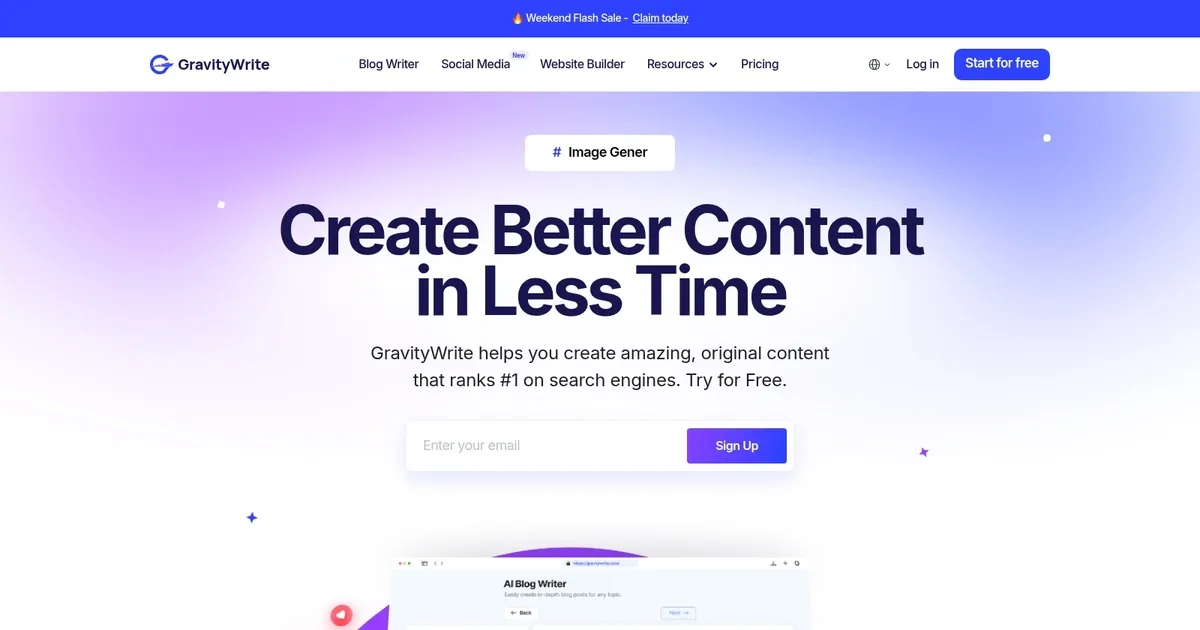
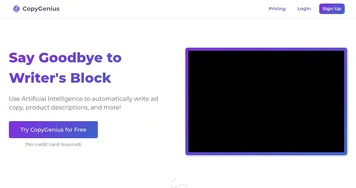
Homepage Screenshot 📸

GravityWrite screenshot

Video Overview 🎬

GravityWrite - Video Overview

What are the key features? ✨

  • AI Blog Writer: generates SEO-optimized blog posts with outlines, headlines, and full drafts from topics or URLs
  • AI Image Generator: creates custom visuals from descriptions with templates, aspect ratios, and style controls
  • Gravity Social: automates social media post generation, scheduling, and engagement analytics across platforms
  • 250+ Specialized Tools: covers rewriting, SEO, email, ad copy, YouTube scripts, and niche categories like HR or code
  • Brand Voice Training: adapts content to match your style by learning from provided samples

Who is it for? 🤔

GravityWrite suits content creators, bloggers, digital marketers, small business owners, and social media managers who need fast, SEO-friendly content without juggling multiple apps. Its especially useful for freelancers or teams handling blogs, social posts, ads, and visuals on a regular basis, particularly those on a budget who want multilingual support and an all-in-one workflow.

Examples of what you can use it for 💡

  • Blogger: generates complete SEO-optimized articles with outlines and images from a simple topic or keyword
  • Social media manager: creates and schedules engaging posts across platforms with analytics for better timing
  • Digital marketer: produces high-converting ad copy, emails, and landing page content quickly
  • Small business owner: builds website copy, product descriptions, and visuals without hiring writers or designers
  • Content creator: repurposes ideas into YouTube scripts, book outlines, or multilingual versions for global reach

Pros & Cons ⚖️

  • Fast content generation
  • 250+ versatile tools
  • Multilingual support
  • Built-in image creation
  • Images not pro-level
  • Occasional editing needed

FAQs 💬

What types of content can GravityWrite generate?
It creates blogs, social media posts, ads, emails, images, YouTube scripts, and more using specialized tools.
Does GravityWrite support multiple languages?
Yes, it supports over 30 languages and various tones for global content creation.
Is there a free plan available?
Yes, a free tier lets you try limited generations before upgrading.
Can it optimize content for SEO?
Yes, the AI Blog Writer builds SEO-friendly posts with competitor-inspired structures and keywords.
How does the image generator work?
Describe what you need, choose options like ratios or templates, and get visuals instantly.
Does GravityWrite learn my brand voice?
Yes, it adapts by training on your existing content samples.
What integrations does it offer?
It connects with Ahrefs, Google Analytics, and WordPress for data and publishing.
Is it suitable for beginners?
Yes, the intuitive dashboard requires no technical skills or training.

Ready to try GravityWrite?

Create blogs, ad copies, emails, social media posts, and more in seconds

Visit GravityWrite ↗

GravityWrite alternatives 🔗

  1. ChatGPT ChatGPT All-round AI assistant generating human-like responses to user queries and tasks
  2. Gemini Gemini Generates responses from text, images, audio, and video inputs using advanced multimodal AI
  3. Claude Claude Assists users in reasoning, coding, writing, and analyzing data with advanced AI models
  4. Poe Poe Aggregates top AI models for seamless chatting and bot creation
  5. SwiftKey AI Keyboard SwiftKey AI Keyboard Enhances typing with AI-powered autocorrect and predictions
  6. Brave Leo Brave Leo Assists with web queries, content creation, and document analysis in-browser
Share
GravityWrite screenshot enlarged
Best AI Tools

Discover the best AI tools for any use case

Explore
  • Tool Categories
  • AI Use Cases
  • AI Events
  • AI News
  • Saved Tools
Company
  • About Us
  • Contact Us
  • Media & Partnerships
  • Suggest a Tool
Legal
  • Privacy Policy
  • Terms of Service
Copyright © 2026 Best AI Tools 415 Mission Street, 37th Floor, San Francisco, CA 94105