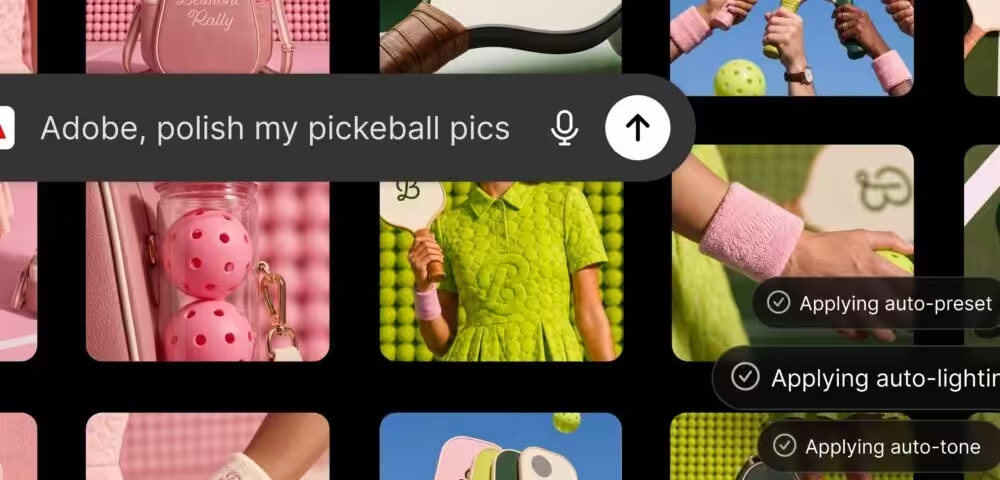
Most ChatGPT integrations let you do one thing. Adobe is trying to do everything at once. The company announced a single unified Adobe plugin for ChatGPT that draws on more than 70 tools across its creative and productivity suite, including Photoshop, Firefly, Premiere, Acrobat, Lightroom, Illustrator, InDesign, and Adobe Stock. That’s a significant scope for a plugin, and it’s worth taking seriously.
What the plugin actually does
The idea is straightforward: you describe what you want inside a ChatGPT conversation, and the plugin figures out which Adobe tools to call behind the scenes. No switching apps, no manual exports. You type, it builds.
Practically speaking, that covers a wide range of use cases. You can upload campaign photos and apply a consistent style across the whole set, which then saves directly to Creative Cloud. You can cut a long video down into platform-specific clips for YouTube Shorts or Instagram Reels. You can browse design templates with live previews, customize them, and export as an animated social post or a print-ready PDF. And you can take a spreadsheet and turn it into formatted documents like catalogs, event badges, or infographics.
These aren’t toy features. Batch editing product photos in a chat interface, with results that carry over into Photoshop for final polish, is a workflow that agencies and in-house teams actually use. The question is always how well it executes, but the scope is real.
How it compares to other AI platform integrations
Adobe has been building out platform-specific tools for a while now. There are already standalone Adobe apps for ChatGPT, Claude, and Copilot, with Slack and Gemini integration listed as coming soon. What’s different here is consolidation. Instead of separate plugins for separate apps, this is one entry point that routes to whichever Adobe capability fits the task.
That’s a meaningful architectural choice. It mirrors what Adobe is doing inside its own products with its agent-based workflows, and it means the plugin is using the same underlying tooling that powers those native experiences. So you’re not getting a stripped-down version built for the chatbot context.
For comparison, Canva has had ChatGPT integration, but its toolset is narrower and aimed at a less professional audience. Microsoft’s own design tools inside Copilot are still relatively limited. Adobe’s depth here, particularly on video, document formatting, and photo editing, is harder to match.
Pricing and availability
The plugin is available now, globally, on ChatGPT web and the mobile app. It works with both ChatGPT Work and Codex.
Getting started requires only a few steps:
- Open ChatGPT, go to Plugins, and add the Adobe plugin
- In a new chat, type “@Adobe” or use the “+” button to select it from installed plugins
- Continue as a guest or sign in with your Adobe account
Guest access is available without an Adobe account and covers a broad set of tools. But signing in with an existing Adobe account adds generative AI features, Creative Cloud file access, and session continuity, so your work persists between chats.
There’s no separate plugin pricing listed. What you get depends on your existing Adobe subscription tier.
Why this matters now
OpenAI has been pushing hard to make ChatGPT a general-purpose work tool, not just a chat interface. Adobe is a logical partner for that strategy. Vibhor Chhabra, product lead for the ChatGPT Ecosystem at OpenAI, called Adobe’s tools “category-leading” in a statement, which is the kind of language OpenAI uses when a partnership is strategically important, not just convenient.
And for Adobe, the calculus is clear. Millions of users are already in ChatGPT. Putting professional creative tools directly in that workflow is an acquisition play as much as a product one. If a user edits their first campaign photos through the Adobe plugin in ChatGPT, the next step is a paid Adobe subscription.
So this isn’t a minor update. It’s Adobe making a clear bet that the AI chatbot interface is where a lot of creative work will start, and positioning itself to be the tool that finishes it.