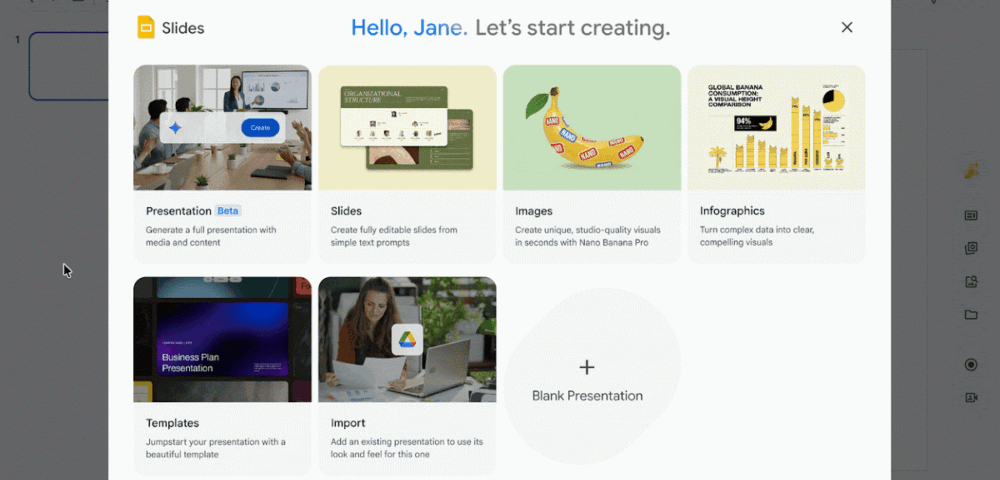
Google just made one of the more tedious parts of office work significantly easier. As of June 29, 2026, Gemini can generate a complete, multi-slide presentation inside Google Slides based on a single text prompt. The slides are fully editable, grounded in your own content, and styled to match an existing deck if you want them to be.
Google announced the feature on its Workspace Updates blog, describing it as part of a broader push to rethink content creation across Docs, Sheets, Slides, and Drive. The rollout started June 29 and applies to both Rapid Release and Scheduled Release domains, though Google warns the feature may take longer than 15 days to appear for all users.
This is not another AI tool that spits out a static image or a locked PDF. The output is native Google Slides content, which means you can edit every element just as you would with any deck you built by hand. That distinction matters more than it might seem at first glance.
Here is how the process actually works. You open the Slides side panel, type a prompt describing what you need, and then optionally attach files from Drive to give Gemini context. You can also attach an existing presentation to use as a style reference, which keeps the output consistent with your company’s visual identity. Before the slides are generated, Gemini asks follow-up questions to refine the tone, audience, and content, and lets you approve or edit the outline first.
Gemini will also suggest relevant files, emails, and chats from your workspace that you might want to include. That context-aware suggestion layer is one of the more practical touches here. Instead of hunting through Drive for the right document, the tool surfaces what it thinks you need based on your prompt.
A few things worth knowing before you try it:
- The feature is available in English only at launch
- It requires Business Standard, Business Plus, Enterprise Standard, or Enterprise Plus plans, or a Google AI Pro or Ultra consumer subscription
- Education users need the Google AI Pro for Education add-on
- There is no admin toggle to enable or disable it
Google is also offering a promotional period through at least August 1, 2026, during which users get higher usage limits than will apply afterward. Users will see an in-product notification explaining the promotion. After August 1, per-user limits kick in, and Google says it will publish those details in the Help Center before they take effect. Users with the AI Expanded Access add-on will get higher limits once the promotional period ends.
The broader context here is that Microsoft has been pushing similar AI-assisted presentation tools through Copilot in PowerPoint for some time now. Google is catching up fast, and the fact that its output is fully native and editable rather than a generated image or an imported file puts it on solid footing. For teams already living inside Google Workspace, this removes a real friction point. Building a first draft of a presentation from existing documents and emails, with your brand style already applied, used to take the better part of an afternoon. That bar just dropped considerably.