logo-darklogo-darklogo-darklogo-dark
  • Tool Categories
    • ๐ŸŽจArt & Creative Design505
    • ๐ŸขBusiness Management644
    • ๐Ÿ’ปCoding & Development515
    • ๐Ÿ‘ฎDetection83
    • ๐Ÿง General Use727
    • ๐ŸฅHealth & Wellness55
    • ๐Ÿ“ทImage & Photo Analysis100
    • ๐Ÿ–ผ๏ธImage Generation & Editing618
    • ๐Ÿ“Interior & Architectural Design37
    • ๐ŸŽ“Learning & Education483
    • โš–๏ธLegal & Finance90
    • ๐ŸŽญLifestyle & Entertainment236
    • ๐Ÿ“ขMarketing & Advertising627
    • ๐ŸŽงMusic & Audio138
    • ๐Ÿ‘”Office & Workplace1,014
    • ๐Ÿ”ฌResearch & Data Analysis372
    • ๐Ÿ‘ฅSocial Media245
    • ๐ŸŽฅVideo Generation & Editing426
    • ๐Ÿ‘ง๐ŸปVirtual Companion135
    • ๐ŸŽคVoice Generation & Editing381
    • โœ๏ธWriting & Editing808
    • All Categories
    • AI Use Cases
  • News
  • Events
    • Academic Conferences
    • Developer Conferences
    • Expos / Trade Shows
    • Industry Summits
    • Workshops / Training
    • All Events
    • Past Events
  • Saved Tools
  • Suggest a Tool
โœ•
Home › Image Generation & Editing › Image Generation› LiveMemory
LiveMemory

LiveMemory by MyHeritage

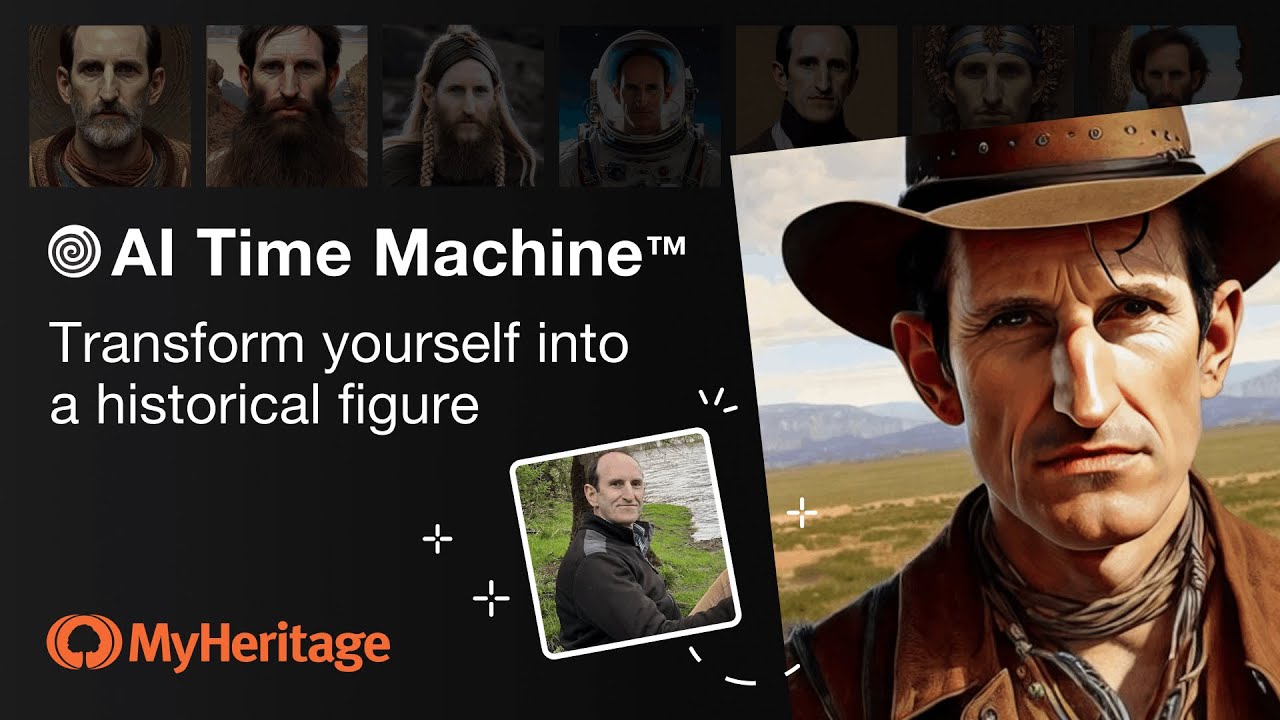
A tool from MyHeritage that creates AI-generated avatars of people in historical attire and settings

Formerly called AI Time Machine,ย LiveMemory is a cutting-edge feature from MyHeritage, a platform focused on genealogy and family history research. This innovative tool allows users to create AI-generated avatars of themselves or their family members to imagine their appearance in various historical periods and contexts.

By leveraging artificial intelligence, MyHeritage LiveMemory offers an engaging way to connect with history, enabling individuals to virtually “travel” through time and explore different eras, costumes, and settings as if they were part of those historical moments.

The process involves users uploading photos, after which AI technology transforms these images into historically accurate and contextually appropriate avatars. Whether one wishes to see oneself as a medieval knight, a 1920s flapper, or any other historical scenario, MyHeritage LiveMemory provides a personalized and immersive historical experience.

This feature adds a fun and educational dimension to exploring one’s ancestry and the past. It also enhances the overall experience of learning about history by providing a visual and personal connection to various time periods.

Visit LiveMemory ↗
Categories
๐Ÿ–ผ๏ธ Image
๐Ÿ–ผ๏ธ Image Generation ๐Ÿง‘โ€๐ŸŽค Avatar Generation ๐Ÿ“ธ Headshot Generation ๐ŸŽจ Style Transferring ๐Ÿ‘ค Profile Picture Generation
๐ŸŽญ Lifestyle
๐ŸŽฎ Game

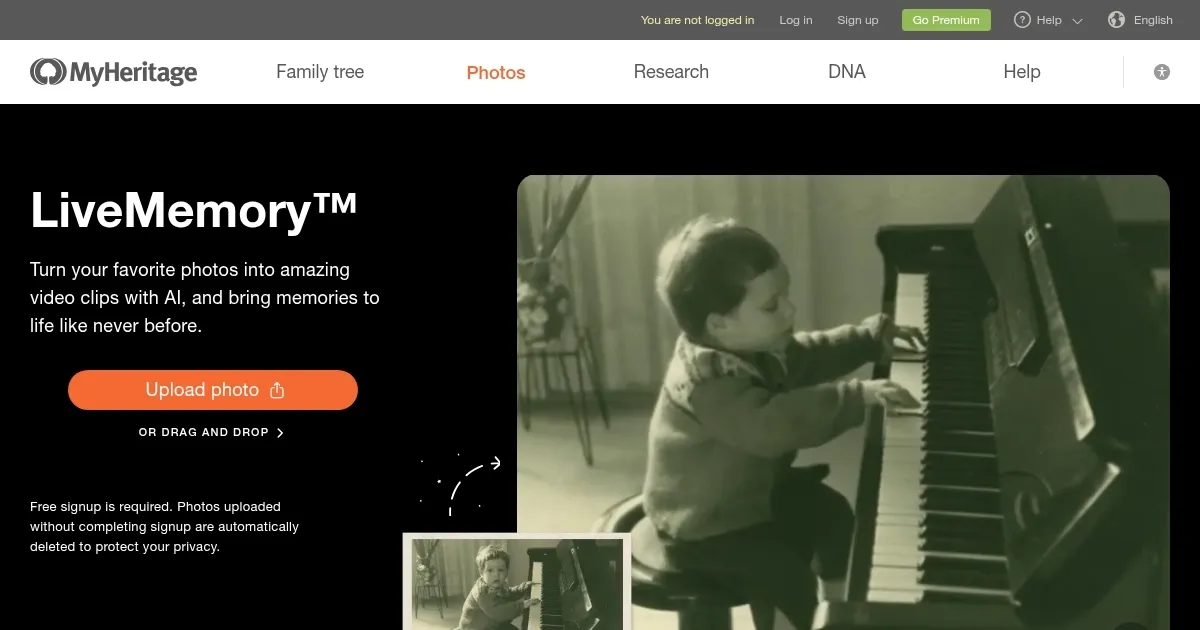
Homepage Screenshot 📸

LiveMemory screenshot

Video Overview 🎬

LiveMemory - Video Overview

What are the key features? ✨

  • AI avatars: Create realistic AI-generated avatars from your photos.
  • Historical themes: You can travel through different historical eras with themed avatars.
  • Easy to use: All you have to do is upload the photos, and the AI will do the rest on your behalf.
  • It's shareable: It is easy to share your AI avatars on social media or use them as profile pictures.
  • Different styles: The tool offers numerous styles and backgrounds to choose from.

Who is it for? 🤔

MyHeritage LiveMemory targets individuals who enjoy creating and sharing unique content on social media, as well as those interested in historical themes and creative projects. In that sense, it appeals to a broad range of users, from casual social media enthusiasts to professional marketers looking for innovative ways to engage their audience. The tool is also great for anyone who wants to explore different historical styles and have fun with AI-generated avatars.

Examples of what you can use it for 💡

  • Create unique and engaging profile pictures
  • Share and compare AI avatars with friends and family
  • Use AI avatars for artistic or creative projects
  • Make virtual meetings or events more interesting with custom avatars
  • Businesses can create engaging content for promotional materials

Pros & Cons ⚖️

  • Create your own AI avatar for social media and other platforms
  • Now you can have your AI avatar in online meetings
  • You can also use it for some creative projects
  • At some point, you may need to fine-tune the graphics with Photoshop

FAQs 💬

What is MyHeritage LiveMemory?
LiveMemory is an AI-powered tool from MyHeritage that turns still photos into short video clips by animating the scenes, so you can relive family moments as if they are unfolding right in front of you. It builds on earlier features like Deep Nostalgia, which just moved faces, but this one animates whole images including people, pets, or even cars.
How does LiveMemory work?
You upload a photo through the MyHeritage app or website, pick an animation style like automatic reenactment or a fun effect, and the AI generates a 5-second MP4 video in a few minutes. It gets emailed to you, and the tool simulates movements beyond the photo's edges for a more immersive feel. I think it shines best with photos that have clear action or context.
Do I need a MyHeritage account to use it?
Yes, you need a free account to start, but for more than a handful of free videos, you'll want a paid plan. Signing up is quick, and it lets you pull from your existing photo gallery if you have one.
Is LiveMemory free, or what are the costs?
You get a limited number of free videos to try it out, probably around 5 to 10 depending on promotions, but ongoing use requires a subscription. The Photo plan runs about $49.90 a year for 20 videos plus other photo tools, or the Omni plan at around $299 a year for 30 videos and full genealogy access. Complete subscribers can snag the Photo add-on for $37 with a discount.
Can I use LiveMemory on any photo?
Pretty much, as long as it's a clear image with subjects like family members or animals. It works okay on old black-and-white shots too, but results pop more with photos that have some background or movement potential. Avoid super simple portraits without context, they might just zoom in awkwardly.
What about privacy and ethics with these AI videos?
MyHeritage adds watermarks to every clip to show it's AI-made, so no one mistakes it for real footage. They don't sell your photos or use them to train their models, and a third-party handles the animation without keeping rights. Just get permission before uploading pics of living folks, that's good sense.
Does LiveMemory work on the mobile app or website?
It started on the mobile app for iOS and Android back in late 2024, but now it's on the website too since mid-2025. The app feels smoother for quick uploads from your phone, though. Update to the latest version either way.
What if the animation looks off or inaccurate?
The AI tries to stay true to the photo, but sometimes hands or complex poses glitch out, like in reviews where dog videos nailed it but human gestures felt wonky. You can delete and retry with a different photo or effect. Updates in 2025 improved realism, so newer tries probably fare better.
How many videos can I make, and what are the limits?
Free tier caps at a few per promo period, then Photo plan users get 20 a year, and Omni gets 30. They reset free uses during big updates, like the 2025 effects refresh, so keep an eye on the blog for bonuses. No daily limits mentioned, just the annual cap.
Is LiveMemory worth it for genealogy enthusiasts?
If you're into family history, absolutely, it adds that emotional punch to old photos and helps share stories in a fresh way. Users on forums rave about the nostalgia hit, though some call it a fun gimmick more than a research tool. Probably pairs best with a full MyHeritage sub for tree-building too.

Ready to try LiveMemory?

A tool from MyHeritage that creates AI-generated avatars of people in historical attire and settings

Visit LiveMemory ↗

LiveMemory alternatives 🔗

  1. ChatGPT ChatGPT All-round AI assistant generating human-like responses to user queries and tasks
  2. Grok Grok Delivers witty, real-time AI responses with advanced reasoning and image generation
  3. Imagen Imagen Generates photorealistic images from detailed text prompts
  4. Black Forest Labs Black Forest Labs Generates high-quality images from text prompts with precision and speed
  5. Kling AI Kling AI Generates cinematic videos from text or images with realistic motion
  6. Runway Runway Generates and edits AI-powered videos from text prompts
Share
LiveMemory screenshot enlarged
Promote LiveMemory
light badge
Copy Embed Code
dark badge
Copy Embed Code
neutral badge
Copy Embed Code
Best AI Tools

Discover the best AI tools for any use case

Explore
  • Tool Categories
  • AI Use Cases
  • AI Events
  • AI News
  • Saved Tools
Company
  • About Us
  • Contact Us
  • Media & Partnerships
  • Suggest a Tool
Legal
  • Privacy Policy
  • Terms of Service
Copyright © 2026 Best AI Tools 415 Mission Street, 37th Floor, San Francisco, CA 94105