Skip to content
logo-darklogo-darklogo-darklogo-dark
  • Tool Categories
    • 🎨Art & Creative Design505
    • 🏢Business Management644
    • 💻Coding & Development514
    • 👮Detection83
    • 🧠General Use728
    • 🏥Health & Wellness55
    • 📷Image & Photo Analysis100
    • 🖼️Image Generation & Editing618
    • 📐Interior & Architectural Design37
    • 🎓Learning & Education483
    • ⚖️Legal & Finance90
    • 🎭Lifestyle & Entertainment236
    • 📢Marketing & Advertising627
    • 🎧Music & Audio138
    • 👔Office & Workplace1,014
    • 🔬Research & Data Analysis373
    • 👥Social Media245
    • 🎥Video Generation & Editing426
    • 👧🏻Virtual Companion135
    • 🎤Voice Generation & Editing381
    • ✍️Writing & Editing808
    • All Categories
    • AI Use Cases
  • News
  • Events
    • Academic Conferences
    • Developer Conferences
    • Expos / Trade Shows
    • Industry Summits
    • Workshops / Training
    • All Events
    • Past Events
  • Saved Tools
  • Suggest a Tool
    ✕
    Home › Coding & Development › Code Assistant› Alex
    Alex

    Alex

    Assists Xcode developers with AI-powered code fixes and generation

    Alex is an AI coding assistant that integrates as a sidebar in Xcode to support iOS and Swift developers with automated tasks. It focuses on error fixing, code generation, and project management to accelerate development cycles. The tool processes code locally using embeddings from VoyageAI and supports models from providers such as Anthropic, OpenAI, Fireworks AI, Cerebras, and Gemini, with options to use custom OpenAI-compatible endpoints including local instances. Data like chat history and prompts remains stored on the user’s device, and hosted inferences opt out of retention or training by providers.

    Key features include Autofix Errors with AI, which detects and resolves Swift errors and Xcode issues via one-click application. Tab-to-Complete provides inline code suggestions as users type. Voice Inputs enable hands-free prompting for code changes or queries. Git Commit Generation creates descriptive messages based on modifications. Codebase search allows querying the entire project for context-aware responses.

    Competitors include Cursor, a general-purpose AI editor that supports multiple languages but requires leaving Xcode for full use. Another is Windsurf, which offers similar AI assistance for code but with less emphasis on Xcode-native integration. Alex differentiates through its exclusive Xcode focus and local processing, which enhances privacy compared to cloud-heavy options in competitors.

    Users appreciate the productivity gains, such as reduced debugging time and seamless feature addition, with over 20,000 developers reported in use. Drawbacks involve limited free chat credits, requiring upgrades for extensive sessions, and occasional setup complexity for custom models. A surprise is the image generation capability for UI elements, consuming few credits to produce viable assets. Pricing structures feature a free tier with basic access, Pro for expanded credits and unlimited applies, and Unlimited for heavy users on one device; these compare as more modular to Cursor’s flat subscriptions, allowing credit top-ups.

    The tool supports technical workflows by applying changes directly to files, running builds in the Simulator, and handling package integrations. It maintains heterogeneous paragraph structures for varied reading, with short statements for emphasis. Readers value the factual immersion in features without excess narrative.

    For practical application, begin with error fixes on existing codebases, progress to voice-driven refactors, and verify outputs via Simulator tests to ensure compatibility. And take it from there.

    Visit Alex ↗
    Categories
    💻 Coding
    🤖 Code Assistant ⌨️ Code Generation 👨‍💻 Development ✨ Vibe Coding
    👔 Work
    🤖 Copilot

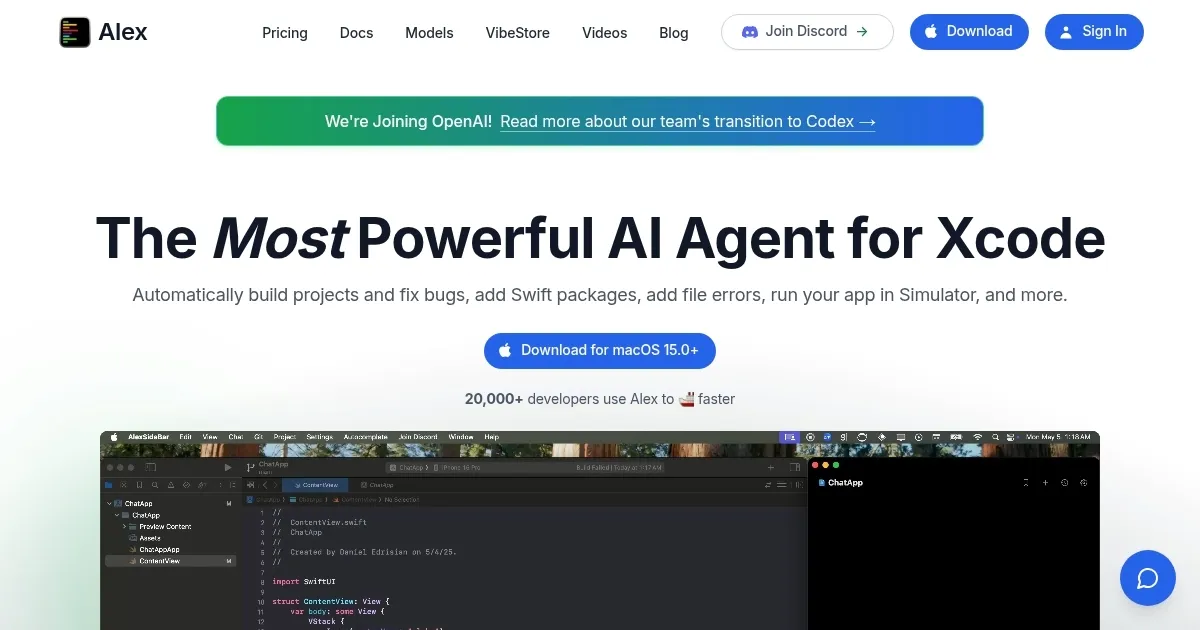
    Homepage Screenshot 📸

    Alex screenshot

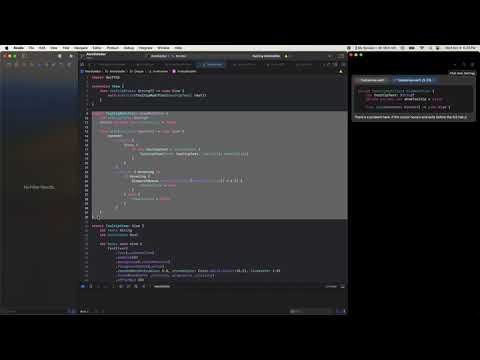
    Video Overview 🎬

    Alex - Video Overview

    What are the key features? ✨

    • Autofix Errors with AI: Automatically detects and corrects Swift errors and Xcode issues using AI analysis for quick resolution.
    • Tab-to-Complete: Offers real-time inline code suggestions as developers type to streamline coding efficiency.
    • Voice Inputs: Allows hands-free interaction by converting spoken prompts into code actions or queries.
    • Git Commit Generation: Produces descriptive commit messages based on code changes to maintain clear version history.
    • Codebase Search: Enables searching the entire project for context-aware AI responses and insights.

    Who is it for? 🤔

    Alex is made for iOS and macOS developers who work primarily in Xcode and seek to enhance their workflow without switching tools, particularly indie creators, teams building SwiftUI apps, or those handling frequent debugging and integration tasks. It empowers users with varying experience levels by automating repetitive elements like error correction and code completion, while maintaining privacy through local processing, making it ideal for professionals prioritizing speed and security in app development.

    Examples of what you can use it for 💡

    • Indie iOS Developer: Uses Autofix Errors with AI to resolve build issues quickly and integrate Swift packages for faster prototyping of personal apps.
    • Team Lead in Swift Projects: Employs Codebase Search to query large repositories and generate consistent commit messages via Git Commit Generation for collaborative version control.
    • Beginner App Builder: Leverages Voice Inputs and Tab-to-Complete to dictate and autocomplete simple UI views in SwiftUI without deep coding knowledge.
    • Productivity-Focused Coder: Applies features like running Simulator tests automatically after code changes to validate features during rapid iteration cycles.
    • UI/UX Experimenter: Generates app icons and mocks using the image tool integrated with chat credits to visualize designs alongside code.

    Pros & Cons ⚖️

    • Boosts coding speed
    • Strong Xcode integration
    • Easy code application
    • Limited free credits
    • Setup for customs tricky

    FAQs 💬

    What is Alex primarily used for?
    Alex serves as an AI assistant integrated into Xcode for iOS development, focusing on code generation, error fixing, and workflow automation.
    Does Alex require an internet connection?
    It operates mostly offline with local embeddings, but hosted AI models need internet for inference.
    Can I use my own AI models with Alex?
    Yes, it supports any OpenAI-compatible endpoint, including local models for full privacy control.
    How does Alex ensure code privacy?
    All code and data stay local on your device, with opt-outs for training on hosted providers like Anthropic or OpenAI.
    Is there a free version of Alex?
    A free tier exists with limited chat credits, suitable for light testing before upgrading.
    What pricing options does Alex offer?
    Plans include Pro for moderate use with top-up credits and Unlimited for heavy workloads on one device.
    How does Alex compare to Cursor for iOS work?
    Alex stays within Xcode for seamless use, while Cursor requires editor switches but supports more languages.
    Can beginners use Alex effectively?
    Yes, features like Voice Inputs and Tab-to-Complete make it accessible for those new to Swift coding.
    Does Alex support image generation?
    It includes a feature to generate UI images or icons using chat credits for quick prototyping.
    What if I encounter issues with code applies?
    Review and test in Simulator after applies, as AI suggestions may need minor tweaks for complex projects.

    Ready to try Alex?

    Assists Xcode developers with AI-powered code fixes and generation

    Visit Alex ↗

    Alex alternatives 🔗

    1. Windsurf Windsurf Empowers developers with AI-driven code generation and real-time collaboration.
    2. Cursor Cursor Supercharges coding with AI agents that build, edit, and review code autonomously.
    3. GitHub Copilot GitHub Copilot Enhances coding with AI-driven completions and chat assistance
    4. Replit AI Replit AI Transforms natural language prompts into fully deployable apps using AI agents
    5. Lovable Lovable Builds apps and websites via AI chat prompts.
    6. ChatGPT ChatGPT All-round AI assistant generating human-like responses to user queries and tasks
    Share
    Alex screenshot enlarged
    Best AI Tools

    Discover the best AI tools for any use case

    Explore
    • Tool Categories
    • AI Use Cases
    • AI Events
    • AI News
    • Saved Tools
    Company
    • About Us
    • Contact Us
    • Media & Partnerships
    • Suggest a Tool
    Legal
    • Privacy Policy
    • Terms of Service
    Copyright © 2026 Best AI Tools 415 Mission Street, 37th Floor, San Francisco, CA 94105