logo-darklogo-darklogo-darklogo-dark
  • Tool Categories
    • 🎨Art & Creative Design505
    • 🏢Business Management644
    • 💻Coding & Development515
    • 👮Detection83
    • 🧠General Use727
    • 🏥Health & Wellness55
    • 📷Image & Photo Analysis100
    • 🖼️Image Generation & Editing618
    • 📐Interior & Architectural Design37
    • 🎓Learning & Education483
    • ⚖️Legal & Finance90
    • 🎭Lifestyle & Entertainment236
    • 📢Marketing & Advertising627
    • 🎧Music & Audio138
    • 👔Office & Workplace1,014
    • 🔬Research & Data Analysis372
    • 👥Social Media245
    • 🎥Video Generation & Editing426
    • 👧🏻Virtual Companion135
    • 🎤Voice Generation & Editing381
    • ✍️Writing & Editing808
    • All Categories
    • AI Use Cases
  • News
  • Events
    • Academic Conferences
    • Developer Conferences
    • Expos / Trade Shows
    • Industry Summits
    • Workshops / Training
    • All Events
    • Past Events
  • Saved Tools
  • Suggest a Tool
✕
Home › Coding & Development › App Building› Buzzy
Buzzy

Buzzy

Turns ideas into functional web or mobile apps in minutes without coding

Buzzy is an AI-powered no-code platform that transforms ideas or Figma designs into functional web and mobile apps in minutes. Users input text prompts or use pre-built templates to create apps without coding, leveraging AI Creator for rapid development. The platform integrates with Figma via a plugin, allowing designers to convert mockups into live apps with real data and user-generated content. It supports web and mobile deployment, with MongoDB databases and S3 storage, scaling from 100MB to 100GB depending on the plan.

Key features include AI Creator, which generates apps from text prompts, and the Figma plugin for seamless design-to-app conversion. Templates like Stock Portfolio Tracker offer customizable, ready-made solutions. Buzzy’s plans range from basic to enterprise, with higher tiers offering dedicated databases and advanced features like load balancing. Compared to Bubble and Adalo, Buzzy prioritizes speed but may lack Bubble’s customization for complex apps.

The platform’s trial includes 1,500 AI tokens, sufficient for testing app creation. Paid plans provide more tokens and storage, though pricing is comparable to competitors. Recent feedback on Reddit praises Buzzy’s speed but notes occasional AI-generated layout issues. A case study on Buzzy’s site details a successful invoice-scanning app built with AI Point, highlighting efficiency.

Limitations include a waitlist for free access, which can delay onboarding, and storage constraints on lower-tier plans. The Figma plugin requires familiarity with Figma, which may challenge beginners. Some X users reported minor bugs in template customization, though support is responsive via email and Discord.

To get started, sign up for the 14-day trial and experiment with AI Creator or templates. Ensure your Figma skills are solid if using the plugin. Check storage needs for media-heavy apps before selecting a plan.

Visit Buzzy ↗
Categories
💻 Coding
📱 App Building 🏗️ Website Building 👨‍💻 Development ⌨️ Code Generation ✨ Vibe Coding

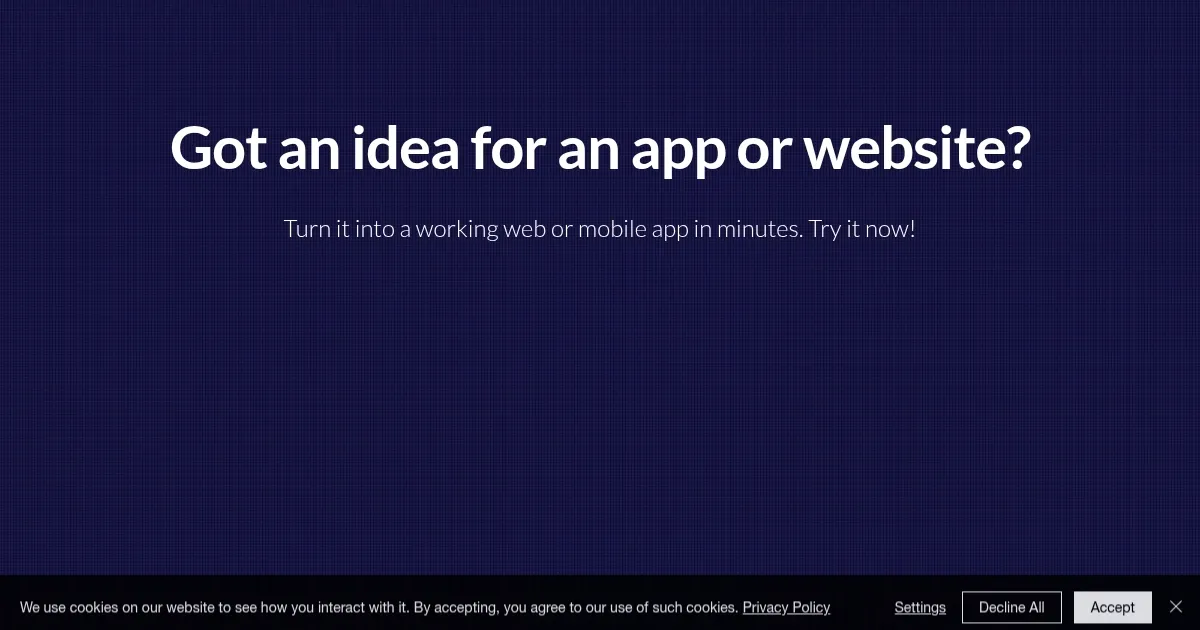
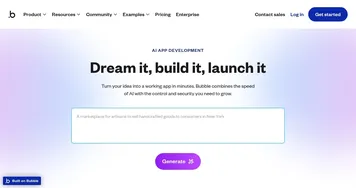
Homepage Screenshot 📸

Buzzy screenshot

Video Overview 🎬

Buzzy - Video Overview

What are the key features? ✨

  • AI Creator: Generates functional apps from text prompts in minutes.
  • Figma Plugin: Converts Figma designs into live apps with real data.
  • Templates: Offers customizable, ready-made apps like Stock Portfolio Tracker.
  • Web and Mobile Support: Deploys apps for both web and mobile platforms.
  • MongoDB Database: Provides shared or dedicated databases for data storage.

Who is it for? 🤔

Buzzy is designed for entrepreneurs, small business owners, designers, and non-technical creators looking to quickly build functional web or mobile apps without coding. Its AI-driven tools and Figma integration cater to startups testing MVPs, designers prototyping interfaces, and individuals launching personal projects, offering an accessible entry point for those with limited development skills.

Examples of what you can use it for 💡

  • Startup Founder: Builds a minimum viable product to test a business idea quickly.
  • Graphic Designer: Converts Figma mockups into interactive apps without coding.
  • Small Business Owner: Creates a branded mobile app for customer engagement.
  • Hobbyist Developer: Uses templates to launch a personal project in minutes.
  • Educator: Develops a custom app for classroom activities or student projects.

Pros & Cons ⚖️

  • Fast app creation in minutes.
  • No coding skills required.
  • Seamless Figma integration.
  • Customizable templates.
  • Limited storage on basic plan.
  • Occasional AI layout issues.

FAQs 💬

What is Buzzy’s main function?
Buzzy turns ideas or Figma designs into functional web or mobile apps without coding.
Do I need coding skills to use Buzzy?
No, Buzzy’s no-code platform is designed for users without programming experience.
Can I use Buzzy with Figma?
Yes, the Figma plugin converts designs into live apps with real data.
Is there a free trial for Buzzy?
Buzzy offers a 14-day trial with 1,500 AI tokens to test app creation.
What types of apps can I build?
You can build web or mobile apps, from portfolios to e-commerce solutions.
How does Buzzy compare to Bubble?
Buzzy is faster for simple apps, while Bubble offers more complex customization.
What are AI tokens used for?
AI tokens power app generation and other AI-driven tasks on the platform.
Can I customize templates?
Yes, templates like BuzzyShirt are fully customizable to match your brand.
What happens if I hit the storage limit?
You’ll need to upgrade to a higher plan for more storage, up to 100GB.
Is support available for beginners?
Yes, Buzzy offers email, forum, and Discord support for all users.

Ready to try Buzzy?

Turns ideas into functional web or mobile apps in minutes without coding

Visit Buzzy ↗

Buzzy alternatives 🔗

  1. Cursor Cursor Supercharges coding with AI agents that build, edit, and review code autonomously.
  2. Windsurf Windsurf Empowers developers with AI-driven code generation and real-time collaboration.
  3. Lovable Lovable Builds apps and websites via AI chat prompts.
  4. Replit AI Replit AI Transforms natural language prompts into fully deployable apps using AI agents
  5. v0.dev v0.dev Generates React UI components from text prompts using AI
  6. GitHub Copilot GitHub Copilot Enhances coding with AI-driven completions and chat assistance
Share
Buzzy screenshot enlarged
Promote Buzzy
light badge
Copy Embed Code
dark badge
Copy Embed Code
neutral badge
Copy Embed Code
Best AI Tools

Discover the best AI tools for any use case

Explore
  • Tool Categories
  • AI Use Cases
  • AI Events
  • AI News
  • Saved Tools
Company
  • About Us
  • Contact Us
  • Media & Partnerships
  • Suggest a Tool
Legal
  • Privacy Policy
  • Terms of Service
Copyright © 2026 Best AI Tools 415 Mission Street, 37th Floor, San Francisco, CA 94105