logo-darklogo-darklogo-darklogo-dark
  • Home
  • Browse
    • Assistant
    • Coding
    • Image
    • Productivity
    • Video
    • Voice
    • Writing
    • All Categories
    • AI Use Cases
  • Events
  • My Favorites
  • Suggest a Tool
✕
Home › Coding & Development›
Published by Dusan Belic on April 1, 2025

Create

Create
Create Homepage
Categories Coding & Development
A free-to-use AI app builder that transforms your words into code

Create

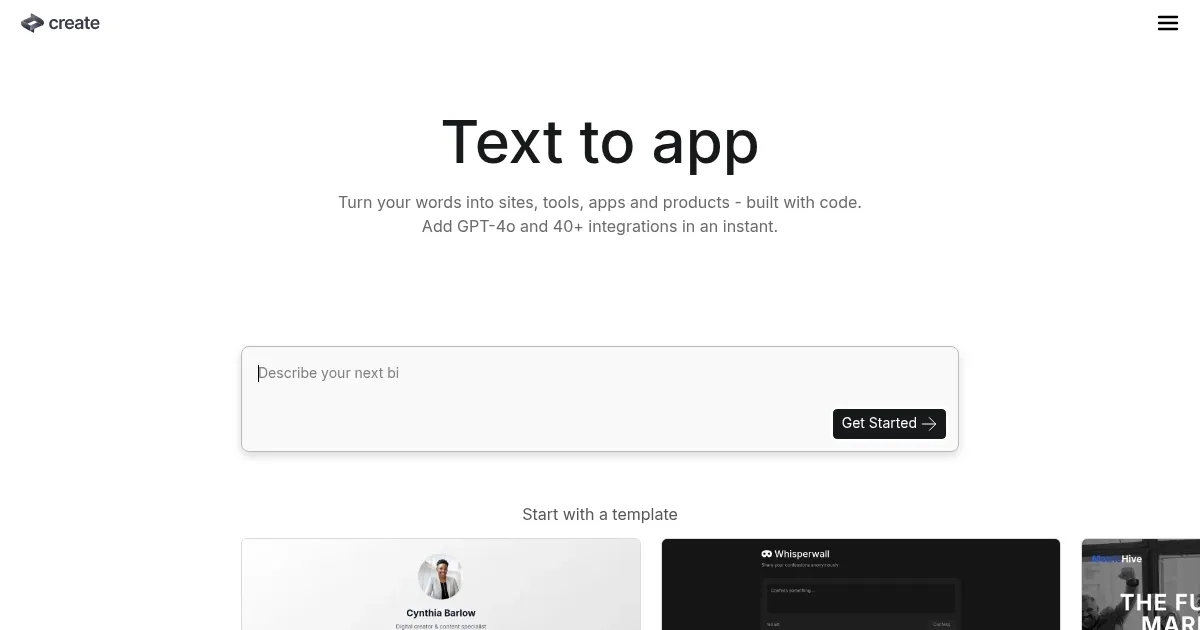
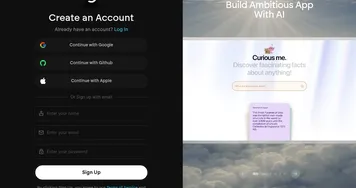
Create is a free-to-use AI app builder that transforms your words into code. As such, it allows users to build components, websites, designs, prototypes, products, tools, and more without writing a single line of code. By simply typing out what you want, Create’s AI interprets your description and generates the corresponding application in real time.

The platform offers more than 40 integrations out of the box. This means you can easily add functionalities such as AI-powered tools, automations, and connections to various APIs or data sources. Create’s usefulness is evident in its gallery, which showcases creations ranging from personal portfolios to AI learning courses.

Create caters to both novices and seasoned developers. For beginners, the intuitive interface and natural language processing make app development accessible. On the other hand, for experienced developers, it serves as a rapid prototyping tool — allowing them to generate code quickly and refine it as needed. This dual approach ensures that many users can benefit from the platform.

Furthermore, Create’s commitment to continuous improvement is evident from its inception. Since its launch, the platform has seen thousands of apps made, from SaaS app pricing pages to link-in-bio pages — enabling users to build applications in minutes. This rapid development means users can expect regular updates and new features, keeping the platform aligned with the latest technological advancements.

In essence, Create is revolutionizing the way we approach app development. By eliminating traditional coding barriers and leveraging advanced AI tech, it empowers individuals and businesses to bring their ideas to life swiftly and efficiently. So, whether you’re looking to prototype a new product, design a personal website, or develop complex tools – Create provides the resources and flexibility to make it happen. Check it out.

Create Homepage
Categories Coding & Development

Video Overview ▶️

Create - Video Overview

What are the key features? ⭐

  • Natural language processing: Describe your desired app in plain English, and Create's AI translates it into functional code, making app development accessible to a broad audience.
  • Instant integrations: Seamlessly add GPT-4o and over 40 other integrations to your app, enabling functionalities like AI tools, automations, and connections to various APIs or data sources.
  • Real-time prototyping: Visualize and interact with your app as it's being built, allowing for immediate feedback and iterative development.
  • Component library: Access a collection of pre-built components, such as tables, grids, lists, cards, maps, search, and filtering options, to enhance your app's functionality and design.
  • Code export: Once your app is built, you can export the code for further customization or integration into other projects.

Who is it for? 🤔

Create's target market encompasses many users, from individuals without coding experience to seasoned developers seeking rapid prototyping tools. Entrepreneurs and small business owners can leverage the platform to bring their ideas to fruition without the overhead of hiring dedicated development teams. Educators and non-profit organizations can utilize Create to develop tailored solutions that address specific community or educational needs. This inclusivity ensures that a diverse audience can harness the power of app development without traditional barriers.

Examples of what you can use it for 💭

  • Quickly prototype and launch minimum viable products (MVPs)
  • Develop custom internal tools, such as customer relationship management (CRM) systems or inventory trackers
  • Create interactive learning modules or educational apps to enhance teaching methods and engage students
  • Freelancers can use it to efficiently design and deploy personal portfolios or client projects
  • Build platforms for community engagement, fundraising, or awareness campaigns

Pros & Cons ⚖️

  • Accessible to users with varying levels of technical expertise
  • Enables swift prototyping and deployment
  • Support for over 40 integrations
  • You may need some time to fully grasp the platform's capabilities and features

FAQs 💬
What exactly can I build with Create?
You can build web apps, mobile apps for iOS and Android, internal tools, prototypes, AI-powered products, landing pages, and more just by describing them in plain English.
Do I need any coding experience to use it?
No, the platform is designed so non-technical founders and beginners describe ideas in words, and the AI handles code generation, updates, and fixes automatically.
How does the AI decide what to build from my description?
It uses advanced models to plan, reason, generate UI/UX, set up databases, add integrations like payments or auth, and even search for API references as needed.
Can it handle mobile apps, not just websites?
Yes, it supports full mobile development for both iOS and Android, including one-click deployment to app stores, with shared backends across platforms.
What integrations come built-in?
It includes Stripe for payments, Postgres databases, authentication (Google, email, social logins), storage for media, plus 40+ or 100s of APIs like Zapier, Google Maps, and Resend.
Does it fix bugs or errors on its own?
Yes, the AI detects issues, auto-fixes them, refactors code for larger projects, and handles updates through simple follow-up prompts.
Is the generated code real and editable?
Absolutely, it builds with actual code under the hood, so you can view, tweak, or export if you want more control later.
How fast can I go from idea to a working app?
Many users see prototypes in seconds to minutes, with full functional apps possible in hours or days depending on complexity and iterations.
Can I add custom AI features or models?
Yes, you can integrate frontier models instantly without setup, and use the platform's own reasoning for planning or image generation.
Who is this best suited for?
It's great for non-technical founders validating ideas, solopreneurs launching quickly, or anyone who wants to build without traditional dev hurdles, though very data-heavy enterprise tools might pair it with other platforms.
Visit Create

Related tools ↙️

  1. Amplication Amplication Generates scalable Node.js backends from data models in minutes.
  2. DocuWriter.ai DocuWriter.ai Generates automated code documentation, tests, and refactors from source files
  3. Plandex Plandex Handles large coding tasks in terminal using AI for real-world projects
  4. Hyperbrowser Hyperbrowser Scales headless browsers for AI agent web automation and data extraction
  5. Chunkr Chunkr Transforms complex documents into structured chunks for RAG and LLM applications
  6. Snapps Snapps Generates AI-powered websites with drag-and-drop ease and built-in hosting
Last update: January 7, 2026
Share
Promote Create
light badge
Copy Embed Code
dark badge
Copy Embed Code
neutral badge
Copy Embed Code
About Us | Contact Us | Suggest an AI Tool | Privacy Policy | Terms of Service

Copyright © 2026 Best AI Tools
415 Mission Street, 37th Floor, San Francisco, CA 94105