GPTPLUS
Integrates sidebar AI chat for writing, translation, code help and Q&A on any webpage
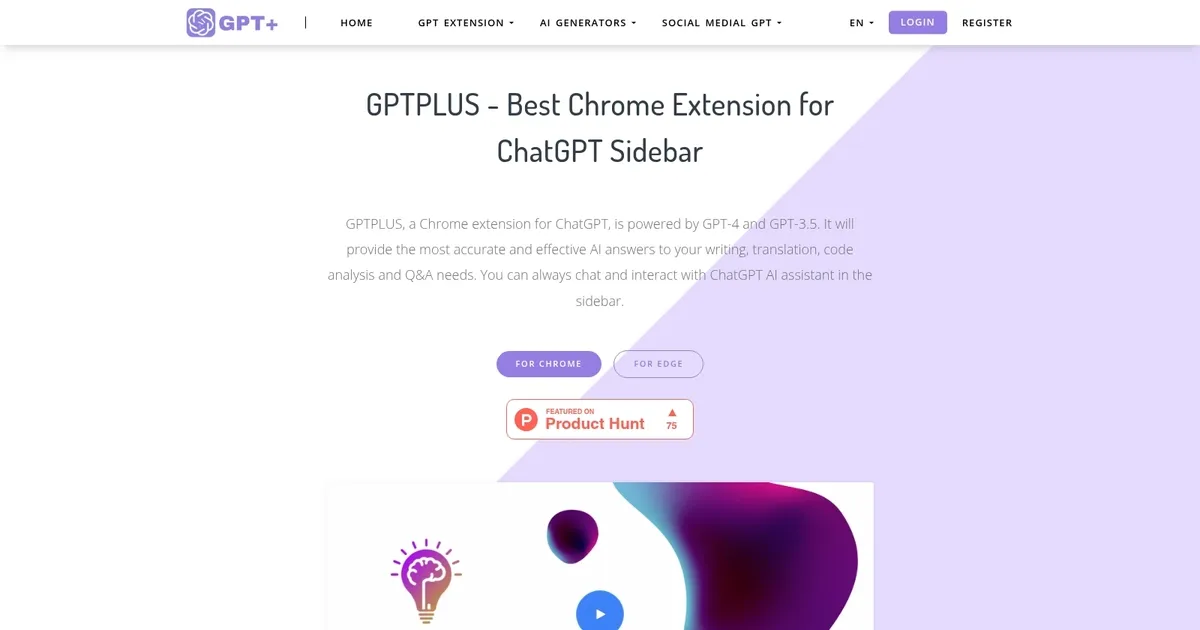
GPTPLUS is a useful Chrome extension that integrates OpenAI’s advanced language models, GPT-4 and GPT-3.5, directly into your browser. This integration provides users with immediate access to AI-powered assistance for tasks such as writing, translation, code analysis, and general inquiries. By embedding these capabilities into the browser sidebar, GPTPLUS ensures that users can easily interact with AI tools without disrupting their browsing experience.
The extension offers a range of features designed to enhance productivity and user engagement. It includes over 20 customizable prompts, allowing users to tailor AI responses to their specific needs. So, whether you’re drafting an email, seeking code explanations, or translating text – GPTPLUS provides accurate and contextually relevant assistance. In addition, the extension supports quick text processing; users can select any text on a webpage and, with a single click, receive AI-generated insights or translations.
GPTPLUS is compatible with Chrome and Edge browsers, ensuring broad accessibility. The extension is free to use, with each user allocated a certain number of free interactions per day. For those requiring more extensive use, GPTPLUS offers advanced subscription plans that unlock additional features and higher usage limits.
Many users appreciate the time saved and easy access to AI tools directly within their browser. The extension’s intuitive interface and reliable performance have made it a valuable tool for individuals across various fields.
Ultimately, by integrating powerful AI capabilities into a user-friendly browser extension – GPTPLUS exemplifies the practical application of AI in everyday tasks.
Homepage Screenshot 📸
What are the key features? ✨
- Prompt Library: offers twenty plus customizable templates for tasks like rewriting, SEO optimization, and creative brainstorming to improve AI responses quickly
- One-Click Text Processing: lets you select any text on a webpage and instantly rewrite, translate, summarize, or explain it without copying and pasting
- Sidebar Chat Interface: provides persistent conversation history with ChatGPT so you can ask questions or continue discussions anytime while browsing
- Accurate Translation: handles dozens of languages with natural tone preservation, useful for reading foreign articles or writing in another language
- Writing and Code Assistance: suggests improvements for articles, checks grammar, expands ideas, or explains and debugs code snippets effectively
Who is it for? 🤔
Examples of what you can use it for 💡
- Content Writer: selects draft paragraphs on any site and instantly rewrites them for clarity, tone, or SEO while staying in the same tab
- Student or Researcher: highlights complex sections in articles or papers and gets instant summaries, key point lists, or simple explanations
- Multilingual User: translates selected foreign text into their native language with natural phrasing for reading news, emails, or social posts
- Developer or Coder: pastes or selects code snippets and receives clear breakdowns, bug suggestions, or refactoring ideas without switching apps
- Social Media Manager: crafts better replies, captions, or comments by asking the sidebar AI for engaging, platform-specific suggestions on the fly
Pros & Cons ⚖️
- Fast one-click actions
- Convenient sidebar access
- Customizable prompts
- Natural translations
- Limited free daily uses
- Requires API key for GPT-4
FAQs 💬
Ready to try GPTPLUS?
Integrates sidebar AI chat for writing, translation, code help and Q&A on any webpage
Visit GPTPLUSGPTPLUS alternatives 🔗