Skip to content
logo-darklogo-darklogo-darklogo-dark
  • Tool Categories
    • 🎨Art & Creative Design505
    • 🏢Business Management644
    • 💻Coding & Development514
    • 👮Detection83
    • 🧠General Use728
    • 🏥Health & Wellness55
    • 📷Image & Photo Analysis100
    • 🖼️Image Generation & Editing618
    • 📐Interior & Architectural Design37
    • 🎓Learning & Education483
    • ⚖️Legal & Finance90
    • 🎭Lifestyle & Entertainment236
    • 📢Marketing & Advertising627
    • 🎧Music & Audio138
    • 👔Office & Workplace1,014
    • 🔬Research & Data Analysis373
    • 👥Social Media245
    • 🎥Video Generation & Editing426
    • 👧🏻Virtual Companion135
    • 🎤Voice Generation & Editing381
    • ✍️Writing & Editing808
    • All Categories
    • AI Use Cases
  • News
  • Events
    • Academic Conferences
    • Developer Conferences
    • Expos / Trade Shows
    • Industry Summits
    • Workshops / Training
    • All Events
    • Past Events
  • Saved Tools
  • Suggest a Tool
    ✕
    Home › General Use › Search Engine› HotBot
    HotBot

    HotBot

    Aggregates multiple top AI models and task-specific bots for free chat-based assistance

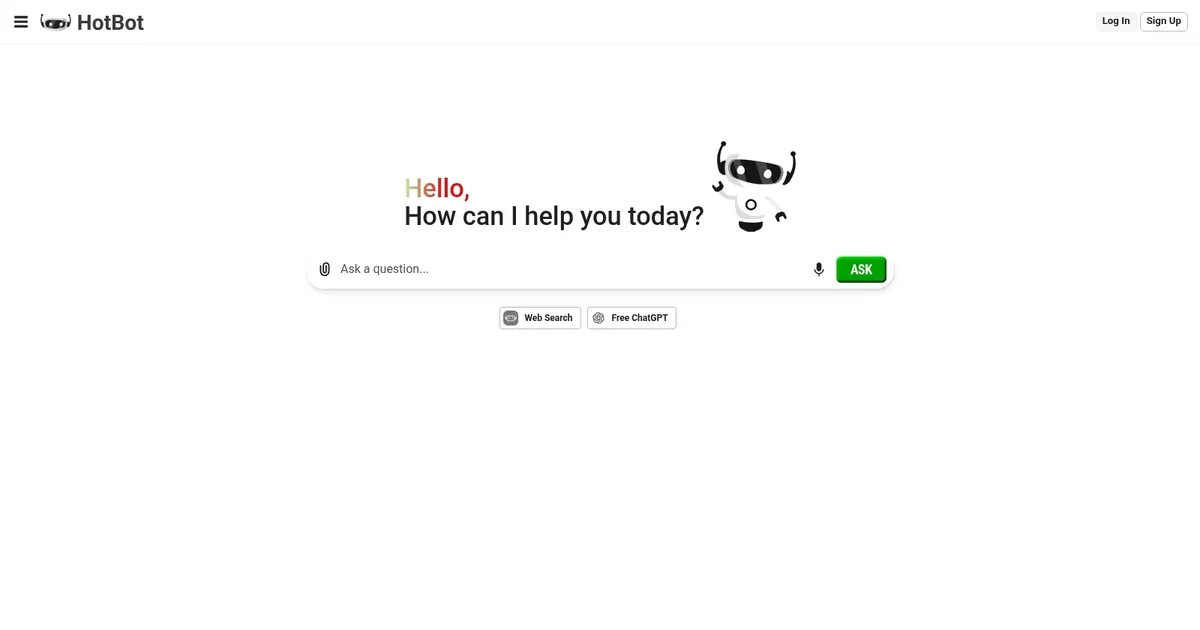
    HotBot is an AI-powered search tool designed to offer users smarter search capabilities, emphasizing enhancing online search experiences.

    It is available from the web and as a Chrome extension to provide users with better, AI-driven results.

    In addition to its primary function as a search tool, it also includes an AI assistant powered by OpenAI’s GPT tech. In that sense, it can answer any kind of question, write and re-write articles, summarize long texts, and more.

    Moreover, with HotBot – you get to choose which search engine you want to use as a default. In addition to Google, you can also use Bing and DuckDuckGo.

    The question is – do you need an AI assistant in your browser all the time? If your answer is “yes” – you may want to check out HotBot.

    Visit HotBot ↗
    Categories
    🧠 General
    🔍 Search Engine 💬 Chatbot 🤖 Assistant
    🔬 Research
    🔬 Research
    🎓 Education
    ❓ Answer

    Homepage Screenshot 📸

    HotBot screenshot

    Video Overview 🎬

    HotBot - Video Overview

    What are the key features? ✨

    • Multi-Model Access: Provides free entry to leading models including Claude 3.5, GPT-4 variants, Gemini, Llama, and DeepSeek without separate accounts.
    • Specialized Expert Bots: Offers task-focused bots for SEO, content marketing, math tutoring, programming, creative writing, and more.
    • Multi-Modal Support: Allows image uploads for analysis and voice commands for natural interaction on compatible models.
    • Context-Aware Conversations: Maintains chat history across model switches for continuous, coherent assistance.
    • Cross-Platform Instant Access: Works on web and mobile with no sign-up required for basic use and seamless device switching.

    Who is it for? 🤔

    HotBot suits students who need quick homework explanations or study aids, professionals in marketing and content creation who want targeted help with SEO, copywriting, or strategy, developers looking for code guidance or debugging support, and casual users or hobbyists seeking creative brainstorming, research summaries, or general advice without paying for multiple AI subscriptions or dealing with logins.

    Examples of what you can use it for 💡

    • Student: Uses math or science tutor bots to break down complex problems and get step-by-step explanations for assignments.
    • Content Creator: Leverages creative writing or content marketing bots to generate ideas, outlines, and polished drafts quickly.
    • Marketer: Consults SEO or sales specialist bots to optimize keywords, plan campaigns, or craft B2B/B2C messaging.
    • Developer: Queries programming bots for code snippets, algorithm explanations, or debugging assistance in various languages.
    • General User: Uploads images or asks voice questions for instant research, translations, or casual brainstorming on any topic.

    Pros & Cons ⚖️

    • Free multi-model access
    • Specialized expert bots
    • No signup for basics
    • Context stays consistent
    • Occasional rate limits
    • Interface can lag

    FAQs 💬

    Is HotBot really free to use?
    Yes, basic access to models and bots is free with no credit card or signup required, though heavy use may hit limits and prompt premium upgrade.
    Do I need to create an account to start chatting?
    No, you can begin immediately without registration, but signing up unlocks higher message limits and premium features.
    What AI models are available on HotBot?
    It includes Claude 3.5 family, GPT-4 and o3, Gemini 2 Flash, DeepSeek V3/R1, GLM 4.5, and Llama 4 variants among others.
    Can I upload images or use voice input?
    Yes, multi-modal support allows image uploads for analysis and voice commands on supported models and bots.
    How does HotBot compare to ChatGPT free tier?
    HotBot offers access to multiple models including Claude and Gemini plus specialized bots, while free ChatGPT sticks to OpenAI models with stricter limits.
    Are there specialized bots for specific tasks?
    Yes, bots target areas like SEO, math tutoring, creative writing, programming, and sales strategy for more focused results.
    Does conversation history carry over when switching models?
    Yes, the platform maintains context across model or bot switches for seamless continuation.
    Is HotBot available on mobile devices?
    It works via web browser on any device and has dedicated iOS and Android apps for better experience.
    What happens when I hit usage limits?
    Free tier has soft limits; premium removes them for unlimited messages and priority access.
    Can HotBot help with coding or math problems?
    Yes, dedicated programming and math/science bots provide step-by-step guidance and code examples.

    Ready to try HotBot?

    Aggregates multiple top AI models and task-specific bots for free chat-based assistance

    Visit HotBot ↗

    HotBot alternatives 🔗

    1. Perplexity Perplexity Delivers cited AI answers from web searches instantly
    2. ChatGPT ChatGPT All-round AI assistant generating human-like responses to user queries and tasks
    3. AI Chat for Search AI Chat for Search Browser extension that enhance search engines with the power of ChatGPT
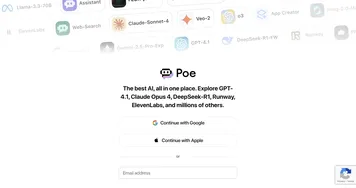
    4. Poe Poe Aggregates top AI models for seamless chatting and bot creation
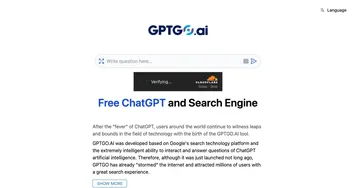
    5. GPTGO GPTGO An online tool combining the search technology of Google with the capabilities of ChatGPT
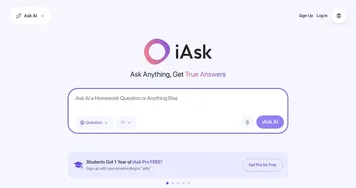
    6. i Ask AI i Ask AI A free AI search engine that enables users to Ask AI any question and receive instant answers
    Share
    HotBot screenshot enlarged
    Best AI Tools

    Discover the best AI tools for any use case

    Explore
    • Tool Categories
    • AI Use Cases
    • AI Events
    • AI News
    • Saved Tools
    Company
    • About Us
    • Contact Us
    • Media & Partnerships
    • Suggest a Tool
    Legal
    • Privacy Policy
    • Terms of Service
    Copyright © 2026 Best AI Tools 415 Mission Street, 37th Floor, San Francisco, CA 94105