Skip to content
logo-darklogo-darklogo-darklogo-dark
  • Tool Categories
    • 🎨Art & Creative Design505
    • 🏢Business Management644
    • 💻Coding & Development514
    • 👮Detection83
    • 🧠General Use728
    • 🏥Health & Wellness55
    • 📷Image & Photo Analysis100
    • 🖼️Image Generation & Editing618
    • 📐Interior & Architectural Design37
    • 🎓Learning & Education483
    • ⚖️Legal & Finance90
    • 🎭Lifestyle & Entertainment236
    • 📢Marketing & Advertising627
    • 🎧Music & Audio138
    • 👔Office & Workplace1,014
    • 🔬Research & Data Analysis373
    • 👥Social Media245
    • 🎥Video Generation & Editing426
    • 👧🏻Virtual Companion135
    • 🎤Voice Generation & Editing381
    • ✍️Writing & Editing808
    • All Categories
    • AI Use Cases
  • News
  • Events
    • Academic Conferences
    • Developer Conferences
    • Expos / Trade Shows
    • Industry Summits
    • Workshops / Training
    • All Events
    • Past Events
  • Saved Tools
  • Suggest a Tool
    ✕
    Home › Learning & Education › Math› Mathos AI
    Mathos AI

    Mathos AI

    Solves complex math problems with step-by-step explanations for students

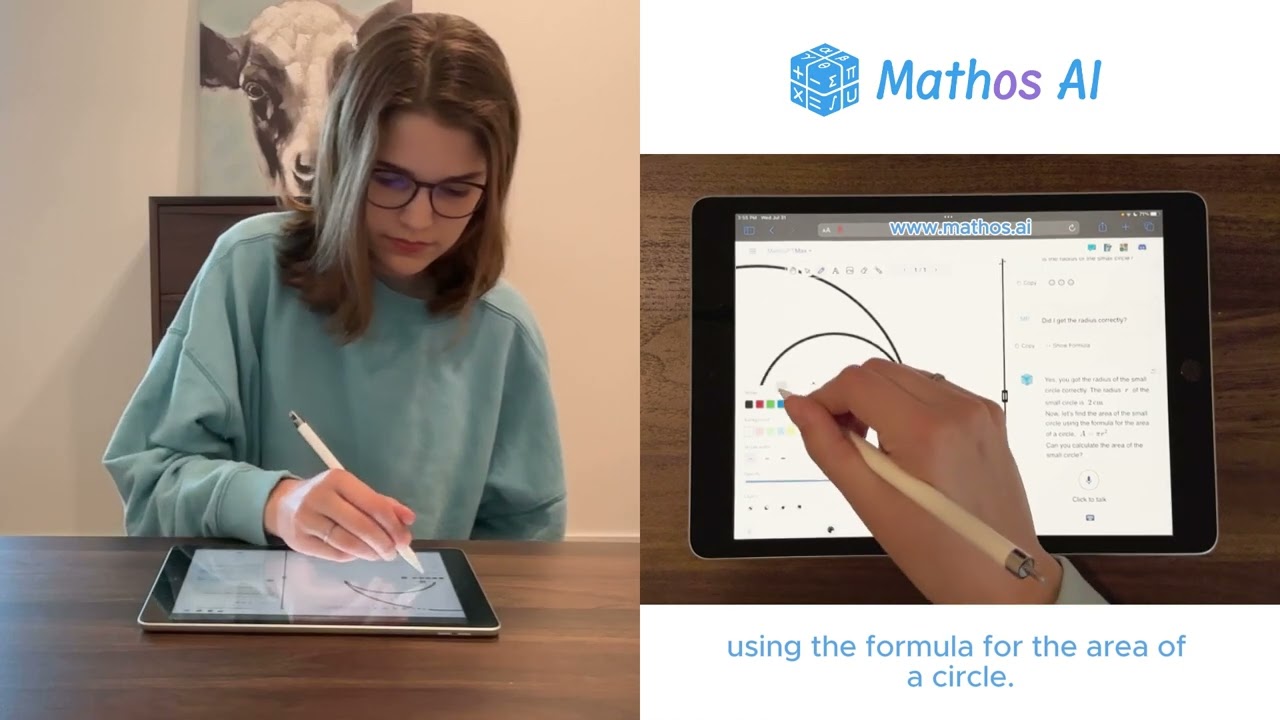
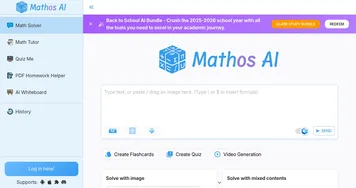
    I’ve spent a couple of hours messing around with Mathos AI, and let me tell you, it’s like having a math nerd in your pocket who’s freakishly good at explaining things. I tossed it a handful of algebra and calculus problems — nothing too crazy, just some quadratic equations and a derivative or two — and it churned out answers faster than I could blink, complete with step-by-step guides that made me nod like I actually got it. The interface is slick, almost too smooth, like it’s showing off. You type, talk, or snap a photo of your problem, and boom — Mathos AI spits out a solution with explanations that don’t make you feel like you’re decoding an alien language.

    The ‘Circle & Ask’ feature is a personal favorite. I scribbled a messy equation on paper, snapped a pic, and the AI not only solved it but broke it down into steps I could follow. It’s like having a friend who’s aced every math class ever, patiently walking you through your mistakes. The graphing calculator is another gem, plotting functions in seconds with crisp visuals. But, and there’s always a but, I hit a snag when I asked it to clarify a step — it just repeated the same explanation, which was about as helpful as a broken pencil. Also, my sloppy handwriting threw it off once, so neatness counts.

    Stack it up against AI Math Problem Solver or Microsoft Math Solver, and Mathos AI feels fresher, more student-focused. Its free tier is surprisingly robust, though premium plans like MathosMax offer extras like unlimited voice input and PDF homework help. Pricing seems reasonable, but you’ll need to check their site for specifics. The AI’s knowledge graph profiling, which tracks your weak spots, is a clever touch — almost like it’s spying on your math struggles to help you improve.

    What surprised me was the community angle. Mathos AI’s TikTok and YouTube channels are packed with quick tips and tutorials, which I didn’t expect from a math app. It’s like they’re trying to make math cool, and I’m not mad about it. On the flip side, I’ve read some X posts grumbling about the AI choking on advanced engineering problems, and I can see why — my brief test didn’t push it that far, but it’s not infallible. Still, for most students, this is a game-changer.

    Want to give it a go? Snap a photo of a problem or try the voice input for fun. Check out their YouTube for a quick tutorial to get the hang of it. Keep your inputs clear, and you’ll be solving math like a pro in no time.

    Visit Mathos AI ↗
    Categories
    🎓 Education
    ➕ Math ✏️ Homework Helper ❓ Answer 📺 Tutorial 👩‍🏫 Teacher
    📷 Image Analysis
    🔤 OCR

    Homepage Screenshot 📸

    Mathos AI screenshot

    Video Overview 🎬

    Mathos AI - Video Overview

    What are the key features? ✨

    • Math Problem Solver: Solves complex math problems with step-by-step explanations to boost understanding.
    • Graphing Calculator: Plots functions and visualizes equations for clearer insights.
    • Knowledge Graph Profiling: Tracks learning progress and suggests tailored problems.
    • Multimodal Input: Accepts text, voice, and image inputs for flexible problem submission.
    • Multilingual Support: Supports 18 languages, including English, Spanish, and Chinese.

    Who is it for? 🤔

    Mathos AI is ideal for students from middle school to university tackling subjects like algebra, calculus, geometry, and statistics, as well as teachers seeking tools to streamline grading and provide personalized student support. Its intuitive interface and multilingual support make it accessible for learners worldwide, while features like knowledge graph profiling benefit those needing tailored guidance to overcome math challenges.

    Examples of what you can use it for 💡

    • High School Student: Uses Mathos AI to solve algebra homework with step-by-step explanations.
    • College Student: Inputs calculus problems via voice for quick solutions during study sessions.
    • Teacher: Leverages the AI to grade assignments and generate adaptive math exercises.
    • Non-Native English Speaker: Uses multilingual support to learn statistics in their native language.
    • Homeschool Parent: Employs the graphing calculator to teach geometry concepts visually.

    Pros & Cons ⚖️

    • Clear step-by-step explanations.
    • Free tier is feature-rich.
    • Supports multiple input methods.
    • Struggles with advanced problems.
    • Image input can misinterpret.

    FAQs 💬

    What subjects does Mathos AI cover?
    Mathos AI supports algebra, calculus, geometry, statistics, trigonometry, and more.
    Can I use Mathos AI for free?
    Yes, the free tier offers basic features, with premium plans for advanced tools.
    Does Mathos AI work with voice input?
    Yes, voice input is supported, though premium plans offer unlimited use.
    Is Mathos AI suitable for beginners?
    Absolutely, it’s designed for all levels, from elementary to university students.
    Can I upload images of math problems?
    Yes, you can upload images or PDFs for instant solutions.
    How accurate is Mathos AI?
    It’s highly accurate for most problems, with 20% better accuracy than GPT-4.
    Does Mathos AI support non-English languages?
    Yes, it supports 18 languages, including Spanish, Chinese, and Arabic.
    Can teachers use Mathos AI?
    Yes, it helps grade assignments and create tailored exercises.
    Is there a mobile app for Mathos AI?
    Yes, it’s available on iOS and Android platforms.
    How do I get help if I have issues?
    Contact support@mathgptpro.com or join their Discord community.

    Ready to try Mathos AI?

    Solves complex math problems with step-by-step explanations for students

    Visit Mathos AI ↗

    Mathos AI alternatives 🔗

    1. Gauth Gauth A useful mobile app designed to assist students in solving complex math problems
    2. MathGPT MathGPT An AI math solver that helps students tackle math problems with ease
    3. Photomath Photomath Solves math problems using a smartphone camera, providing step-by-step explanations
    4. AI Math Problem Solver AI Math Problem Solver Instant step by step answers to your math homework problems
    5. MathGPT Pro MathGPT Pro An AI-driven tool created to assist with various mathematical problems
    6. Astra AI Astra AI Simplifies math learning with step-by-step AI-driven tutoring
    Share
    Mathos AI screenshot enlarged
    Best AI Tools

    Discover the best AI tools for any use case

    Explore
    • Tool Categories
    • AI Use Cases
    • AI Events
    • AI News
    • Saved Tools
    Company
    • About Us
    • Contact Us
    • Media & Partnerships
    • Suggest a Tool
    Legal
    • Privacy Policy
    • Terms of Service
    Copyright © 2026 Best AI Tools 415 Mission Street, 37th Floor, San Francisco, CA 94105