logo-darklogo-darklogo-darklogo-dark
  • Tool Categories
    • ๐ŸŽจArt & Creative Design505
    • ๐ŸขBusiness Management644
    • ๐Ÿ’ปCoding & Development515
    • ๐Ÿ‘ฎDetection83
    • ๐Ÿง General Use727
    • ๐ŸฅHealth & Wellness55
    • ๐Ÿ“ทImage & Photo Analysis100
    • ๐Ÿ–ผ๏ธImage Generation & Editing618
    • ๐Ÿ“Interior & Architectural Design37
    • ๐ŸŽ“Learning & Education483
    • โš–๏ธLegal & Finance90
    • ๐ŸŽญLifestyle & Entertainment236
    • ๐Ÿ“ขMarketing & Advertising627
    • ๐ŸŽงMusic & Audio138
    • ๐Ÿ‘”Office & Workplace1,014
    • ๐Ÿ”ฌResearch & Data Analysis372
    • ๐Ÿ‘ฅSocial Media245
    • ๐ŸŽฅVideo Generation & Editing426
    • ๐Ÿ‘ง๐ŸปVirtual Companion135
    • ๐ŸŽคVoice Generation & Editing381
    • โœ๏ธWriting & Editing808
    • All Categories
    • AI Use Cases
  • News
  • Events
    • Academic Conferences
    • Developer Conferences
    • Expos / Trade Shows
    • Industry Summits
    • Workshops / Training
    • All Events
    • Past Events
  • Saved Tools
  • Suggest a Tool
โœ•
Home › Social Media › Meme Generation› MemeGen AI
MemeGen AI

MemeGen AI

Creates hilarious memes from text or images in seconds using AI

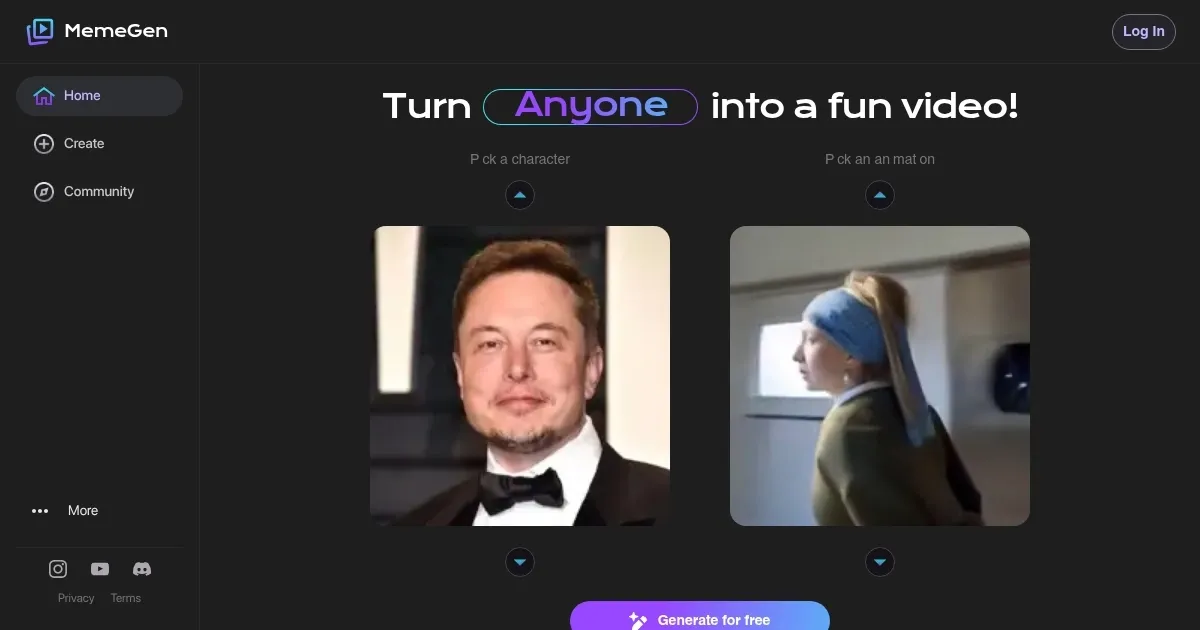
MemeGen AI feels like stumbling into a candy store for meme lovers. The platform, found at meme-gen.ai, feels like a playground where your half-baked ideas morph into polished, laugh-out-loud memes. I typed in “when you realize Monday is tomorrow” and, in seconds, the AI churned out a Distracted Boyfriend meme with a caption that nailed the Sunday scaries. The process is stupidly simple: enter a prompt, pick a template or upload an image, and boom, you’ve got a meme ready to fire off to your friends. It’s free, which is a pleasant surprise in a world where every tool seems to want your credit card.

The interface is a breeze to navigate, even for someone like me who’s no design guru. I uploaded a photo of my cat looking grumpy, typed “when your Zoom meeting gets rescheduled,” and the AI slapped on a caption that had me snorting. The tool’s natural language processing is sharp, picking templates that match the vibe of your prompt. You can customize text, fonts, and even nudge the layout a bit, though I found the default settings often worked just fine. Exporting is a snap, with options for social media-friendly formats like JPEG or PNG. Compared to Imgflip, which has a massive template library, MemeGen AI feels more curated, focusing on quality over quantity.

That said, I ran into a few quirks. The template selection, while solid, isn’t as vast as Kapwing‘s, which could be a bummer if you’re chasing the latest TikTok trend. Once, the AI’s caption was a bit too generic, forcing me to tweak it manually. Also, the mobile site lagged a tad on my phone, which was annoying when I tried editing on the go. Still, the fact that it’s free and doesn’t plaster watermarks all over your memes is a huge plus, especially when Adobe Express slaps logos on free-tier exports.

What caught me off guard was how addictive it is. I lost track of time churning out memes, each one funnier than the last. The AI’s ability to “get” humor is uncanny, though it’s not perfect. It’s like a witty friend who occasionally tells a dud joke. For marketers or influencers, this tool is a goldmine for quick, engaging content. Casual users will love the low learning curve.

My advice? Play with different prompts to see how the AI interprets them. If you’re using your own images, keep them clear and well-lit for best results. Check X for trending meme formats to inspire your prompts. Don’t overthink it, just have fun and let the AI work its magic. You’ll be sharing memes that make your friends jealous in no time.

Visit MemeGen AI ↗
Categories
๐Ÿ‘ฅ Social
๐Ÿคฃ Meme Generation ๐Ÿ“ Social Media Post Generation
๐Ÿ–ผ๏ธ Image
๐Ÿ–ผ๏ธ Image Generation
๐ŸŽญ Lifestyle
๐Ÿ˜‚ Joke
โœ๏ธ Writing
๐Ÿท๏ธ Caption Generation

Homepage Screenshot 📸

MemeGen AI screenshot

Video Overview 🎬

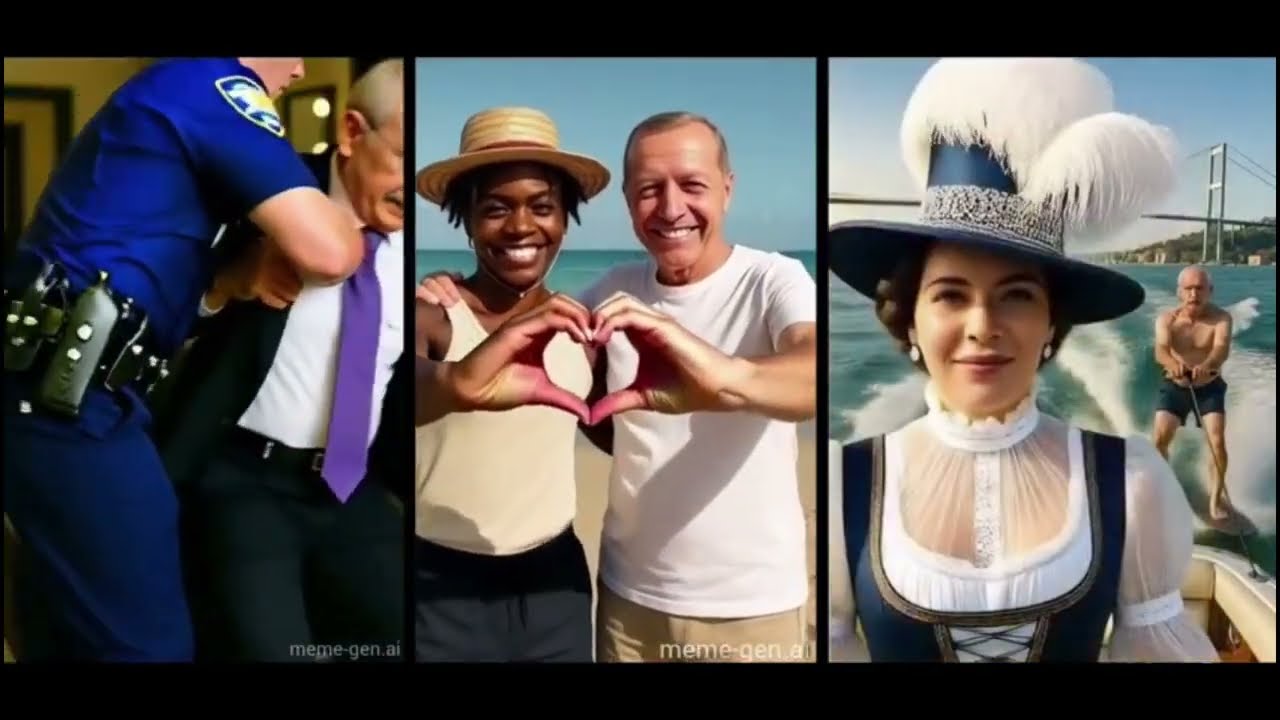
MemeGen AI - Video Overview

What are the key features? ✨

  • Text-to-Meme: Generates memes from text prompts with AI-crafted captions.
  • Custom Image Upload: Allows users to create memes with personal photos.
  • Template Library: Offers popular meme formats like Drake and Grumpy Cat.
  • Social Media Export: Outputs memes in formats optimized for platforms.
  • Customization Tools: Enables text, font, and layout adjustments.

Who is it for? 🤔

MemeGen AI is ideal for social media enthusiasts, content creators, marketers, and casual users who want to create quick, humorous memes without design skills. Its free, easy-to-use interface suits individuals and small businesses looking to engage audiences on platforms like X, Instagram, or TikTok with viral content.

Examples of what you can use it for 💡

  • Social Media User: Shares funny memes to boost engagement on X or Instagram.
  • Marketer: Creates brand-relevant memes for social media campaigns.
  • Student: Makes humorous memes for group chats or school projects.
  • Influencer: Produces trending memes to grow their online following.
  • Small Business Owner: Designs promotional memes to attract customers.

Pros & Cons ⚖️

  • Free to use, no watermarks.
  • Fast meme creation process.
  • Social media-ready formats.
  • Limited template variety.
  • AI captions sometimes off.

FAQs 💬

Is MemeGen AI free to use?
Yes, itโ€™s completely free with no watermarks or sign-up required.
Can I upload my own images?
Yes, you can upload PNG or JPEG images to create custom memes.
Does it support video memes?
No, MemeGen AI currently supports only static image memes.
How fast is the meme generation process?
Memes are generated in seconds after entering a prompt or uploading an image.
Are the memes high quality?
Yes, memes are high-resolution and suitable for social media or printing.
Can I edit the AI-generated captions?
Yes, you can customize text, fonts, and layout after generation.
Is there a mobile app for MemeGen AI?
No app is available, but the website works on mobile browsers.
Does it support multiple languages?
The tool primarily supports English prompts, with limited multilingual capability.
Are there copyright issues with templates?
Popular templates are generally safe, but check copyright for custom images.
How does it compare to Canva or Kapwing?
Itโ€™s simpler and free, but has fewer templates than Canva or Kapwing.

Ready to try MemeGen AI?

Creates hilarious memes from text or images in seconds using AI

Visit MemeGen AI ↗

MemeGen AI alternatives 🔗

  1. Craiyon Craiyon An AI model that can draw images from any text prompt
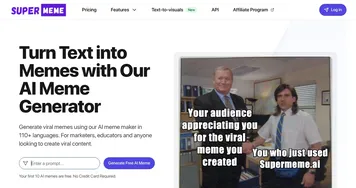
  2. Supermeme Supermeme Turn text into memes using AI Meme Generator, powered by GPT
  3. Canva Magic Design Canva Magic Design Generates custom, on-brand designs from text prompts or uploaded media in seconds.
  4. Adobe Express Adobe Express Creates on-brand content with AI-driven design and video tools
  5. CapCut Creative Suite CapCut Creative Suite Online creative suite for everyone to create stunning images and videos
  6. Beacons.ai Beacons.ai An AI platform that helps creators manage their online presence and monetize their content
Share
MemeGen AI screenshot enlarged
Promote MemeGen AI
light badge
Copy Embed Code
dark badge
Copy Embed Code
neutral badge
Copy Embed Code
Best AI Tools

Discover the best AI tools for any use case

Explore
  • Tool Categories
  • AI Use Cases
  • AI Events
  • AI News
  • Saved Tools
Company
  • About Us
  • Contact Us
  • Media & Partnerships
  • Suggest a Tool
Legal
  • Privacy Policy
  • Terms of Service
Copyright © 2026 Best AI Tools 415 Mission Street, 37th Floor, San Francisco, CA 94105