Pitchgrade
Creates professional pitch decks instantly using AI from a seed prompt
You’re standing at the edge of a big pitch, your startup idea burning a hole in your pocket, but the thought of crafting a slide deck from scratch feels like climbing a mountain in flip-flops. Enter PitchGrade, a tool that promises to turn your raw ideas into polished presentations faster than you can say “investor meeting.” This AI-powered platform churns out professional-grade pitch decks in minutes, and I think it’s a game-changer for anyone who’s ever stared blankly at a PowerPoint slide. With support for 182 languages and over 300 slide types, it’s like having a design team in your browser.
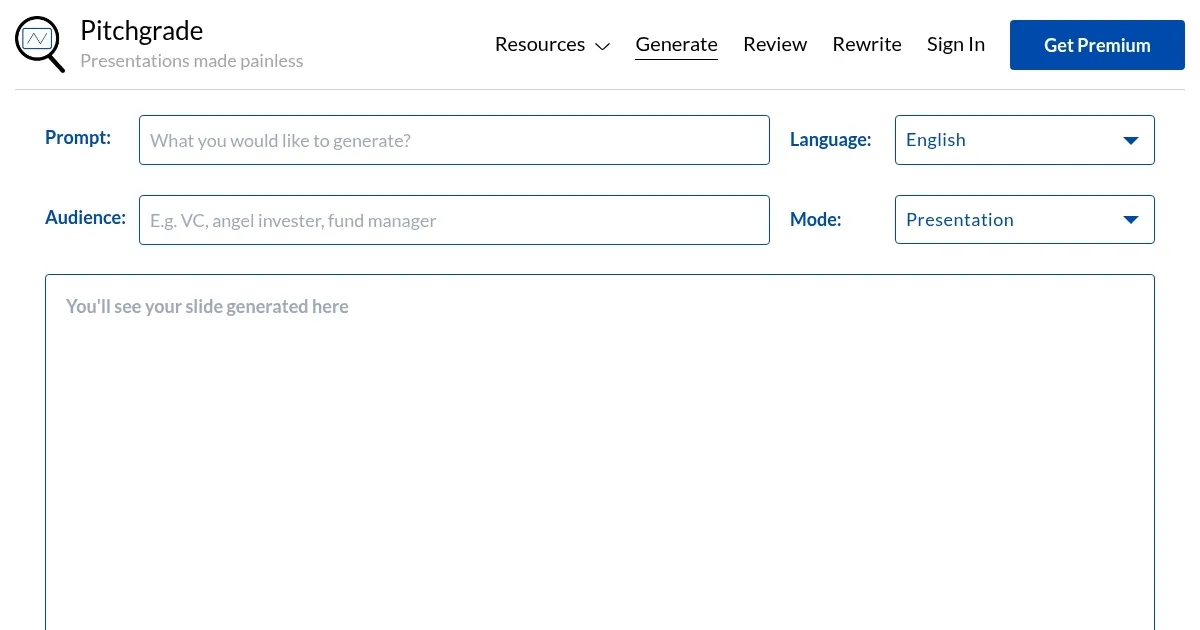
PitchGrade’s magic lies in its simplicity. You type a seed prompt — say, a quick description of your startup or product — and choose from one of its 317 generation modes, like investor pitches or marketing decks. The AI analyzes your input, weaving in research-rich content, clear messaging, and visuals that pop. I love how it doesn’t just slap together generic slides; it builds a narrative that feels tailored, with slides structured to keep your audience hooked. The platform’s intuitive interface means you don’t need to be a design whiz to get results. It’s approachable, fast, and frankly, kind of fun to use.
But it’s not all smooth sailing. The AI, while impressive, can sometimes miss the nuance of your vision. You might need to tweak the output to nail your brand’s tone or add specific data points it didn’t catch. For creative types who love crafting every slide by hand, the automation might feel a bit like cheating. Compared to competitors like Canva or Beautiful.ai, which offer robust design tools but require more manual effort, PitchGrade trades some creative control for speed. Canva’s drag-and-drop flexibility is great for pixel-perfect customization, but it’s time-intensive. Beautiful.ai automates design like PitchGrade, but its templates feel less varied. PitchGrade’s multilingual support, though, gives it an edge for global teams.
What surprised me? The AI Presentation Review tool. It’s like having a critical friend look over your deck, offering instant feedback on structure, clarity, and even grammar across 8 review modes. This self-assessment feature helps you polish your slides without waiting for colleagues to weigh in, which is a lifesaver for tight deadlines. The platform also supports collaboration, so you can share decks with teammates for real-time input. Data security is taken seriously, though you’ll want to check their website for specifics on encryption and storage policies.
Pricing-wise, PitchGrade offers a free tier to test the waters, but unlocking unlimited slides and advanced features requires a paid plan, which seems competitive with tools like Canva or Visme. It’s not the cheapest option, but the time savings might justify the cost for busy entrepreneurs. If you’re pitching to investors or clients, the professional polish and speed make it worth a look. Start with a clear prompt, experiment with different modes, and don’t be afraid to edit the output to make it yours. You’ll be ready for that boardroom in no time.
Homepage Screenshot 📸
What are the key features? ✨
- AI Presentation Generator: Creates high-quality slides from a seed prompt in minutes across 182 languages.
- AI Presentation Review: Provides instant feedback on structure, clarity, and grammar in 8 review modes.
- Multilingual Support: Generates and reviews presentations in 182 languages for global accessibility.
- Customizable Templates: Offers templates for various presentation types, allowing easy customization.
- Collaboration Tools: Enables sharing and teamwork on pitch decks via email or Google Docs.
Who is it for? 🤔
Examples of what you can use it for 💡
- Startup Founder: Uses PitchGrade to create an investor pitch deck highlighting business models and market analysis.
- Sales Professional: Generates a sales deck to showcase products to potential clients with clear visuals.
- Marketing Manager: Crafts a marketing deck to outline campaign strategies and target audiences.
- Student: Creates a presentation for a class project with professional slides and AI feedback.
- Consultant: Builds client pitch decks with tailored templates to pitch business solutions.
Pros & Cons ⚖️
- Multilingual support
- AI feedback tool
- Customizable templates
- Generic output at times
- Limited design control
FAQs 💬
Ready to try Pitchgrade?
Creates professional pitch decks instantly using AI from a seed prompt
Visit PitchgradePitchgrade alternatives 🔗