logo-darklogo-darklogo-darklogo-dark
  • Tool Categories
    • ๐ŸŽจArt & Creative Design505
    • ๐ŸขBusiness Management644
    • ๐Ÿ’ปCoding & Development514
    • ๐Ÿ‘ฎDetection83
    • ๐Ÿง General Use728
    • ๐ŸฅHealth & Wellness55
    • ๐Ÿ“ทImage & Photo Analysis100
    • ๐Ÿ–ผ๏ธImage Generation & Editing618
    • ๐Ÿ“Interior & Architectural Design37
    • ๐ŸŽ“Learning & Education483
    • โš–๏ธLegal & Finance90
    • ๐ŸŽญLifestyle & Entertainment236
    • ๐Ÿ“ขMarketing & Advertising627
    • ๐ŸŽงMusic & Audio138
    • ๐Ÿ‘”Office & Workplace1,014
    • ๐Ÿ”ฌResearch & Data Analysis373
    • ๐Ÿ‘ฅSocial Media245
    • ๐ŸŽฅVideo Generation & Editing426
    • ๐Ÿ‘ง๐ŸปVirtual Companion135
    • ๐ŸŽคVoice Generation & Editing381
    • โœ๏ธWriting & Editing808
    • All Categories
    • AI Use Cases
  • News
  • Events
    • Academic Conferences
    • Developer Conferences
    • Expos / Trade Shows
    • Industry Summits
    • Workshops / Training
    • All Events
    • Past Events
  • Saved Tools
  • Suggest a Tool
โœ•
Home › Music & Audio › Vocal Removal› Youka
Youka

Youka

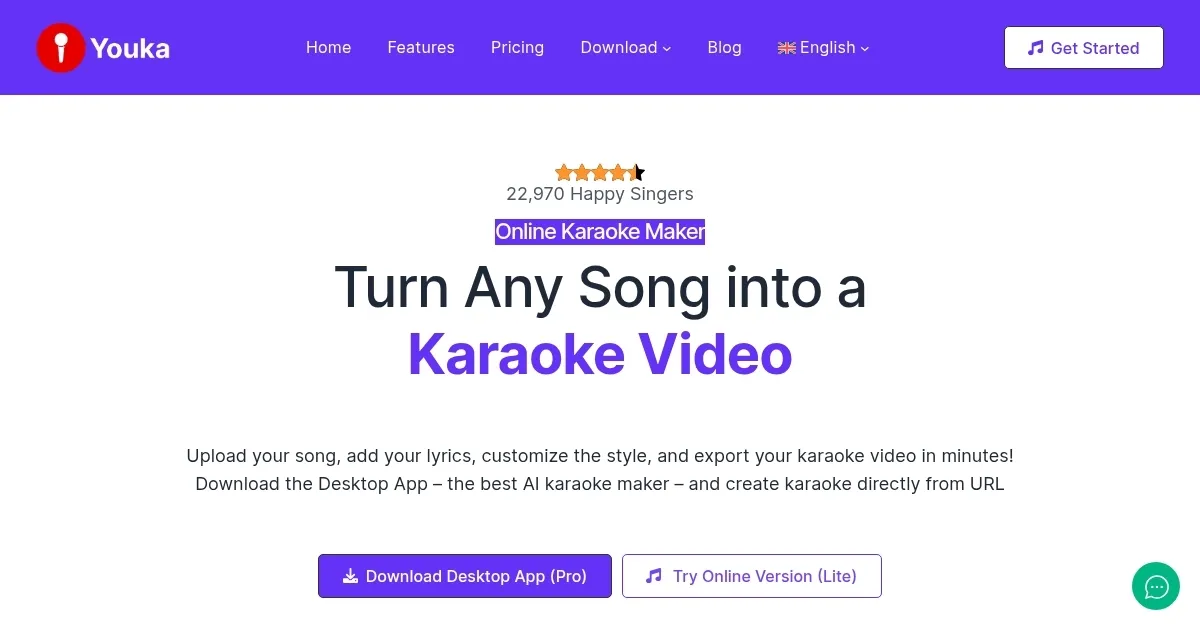
Transforms songs into karaoke videos with scrolling lyrics in minutes

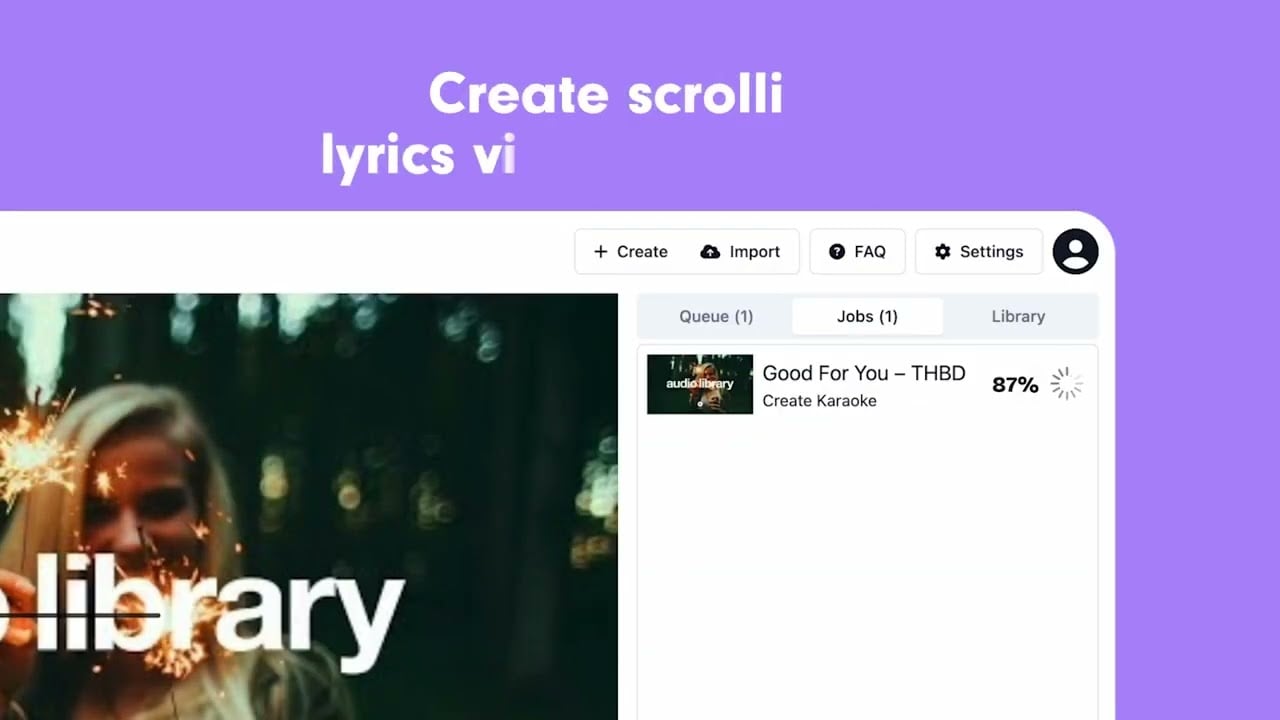
Using Youka feels like stumbling into a karaoke wonderland. This AI tool takes any song — yes, even that obscure B-side you love — and spins it into a karaoke video faster than you can say “mic check.” I uploaded a random pop track from my playlist, pasted some lyrics I found online, and boom: in under two minutes, Youka’s Auto Lyrics Sync had a scrolling lyric video ready. The interface is clean, almost too simple, like it’s daring you to make something awesome. I tweaked the background to a neon vibe and changed the font to something bold, feeling like a DIY music video director.

The tech behind Youka is clever. Its AI separates vocals from instrumentals, and while my test track came out crisp, I noticed a faint vocal echo on a rock song with heavy reverb. Not a dealbreaker, but it’s there. The Lyrics Sync Editor saved the day, letting me nudge the timing with a few clicks. I also tried the YouTube conversion feature, pulling a video directly from a URL, which felt like cheating it was so easy. Exporting to MP4 was smooth, and the 1080p quality looked sharp on my laptop. I didn’t expect the pitch changer tool, which let me tweak the key to match my shaky vocal range — a nice touch for amateurs like me.

Compared to Smule, which leans on social singing and a limited song library, Youka’s freedom to use any track is a breath of fresh air. VocalRemover is great for stripping vocals but stops short of creating full karaoke videos. Youka’s pricing, though, gave me pause. The free trial’s three credits are generous, but subscriptions add up, especially if you’re just dabbling. I also wished for a mobile app — creating on my laptop felt clunky when I wanted to tweak things on the couch.

What surprised me? How fun it was to customize. Playing with subtitle styles and backgrounds made me feel like I was crafting a performance, not just a track. But the audio quality cap at 129 kbps bugged me a bit — CD quality it’s not. Still, for quick karaoke fixes, Youka’s a blast. My tip: grab some friends, pick a quirky song, and use the free trial to test the YouTube feature. You’ll be singing (and laughing) in no time.

Visit Youka ↗
Categories
๐ŸŽง Music
๐Ÿ”ˆ Vocal Removal ๐ŸŽš๏ธ Audio Editing ๐ŸŽธ Instrumental Generation
๐ŸŽค Voice
๐Ÿ‘ฏ Voice Cloning

Homepage Screenshot 📸

Youka screenshot

Video Overview 🎬

Youka - Video Overview

What are the key features? ✨

  • Auto Lyrics Sync: Synchronizes lyrics with music in under two minutes.
  • Lyrics Sync Editor: Allows manual adjustments for precise lyric timing.
  • Pitch Changer Tool: Adjusts song key to match userโ€™s vocal range.
  • YouTube Conversion: Creates karaoke videos directly from YouTube URLs.
  • Customization Options: Personalizes backgrounds, fonts, and colors for videos.

Who is it for? 🤔

Youka is designed for karaoke enthusiasts, content creators, and event hosts who want to create custom karaoke videos without technical expertise. It suits casual singers looking to perform niche or personal favorite songs, as well as professionals needing high-quality tracks for parties or performances. Musicians and YouTubers benefit from its customization and YouTube conversion features, while its multi-language support appeals to global users.

Examples of what you can use it for 💡

  • Karaoke Host: Creates custom tracks for diverse party setlists.
  • Content Creator: Produces lyric videos for YouTube or social media.
  • Casual Singer: Turns favorite songs into sing-along videos for fun.
  • Musician: Adjusts song pitch to practice in a suitable key.
  • Event Planner: Builds unique karaoke experiences for events.

Pros & Cons ⚖️

  • Fast lyric synchronization
  • YouTube URL conversion
  • Supports multiple languages
  • Limited audio quality

FAQs 💬

Is Youka free to use?
Youka offers a free trial with three credits, but subscriptions are required for ongoing use.
Can I use Youka on my phone?
No, Youka currently supports only browser and desktop apps, not mobile.
Does Youka work with copyrighted songs?
Itโ€™s legal for non-copyrighted songs; using copyrighted songs without permission violates terms.
What audio formats does Youka support?
Youka supports MP3, WAV, FLAC, AAC, and more.
Can I convert YouTube videos to karaoke?
Yes, Youkaโ€™s desktop app converts YouTube videos using the yt-dlp plugin.
How accurate is the vocal removal?
Itโ€™s generally precise but may leave faint vocals on complex tracks.
Can I customize the video output?
Yes, you can adjust backgrounds, fonts, and colors.
Does Youka support multiple languages?
Yes, it supports English, Spanish, Russian, and many others.
What happens after my subscription ends?
You can access existing karaoke files but canโ€™t create new ones.

Ready to try Youka?

Transforms songs into karaoke videos with scrolling lyrics in minutes

Visit Youka ↗

Youka alternatives 🔗

  1. Vocal Remover Vocal Remover Separates vocals from instrumentals in songs using AI
  2. Media.io Media.io An online platform offering AI-powered video, audio, and image editing tools
  3. Moises Moises Separates vocals and instruments from songs using AI for practice and production.
  4. AudioCleaner AudioCleaner Removes background noise and enhances audio clarity with AI
  5. LALAL.AI LALAL.AI Splits audio into vocals, instruments, and stems with AI precision
  6. FineShare FineShare A set of AI tools that lets you create videos, record your voice, and more
Share
Youka screenshot enlarged
Best AI Tools

Discover the best AI tools for any use case

Explore
  • Tool Categories
  • AI Use Cases
  • AI Events
  • AI News
  • Saved Tools
Company
  • About Us
  • Contact Us
  • Media & Partnerships
  • Suggest a Tool
Legal
  • Privacy Policy
  • Terms of Service
Copyright © 2026 Best AI Tools 415 Mission Street, 37th Floor, San Francisco, CA 94105