Skip to content
logo-darklogo-darklogo-darklogo-dark
  • Tool Categories
    • 🎨Art & Creative Design505
    • 🏢Business Management644
    • 💻Coding & Development514
    • 👮Detection83
    • 🧠General Use728
    • 🏥Health & Wellness55
    • 📷Image & Photo Analysis100
    • 🖼️Image Generation & Editing618
    • 📐Interior & Architectural Design37
    • 🎓Learning & Education483
    • ⚖️Legal & Finance90
    • 🎭Lifestyle & Entertainment236
    • 📢Marketing & Advertising627
    • 🎧Music & Audio138
    • 👔Office & Workplace1,014
    • 🔬Research & Data Analysis373
    • 👥Social Media245
    • 🎥Video Generation & Editing426
    • 👧🏻Virtual Companion135
    • 🎤Voice Generation & Editing381
    • ✍️Writing & Editing808
    • All Categories
    • AI Use Cases
  • News
  • Events
    • Academic Conferences
    • Developer Conferences
    • Expos / Trade Shows
    • Industry Summits
    • Workshops / Training
    • All Events
    • Past Events
  • Saved Tools
  • Suggest a Tool
    ✕
    Home › Marketing & Advertising › Ad Generation› Admaker
    Admaker

    Admaker by Picsart

    Creates stunning social media ads using AI-driven templates and copy

    Admaker by Picsart is an AI-powered platform that simplifies the creation of social media ads for businesses and marketers. It combines customizable templates, AI-generated visuals, and smart copy to produce ads optimized for platforms like Instagram, Facebook, and TikTok. The tool is designed for users with minimal design experience, offering a streamlined process to create professional-looking ads quickly.

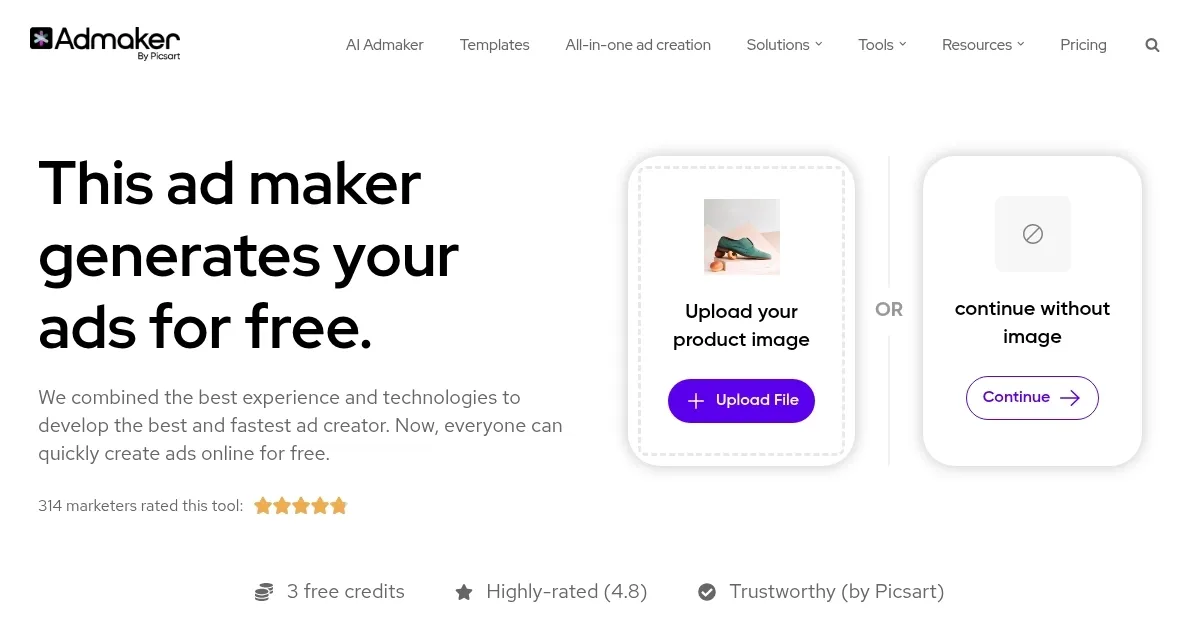
    The workflow is straightforward. Users upload a product image or use AI to generate one, select a background from templates like “Marble Plinth Product Lift” or create a custom one, and let the AI suggest ad copy. The drag-and-drop editor allows adjustments to text, size, and layout, while the Background Remover tool isolates products effectively. Ads can be exported in formats like PNG or JPEG, tailored to specific platforms. The tool supports multiple channels, including LinkedIn, Pinterest, and Snapchat, ensuring versatility.

    Admaker’s free tier includes four credits, with paid plans offering more credits through one-time purchases. Compared to competitors like Canva or PosterMyWall, Admaker’s credit-based pricing is cost-effective for occasional users, though heavy users may need frequent top-ups. External sources, such as TrendingAITools, highlight its ease of use, while some Reddit feedback notes occasional export issues or limited template variety.

    The AI’s ability to generate tailored visuals and copy based on audience trends is a key strength, producing ads in about a minute. However, the template library may not suit brands with unique aesthetic needs, and the AI copy can sometimes lack originality. The platform’s focus on social media makes it less versatile for print or complex graphic design compared to Canva.

    For best results, use high-quality product images to maximize the Background Remover’s effectiveness. Test multiple templates to find the right fit for your brand, and refine AI-generated copy to add personality. Start with the free tier to evaluate its features before committing to paid credits.

    Visit Admaker ↗
    Categories
    📢 Advertising
    📢 Ad Generation 🎨 Ad Creative 📣 Advertising 💻 Digital Marketing 🚀 Marketing
    🖼️ Image
    🖼️ Image Generation

    Homepage Screenshot 📸

    Admaker screenshot

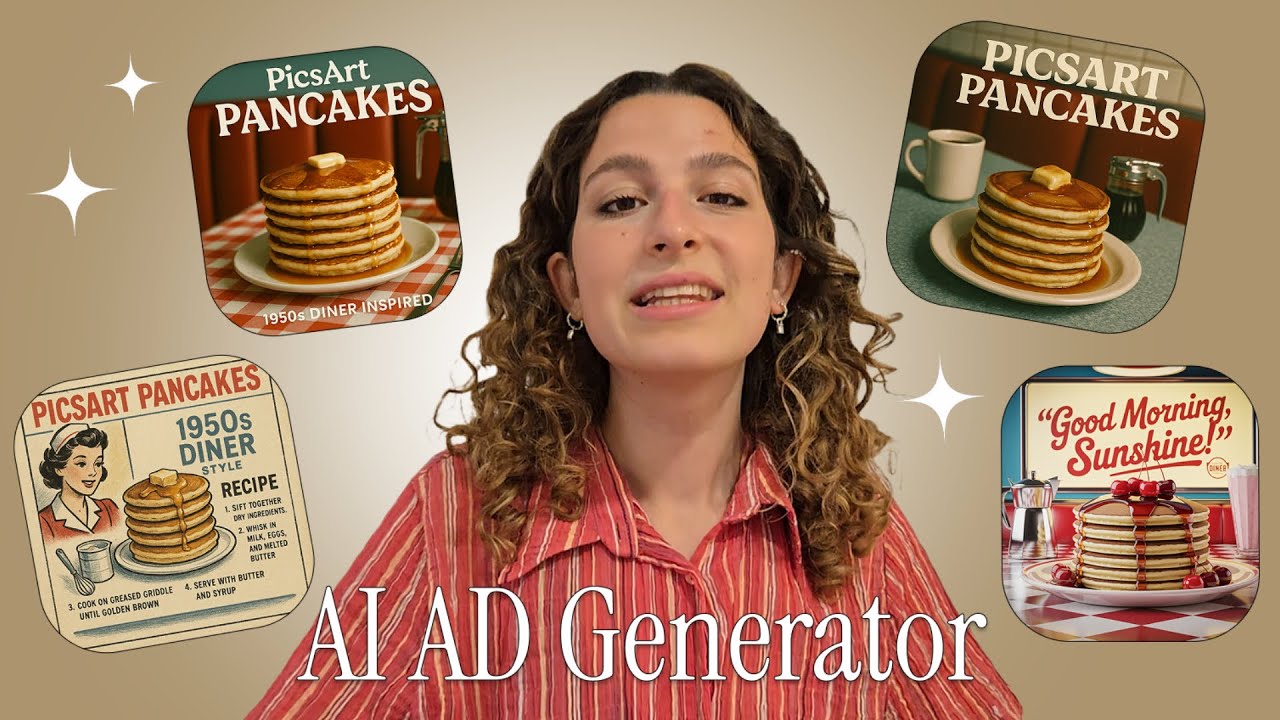
    Video Overview 🎬

    Admaker - Video Overview

    What are the key features? ✨

    • AI Ad Design: Generates professional ad visuals tailored for social platforms.
    • Customizable Templates: Offers pre-made templates like “Pastel Arch 1” for quick ad creation.
    • Background Remover: Isolates products from images for clean ad visuals.
    • Ad Copy Assistance: AI crafts engaging headlines and descriptions.
    • Multi-Platform Export: Saves ads in formats for Instagram, TikTok, and more.

    Who is it for? 🤔

    Admaker by Picsart is ideal for small business owners, e-commerce sellers, and digital marketers who need to create professional social media ads quickly without advanced design skills. Its AI-driven features and user-friendly interface make it perfect for those managing tight budgets or limited time, particularly for campaigns on platforms like Instagram, Facebook, or TikTok. It suits users who value speed and automation over extensive customization, though it may appeal less to brands with highly specific aesthetic needs.

    Examples of what you can use it for 💡

    • Small Business Owner: Creates eye-catching Instagram ads to promote new products.
    • E-commerce Seller: Generates product thumbnails for TikTok to boost sales.
    • Freelance Marketer: Designs LinkedIn ads for clients with minimal effort.
    • Social Media Manager: Produces quick Facebook ads for event promotions.
    • Startup Founder: Crafts Pinterest ads to showcase creative products.

    Pros & Cons ⚖️

    • Fast ad creation process
    • Affordable credit-based pricing
    • AI-driven visual suggestions
    • Limited template variety
    • AI copy can feel generic

    FAQs 💬

    What platforms does Admaker support?
    Admaker supports ad creation for Instagram, Facebook, TikTok, LinkedIn, Pinterest, Snapchat, and more.
    Is Admaker free to use?
    It offers four free credits, with additional credits available via one-time purchases.
    Do I need design experience to use Admaker?
    No, its drag-and-drop editor and AI tools make it beginner-friendly.
    Can I upload my own images?
    Yes, you can upload product images or use AI-generated visuals.
    How fast can I create an ad?
    Ads can be created in about one minute with the streamlined process.
    Does Admaker offer templates?
    Yes, it provides customizable templates like “Marble Plinth Product Lift.”
    Can I customize AI-generated ads?
    You can tweak text, layouts, and visuals using the drag-and-drop editor.
    What formats can I export ads in?
    Ads can be exported in PNG, JPEG, and other platform-specific formats.
    Is Admaker good for e-commerce?
    It’s ideal for creating product-focused ads to boost sales.
    How does Admaker compare to Canva?
    Admaker focuses on AI automation for speed, while Canva offers broader design tools.

    Ready to try Admaker?

    Creates stunning social media ads using AI-driven templates and copy

    Visit Admaker ↗

    Admaker alternatives 🔗

    1. Adobe Express Adobe Express Creates on-brand content with AI-driven design and video tools
    2. Canva Magic Design Canva Magic Design Generates custom, on-brand designs from text prompts or uploaded media in seconds.
    3. AdCreative.ai AdCreative.ai AI tool that generates on-brand advertising creatives and banners
    4. Pencil Pencil Creates AI-generated ads to boost performance for marketers
    5. MiriCanvas MiriCanvas Creates stunning designs with AI-powered templates and editing tools
    6. Picsart Picsart A platform for creating, customizing, and sharing images and videos
    Share
    Admaker screenshot enlarged
    Best AI Tools

    Discover the best AI tools for any use case

    Explore
    • Tool Categories
    • AI Use Cases
    • AI Events
    • AI News
    • Saved Tools
    Company
    • About Us
    • Contact Us
    • Media & Partnerships
    • Suggest a Tool
    Legal
    • Privacy Policy
    • Terms of Service
    Copyright © 2026 Best AI Tools 415 Mission Street, 37th Floor, San Francisco, CA 94105