logo-darklogo-darklogo-darklogo-dark
  • Home
  • Browse
    • Assistant
    • Coding
    • Image
    • Productivity
    • Video
    • Voice
    • Writing
    • All Categories
    • AI Use Cases
  • Events
  • My Favorites
  • Suggest a Tool
✕
Home › Productivity›
Published by Dusan Belic on July 1, 2024

Boardmix

Boardmix
Boardmix Homepage
Categories Productivity
An AI-driven online whiteboard designed to improve remote collaboration

Boardmix

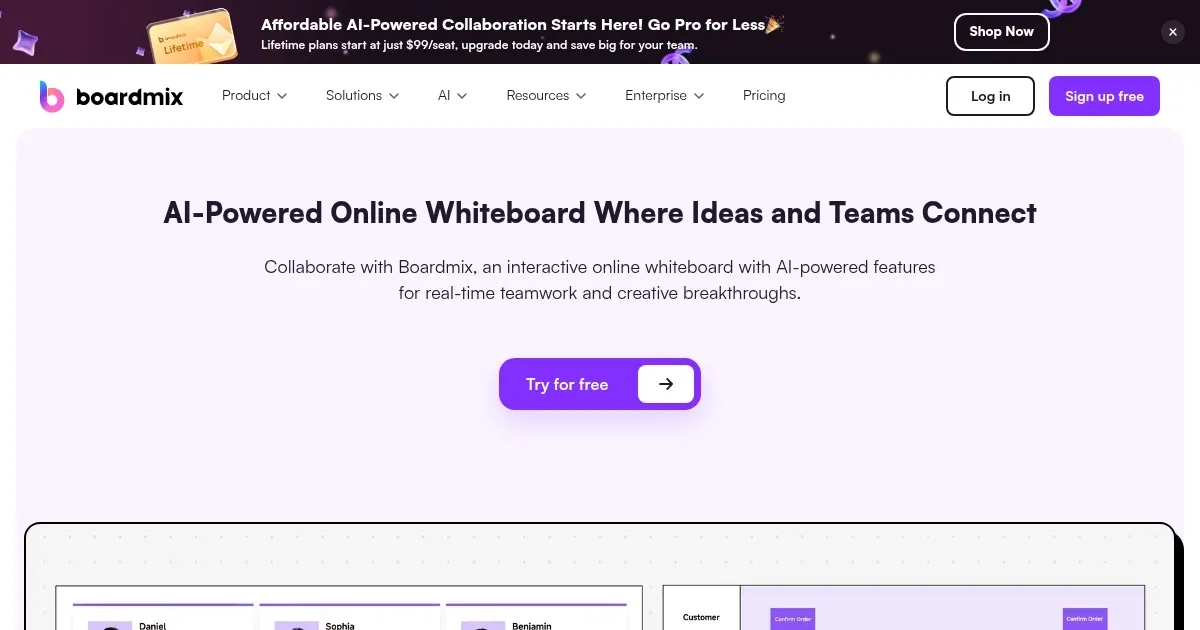
Boardmix is an AI-driven online whiteboard designed to improve remote collaboration. The tool facilitates brainstorming, discussions, and creative workflows — making it ideal for teams working from different locations.

Boardmix enables real-time collaboration for up to 500 participants and view-only access for over 1,000. Users can interact through comments, mentions, and emojis.

The platform offers robust file integration, allowing users to import and export documents, media, and third-party apps. This flexibility ensures that all relevant resources are available on a single whiteboard to streamline workflows and enhance productivity.

Once you’re happy with your whiteboard, you can export it to over 20 different formats.

Boardmix could also be used for mind mapping, process mapping, and technical diagram creation. Its AI features include automated flowchart and presentation generation, which can significantly reduce the time spent on manual tasks.

Boardmix is useful in different scenarios, from product management to game design and educational settings. Its intuitive design and solid feature set make it a valuable asset for teams looking to improve their collaboration. Check it out.

Boardmix Homepage
Categories Productivity

Video Overview ▶️

Boardmix - Video Overview

What are the key features? ⭐

  • AI-powered tools: Boardmix uses advanced AI tech to facilitate brainstorming, data analysis, document drafting, and visualization. It can generate images, mind maps, flowcharts, and presentations to enhance productivity and creativity.
  • Infinite canvas: The platform offers an unlimited canvas space, enabling users to expand their workspace as needed.
  • Real-time collaboration: Boardmix supports collaboration for up to 500 participants simultaneously, with real-time viewing available for over 1,000 people. Users can interact via comments, mentions, and emojis.
  • File integrations: Users can import and export a wide range of file types, including PDFs, PNGs, JPGs, and BDX files.
  • Resource library: The platform provides a rich library of templates and resources to cater to diverse use cases.

Who is it for? 🤔

Boardmix is made for a broad range of professionals and teams, including product teams, project teams, IT teams, UX design teams, marketing teams, consultants, agencies, and educators. The platform is designed to enhance collaboration and creativity across various industries, making it useful for businesses, educational institutions, and creative professionals. Ultimately, its features cater to both large teams and individual users, making it suitable for any collaborative environment.

Examples of what you can use it for 💭

  • Engage in creative brainstorming sessions where team members can collaborate in real time
  • Teachers and students can use Boardmix for interactive learning, creating and sharing syllabuses, study notes, and class assignments
  • Project teams can utilize kanban boards and other visual tools to manage tasks, track progress, and ensure everyone stays on the same page
  • Marketing teams can design strategies, analyze market data, and create detailed marketing plans
  • Companies can use Boardmix to enable remote and hybrid work in their organizations

Pros & Cons ⚖️

  • AI charting rocks
  • Makes it easier to organize teams
  • Also great for brainstorming and any kind of planning
  • Not sure you need it if you're already using some project management tool

FAQs 💬

What is Boardmix mainly used for?
Boardmix serves as an AI-enhanced online whiteboard for real-time team collaboration, brainstorming, diagramming, project planning, and visual strategy work.
Does Boardmix include AI features for creating diagrams?
Yes, it offers AI tools that automatically generate mind maps, flowcharts, user journey maps, SWOT analyses, business model canvases, and several other diagrams from text prompts.
Can multiple people work on the same board at once?
Absolutely, Boardmix supports real-time editing for large groups, with features like comments, mentions, voting, and integrated video to keep everyone connected.
Is Boardmix suitable for individual use or just teams?
It works great for solo users too, letting you brainstorm privately, create visuals quickly with AI, and organize thoughts on an infinite canvas.
What kinds of templates does Boardmix provide?
The platform includes a wide range of templates for mind maps, flowcharts, organizational charts, concept maps, SWOT analysis, project timelines, agile workflows, and more to speed up starting new projects.
Does Boardmix support importing and exporting files?
Yes, you can upload various document types and export boards in common formats, making it easy to integrate with other tools or share outside the platform.
How does Boardmix handle presentations?
It features an AI presentation builder that turns ideas or outlines into full slides, plus tools to create interactive, dynamic visuals for meetings or client pitches.
Is Boardmix a good alternative to tools like Miro?
Many users find it a strong alternative thanks to its AI depth, simpler interface, and focus on fast visual collaboration, especially for teams seeking integrated smart features.
Can I use Boardmix for UX design or product planning?
Definitely, it excels at wireframing, user personas, journey mapping, roadmaps, and product strategy visuals, all with AI assistance to accelerate the process.
Does Boardmix work on mobile devices?
Yes, the browser-based platform adapts well to tablets and phones, allowing you to view, edit, and collaborate on boards from anywhere.
Visit Boardmix

Related tools ↙️

  1. Pineify Pineify Generates error-free Pine Script indicators and strategies without coding
  2. Oliv Oliv Automates sales workflows with AI agents for deal tracking and coaching
  3. Fina Money Fina Money Builds customizable AI-driven systems to track and optimize personal finances effortlessly
  4. Upwork Uma Upwork Uma Streamlines freelance hiring with AI-powered skill assessments and job creation
  5. ResuFit ResuFit Generates AI-tailored resumes, cover letters, and interview prep for job applications
  6. Pine Script Wizard Pine Script Wizard Generates custom Pine Script code for TradingView indicators and strategies from text descriptions
Last update: December 30, 2025
Share
Promote Boardmix
light badge
Copy Embed Code
dark badge
Copy Embed Code
neutral badge
Copy Embed Code
About Us | Contact Us | Suggest an AI Tool | Privacy Policy | Terms of Service

Copyright © 2026 Best AI Tools
415 Mission Street, 37th Floor, San Francisco, CA 94105