logo-darklogo-darklogo-darklogo-dark
  • Tool Categories
    • 🎨Art & Creative Design505
    • 🏢Business Management644
    • 💻Coding & Development515
    • 👮Detection83
    • 🧠General Use727
    • 🏥Health & Wellness55
    • 📷Image & Photo Analysis100
    • 🖼️Image Generation & Editing618
    • 📐Interior & Architectural Design37
    • 🎓Learning & Education483
    • ⚖️Legal & Finance90
    • 🎭Lifestyle & Entertainment236
    • 📢Marketing & Advertising627
    • 🎧Music & Audio138
    • 👔Office & Workplace1,014
    • 🔬Research & Data Analysis372
    • 👥Social Media245
    • 🎥Video Generation & Editing426
    • 👧🏻Virtual Companion135
    • 🎤Voice Generation & Editing381
    • ✍️Writing & Editing808
    • All Categories
    • AI Use Cases
  • News
  • Events
    • Academic Conferences
    • Developer Conferences
    • Expos / Trade Shows
    • Industry Summits
    • Workshops / Training
    • All Events
    • Past Events
  • Saved Tools
  • Suggest a Tool
✕
Home › General Use › Chatbot› Bottr
Bottr

Bottr

Builds custom AI chatbots with no-code tools and major LLMs

Bottr is a platform for creating and deploying AI chatbots and assistants using large language models. It supports GPT, Claude, and Gemini through a no-code editor that allows users to build bots with custom data. The platform includes a store with over 500 pre-built bots for tasks like image generation and research. Deployment options cover cloud hosting and on-premise setups, with API access for integrations.

Key components include the bot editor for drag-and-drop assembly and knowledge base uploads for training. Users add files or URLs to inform responses. The system handles conversations, task automation, and content creation across channels like websites and apps. A healthcare case shows 80 percent reduction in data entry time via automated document processing.

Features extend to adaptive learning where bots refine based on interactions. Multi-platform support enables embedding as widgets or deeper API ties. The unlimited plan applies fair usage to prevent abuse. External reviews note versatile applications in personal management and customer service. Compared to Botpress, Bottr prioritizes simplicity over advanced orchestration. Landbot focuses on sales automation, while Bottr covers broader creative outputs.

Users report easy customization of avatars and voices for roleplay. The free tier limits messages, pushing to paid options around basic monthly fees. Some outputs appear generic without sufficient data. Technical issues occur under load, per feedback. The platform serves 250,000 users with e-commerce links and moderation tools.

Consulting services aid enterprise implementation, including upskilling for AI workflows. The community forum shares bot-building tips.

Test one bot on a specific task with sample data, evaluate outputs, then integrate via API for live use.

Visit Bottr ↗
Categories
🧠 General
💬 Chatbot 🤖 Assistant
🏢 Business
🎧 Customer Service 👥 CRM
💻 Coding
📱 App Building
👔 Work
🔗 Agent
📢 Advertising
🎯 Lead Generation

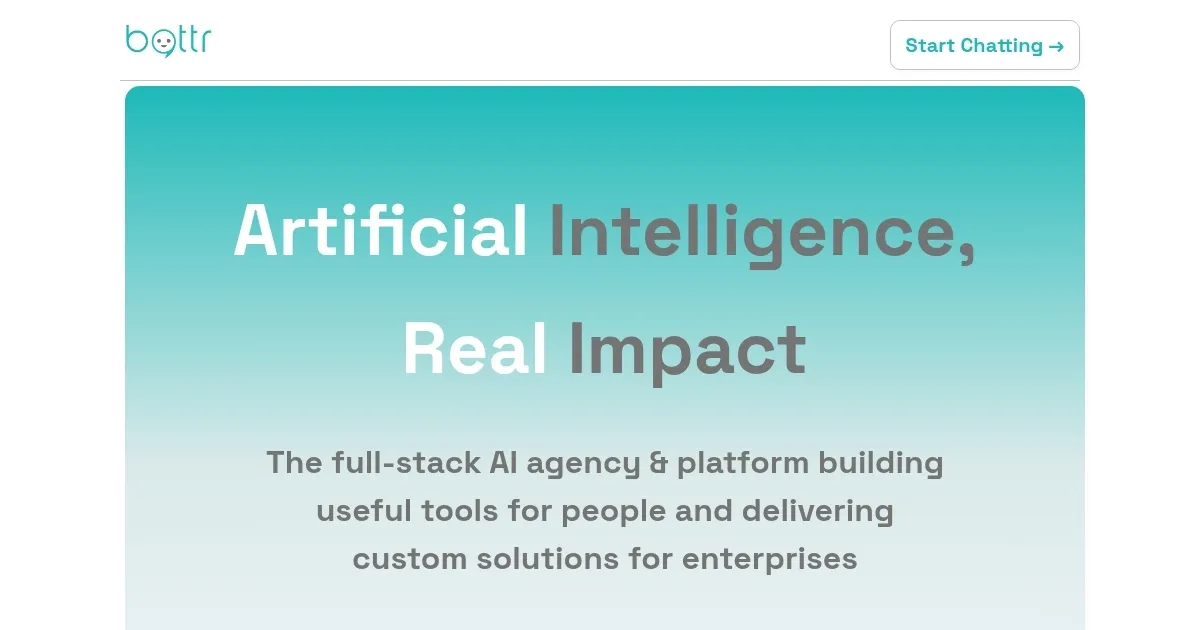
Homepage Screenshot 📸

Bottr screenshot

Video Overview 🎬

Bottr - Video Overview

What are the key features? ✨

  • No-Code Bot Editor: Builds intelligent bots and agents using custom data and resources in an intuitive interface.
  • LLM Support: Integrates major models like GPT, Claude, and Gemini for versatile AI capabilities.
  • Bots Store: Offers over 500 pre-built bots for tasks such as generating images, videos, and diagrams.
  • API Integration: Enables embedding on websites or connecting to apps and workflows for seamless deployment.
  • Deployment Options: Provides cloud-based or on-premise hosting tailored to security and control needs.

Who is it for? 🤔

Bottr is made for small business owners seeking quick automation for customer queries without coding skills, marketers needing fast content like diagrams or videos from text, and enterprise teams requiring secure on-premise bots for data handling. It aids educators building interactive assistants for student engagement and developers prototyping API-linked agents, all while offering scalable plans that grow with usage, though free limits might push casual users to upgrade sooner.

Examples of what you can use it for 💡

  • Small business owner: Automates FAQ responses on their website to handle inquiries around the clock without staff intervention.
  • Marketer: Generates custom visuals and presentations from campaign briefs using pre-built bots in the store.
  • Healthcare admin: Processes policy documents to extract data and reduce manual entry time significantly.
  • Educator: Creates interactive study bots that quiz students based on uploaded course materials.
  • Developer: Integrates bots via API into apps for real-time research and task automation in workflows.

Pros & Cons ⚖️

  • Vast bots library
  • Multi-LLM support
  • Flexible deployment
  • Limited free tier
  • Generic replies sometimes

FAQs 💬

What can Bottr do?
Bottr serves as an all-in-one AI assistant for casual talks, complex tasks, and adaptations to user needs, with bots available at bottr.me/bots.
How do I reset my password?
Click the Forgot Password link on the login page and follow the steps provided.
Can I create multiple bots?
Yes, on the unlimited plan, select the bot name dropdown to add more.
How do I share my bot?
Use the unique URL for sharing, embed as a widget, or integrate via API through the Share button.
How do I update the knowledge base?
Access the Knowledge bot in the store to add files or URLs for informed responses.
How do I create a custom bot?
Click the Bots icon, then Add custom bot to open the editor for instructions and data sources.
What if outputs seem off?
Rephrase queries or adjust tone, and verify AI responses independently for accuracy.
What is the Unlimited plan?
It allows unlimited tokens under a fair usage policy to prevent abuse.
How do I cancel subscription?
Log in, go to billing tab via profile, and manage to cancel.

Ready to try Bottr?

Builds custom AI chatbots with no-code tools and major LLMs

Visit Bottr ↗

Bottr alternatives 🔗

  1. ChatGPT ChatGPT All-round AI assistant generating human-like responses to user queries and tasks
  2. Gemini Gemini Generates responses from text, images, audio, and video inputs using advanced multimodal AI
  3. Claude Claude Assists users in reasoning, coding, writing, and analyzing data with advanced AI models
  4. Grok Grok Delivers witty, real-time AI responses with advanced reasoning and image generation
  5. DeepSeek DeepSeek Delivers advanced AI models for coding and reasoning at low costs
  6. Perplexity Perplexity Delivers cited AI answers from web searches instantly
Share
Bottr screenshot enlarged
Promote Bottr
light badge
Copy Embed Code
dark badge
Copy Embed Code
neutral badge
Copy Embed Code
Best AI Tools

Discover the best AI tools for any use case

Explore
  • Tool Categories
  • AI Use Cases
  • AI Events
  • AI News
  • Saved Tools
Company
  • About Us
  • Contact Us
  • Media & Partnerships
  • Suggest a Tool
Legal
  • Privacy Policy
  • Terms of Service
Copyright © 2026 Best AI Tools 415 Mission Street, 37th Floor, San Francisco, CA 94105