logo-darklogo-darklogo-darklogo-dark
  • Tool Categories
    • ๐ŸŽจArt & Creative Design505
    • ๐ŸขBusiness Management644
    • ๐Ÿ’ปCoding & Development515
    • ๐Ÿ‘ฎDetection83
    • ๐Ÿง General Use727
    • ๐ŸฅHealth & Wellness55
    • ๐Ÿ“ทImage & Photo Analysis100
    • ๐Ÿ–ผ๏ธImage Generation & Editing618
    • ๐Ÿ“Interior & Architectural Design37
    • ๐ŸŽ“Learning & Education483
    • โš–๏ธLegal & Finance90
    • ๐ŸŽญLifestyle & Entertainment236
    • ๐Ÿ“ขMarketing & Advertising627
    • ๐ŸŽงMusic & Audio138
    • ๐Ÿ‘”Office & Workplace1,014
    • ๐Ÿ”ฌResearch & Data Analysis372
    • ๐Ÿ‘ฅSocial Media245
    • ๐ŸŽฅVideo Generation & Editing426
    • ๐Ÿ‘ง๐ŸปVirtual Companion135
    • ๐ŸŽคVoice Generation & Editing381
    • โœ๏ธWriting & Editing808
    • All Categories
    • AI Use Cases
  • News
  • Events
    • Academic Conferences
    • Developer Conferences
    • Expos / Trade Shows
    • Industry Summits
    • Workshops / Training
    • All Events
    • Past Events
  • Saved Tools
  • Suggest a Tool
โœ•
Home › General Use › Chatbot› Chatling
Chatling

Chatling

Builds AI chatbots for websites and WhatsApp to automate support and engagement

Chatling is a no-code AI chatbot platform that enables businesses to create and deploy chatbots for websites and WhatsApp, automating tasks like customer support, lead generation, and knowledge base searches. Its visual builder allows users to design conversational flows using drag-and-drop blocks, such as “Send Message” or “AI Response,” without requiring coding skills. The platform supports over 85 languages, integrates with AI models like GPT-4o, Claude 3, and Gemini, and trains chatbots on user-uploaded data, including documents and website content. Businesses can customize chatbot appearance to align with their branding and track performance via an analytics dashboard.

The platform offers a free plan with unlimited chats but limits AI credits to 100 per month, with paid plans providing more credits, chatbots, and features like autosync for knowledge base updates. Integration with tools like Zapier, WhatsApp, and Shopify expands its functionality. The knowledge base supports up to 500,000 characters on the free plan, with higher tiers offering up to 90 million. Users can fine-tune AI responses to improve accuracy, though this may require detailed data input for niche queries.

Compared to competitors, Tidio integrates live chat alongside AI, while ManyChat focuses on social media platforms. Chatling’s strength is its no-code flexibility and multilingual support, but it lacks the live chat depth of Tidio or the social media focus of ManyChat. Some users report the AI occasionally misinterprets complex queries, requiring manual fine-tuning. The autosync feature ensures the knowledge base stays current, a unique advantage for dynamic websites.

The free plan suits small businesses testing the waters, but heavy users may need paid plans for sufficient AI credits. The platform’s documentation and support are accessible, though some users note a learning curve with the builder. Scalability is a plus, as the platform handles unlimited chats across all plans. Security measures ensure data privacy, with no third-party data sharing.

To get started, create a chatbot from the dashboard, populate the knowledge base with relevant data, and test flows using the preview feature. Customize the widget to match your brand and deploy it via a simple code snippet. Monitor analytics to optimize performance and adjust flows as needed.

Visit Chatling ↗
Categories
๐Ÿง  General
๐Ÿ’ฌ Chatbot
๐Ÿข Business
๐ŸŽง Customer Service ๐Ÿ”„ Workflow
๐Ÿ‘” Work
๐Ÿ”— Agent
๐Ÿ“ข Advertising
๐ŸŽฏ Lead Generation
๐Ÿ’ป Coding
๐Ÿ—๏ธ Website Building

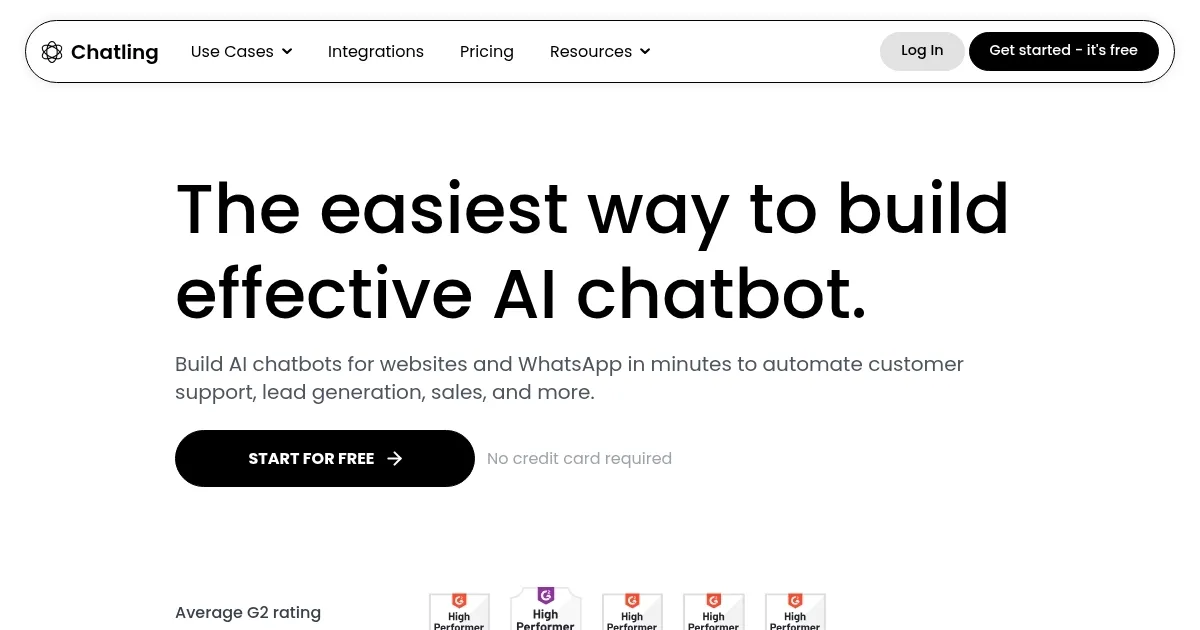
Homepage Screenshot 📸

Chatling screenshot

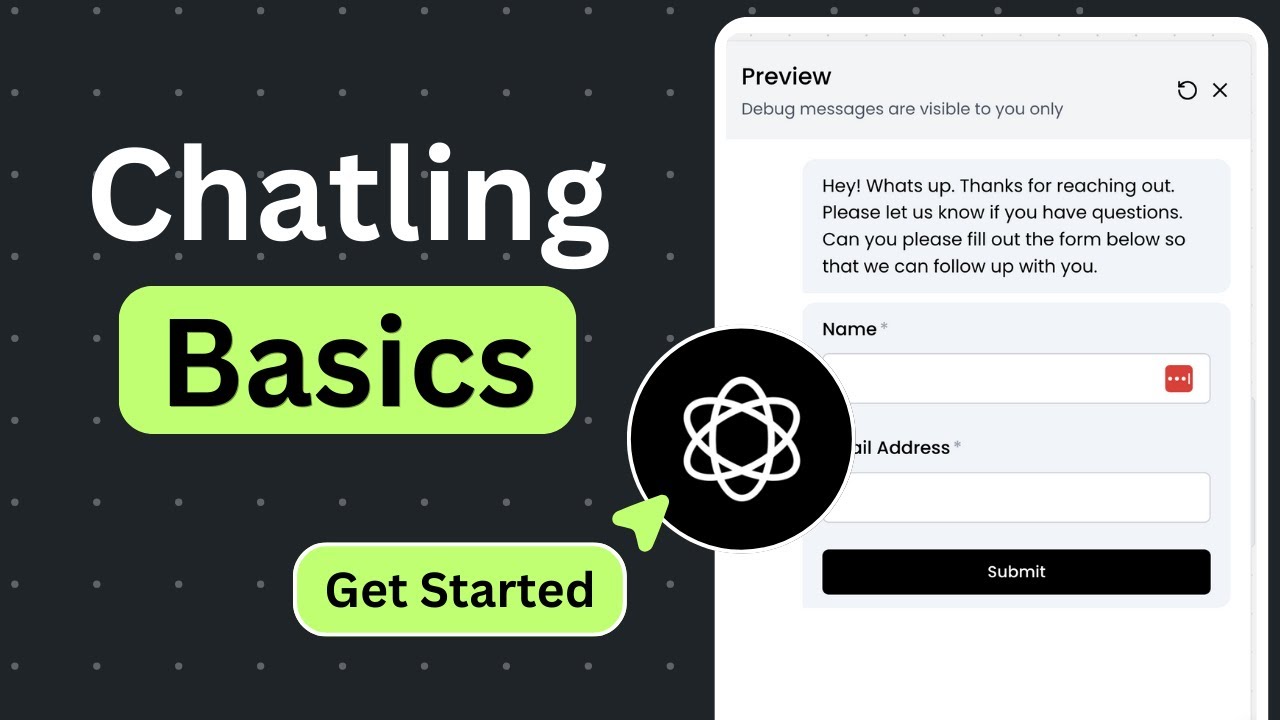
Video Overview 🎬

What are the key features? ✨

  • Visual Builder: Drag-and-drop interface to create conversational flows without coding.
  • Multilingual Support: Communicates in over 85 languages automatically.
  • Data Training: Trains chatbots using uploaded documents and website content.
  • Analytics Dashboard: Tracks chatbot performance and user interactions.
  • Autosync Knowledge Base: Automatically updates knowledge base with fresh website data.

Who is it for? 🤔

Chatling is designed for small to medium-sized businesses, e-commerce owners, and startups seeking to automate customer support, lead generation, or knowledge base searches without coding expertise. Its no-code interface suits non-technical users, while its scalability and integrations like Zapier appeal to growing enterprises with global audiences needing multilingual support.

Examples of what you can use it for 💡

  • E-commerce Owner: Uses Chatling to automate product FAQs and capture leads on their Shopify store.
  • Customer Support Manager: Deploys a chatbot to handle 24/7 inquiries, reducing email volume.
  • Marketing Professional: Integrates Chatling with Zapier to collect leads for email campaigns.
  • Small Business Owner: Creates a multilingual chatbot to engage international website visitors.
  • Content Creator: Adds a chatbot to a blog to answer reader questions based on uploaded articles.

Pros & Cons ⚖️

  • Supports over 85 languages for global reach.
  • Integrates with tools like Zapier, Shopify.
  • Free plan offers unlimited chats.
  • AI may misinterpret niche queries.

FAQs 💬

What is Chatlingโ€™s free plan like?
The free plan offers unlimited chats, 100 AI credits, and 500,000 knowledge base characters but limits customization.
Can Chatling work on any website?
Yes, it integrates via a simple code snippet on any site, including WordPress and Shopify.
Does it support multiple languages?
It supports over 85 languages for automatic communication.
How does Chatling train its AI?
It uses uploaded documents, website content, and FAQs to train the chatbot.
What AI models does it use?
It integrates with GPT-4o, Claude 3, Gemini, and more.
Is my data secure with Chatling?
Yes, data is stored securely and not shared with third parties.
Can I customize the chatbotโ€™s look?
Yes, you can adjust colors, icons, and more to match your brand.
Does it integrate with other tools?
It connects with Zapier, WhatsApp, Shopify, and more.
What happens if I hit the AI credit limit?
The chatbot stops generating AI responses until credits reset or you upgrade.
Is there a refund policy?
Yes, a 14-day money-back guarantee is offered for initial purchases.

Ready to try Chatling?

Builds AI chatbots for websites and WhatsApp to automate support and engagement

Visit Chatling ↗

Chatling alternatives 🔗

  1. ChatGPT ChatGPT All-round AI assistant generating human-like responses to user queries and tasks
  2. Gemini Gemini Generates responses from text, images, audio, and video inputs using advanced multimodal AI
  3. Claude Claude Assists users in reasoning, coding, writing, and analyzing data with advanced AI models
  4. Grok Grok Delivers witty, real-time AI responses with advanced reasoning and image generation
  5. DeepSeek DeepSeek Delivers advanced AI models for coding and reasoning at low costs
  6. Perplexity Perplexity Delivers cited AI answers from web searches instantly
Share
Chatling screenshot enlarged
Promote Chatling
light badge
Copy Embed Code
dark badge
Copy Embed Code
neutral badge
Copy Embed Code
Best AI Tools

Discover the best AI tools for any use case

Explore
  • Tool Categories
  • AI Use Cases
  • AI Events
  • AI News
  • Saved Tools
Company
  • About Us
  • Contact Us
  • Media & Partnerships
  • Suggest a Tool
Legal
  • Privacy Policy
  • Terms of Service
Copyright © 2026 Best AI Tools 415 Mission Street, 37th Floor, San Francisco, CA 94105