logo-darklogo-darklogo-darklogo-dark
  • Tool Categories
    • ๐ŸŽจ Art
    • ๐Ÿข Business
    • ๐Ÿ’ป Coding
    • ๐Ÿ‘ฎ Detection
    • ๐Ÿง  General
    • ๐Ÿฅ Health
    • ๐Ÿ“ท Image Analysis
    • ๐Ÿ–ผ๏ธ Image
    • ๐Ÿ“ Architecture
    • ๐ŸŽ“ Education
    • โš–๏ธ Legal/Finance
    • ๐ŸŽญ Lifestyle
    • ๐Ÿ“ข Advertising
    • ๐ŸŽง Music
    • ๐Ÿ‘” Work
    • ๐Ÿ”ฌ Research
    • ๐Ÿ‘ฅ Social
    • ๐ŸŽฅ Video
    • ๐Ÿ‘ง๐Ÿป Companion
    • ๐ŸŽค Voice
    • โœ๏ธ Writing
    • All Categories
    • AI Use Cases
  • News
  • Events
    • Academic Conferences
    • Developer Conferences
    • Expos / Trade Shows
    • Industry Summits
    • Online Events
    • Workshops / Training
    • All Events
    • Past Events
  • Saved Tools
  • Suggest a Tool
โœ•
Home › Coding & Development › SQL› ChatDB
ChatDB

ChatDB

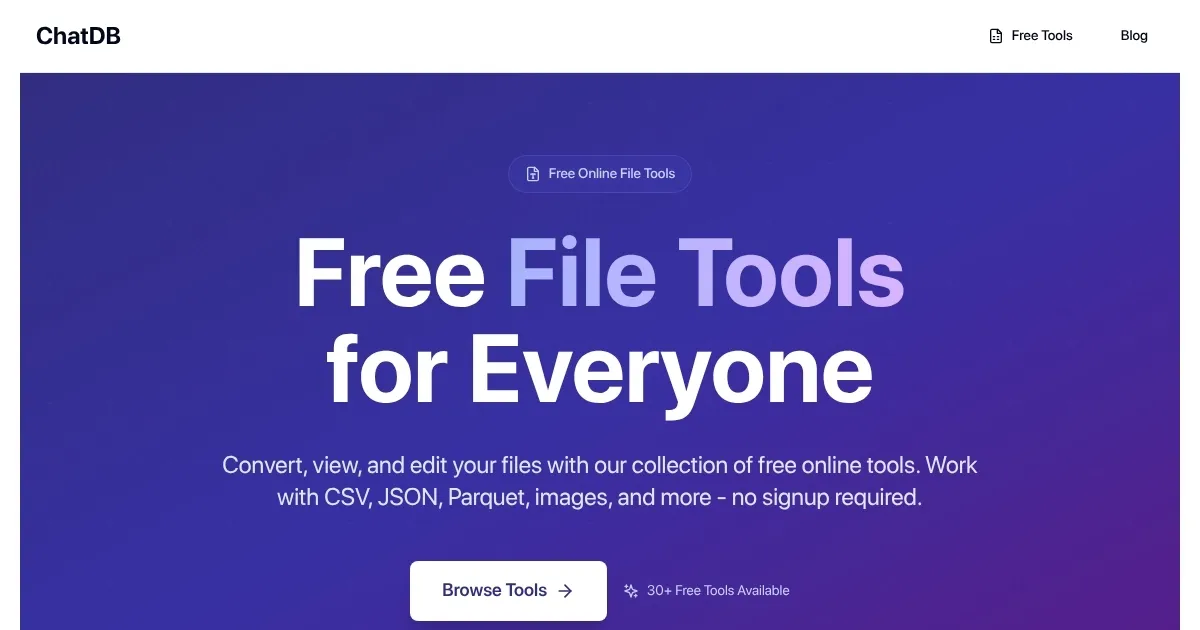
Converts CSV, JSON, and Parquet files with AI-driven tools, no signup needed

ChatDB is a free, browser-based platformย that provides tools for converting, viewing, and querying CSV, JSON, and Parquet files. It uses AI to translate natural language questions into SQL queries, enabling users to extract insights without coding. The platform supports file conversions, such as CSV to JSON or Parquet, and includes features like CSV compression and Parquet schema viewing. It requires no signup, making it accessible for quick tasks. All tools run in the browser, ensuring no software installation is needed.

The CSV AI feature allows users to query CSV files using plain English, generating SQL queries automatically. For example, a question like “List sales by region” produces a tailored SQL command. File conversion tools handle files up to 1GB, with optimized performance for speed. The Parquet viewer displays file schemas and metadata, aiding analytics tasks. ChatDB also offers image compression and optimization, supporting formats like PNG and JPG, which is useful for web development. The platform emphasizes data privacy, with no data transmission during processing.

Compared to competitors, ChatDB is simpler. Chat2DB supports multiple databases like MySQL and MongoDB, offering broader functionality for database management. DataGrip provides advanced database tools but requires a paid license. ChatDB’s free model and no-signup approach make it more accessible, though it lacks database connectivity. Its focus on file-based data suits users working with standalone datasets.

Limitations exist. ChatDB doesn’t support direct database connections, requiring users to export data first. The interface, while functional, lacks advanced customization for queries or visualizations. Internet dependency can affect performance on slow connections. The image compression tool, while useful, feels secondary to the core data features.

For users, ChatDB is best for quick, file-based tasks. Start with small CSV files to test the AI querying. Use precise language for better query results. Explore Parquet conversions for storage efficiency. Check privacy policies for sensitive data. The tool’s simplicity and free access make it worth trying for basic data tasks.

Visit ChatDB ↗

Categories

๐Ÿ’ป Coding

๐Ÿ—ƒ๏ธ SQL โŒจ๏ธ Code Generation ๐Ÿค– Code Assistant ๐Ÿ‘จโ€๐Ÿ’ป Development

๐Ÿ”ฌ Research

๐Ÿ“Š Data Analytics

๐Ÿง  General

๐Ÿ’ฌ Chatbot

๐Ÿ‘” Work

โšก Work Productivity

Screenshot 📸

ChatDB screenshot

What are the key features? ✨

  • CSV AI: Queries CSV files using natural language, generating SQL commands automatically.
  • File Conversion: Converts CSV, JSON, and Parquet files with support for files up to 1GB.
  • Parquet Viewer: Displays Parquet file schemas and metadata for analytics.
  • Image Compression: Optimizes images in formats like PNG and JPG for web use.
  • CSV Compressor: Reduces CSV file size for efficient storage and performance.

Who is it for? 🤔

ChatDB is designed for small business owners, students, data analysts, and web developers who need to manage and analyze file-based data like CSV, JSON, or Parquet without complex software or coding skills. Its no-signup, browser-based approach suits users seeking quick, accessible tools for data querying, conversion, or image optimization, particularly those without direct database access.

Examples of what you can use it for 💡

  • Small Business Owner: Analyzes sales data in CSV files using natural language queries to generate reports.
  • Student: Converts research datasets from CSV to Parquet for efficient storage and analysis.
  • Data Analyst: Views Parquet file schemas to understand data structures for analytics projects.
  • Web Developer: Compresses images alongside data tasks for website optimization.
  • Freelancer: Queries client CSV data to extract insights without learning SQL.

Pros & Cons ⚖️

  • Free, no-signup access
  • Intuitive CSV AI querying
  • Supports large files
  • Limited query customization

FAQs 💬

What file formats does ChatDB support?
ChatDB supports CSV, JSON, and Parquet for data tasks and PNG, JPG, and WebP for images.
Do I need to sign up to use ChatDB?
No, ChatDB requires no signup, and all tools run in the browser.
Can ChatDB connect to databases like MySQL?
No, it focuses on file-based data and doesnโ€™t support direct database connections.
Is ChatDB free to use?
Yes, ChatDB offers free tools, with a premium API for advanced features.
How large can files be for conversion?
ChatDB handles files up to 1GB for conversions and queries.
Does ChatDB store my data?
No, it processes data in the browser without storing or transmitting it.
Can I query CSV files without SQL knowledge?
Yes, the CSV AI feature translates natural language into SQL queries.
Is there technical support available?
Yes, ChatDB offers support, with enhanced options for premium API users.
Can I use ChatDB offline?
No, it requires an internet connection as it runs in the browser.
What makes ChatDB different from competitors?
Its free, no-signup model and focus on file-based data make it uniquely accessible.

Ready to try ChatDB?

Converts CSV, JSON, and Parquet files with AI-driven tools, no signup needed

Visit ChatDB ↗

ChatDB alternatives 🔗

  1. DataGrip DataGrip Streamlines database management and SQL querying for multiple platforms
  2. Hex Magic Hex Magic AI-powered tools for humans doing amazing things with data
  3. Coefficient AI Coefficient AI Supercharge your spreadsheets with GPT-powered AI tools for connecting data
  4. GPTExcel GPTExcel AI spreadsheet tool that generates and explains Excel formulas
  5. formula bot formula bot Revolutionize your analytics workflow, from data prep to analysis with AI
  6. Kanaries Kanaries Automates exploratory data analysis and creates interactive visualizations from datasets with one click
Share
ChatDB screenshot enlarged
Promote ChatDB
light badge
Copy Embed Code
dark badge
Copy Embed Code
neutral badge
Copy Embed Code
Best AI Tools

Discover the best AI tools for any use case

About Us | Contact Us | Suggest an AI Tool
Privacy Policy | Terms of Service
Copyright © 2026 Best AI Tools 415 Mission Street, 37th Floor, San Francisco, CA 94105