logo-darklogo-darklogo-darklogo-dark
  • Tool Categories
    • ๐ŸŽจArt & Creative Design505
    • ๐ŸขBusiness Management644
    • ๐Ÿ’ปCoding & Development515
    • ๐Ÿ‘ฎDetection83
    • ๐Ÿง General Use727
    • ๐ŸฅHealth & Wellness55
    • ๐Ÿ“ทImage & Photo Analysis100
    • ๐Ÿ–ผ๏ธImage Generation & Editing618
    • ๐Ÿ“Interior & Architectural Design37
    • ๐ŸŽ“Learning & Education483
    • โš–๏ธLegal & Finance90
    • ๐ŸŽญLifestyle & Entertainment236
    • ๐Ÿ“ขMarketing & Advertising627
    • ๐ŸŽงMusic & Audio138
    • ๐Ÿ‘”Office & Workplace1,014
    • ๐Ÿ”ฌResearch & Data Analysis372
    • ๐Ÿ‘ฅSocial Media245
    • ๐ŸŽฅVideo Generation & Editing426
    • ๐Ÿ‘ง๐ŸปVirtual Companion135
    • ๐ŸŽคVoice Generation & Editing381
    • โœ๏ธWriting & Editing808
    • All Categories
    • AI Use Cases
  • News
  • Events
    • Academic Conferences
    • Developer Conferences
    • Expos / Trade Shows
    • Industry Summits
    • Workshops / Training
    • All Events
    • Past Events
  • Saved Tools
  • Suggest a Tool
โœ•
Home › Writing & Editing › Writing Assistant› Easy-Peasy.AI
Easy-Peasy.AI

Easy-Peasy.AI

AI-powered content creator for blog posts, social media, product descriptions, and more

Easy-Peasy.AI is a multifaceted content creation tool powered by artificial intelligence. As such, it significantly accelerates the content creation process for a range of needs — including blog posts, resumes, emails, and social media content.

With its arsenal of over 200 templates, Easy-Peasy.AI facilitates easier and more efficient writing — promising a tenfold increase in speed and quality. The tool also includes MARKY, a GPT-4 and Claude 2.1-powered chat companion, designed to offer a more personalized and empathetic chat experience — which offers real-time data access, file upload support, and multiple chat personasโ€‹โ€‹โ€‹โ€‹.

Beyond text, Easy-Peasy.AI also supports the creation of visual and auditory content. It boasts an AI-driven image generation feature that allows users to produce art and images effortlessly, along with AI transcription services that accurately convert audio files to text. Additionally, there is an advanced text-to-speech function with support for more than 40 languages.

Easy-Peasy.AI offers different pricing plans, with options catering to casual users and professionals seeking unlimited access to its features. The pricing structure includes a free plan for beginners and varied subscription levels, offering increasing benefits, such as unlimited words, AI images, audio transcriptions, and access to the newest features.

All in all, with its blend of advanced technology, wide-ranging functionalities, and flexible pricing – Easy-Peasy.AI is a compelling choice for creators and brands looking to leverage AI for content creation.

Visit Easy-Peasy.AI ↗
Categories
โœ๏ธ Writing
๐Ÿค– Writing Assistant ๐Ÿ…ฐ๏ธ Text Generation โœ’๏ธ Copywriting โœ๏ธ Blog Generation โ™ป๏ธ Content Repurposing
๐Ÿ–ผ๏ธ Image
๐Ÿ–ผ๏ธ Image Generation
๐Ÿง  General
๐Ÿ’ฌ Chatbot ๐Ÿค– Assistant
๐ŸŽค Voice
๐Ÿ“ Transcriber
๐Ÿ“ข Advertising
๐Ÿš€ Marketing

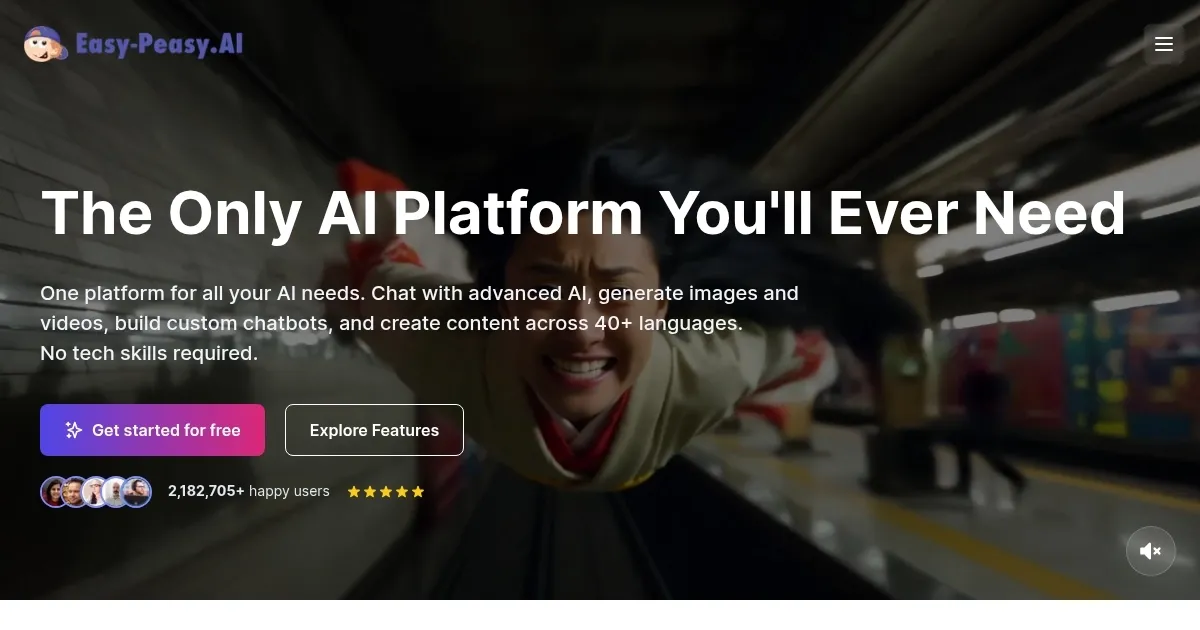
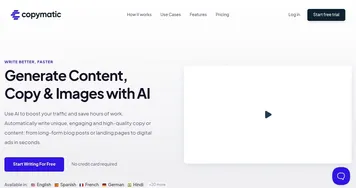
Homepage Screenshot 📸

Easy-Peasy.AI screenshot

Video Overview 🎬

What are the key features? ✨

  • AI content generation: Offers over 200 tools for creating various content types, including blog posts, resumes, emails, and social media content.
  • Chat companion (MARKY): Provides a personalized chat experience with real-time data, file upload support, and multiple personas.
  • Image creation: Uses AI to generates high-quality images and art quickly and easily.
  • Text-to-speech conversion: Converts text into natural-sounding speech in over 40 languages.
  • Audio transcriptions: Transcribes audio files and generates detailed summaries.

Who is it for? 🤔

Easy-Peasy.AI is made for content creators, marketers, educators, and businesses looking to enhance productivity and creativity with AI tools. It is suitable for individuals and organizations seeking to efficiently generate written, visual, and audio content. The platform also appeals to developers needing customizable AI bots for customer interaction and support.

Examples of what you can use it for 💡

  • Bloggers and marketers can use it to quickly generate articles, social media posts, and emails
  • Enhance educational materials by creating audio content and transcriptions for videos and lectures
  • Marketers can use it to generate compelling ad copies and promotional materials
  • Custom GPT bots can handle customer inquiries, support, and lead generation on websites
  • Artists and designers can create unique digital art and images with ease

Pros & Cons ⚖️

  • Multiple AI tools under one roof
  • Makes it easy to generate effective emails and ad copies
  • Good for different use cases
  • You can do many of these things with ChatGPT

FAQs 💬

What is Easy-Peasy.AI mainly used for?
Easy-Peasy.AI is an all-in-one AI platform that helps with content creation tasks like writing text, generating images, making videos, and transcribing audio. It targets creators, marketers, and businesses who want to speed up their workflow without switching tools. I think it's especially handy for beginners because of its simple setup.
How does the template system work on Easy-Peasy.AI?
The platform offers over 200 templates categorized by needs, such as marketing emails, blog posts, or social media captions. You pick one, enter a prompt or keywords, and it generates content right away. Users often say this makes starting projects feel effortless, though tweaking outputs helps match your voice.
Can Easy-Peasy.AI create images from text descriptions?
Yes, it uses models like Nano Banana Pro and Midjourney to turn text prompts into high-quality images, including photorealistic or artistic styles. It's great for quick visuals like social media graphics. Just keep in mind that results might need a few tries for exact details.
What AI models power the chatbot on Easy-Peasy.AI?
The chatbot, called Marky, draws from models like GPT-5.1, Claude 3.7 Sonnet, Gemini Flash 2.5, and Grok 4. This lets you chat for ideas or refinements across tasks. It's versatile, but probably best for casual brainstorming rather than super technical queries.
Is Easy-Peasy.AI suitable for non-English content creation?
Absolutely, it supports over 35 languages for text generation, speech, and more. You can create emails or posts in languages like Spanish or Mandarin with natural flow. That said, accuracy shines brightest in English, based on user feedback.
How do workflows help on Easy-Peasy.AI?
Workflows let you chain tools visually, like turning text into an image then a video. It's ideal for complex projects, saving time on repeats. New users might find it a bit fiddly at first, but templates make it quicker to learn.
Does Easy-Peasy.AI handle audio tasks well?
It transcribes audio accurately and turns text into speech with various voices and accents, like Australian. Creators use it for podcasts or videos. The output is solid, though longer files could take a moment to process.
Can I build custom AI agents with Easy-Peasy.AI?
Yes, you train agents on your data for tasks like customer support, then embed them on sites. It's user-friendly for non-coders. Keep in mind it works best with clean data to avoid quirky responses.
What makes Easy-Peasy.AI stand out from other AI tools?
It combines writing, images, video, and audio in one spot, unlike single-focus apps. Plus, the free tier lets you test without commitment. Downsides? Some features feel overwhelming if you're just dipping in.
Is Easy-Peasy.AI good for business use?
It fits teams with secure, compliant features for emails, plans, or listings. Over 100,000 users, including brands, rely on it daily. That being said, larger ops might want API add-ons for deeper integration.

Ready to try Easy-Peasy.AI?

AI-powered content creator for blog posts, social media, product descriptions, and more

Visit Easy-Peasy.AI ↗

Easy-Peasy.AI alternatives 🔗

  1. ChatGPT ChatGPT All-round AI assistant generating human-like responses to user queries and tasks
  2. Gemini Gemini Generates responses from text, images, audio, and video inputs using advanced multimodal AI
  3. Claude Claude Assists users in reasoning, coding, writing, and analyzing data with advanced AI models
  4. Poe Poe Aggregates top AI models for seamless chatting and bot creation
  5. SwiftKey AI Keyboard SwiftKey AI Keyboard Enhances typing with AI-powered autocorrect and predictions
  6. Brave Leo Brave Leo Assists with web queries, content creation, and document analysis in-browser
Share
Easy-Peasy.AI screenshot enlarged
Promote Easy-Peasy.AI
light badge
Copy Embed Code
dark badge
Copy Embed Code
neutral badge
Copy Embed Code
Best AI Tools

Discover the best AI tools for any use case

Explore
  • Tool Categories
  • AI Use Cases
  • AI Events
  • AI News
  • Saved Tools
Company
  • About Us
  • Contact Us
  • Media & Partnerships
  • Suggest a Tool
Legal
  • Privacy Policy
  • Terms of Service
Copyright © 2026 Best AI Tools 415 Mission Street, 37th Floor, San Francisco, CA 94105