logo-darklogo-darklogo-darklogo-dark
  • Tool Categories
    • ๐ŸŽจArt & Creative Design505
    • ๐ŸขBusiness Management644
    • ๐Ÿ’ปCoding & Development515
    • ๐Ÿ‘ฎDetection83
    • ๐Ÿง General Use727
    • ๐ŸฅHealth & Wellness55
    • ๐Ÿ“ทImage & Photo Analysis100
    • ๐Ÿ–ผ๏ธImage Generation & Editing618
    • ๐Ÿ“Interior & Architectural Design37
    • ๐ŸŽ“Learning & Education483
    • โš–๏ธLegal & Finance90
    • ๐ŸŽญLifestyle & Entertainment236
    • ๐Ÿ“ขMarketing & Advertising627
    • ๐ŸŽงMusic & Audio138
    • ๐Ÿ‘”Office & Workplace1,014
    • ๐Ÿ”ฌResearch & Data Analysis372
    • ๐Ÿ‘ฅSocial Media245
    • ๐ŸŽฅVideo Generation & Editing426
    • ๐Ÿ‘ง๐ŸปVirtual Companion135
    • ๐ŸŽคVoice Generation & Editing381
    • โœ๏ธWriting & Editing808
    • All Categories
    • AI Use Cases
  • News
  • Events
    • Academic Conferences
    • Developer Conferences
    • Expos / Trade Shows
    • Industry Summits
    • Workshops / Training
    • All Events
    • Past Events
  • Saved Tools
  • Suggest a Tool
โœ•
Home › Learning & Education › Language Learning› Fluently
Fluently

Fluently

Improves English fluency with AI-driven feedback on calls

Fluently is a neat tool that acts as a language coach whispering in your ear — minus the awkward small talk. As a non-native English speaker myself, I hopped on a quick Zoom call to test it, speaking about a mock project. Fluently listened quietly, and when I hung up, it handed me a breakdown of my speech: a mispronounced “schedule” here, a grammar slip there. The Instant Call Feedback feature felt like a friend gently correcting you, not a robot scolding you. It’s intuitive, practical, and honestly, kind of fun.

Fluently’s strength lies in its ability to analyze real conversations. During my test, it flagged my tendency to overuse “basically” and offered exercises to expand my vocabulary. The Progress Tracking feature graphs your improvement, which gave me a small thrill seeing my pronunciation score tick up after a second call. It supports every major platform — Zoom, Microsoft Teams, you name it — without needing extra setup. Privacy-wise, I felt secure knowing my call data stays local and encrypted, a big plus in today’s world. Compared to Preply or Cambly, which connect you with human tutors, Fluently’s AI-driven approach is more affordable and available 24/7, though it lacks the human touch of a live coach.

But there’s a catch. My accent threw it off a bit — Fluently struggled with a couple of my pronunciations, which led to slightly off-base feedback. If you’ve got a thick accent or speak in noisy environments, you might hit similar snags. Also, it’s English-only, so don’t expect help with Spanish or Mandarin. Some X users mentioned they wished for more interactive practice outside of calls, like standalone speaking drills. Competitors like Elsa Speak’s Speech Analyzer focus heavily on pronunciation, which might suit some users better if that’s their main concern.

What caught me off guard was how tailored the feedback felt. It’s not just generic tips — it’s based on your speech, your mistakes. The exercises, like practicing specific phrases from my call, were surprisingly engaging. I didn’t expect to enjoy drilling vocabulary, but Fluently makes it feel like a game. Pricing seems reasonable from what I saw — definitely cheaper than hiring a tutor, though you’ll need a premium plan for unlimited access.

Want to make the most of Fluently? Use it during your regular work calls, even short ones, to get consistent feedback. Don’t skip the exercises — they’re quick and targeted. If you’re shy about speaking, start with Fluently’s AI tutor for low-pressure practice. Check out the free trial to get a feel for it, and consider pairing it with Elsa Speak if pronunciation is your biggest hurdle.

Visit Fluently ↗
Categories
๐ŸŽ“ Education
๐Ÿ—ฃ๏ธ Language Learning ๐Ÿ‹๏ธ Coaching ๐Ÿ‘ฉโ€๐Ÿซ Teacher
๐ŸŽค Voice
๐Ÿ—ฃ๏ธ Speech Recognition
๐Ÿ‘” Work
๐Ÿค Meeting Assistant

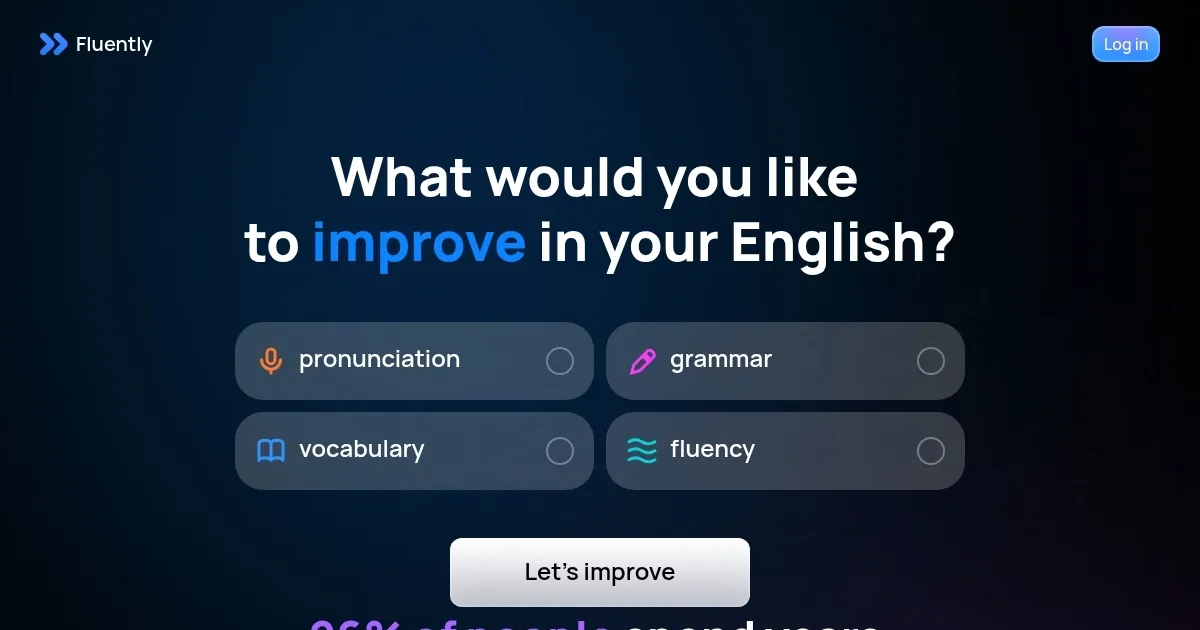
Homepage Screenshot 📸

Fluently screenshot

What are the key features? ✨

  • Instant Call Feedback: Analyzes speech during calls for pronunciation, grammar, and vocabulary insights.
  • Progress Tracking: Monitors English improvement with metrics and tailored exercises.
  • Platform Compatibility: Works with all major video call platforms without setup.
  • Privacy-Focused Design: Stores data locally with encryption and pause options.
  • AI Tutor Practice: Offers speaking practice on real-life topics like job interviews.

Who is it for? 🤔

Fluently is designed for non-native English-speaking professionals, remote workers, and students who regularly participate in video calls and want to improve their spoken English. It suits those seeking affordable, targeted feedback on pronunciation, grammar, and vocabulary without the cost of human tutors.

Examples of what you can use it for 💡

  • Business Professional: Enhances English clarity for international meetings and pitches.
  • Remote Worker: Improves fluency for better collaboration with global teams.
  • Student: Refines speaking skills during online classes or group discussions.
  • Job Seeker: Prepares for English-language interviews with targeted practice.
  • Freelancer: Boosts communication confidence for client-facing video calls.

Pros & Cons ⚖️

  • Seamless video call integration
  • Personalized feedback on speech
  • Affordable compared to tutors
  • Limited to English
  • Requires regular video calls

FAQs 💬

What does Fluently do?
Fluently analyzes your English speech during video calls and provides feedback on pronunciation, grammar, and vocabulary.
Is Fluently available on mobile?
Yes, Fluently is available on iOS and Android via the App Store and Google Play.
Does Fluently work with all video platforms?
It supports all major platforms like Zoom and Google Meet without extra setup.
How does Fluently ensure privacy?
Data is stored locally, encrypted, and users can pause analysis for control.
Can beginners use Fluently?
Yes, it tailors feedback to all levels, from beginner to advanced.
Is there a free trial?
Fluently offers a free trial to test your English level with a 4-minute AI call.
Does it help with pronunciation?
Yes, it provides specific feedback on pronunciation errors after calls.
Can I practice without calls?
Yes, Fluentlyโ€™s AI tutor offers standalone speaking practice on various topics.
How does Fluently compare to human tutors?
Itโ€™s more affordable and available 24/7 but lacks human interaction.
Is Fluently suitable for job interviews?
Yes, it offers practice for scenarios like job interviews and pitches.

Ready to try Fluently?

Improves English fluency with AI-driven feedback on calls

Visit Fluently ↗

Fluently alternatives 🔗

  1. DeepL DeepL Delivers remarkably natural AI translations that capture nuance better than most rivals
  2. Duolingo Max Duolingo Max An AI-enabled language learning experience from Duolingo powered by GPT-4
  3. LanguageTool LanguageTool Checks grammar, spelling, and style across multiple languages
  4. Immersive Translate Immersive Translate A browser extension designed to break down language barriers by offering bilingual translations
  5. Memrise Memrise An AI-powered platform offering efficient and engaging methods for users to learn new languages
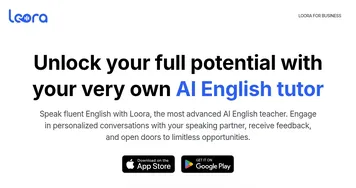
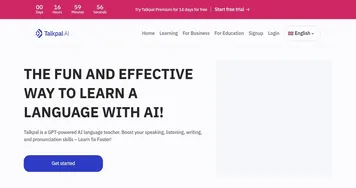
  6. TalkPal TalkPal The most efficient way to learn a language, powered by GPT
Share
Fluently screenshot enlarged
Promote Fluently
light badge
Copy Embed Code
dark badge
Copy Embed Code
neutral badge
Copy Embed Code
Best AI Tools

Discover the best AI tools for any use case

Explore
  • Tool Categories
  • AI Use Cases
  • AI Events
  • AI News
  • Saved Tools
Company
  • About Us
  • Contact Us
  • Media & Partnerships
  • Suggest a Tool
Legal
  • Privacy Policy
  • Terms of Service
Copyright © 2026 Best AI Tools 415 Mission Street, 37th Floor, San Francisco, CA 94105