Freebeat
Transforms music into AI-generated dance, music, and lyric videos in one click
Freebeat bursts onto the scene with a promise that sounds almost too good to be true: upload a song, click a button, and bam — your music transforms into a polished, beat-synced video ready for TikTok or YouTube. I’m skeptical of tools that claim to simplify creative work, but Freebeat delivers in a way that’s both accessible and surprisingly powerful. It’s like having a video editor, choreographer, and animator in one browser tab, and it’s free. Let’s break down what makes this tool tick and where it might stumble.
Start with a song — any song. Paste a link from Spotify, YouTube, SoundCloud, or upload your own track. Freebeat’s AI analyzes the beat, tempo, and mood, then churns out a video that feels like it was crafted by a pro. The AI Music Video Generator syncs visuals to the rhythm, creating cinematic scenes that match your song’s vibe, whether it’s a neon-lit cyberpunk aesthetic for a synthwave track or a soft-focus romance for a ballad. Want dancing? The AI Dance Video Generator lets you pick a style — Hip Hop, K-Pop, or even jazz — and a 3D avatar that can look like you or a custom character. Lyric videos? The AI Lyrics Video Generator animates text in sync with the vocals, making words pop on screen. It’s fast, intuitive, and requires zero editing skills, which is a godsend for creators who’d rather focus on their art than wrestle with Premiere Pro.
What’s delightful here is the customization. You can tweak the mood, background, or even specific transitions to match your vision. I played with a lo-fi track, typed “cozy coffee shop vibes” into the prompt, and got a video with warm lighting and soft-focus tables that felt straight out of a hipster playlist. The real-time beat synchronization is a standout — visuals pulse precisely with the music, which is critical for platforms like TikTok where timing is everything. Freebeat also integrates cutting-edge models like Pika 2.2 and Kling 2.0, ensuring high-quality output that rivals paid tools. Compared to competitors like VEED or Kapwing, which offer robust video editing but lack this level of music-driven automation, Freebeat feels like a specialized weapon for musicians and influencers.
But it’s not flawless. The free plan slaps a watermark on your videos, which might irk perfectionists aiming for a polished look. Upgrading to the Pro plan removes it and unlocks premium features like advanced genres and vocal mixing, but the website’s vague on pricing details — check Freebeat’s website for specifics. Some users on Reddit mentioned occasional glitches with complex tracks, like when the AI misreads tempo shifts in experimental music. Customer support also seems spotty; one user on X complained about a non-existent support email, which is a red flag for troubleshooting. And while the interface is user-friendly, it can feel overwhelming if you’re new to AI tools, with options like “Flux Kontext Max” sounding more like sci-fi jargon than editing choices.
The surprise? Freebeat’s versatility. Beyond music videos, its text-to-video and image-to-video tools let you craft ads or animated explainers, making it a Swiss Army knife for creators. I didn’t expect a music-focused tool to handle my random photo uploads so well, turning a snapshot into a dynamic clip with smooth transitions. For musicians, TikTokers, or small businesses, this is a game-changer. My advice: start with a simple track to test the waters, play with the customization options, and check the Pro plan if you’re serious about watermark-free content. Keep an eye on your song’s complexity to avoid sync issues, and you’ll be churning out viral videos in no time.
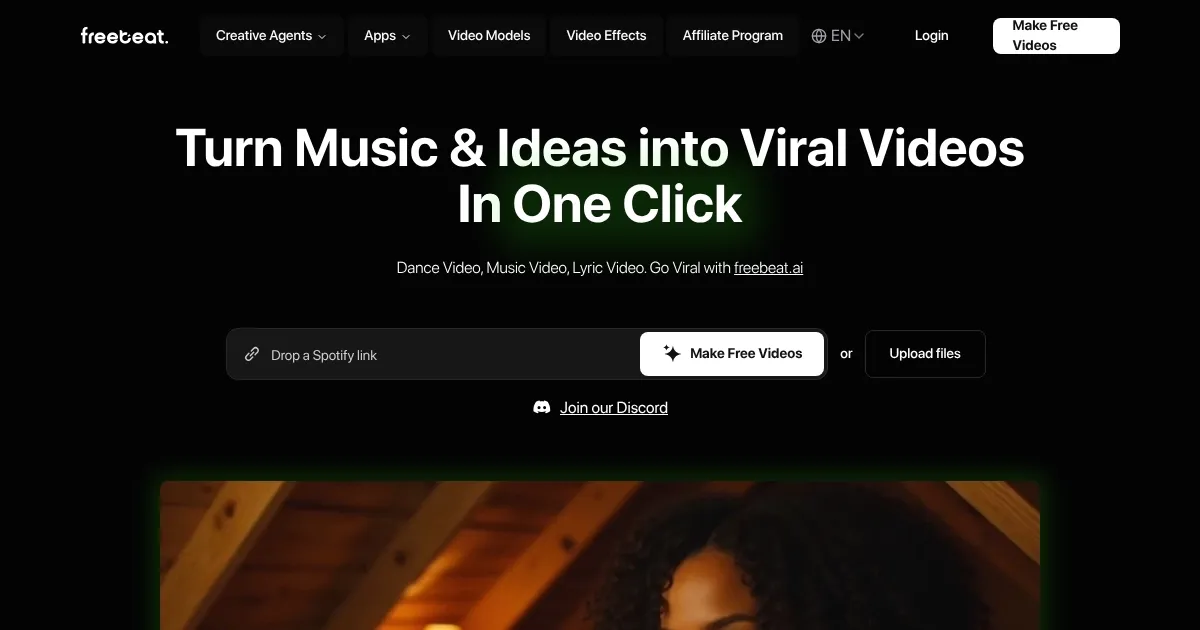
Homepage Screenshot 📸
Video Overview 🎬

What are the key features? ✨
- AI Music Video Generator: Creates beat-synced music videos from uploaded or linked tracks.
- AI Dance Video Generator: Produces dance videos with customizable avatars and styles like K-Pop or Hip Hop.
- AI Lyrics Video Generator: Generates animated lyric videos synced with song vocals.
- Video Clipping Tool: Trims videos to desired lengths for easy sharing.
- Image-to-Video Tool: Transforms static images into dynamic videos with effects and transitions.
Who is it for? 🤔
Examples of what you can use it for 💡
- Indie Musician: Creates a cinematic music video for a new release to share on YouTube
- TikTok Influencer: Generates a dance video with a custom avatar for viral social media posts
- Small Business Owner: Produces a promotional ad with music and visuals for Instagram Reels
- Student: Turns lecture notes into animated explainers with synced music for presentations
- Content Creator: Crafts lyric videos for fan-favorite songs to boost engagement on social platforms
Pros & Cons ⚖️
- Free unlimited video creation
- Supports multiple music platforms
- High-quality 1080p output
- Watermark on free plan videos
- Sync issues with complex tracks
FAQs 💬
Ready to try Freebeat?
Transforms music into AI-generated dance, music, and lyric videos in one click
Visit FreebeatFreebeat alternatives 🔗