GPTOnline
Unlock AI-powered conversations, translations, and answers instantly for free
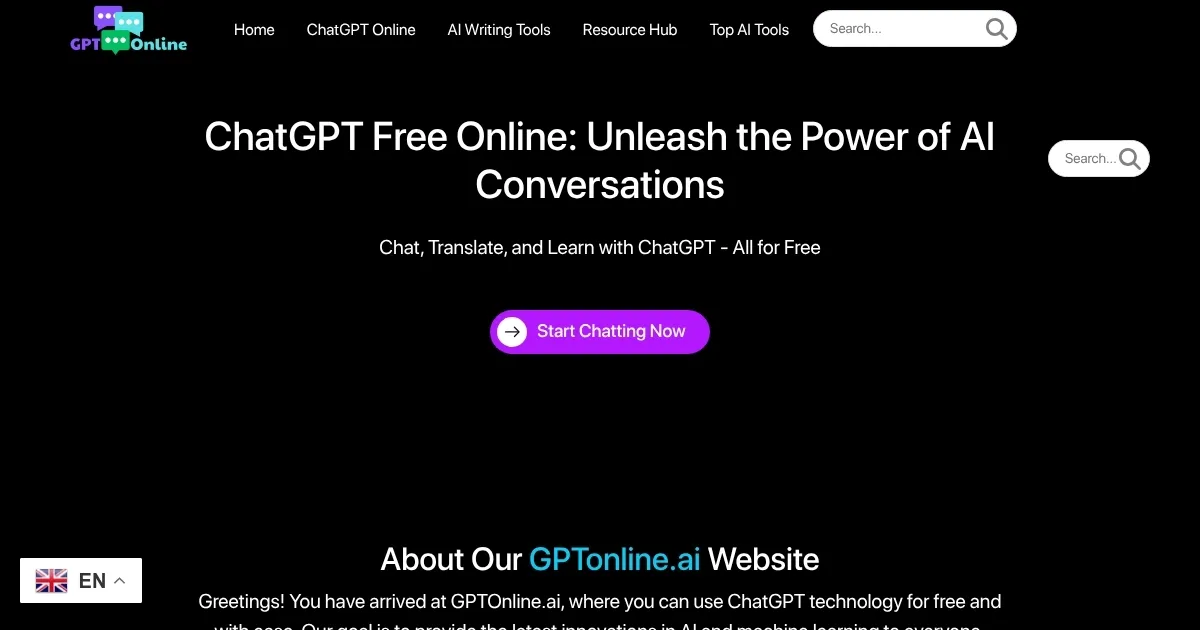
GPTOnline is a free, accessible platform that leverages OpenAI’s ChatGPT API to provide unlimited AI-powered conversations, translations, and knowledge queries without requiring registration. Users can enter queries via a simple chat interface like they do with pretty much any other AI tool. The platform supports over 50 languages for translations, offers personalized responses based on chat context, and handles tasks like answering questions, summarizing text, and generating creative content. It’s designed for ease of use, with no downloads or subscriptions needed, making it ideal for quick, on-the-go AI interactions.
The platform’s core strength is its simplicity. Users visit the homepage, click “Start Chatting,” and begin interacting with the AI. It excels at general knowledge queries, such as explaining complex topics or translating text, and can generate creative outputs like stories or social media posts. The ChatGPT API ensures reliable language processing, with responses generated by advanced neural networks. Recent user feedback highlights its utility for learning and productivity, with one user praising its “incredibly helpful knowledge base” for covering diverse topics.
However, GPTOnline has limitations. It lacks a save feature, so chat histories are not stored, which may inconvenience users needing to reference past interactions. It’s less suited for specialized tasks like coding or data analysis compared to competitors like GitHub Copilot or Claude. Response times can occasionally slow during high traffic, and the platform doesn’t offer advanced features like file uploads or voice interactions, unlike ChatGPT. It’s best for general-purpose use rather than niche applications.
The tool’s free model sets it apart from competitors like Monica, which integrates multiple AI models but requires subscriptions for full access. GPTOnline’s no-cost approach makes it accessible to a wide audience, though it sacrifices some depth for simplicity. User reviews on platforms like Reddit note its reliability for quick answers but suggest pairing it with other tools for complex projects.
For users seeking a straightforward AI tool, GPTOnline is a solid choice. Start with simple queries to test its capabilities, and use it for tasks like translations or brainstorming. For more advanced needs, consider supplementing with specialized AI platforms
Homepage Screenshot 📸
Video Overview 🎬

What are the key features? ✨
- ChatGPT API Integration: Enables human-like conversations with advanced language processing.
- Multilingual Support: Translates text accurately across over 50 languages.
- Personalized Responses: Tailors answers based on user context and chat history.
- No Registration Required: Offers instant access without sign-ups or downloads.
- Knowledge Base Access: Provides quick answers from a vast database of information.
Who is it for? 🤔
Examples of what you can use it for 💡
- Student: Uses GPTOnline.ai to summarize articles for research papers quickly.
- Freelancer: Drafts social media posts or email templates for clients.
- Traveler: Translates foreign phrases instantly for communication abroad.
- Educator: Generates creative writing prompts for classroom activities.
- Small Business Owner: Brainstorms marketing slogans or customer response templates.
Pros & Cons ⚖️
- Free to use, no hidden fees.
- Supports over 50 languages.
- No account needed.
- Limited for coding tasks.
- Lacks advanced features.
FAQs 💬
Ready to try GPTOnline?
Unlock AI-powered conversations, translations, and answers instantly for free
Visit GPTOnlineGPTOnline alternatives 🔗