logo-darklogo-darklogo-darklogo-dark
  • Tool Categories
    • 🎨 Art
    • 🏢 Business
    • 💻 Coding
    • 👮 Detection
    • 🧠 General
    • 🏥 Health
    • 📷 Image Analysis
    • 🖼️ Image
    • 📐 Architecture
    • 🎓 Education
    • ⚖️ Legal/Finance
    • 🎭 Lifestyle
    • 📢 Advertising
    • 🎧 Music
    • 👔 Work
    • 🔬 Research
    • 👥 Social
    • 🎥 Video
    • 👧🏻 Companion
    • 🎤 Voice
    • ✍️ Writing
    • All Categories
    • AI Use Cases
  • News
  • Events
    • Academic Conferences
    • Developer Conferences
    • Expos / Trade Shows
    • Industry Summits
    • Workshops / Training
    • All Events
    • Past Events
  • Saved Tools
  • Suggest a Tool
✕
Home › Art & Creative Design › Cartoon Generation› Image to Cartoon
Image to Cartoon

Image to Cartoon

Cartoonize your face photo with styles and make great avatars

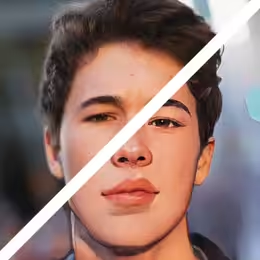
Image to Cartoon is the so-called “AI Cartoonizer” service that lets you create amazing cartoon avatars and characters.

It supports different styles, including business, career, festival, lifestyle, and sports characters, as well as superheroes. So, instead of using your regular photo online, you can use the one that is more noticeable and, well, cooler.

You can use Image to Cartoon online, through their website, or with an app that is available for Macs and mobile platforms (Android and iOS). It is probably best used on your smartphone, where you can instantly transform your selfie into a cartoon.

Image to Cartoon provides free credits each month and you can use it without any account and payment. You will have to pay if you want more credits and access to advanced cartoon effects.

Visit Image to Cartoon ↗
Categories
🎨 Art
🦸 Cartoon Generation 🎨 Art Generation 🌸 Anime Generation
🖼️ Image
🎨 Style Transferring ✏️ Photo Editing 🧑‍🎤 Avatar Generation 🖼️ Image Generation

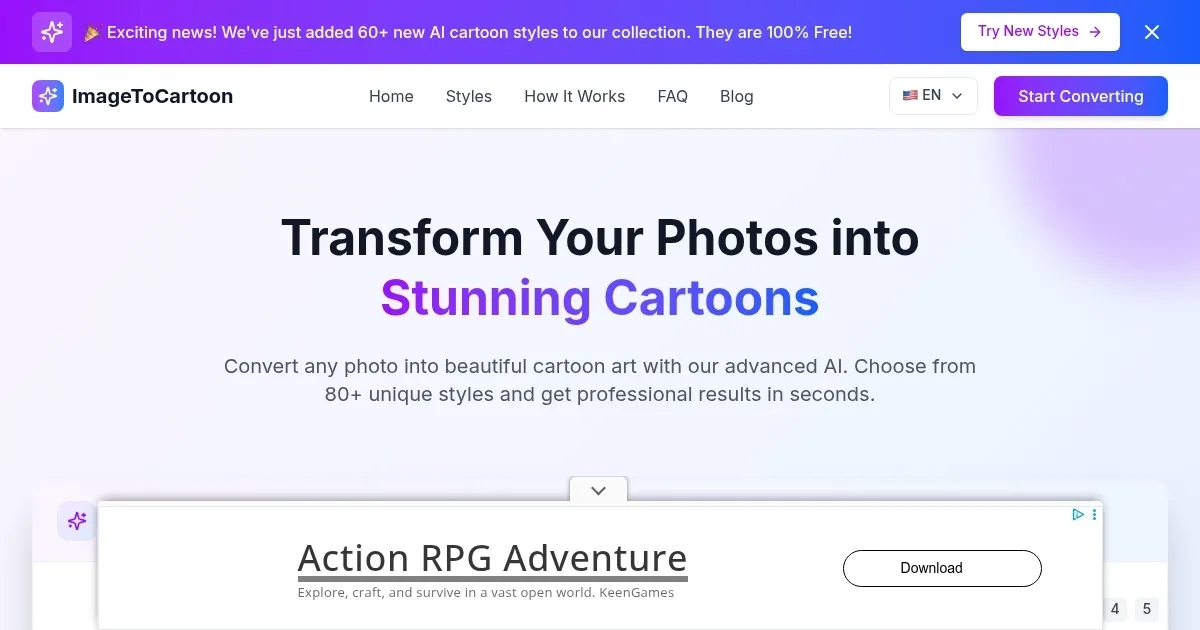
Homepage Screenshot 📸

Image to Cartoon screenshot

Video Overview 🎬

What are the key features? ✨

  • Make great avatars: Convert face images or photos to cartoon and cartoonize yourself in 5 seconds.
  • Different cartoon effects: There are six cartoon themes with multiple cartoon roles to match different scenarios. These include business, career, festival, lifestyle, and sports characters, as well as superheroes.
  • No image stored: None of your face photos will be stored - all images will be cleared within 3 hours.
  • Apps: You can use Image to Cartoon online or with a dedicated app. There are apps for Mac as well as for mobile, including Android and iOS.
  • Free to try: Image to Cartoon provides free credits each month and you can use the tool without any account and payment. You will have to pay if you want more credits and access to advanced cartoon effects.

Who is it for? 🤔

Image to Cartoon is made for folks who want to have a unique image on social media sites and elsewhere on the Internet. Instead of using a standard photo, it allows everyone to be more noticeable online. Heck, the cartoon face is a neat conversation starter and an ice-breaker that could help you stand out. Just make sure not to use it in professional settings, though even there, it could help - depending on the industry you're in.

Examples of what you can use it for 💡

  • Turn your photo into a cartoon
  • Stand out on social media
  • Get a unique avatar for online gaming
  • Transform your selfies into cartoons

Pros & Cons ⚖️

  • AI Cartoonizers are awesome!
  • Lets everyone have a cool avatar
  • Free account/plan is decent
  • Too many ads on the site

Ready to try Image to Cartoon?

Cartoonize your face photo with styles and make great avatars

Visit Image to Cartoon ↗

Image to Cartoon alternatives 🔗

  1. SeaArt SeaArt An AI-driven art creation platform with features including various styles, face swaps, and image upscaling.
  2. Civitai Civitai An open-source hub where users can share, discover, and collaborate on AI art models
  3. PixAI.Art PixAI.Art Anime AI image generator, available on the web and as a mobile app
  4. Clip Studio Paint Clip Studio Paint An AI-drive digital art tool with an extensive suite of features, options, and more
  5. Craiyon Craiyon An AI model that can draw images from any text prompt
  6. Dzine Dzine An AI tool designed to enhance your graphic design and image editing capabilities
Share
Image to Cartoon screenshot enlarged
Promote Image to Cartoon
light badge
Copy Embed Code
dark badge
Copy Embed Code
neutral badge
Copy Embed Code
Best AI Tools

Discover the best AI tools for any use case

Explore
  • Tool Categories
  • AI Use Cases
  • AI Events
  • AI News
  • Saved Tools
Company
  • About Us
  • Contact Us
  • Media & Partnerships
  • Suggest a Tool
Legal
  • Privacy Policy
  • Terms of Service
Copyright © 2026 Best AI Tools 415 Mission Street, 37th Floor, San Francisco, CA 94105