Skip to content
logo-darklogo-darklogo-darklogo-dark
  • Tool Categories
    • 🎨Art & Creative Design505
    • 🏢Business Management644
    • 💻Coding & Development514
    • 👮Detection83
    • 🧠General Use728
    • 🏥Health & Wellness55
    • 📷Image & Photo Analysis100
    • 🖼️Image Generation & Editing618
    • 📐Interior & Architectural Design37
    • 🎓Learning & Education483
    • ⚖️Legal & Finance90
    • 🎭Lifestyle & Entertainment236
    • 📢Marketing & Advertising627
    • 🎧Music & Audio138
    • 👔Office & Workplace1,014
    • 🔬Research & Data Analysis373
    • 👥Social Media245
    • 🎥Video Generation & Editing426
    • 👧🏻Virtual Companion135
    • 🎤Voice Generation & Editing381
    • ✍️Writing & Editing808
    • All Categories
    • AI Use Cases
  • News
  • Events
    • Academic Conferences
    • Developer Conferences
    • Expos / Trade Shows
    • Industry Summits
    • Workshops / Training
    • All Events
    • Past Events
  • Saved Tools
  • Suggest a Tool
    ✕
    Home › Art & Creative Design › Logo Generation› Looka
    Looka

    Looka by Looka Inc.

    A fancy tool for making good-looking logos & brands

    Formerly known as Logojoy, Looka is on a mission to “make design accessible and delightful for everyone.” Using its AI-enabled platform, everyone can bring their brand to life with a beautiful design that includes logos as well as business card designs, social media assets, letterheads, invoices, and more.

    The service is easy to use, with multiple styles, industries, colors, and symbols to choose from. If you need more than that for you, there’s the Logo Ideas section you can visit for inspiration.

    Looka says its download package is the most comprehensive package of any logo maker, featuring a full brand kit with more than 15 logo files for all use cases, email signatures, business cards, and over 30 more types of branded assets.

    As of May 2023, the service has been used by over 20 million small business owners.

    Visit Looka ↗
    Categories
    🎨 Art
    💠 Logo Generation 🖼️ Design Generation 🖌️ Graphic Design 📐 Mockup Generation 🔣 Icon Generation
    📢 Advertising
    🚀 Marketing

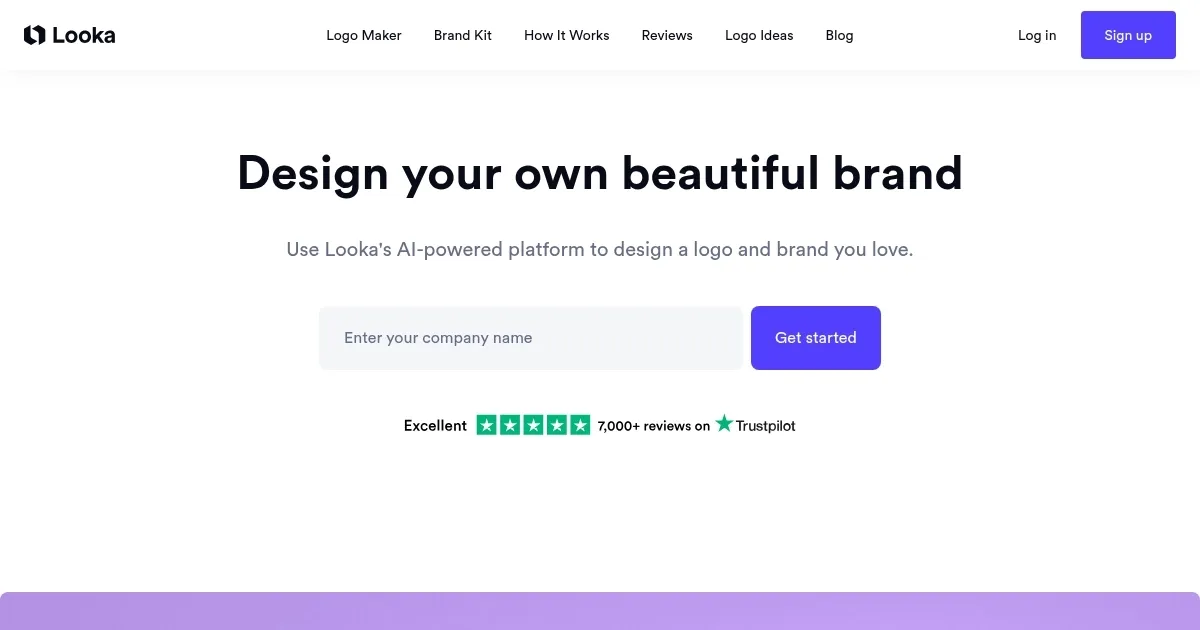
    Homepage Screenshot 📸

    Looka screenshot

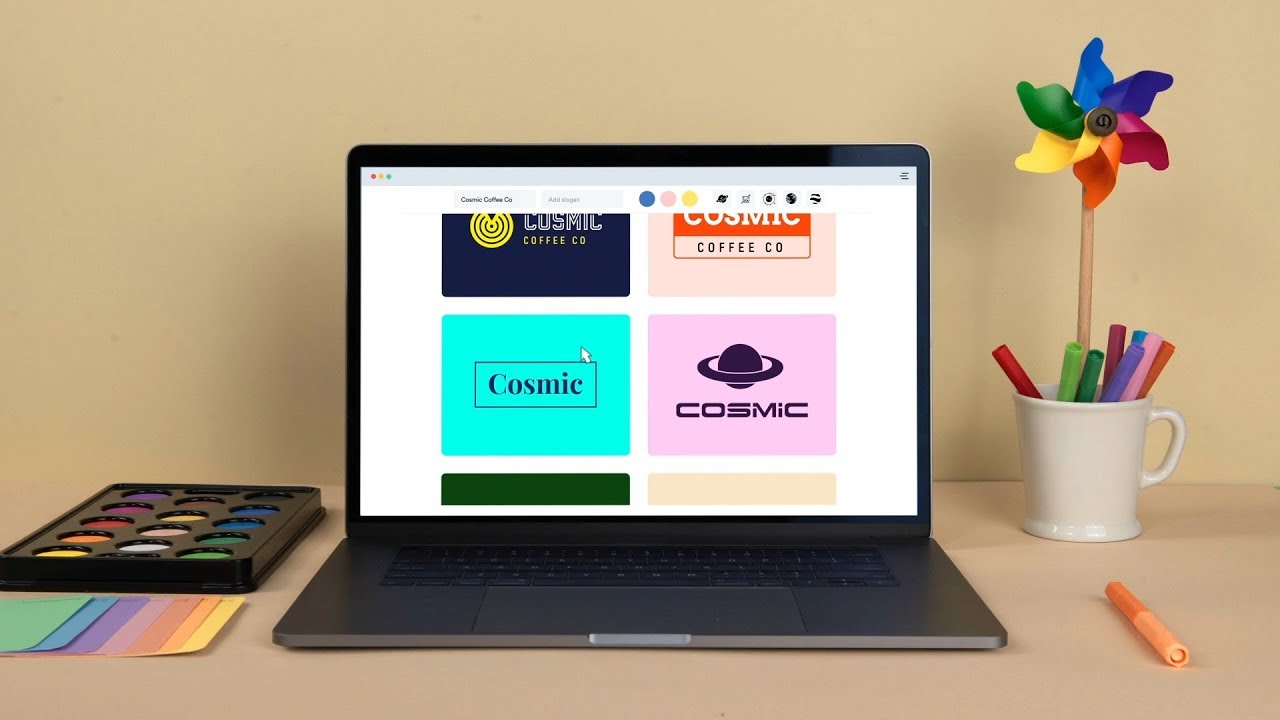
    Video Overview 🎬

    Looka - Video Overview

    What are the key features? ✨

    • Easy to use: Make your own logo in minutes.
    • Beyond logos: Also make business cards, social profiles, invoices, flyers, and more with the included Brand Kit's editor.
    • Partner offers: Access over $3,000 in exclusive partner offers to accelerate every part of your business.
    • Get inspired: Looka has a special section with hundreds of existing logo designs from over 100 popular industries, with design tips included for each.
    • Website creation tool: With the Brand Kit Web Subscription, you can use Looka to create an AI Generated Website.

    Who is it for? 🤔

    Looka is made for new and existing businesses alike, as well as for aspiring entrepreneurs looking to bring their vision to life.

    Examples of what you can use it for 💡

    • Create a logo for your company
    • Create a brand for a product or service
    • Create business cards, invoices, social media graphics, and more

    Pros & Cons ⚖️

    • Hundreds of logo ideas to get inspiration
    • Trusted by over 20 million entrepreneurs!
    • Highly rated on Trustpilot (4.5 / 5 based on 10K+ reviews, May 2023)
    • The most affordable plan only gives you a PNG image

    FAQs 💬

    What is Looka, and who is it best for?
    Looka is an AI-powered platform that helps entrepreneurs, startups, and small businesses create professional logos and full brand kits without needing design skills. It generates custom designs based on your inputs like company name and industry, making it ideal for beginners who want quick, affordable branding solutions. I think it's especially great for solopreneurs launching a side hustle, as it handles everything from logos to social media templates in minutes.
    How does the AI logo generation process work?
    You start by entering your business name and slogan, then pick your industry, preferred styles, colors, and symbols. Looka's AI uses these to instantly create hundreds of unique logo options. From there, you browse, select favorites, and customize in an easy editor—tweaking fonts, layouts, and more. It's straightforward, probably taking under 10 minutes for most users.
    Can I customize my logo after the AI generates it?
    Yes, absolutely. Once generated, you enter a drag-and-drop editor to adjust colors, symbols, fonts, backgrounds, and layouts as much as you want. With a Brand Kit subscription, edits are unlimited even after download. Just note that while it's flexible, some advanced tweaks might feel limited compared to pro software like Adobe Illustrator.
    What file formats do I get when downloading my logo?
    Downloads include high-res versions in PNG, JPG, SVG, EPS, and PDF formats, plus variations like black-and-white, color, and transparent backgrounds. This covers everything from web use to print, and they're scalable without losing quality. You get over 15 files per logo, which is handy for consistent branding across platforms.
    Does Looka offer tools beyond just logo creation?
    Definitely. After your logo, the Brand Kit generates 300+ customizable templates for business cards, social media posts, email signatures, invoices, and more. It even includes an AI website builder that auto-fills content based on your brand. These integrate seamlessly, helping you build a full identity fast.
    How does the business name generator fit into using Looka?
    If you're brainstorming names, Looka's free AI tool takes keywords or industry ideas and spits out options in categories like traditional or invented names. It checks domain and social handle availability right there, then links directly to the logo maker for instant designs. It's a smart starting point that saves time on early branding steps.
    Is Looka suitable for non-designers with no experience?
    Yes, it's built for that. The step-by-step wizard guides you—no skills required—and the AI handles the heavy lifting. Users on Reddit and Trustpilot rave about how intuitive it is, even for total newbies. That said, if you want super-unique results, spending a bit more time on inputs helps avoid generic vibes.
    What kind of support does Looka provide if I run into issues?
    They offer live chat and email support from a dedicated team, available weekdays with quick responses—even weekends for some users. Lifetime access comes with purchases, covering file tweaks or questions. Reviews highlight helpful reps like Gilbert or Sam, though response times can vary; it's solid but not 24/7.
    Can I use my Looka logo for commercial purposes, like trademarking?
    Once downloaded, you own full commercial rights to the entire design and can use it anywhere. Individual elements aren't exclusive, so check for similarities, but it's trademark-eligible—just verify with your local office. Looka provides guidelines in your download folder to make this easy.
    How recent are Looka's features, and are there any 2025 updates?
    Looka stays current with AI trends, like enhanced personalization in 2025 for better industry-specific suggestions. No major overhauls announced yet, but it now integrates more seamlessly with website builders for mobile optimization. It's evolving, with users noting fresher templates in recent reviews.


    Ready to try Looka?

    A fancy tool for making good-looking logos & brands

    Visit Looka ↗

    Looka alternatives 🔗

    1. Designs.ai Logomaker Designs.ai Logomaker An AI logo generator and brand builder
    2. Sologo Sologo A fancy tool that helps you create logos using AI
    3. Brandmark Brandmark Creates unique logos and branding assets using AI in minutes
    4. LogoAI LogoAI Generate your new logo & create matching stationery
    5. Logomakerr Logomakerr Generates customizable professional logos instantly from business ideas using AI
    6. AILogoMaker AILogoMaker Uses artificial intelligence to simplify the logo creation process
    Share
    Looka screenshot enlarged
    Best AI Tools

    Discover the best AI tools for any use case

    Explore
    • Tool Categories
    • AI Use Cases
    • AI Events
    • AI News
    • Saved Tools
    Company
    • About Us
    • Contact Us
    • Media & Partnerships
    • Suggest a Tool
    Legal
    • Privacy Policy
    • Terms of Service
    Copyright © 2026 Best AI Tools 415 Mission Street, 37th Floor, San Francisco, CA 94105