logo-darklogo-darklogo-darklogo-dark
  • Tool Categories
    • 🎨Art & Creative Design505
    • 🏢Business Management644
    • 💻Coding & Development515
    • 👮Detection83
    • 🧠General Use727
    • 🏥Health & Wellness55
    • 📷Image & Photo Analysis100
    • 🖼️Image Generation & Editing618
    • 📐Interior & Architectural Design37
    • 🎓Learning & Education483
    • ⚖️Legal & Finance90
    • 🎭Lifestyle & Entertainment236
    • 📢Marketing & Advertising627
    • 🎧Music & Audio138
    • 👔Office & Workplace1,014
    • 🔬Research & Data Analysis372
    • 👥Social Media245
    • 🎥Video Generation & Editing426
    • 👧🏻Virtual Companion135
    • 🎤Voice Generation & Editing381
    • ✍️Writing & Editing808
    • All Categories
    • AI Use Cases
  • News
  • Events
    • Academic Conferences
    • Developer Conferences
    • Expos / Trade Shows
    • Industry Summits
    • Workshops / Training
    • All Events
    • Past Events
  • Saved Tools
  • Suggest a Tool
✕
Home › Art & Creative Design › Logo Generation› Sologo
Sologo

Sologo

A fancy tool that helps you create logos using AI

Sologo is a fancy tool that helps you create logos using AI. It is designed to be simple and fast, making it easy for anyone to design a logo without knowing how to draw or use complicated software.

With Sologo, you enter your brand name and choose a style that fits your business. The tool then provides several logo options based on your input. You can pick the one you like best and customize it by changing colors, fonts, and layouts — enabling you to create a logo that matches your vision.

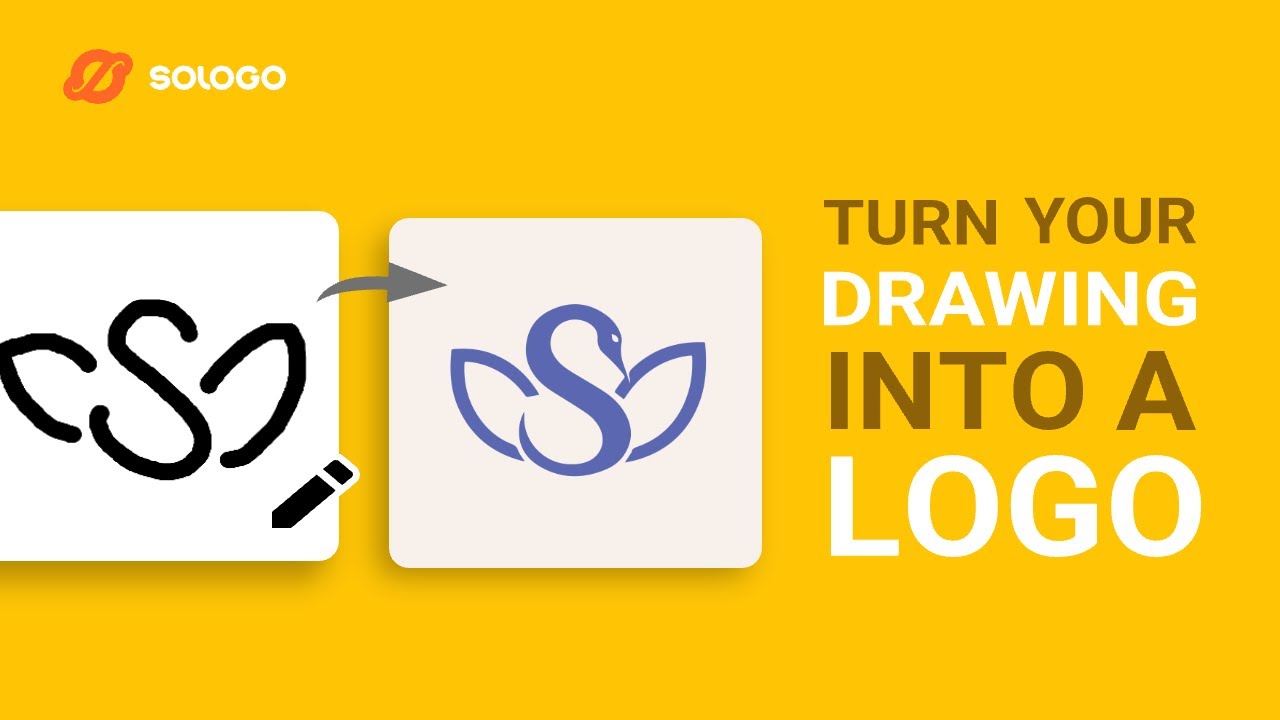
Sologo can also generate logos from images or sketches. If you have a drawing or a picture that inspires you, you can upload it, and the AI will create a logo based on it. This feature can be useful for those who have a specific idea in mind but lack the design skills to bring it to life.

In addition, Sologo offers a brand kit generator. So, once you’ve created your logo, the tool can automatically generate a set of branding materials, such as business cards, social media graphics, and letterheads — all matching your new logo. This is meant to help maintain a consistent look across all your marketing materials.

While Sologo is a powerful tool, it’s important to note that the free version has limitations. For instance, downloading high-resolution files or accessing certain customization features requires a paid subscription — and that makes perfect sense to us. Moreover, while the AI provides a good starting point, you might need to make adjustments to ensure the logo perfectly fits your brand’s identity.

Lastly, we should mention some competing services, such as Looka, Kittl, and AILogoMaker — and you are free to check out all of them.

Visit Sologo ↗
Categories
🎨 Art
💠 Logo Generation 🖌️ Graphic Design 🖼️ Design Generation 🔣 Icon Generation
📢 Advertising
🚀 Marketing

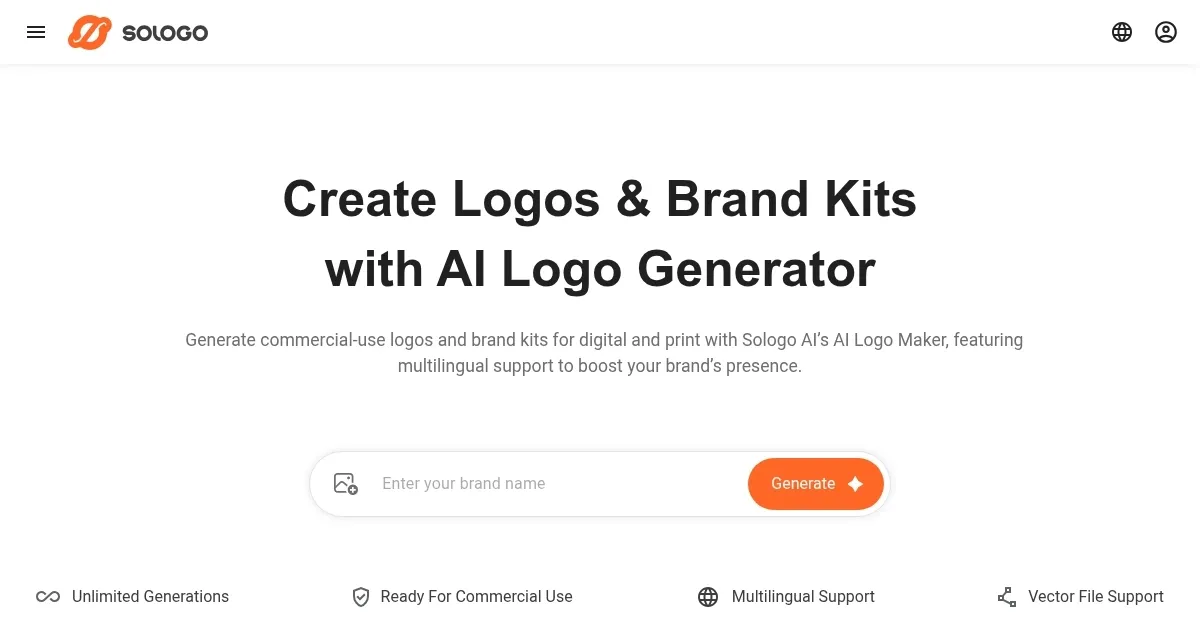
Homepage Screenshot 📸

Sologo screenshot

Video Overview 🎬

Sologo - Video Overview

What are the key features? ✨

  • Easy logo creation: Sologo lets you create logos by simply entering your brand name and choosing a style. The AI will then generate several options for you to pick from.
  • Image & sketch upload: You can upload a drawing or picture, and the AI will create a logo based on it. This can be great for turning your ideas into professional designs.
  • Customizations: After selecting a logo, you can customize it by changing colors, fonts, and layouts to ensure your logo matches your brand's personality.
  • Brand kit generator: Sologo can create a set of branding materials, like business cards and social media graphics, that match your logo.
  • Multilingual support: The tool supports multiple languages, allowing you to create logos and branding materials in your preferred language.

Who is it for? 🤔

Sologo is ideal for entrepreneurs, small business owners, and individuals looking to create a professional logo without hiring a designer. It is also suitable for event organizers, educators, and anyone else needing quick and easy branding solutions. Ultimately, the tool's user-friendly interface and customization options make it accessible to users with varying levels of design experience.

Examples of what you can use it for 💡

  • If you're launching a new business, Sologo can help you create a professional logo quickly and easily
  • For businesses looking to update their image, Sologo offers a simple way to design a new logo that reflects their current values and goals
  • If you're organizing an event, Sologo can help you design a logo and matching materials to promote it effectively
  • Project managers can easily create logos for their blogs, podcasts, and hobby projects
  • Educators can use Sologo to create logos and branding for courses or educational programs

Pros & Cons ⚖️

  • Makes logo creation straightforward for users of all skill levels
  • You can adjust colors, fonts, and layouts to tailor the logo to your brand's needs
  • Multilingual support to cater to a diverse user base
  • Limited free features

FAQs 💬

What exactly does Sologo do?
Sologo is an AI-powered platform that generates professional logos and expands them into full branding assets like business cards, mockups, and social media graphics. It supports multiple input methods, including text descriptions, uploaded images, sketches, or simple ideas.
How many ways can I create a logo with it?
You can start with your brand name, upload a photo or sketch to convert it into a logo, draw something yourself, or just describe your concept in words. The tool offers flexible modes to fit different creative starting points.
Are the logos suitable for commercial use?
Yes, the generated logos come with commercial-use rights, verified fonts and graphics, and permanent licenses. Many users highlight that they feel safe using them for businesses, products, or online stores.
Can I export the logos in different formats?
Absolutely, you get options like PNG, JPG, SVG, PDF for vectors, and even animated versions. This makes them ready for print, web, social media, or marketing materials without quality loss.
Does it help build a complete brand identity?
It goes beyond just logos by letting you create brand kits, AI-generated mockups (like products on T-shirts or packaging), and custom brand imagery such as posters and banners. Everything stays consistent with your main logo.
Is it easy for beginners who aren't designers?
The interface is user-friendly, with an AI-powered canvas for editing colors, fonts, layouts, and elements. Many people say they create professional-looking results quickly, even without design experience.
Does Sologo support languages other than English?
Yes, it handles inputs in multiple languages, including Spanish, Japanese, and more. This makes it useful for international brands or non-English speakers.
How does it compare to tools like Canva for logo creation?
While Canva is great for general design, Sologo focuses more on truly AI-generated, original logos and deeper branding expansion. Users often prefer it when they want specialized, high-quality logo outputs.
Can I customize the designs after generation?
Definitely, you save your designs and edit them anytime with tools for typography, colors, and layout adjustments. It's designed to let you tweak until it perfectly matches your vision.
Who is this tool best suited for?
It's ideal for startups, freelancers, e-commerce sellers, small business owners, restaurants, pet brands, or anyone needing quick, affordable, professional branding without hiring a designer.

Ready to try Sologo?

A fancy tool that helps you create logos using AI

Visit Sologo ↗

Sologo alternatives 🔗

  1. Midjourney Midjourney Generates high-quality images from text prompts using AI.
  2. DALL-E DALL-E Generates detailed images from text prompts with enhanced nuance and safety features
  3. Canva Magic Design Canva Magic Design Generates custom, on-brand designs from text prompts or uploaded media in seconds.
  4. Adobe Express Adobe Express Creates on-brand content with AI-driven design and video tools
  5. Shopify Logo Maker Shopify Logo Maker Creates custom, high-resolution logos for businesses quickly
  6. Freepik AI Freepik AI Creates AI images and videos with fluid motion, detailed textures, and synced audio up to 1080p
Share
Sologo screenshot enlarged
Promote Sologo
light badge
Copy Embed Code
dark badge
Copy Embed Code
neutral badge
Copy Embed Code
Best AI Tools

Discover the best AI tools for any use case

Explore
  • Tool Categories
  • AI Use Cases
  • AI Events
  • AI News
  • Saved Tools
Company
  • About Us
  • Contact Us
  • Media & Partnerships
  • Suggest a Tool
Legal
  • Privacy Policy
  • Terms of Service
Copyright © 2026 Best AI Tools 415 Mission Street, 37th Floor, San Francisco, CA 94105