logo-darklogo-darklogo-darklogo-dark
  • Home
  • Browse
    • Assistant
    • Coding
    • Image
    • Productivity
    • Video
    • Voice
    • Writing
    • All Categories
    • AI Use Cases
  • Events
  • My Favorites
  • Suggest a Tool
✕
Home › Image Generation & Editing›
Published by Dusan Belic on July 10, 2023

Mage.space by Ollano

Mage.space
Mage.space Homepage
Categories Image Generation & Editing
An AI image-generating program

Mage.space

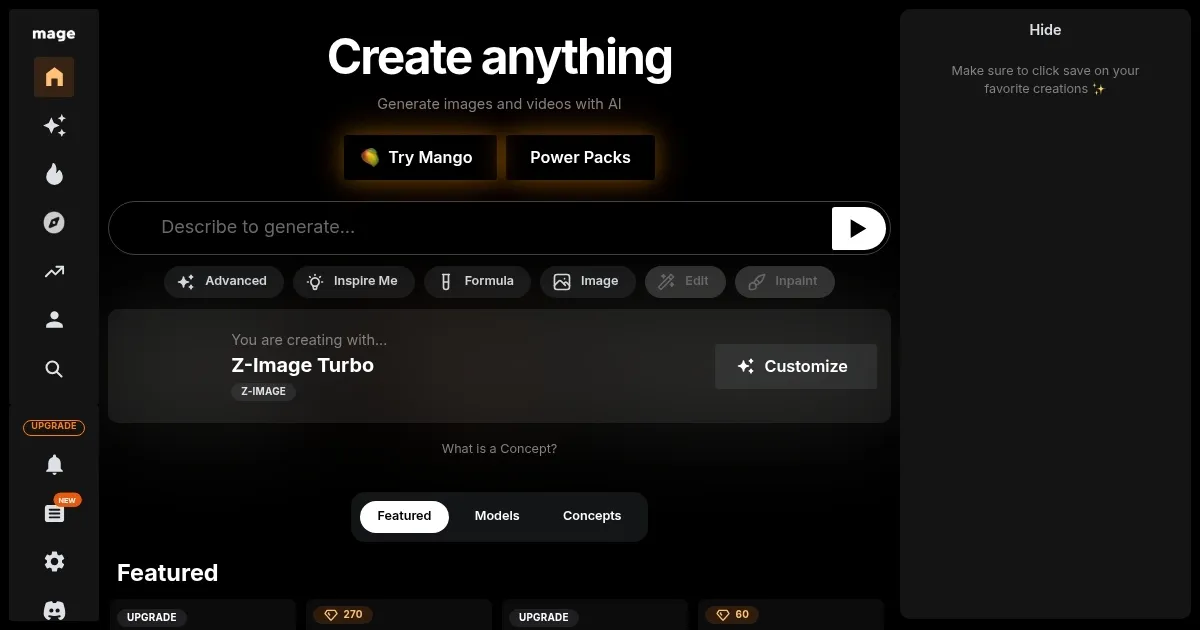
Mage.space is an online image- and art-generating platform centered around the Stable Diffusion tech. In that sense, the website allows users to generate art using various models and settings, from photorealistic images to anime-style art.

Mage.space lets users control and manipulate images in intricate ways, with tools like Canny ControlNet, Pose ControlNet, and Depth ControlNet providing control over the structure, poses, and depth of images. This level of customization ensures that each piece of art can be tailored to specific artistic visions or requirements.

Mage.space is also easy to use, making it suitable to both beginners and advanced users. It allows for adjustments in aspect ratios, step counts, and guidance scales — enabling fine-tuning of various parameters. The variety of settings and controls available on the platform ensures that the creative possibilities are “virtually limitless.”

Mage.space also provides options for users to create art in a private setting, ensuring that their work remains confidential if they fancy so. This feature is particularly important for artists who are working on sensitive or exclusive projects, or who simply prefer to keep their creative process private.

To sum it up, Mage.space is a versatile and powerful tool for digital artists, offering a range of features that allow for creative freedom and expression.

Mage.space Homepage
Categories Image Generation & Editing

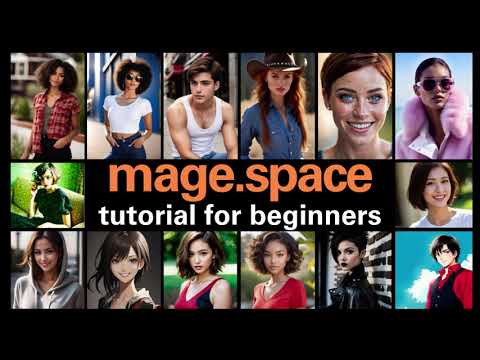
Video Overview ▶️

Mage.space - Video Overview

What are the key features? ⭐

  • Stable Diffusion models: Mage.space utilizes advanced models for creating diverse types of digital art.
  • Customizable settings: It offers various settings for art styles like photorealism, anime, and more.
  • Image control tools: Also included are tools like Canny ControlNet for image structuring and depth control.
  • Easy to use: Mage.space is designed for both beginners and advanced users, with adjustable aspect ratios and guidance scales.
  • Privacy included: It allows users to create art privately, ensuring the confidentiality of their work.

Who is it for? 🤔

Mage.space targets a few groups of users, including digital artists, graphic designers, and creative professionals who are interested in utilizing AI-driven tools for art creation. It is also appealing to hobbyists and enthusiasts in digital art who want to experiment with advanced image generation and manipulation techniques.

Examples of what you can use it for 💭

  • Make unique digital paintings or illustrations in various styles
  • Develop character designs for comics, games, animation, or anything else
  • Create lifelike images for presentations or visual content
  • Experiment with different anime and manga-style artwork
  • Craft specific images for projects like book covers, websites, or marketing materials

Pros & Cons ⚖️

  • Lets anyone create digital art with ease
  • There are many options to choose from
  • Useful for both professionals and casual users
  • Midjourney remains our favorite image-generating tool

FAQs 💬

What is Mage.space mainly used for?
Mage.space is an online platform that lets anyone create AI-generated images and videos from text prompts, with support for styles like photorealism, anime, and more advanced editing features.
Does Mage.space require an account or login to start generating?
You can begin creating images right away without signing up, though an account helps save your work, access history, and explore community creations fully.
What kinds of AI models does Mage.space support?
It offers over 60 models, including various Stable Diffusion versions (like SDXL, SD3.5), Flux variants, and specialized ones for fast generation, video, or anime styles.
Can Mage.space generate NSFW or uncensored content?
Yes, the platform supports uncensored generation and has fewer content restrictions than many competitors, which appeals to users wanting more creative freedom.
How fast is image generation on Mage.space?
Generation speed varies by model, but options like Z-Image Turbo or Flux Schnell often produce results in just a few seconds, with ratings from "Very Fast" to "Slow."
Does Mage.space allow video generation too?
Yes, it includes text-to-video capabilities with models like Wan, Kiwi, Kling, and others, letting users turn prompts into short animated clips or GIFs.
Is Mage.space suitable for beginners?
Absolutely, its clean browser-based interface makes it easy to start with simple text prompts, while still offering advanced tweaks like LoRA, ControlNet, inpainting, and upscaling for more experienced users.
Can I use the images I create on Mage.space commercially?
Yes, you generally own the rights to your generated images and can use them for personal or commercial purposes, though you should check current terms and avoid infringing on existing copyrights in your prompts.
How does Mage.space compare to Midjourney in terms of access?
Unlike Midjourney which runs through Discord, Mage.space works directly in your web browser with no external app needed, and it emphasizes unlimited free use without strict queues for basic generation.
What customization options are available during creation?
You can adjust aspect ratios, guidance scale, steps, seeds, negative prompts, and apply tools like inpainting or upscaling to refine results to match your vision closely.
Visit Mage.space

Related tools ↙️

  1. Dawn AI Dawn AI Generates personalized avatars and images from selfies using advanced AI technology
  2. Imajinn Imajinn Transforms user photos into artistic images and custom visuals using AI
  3. Imgix Imgix Optimizes images in real-time using AI for faster web delivery
  4. Cloudinary Cloudinary Manages, transforms, optimizes, and delivers images and videos with AI-powered features
  5. SVG AI SVG AI Transforms text prompts into scalable vector icons and logos instantly
  6. Blackshark.ai Blackshark.ai Creates photorealistic 3D digital twins from satellite imagery using AI
Last update: December 30, 2025
Share
Promote Mage.space
light badge
Copy Embed Code
dark badge
Copy Embed Code
neutral badge
Copy Embed Code
About Us | Contact Us | Suggest an AI Tool | Privacy Policy | Terms of Service

Copyright © 2026 Best AI Tools
415 Mission Street, 37th Floor, San Francisco, CA 94105