Runable
Automates digital tasks like research, data analysis, and app integration with AI-driven workflows
Runable is an AI-powered automation platform that streamlines digital tasks using customizable runbooks. It supports over 2,500 app integrations, allowing users to automate workflows like data analysis, report generation, and website creation without coding. The platform uses natural language prompts, making it accessible to non-technical users. Its library of runbooks covers marketing, sales, research, and more, with templates for tasks like meeting prep or social media analysis. Runable operates across desktop, browser, Linux, and mobile, ensuring flexibility for teams and individuals.
Key features include a no-code workflow builder, data visualization tools, and calendar integration for automated meeting preparation. Users can schedule workflows or trigger them based on events, and the platform supports file exports in formats like PDF and spreadsheets. The interface is intuitive, with live previews for workflows, and the system’s AI asks for feedback to refine tasks. Runable’s ability to handle complex tasks, like generating podcast episodes or building websites, sets it apart from simpler automation tools.
Compared to competitors like Zapier and Make, Runable offers broader task automation, including niche features like podcast production. However, Zapier has a larger community and more tutorials, which may benefit beginners. Runable’s free tier includes basic features, but advanced options likely require a paid plan, with pricing details available only through sales inquiries. Some users report a learning curve for complex workflows, and setup time can be longer for new users.
Runable shines for teams needing to automate repetitive tasks across multiple platforms. Its cross-platform support and extensive app integrations make it versatile. However, some advanced features, like custom API setups, may require technical knowledge, and pricing transparency is limited. Recent reviews on sites like Automateed praise its ease of use but note occasional delays in complex task execution.
To get started, explore the free tier and test a pre-built runbook for a simple task. Connect key apps like Gmail or Slack early to streamline workflows. Check the support resources for guides, and don’t hesitate to experiment with scheduling features to automate daily tasks.
Homepage Screenshot 📸
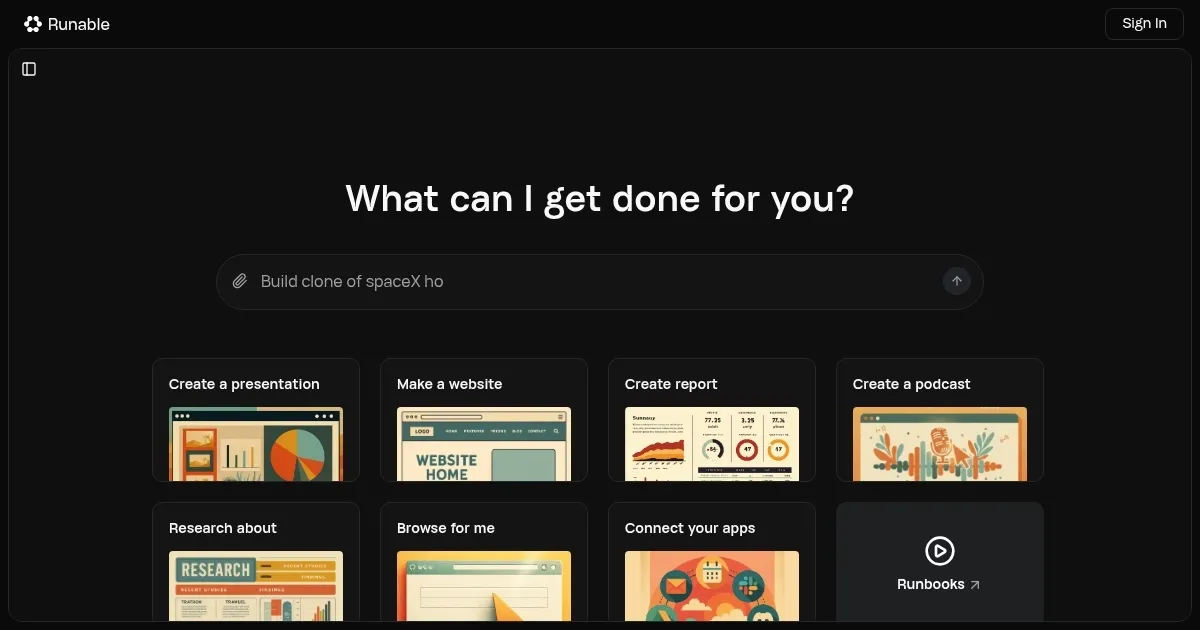
What are the key features? ✨
- Runbooks: Pre-built templates automate tasks like marketing and research.
- App Integration: Connects with over 2,500 apps for seamless workflows.
- No-Code Builder: Create workflows using natural language prompts.
- Data Visualization: Generates reports with charts and tables.
- Scheduling: Automates tasks with calendar or trigger-based runs.
Who is it for? 🤔
Examples of what you can use it for 💡
- Marketer: Automates social media analysis and posts updates to Slack.
- Freelancer: Generates client reports with charts from raw data.
- Small Business Owner: Builds and deploys a website in minutes.
- Researcher: Conducts stock analysis and visualizes findings.
- Team Lead: Preps meeting notes using calendar integration.
Pros & Cons ⚖️
- Automates diverse tasks easily.
- Supports 2,500+ app integrations.
- Cross-platform compatibility.
- Pricing lacks transparency.
- Advanced features need tech skills.
FAQs 💬
Ready to try Runable?
Automates digital tasks like research, data analysis, and app integration with AI-driven workflows
Visit RunableRunable alternatives 🔗