logo-darklogo-darklogo-darklogo-dark
  • Tool Categories
    • 🎨Art & Creative Design505
    • 🏢Business Management644
    • 💻Coding & Development515
    • 👮Detection83
    • 🧠General Use727
    • 🏥Health & Wellness55
    • 📷Image & Photo Analysis100
    • 🖼️Image Generation & Editing618
    • 📐Interior & Architectural Design37
    • 🎓Learning & Education483
    • ⚖️Legal & Finance90
    • 🎭Lifestyle & Entertainment236
    • 📢Marketing & Advertising627
    • 🎧Music & Audio138
    • 👔Office & Workplace1,014
    • 🔬Research & Data Analysis372
    • 👥Social Media245
    • 🎥Video Generation & Editing426
    • 👧🏻Virtual Companion135
    • 🎤Voice Generation & Editing381
    • ✍️Writing & Editing808
    • All Categories
    • AI Use Cases
  • News
  • Events
    • Academic Conferences
    • Developer Conferences
    • Expos / Trade Shows
    • Industry Summits
    • Workshops / Training
    • All Events
    • Past Events
  • Saved Tools
  • Suggest a Tool
✕
Home › Business Management › Workflow› SafetyCulture
SafetyCulture

SafetyCulture

Digitizes inspections and workflows to enhance workplace safety and efficiency

SafetyCulture is a mobile-first platform that digitizes workplace operations for safety, compliance, and efficiency. It supports inspections, audits, training, and analytics through customizable templates and AI integrations. The tool processes over 1 billion checks annually and serves industries including construction, manufacturing, hospitality, retail, transport, healthcare, facilities management, energy, and mining.

Core features include AI-powered checklist creation from uploads, instant document answers, and content translation into 15 languages. Inspections convert to mobile workflows with photo evidence, task assignments, and offline support. Training transforms SOPs into courses with tracking. Asset management uses digital registers for maintenance scheduling and telematics. Incident reporting enables real-time logs via app or QR codes, with investigations for root-cause analysis. Analytics provide dashboards for trends from inspections, sensors, and history. Integrations connect to tools like Microsoft Teams and Procore. Communications feature Heads Up for video messages with read receipts. Lone worker tools offer digital check-ins.

Competitors include Intelex, which emphasizes EHS management with broader compliance modules, and Gensuite, focused on risk and audit automation. SafetyCulture’s general pricing offers a free plan for up to 10 users with basic features, premium for unlimited templates and advanced analytics, and enterprise for custom scaling. This positions it as more affordable for mid-sized teams compared to Intelex’s higher enterprise focus.

Users appreciate real-time reporting, mobile accessibility, and AI efficiencies that reduce audit times by 60 percent. Customizable forms and photo integration aid detailed records. Analytics identify risks proactively. Offline mode supports remote work. Training completion reaches 100 percent in cases like Sodexo. Asset tracking prevents downtime. However, complex template setup has a learning curve. iOS interface lags Android. Free plan limits templates to five. Task reassignments lack real-time availability checks.

AI enhancements from 2025 include automated workflows and predictive insights. Customer stories show 3x audit efficiency in manufacturing, 8,000 hours saved in hospitality, and 2.5 million man-hours without lost time injuries in construction. Reviews from G2 and Capterra in 2025 rate ease of use at 4.6 out of 5.

Test the free trial for initial inspections. Customize templates to match processes and train a small group before full rollout.

Visit SafetyCulture ↗
Categories
🏢 Business
🔄 Workflow 🏢 Enterprise 🤝 Consulting
👔 Work
✅ Task Management 📜 SOP Generation 📊 Report Generation 📃 Form

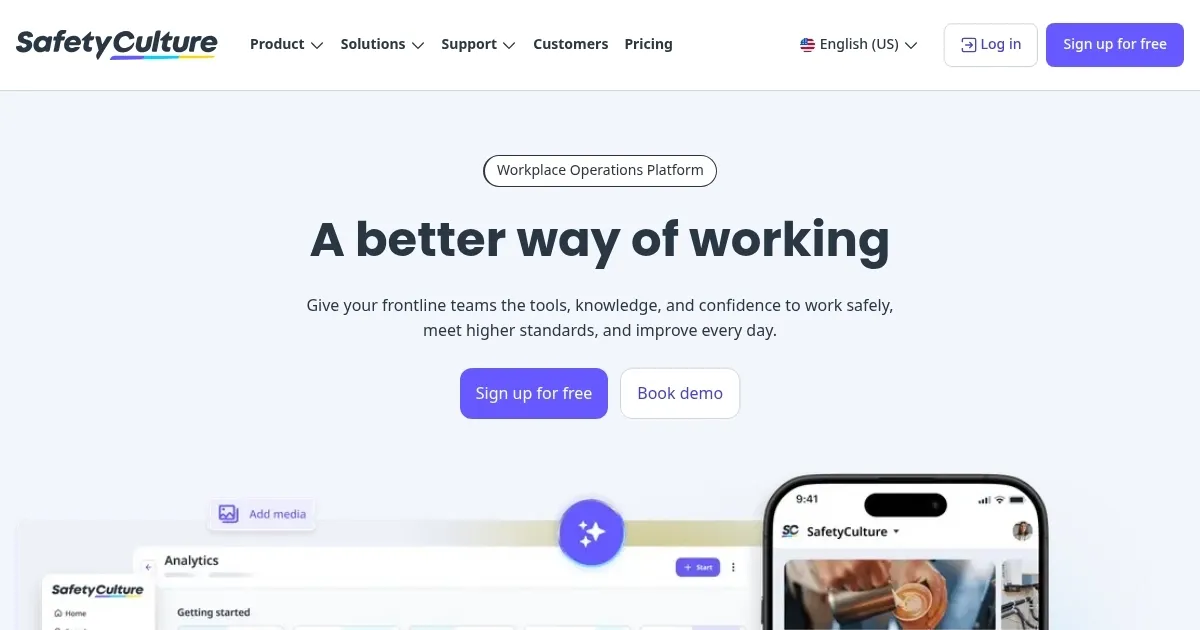
Homepage Screenshot 📸

SafetyCulture screenshot

Video Overview 🎬

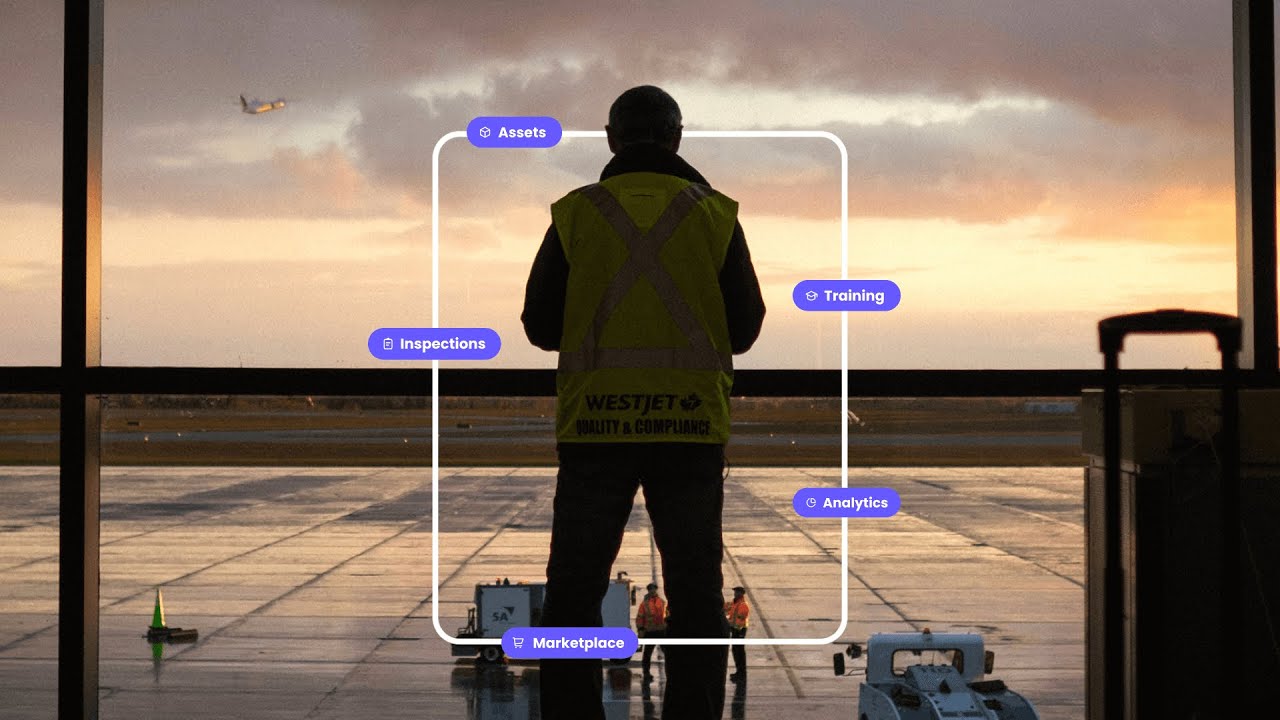
SafetyCulture - Video Overview

What are the key features? ✨

  • AI-Powered Checklists: Generates customizable inspection templates from uploaded PDFs or images in seconds for quick workflow setup.
  • Real-Time Analytics: Provides dashboards that aggregate data from inspections and sensors to identify trends and risks instantly.
  • Mobile Training Modules: Converts SOPs into interactive courses with quizzes and tracking to ensure team compliance and knowledge retention.
  • Asset Management: Tracks equipment with digital registers, automated maintenance schedules, and telematics integration for proactive upkeep.
  • Incident Reporting: Allows QR code or app-based logging of hazards with root-cause investigations and corrective action assignments.

Who is it for? 🤔

SafetyCulture is made for frontline managers and teams in high-risk or operational-heavy industries who need simple digitization of safety processes without heavy IT involvement. It's ideal for small to mid-sized businesses starting with basic audits, as the free plan eases entry, while growing organizations benefit from scalable premium features. Workers in remote or mobile roles appreciate the offline access, and safety officers value the analytics for compliance reporting. Overall, it empowers anyone focused on reducing incidents and boosting efficiency through accessible AI tools.

Examples of what you can use it for 💡

  • Construction Supervisor: Uses customizable checklists to conduct daily site inspections, assigning tasks for hazards and tracking progress to maintain safety standards.
  • Manufacturing Manager: Digitizes HACCP logs and audits with AI-generated templates, analyzing sensor data to prevent downtime and ensure quality compliance.
  • Hospitality Operations Lead: Schedules training modules on food safety via mobile, monitoring completion rates and reporting incidents to uphold guest standards.
  • Retail Store Manager: Logs stockroom issues with photos and QR codes, using analytics to spot trends like slip risks across multiple locations.
  • Transport Fleet Coordinator: Manages asset maintenance with telematics alerts, creating corrective actions for vehicle inspections to minimize breakdowns.

Pros & Cons ⚖️

  • Easy mobile use
  • AI boosts efficiency
  • Custom templates
  • Learning curve steep
  • Integration setup

FAQs 💬

What industries does SafetyCulture serve?
SafetyCulture supports sectors like construction, manufacturing, hospitality, retail, transport, healthcare, facilities, energy, and mining with tailored templates and workflows.
How does the AI in SafetyCulture work?
AI generates checklists from uploads, provides instant answers from documents, translates content into 15 languages, and automates training from SOPs for faster operations.
Is there a free version available?
Yes, the free plan includes up to 10 users, 5 active templates, unlimited inspections, and basic analytics with 3 years of data history.
Can SafetyCulture work offline?
Yes, users can complete inspections, capture data, and sync when back online, ideal for remote or low-signal sites.
What integrations does it support?
It connects with thousands of apps including Microsoft Teams, Procore, Google Drive, and telematics systems for seamless data flow.
How secure is the platform?
Premium and enterprise plans offer advanced security like SSO, SCIM, and unlimited data history, with compliance for standards like OSHA.
Does it support team training?
Yes, it creates interactive courses from SOPs, tracks completion, and delivers bite-sized modules via mobile for high engagement.
What about asset tracking features?
It includes digital registers for logging usage, scheduling maintenance, and real-time telematics to prevent equipment failures.
How does reporting work?
Inspections auto-generate professional reports with photos and data, exportable to PDF or integrated tools for sharing.
Is customer support responsive?
Users report strong support through chat, email, and resources, with quick resolutions based on 2025 reviews from G2 and Capterra.

Ready to try SafetyCulture?

Digitizes inspections and workflows to enhance workplace safety and efficiency

Visit SafetyCulture ↗

SafetyCulture alternatives 🔗

  1. Salesforce Einstein Salesforce Einstein Generative AI for CRM, designed to supercharge your productivity
  2. Zendesk AI Zendesk AI An AI tool built on billions of real customer service interactions that understands customer experience
  3. Zia Zia AI-powered business assistant from Zoho
  4. Asana AI Asana AI An AI helper built into the Asana platform to make managing projects and tasks easier
  5. ClickUp Brain ClickUp Brain Automates workflows with contextual AI for tasks, meetings, and content creation
  6. Manus Manus An AI agent designed to handle complex tasks all by itself
Share
SafetyCulture screenshot enlarged
Promote SafetyCulture
light badge
Copy Embed Code
dark badge
Copy Embed Code
neutral badge
Copy Embed Code
Best AI Tools

Discover the best AI tools for any use case

Explore
  • Tool Categories
  • AI Use Cases
  • AI Events
  • AI News
  • Saved Tools
Company
  • About Us
  • Contact Us
  • Media & Partnerships
  • Suggest a Tool
Legal
  • Privacy Policy
  • Terms of Service
Copyright © 2026 Best AI Tools 415 Mission Street, 37th Floor, San Francisco, CA 94105