logo-darklogo-darklogo-darklogo-dark
  • Tool Categories
    • ๐ŸŽจArt & Creative Design505
    • ๐ŸขBusiness Management644
    • ๐Ÿ’ปCoding & Development515
    • ๐Ÿ‘ฎDetection83
    • ๐Ÿง General Use727
    • ๐ŸฅHealth & Wellness55
    • ๐Ÿ“ทImage & Photo Analysis100
    • ๐Ÿ–ผ๏ธImage Generation & Editing618
    • ๐Ÿ“Interior & Architectural Design37
    • ๐ŸŽ“Learning & Education483
    • โš–๏ธLegal & Finance90
    • ๐ŸŽญLifestyle & Entertainment236
    • ๐Ÿ“ขMarketing & Advertising627
    • ๐ŸŽงMusic & Audio138
    • ๐Ÿ‘”Office & Workplace1,014
    • ๐Ÿ”ฌResearch & Data Analysis372
    • ๐Ÿ‘ฅSocial Media245
    • ๐ŸŽฅVideo Generation & Editing426
    • ๐Ÿ‘ง๐ŸปVirtual Companion135
    • ๐ŸŽคVoice Generation & Editing381
    • โœ๏ธWriting & Editing808
    • All Categories
    • AI Use Cases
  • News
  • Events
    • Academic Conferences
    • Developer Conferences
    • Expos / Trade Shows
    • Industry Summits
    • Workshops / Training
    • All Events
    • Past Events
  • Saved Tools
  • Suggest a Tool
โœ•
Home › Art & Creative Design › Tattoo Generation› Tatship
Tatship

Tatship

Simulate tattoos virtually to preview designs on your body

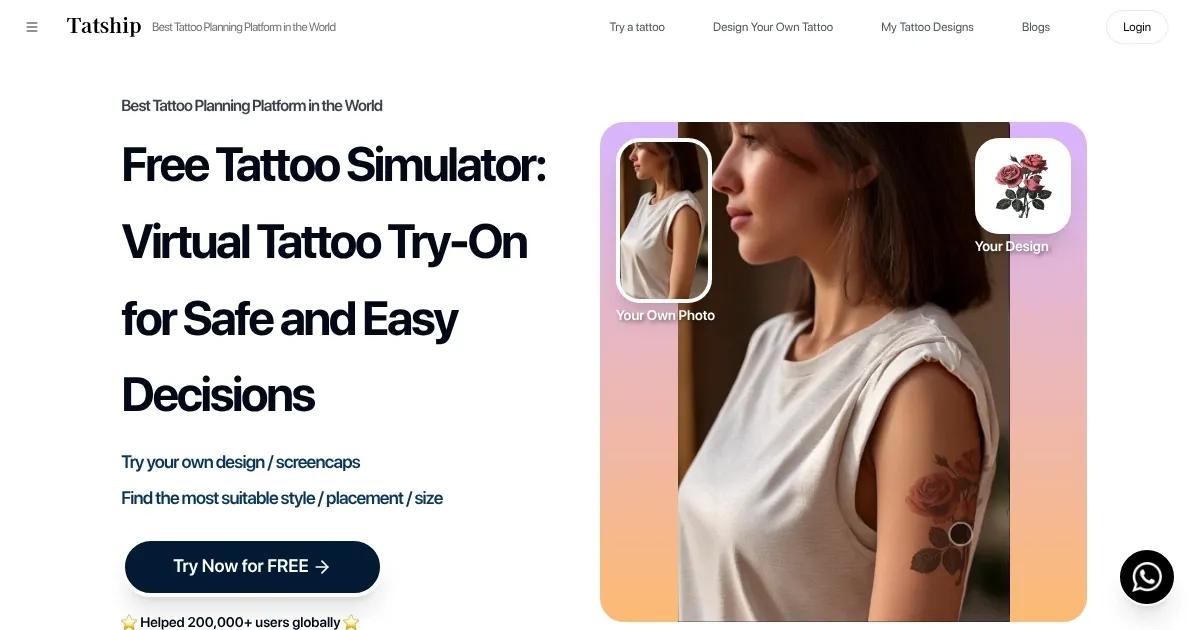
I spent a couple of hours playing with Tatship, and let me tell you, it’s like stepping into a tattoo parlor without leaving your couch. The idea is simple but brilliant: upload a photo of yourself, slap on a tattoo design, and see if that roaring lion or dainty butterfly vibes with your look. As someone who’s toyed with the idea of ink but never pulled the trigger, Tatship felt like a playground for my indecision. The AI-powered virtual try-on had me resizing a tribal sleeve on my arm, then flipping to a delicate script on my wrist, all while sipping coffee in my pajamas. It’s fun, it’s fast, and it’s free, which is hard to beat.

The process starts with uploading a photo, and I used a quick snap of my forearm. The interface is slick, guiding you to pick from a library of designs or let the AI generate something fresh, I went with ‘cosmic tree’ and got a surprisingly cool result. The 3D try-on feature maps the design onto your skin, adjusting for curves and lighting. It’s not flawless, my forearm looked a bit too smooth, like I’d been airbrushed into a magazine ad, but it gave me a solid sense of placement and scale. The Precision Eraser Tool let me tweak stray lines, and the Advanced Mask Tool added a double-exposure effect that made my tree pop. I hit a snag when my photo took a moment to load, probably my slow Wi-Fi, but it was smooth sailing after that.

What I loved was how Tatship bridges the gap between imagination and reality. I could rotate my design, nudge it an inch left, or scale it down, all while seeing it on my actual skin. Sharing the mockup with a friend for feedback was a breeze, and it sparked a whole debate about whether I’d suit a bolder style. Compared to Tattoos AI, which I also tried, Tatship’s AI feels more intuitive, no need to draw a marker on your skin. BlackInk AIย is another option, but it’s clunkier and lacks Tatship’s design finesse. The catch? Some features, like ordering custom temporary tattoos, might nudge you toward a paid plan, though the free version is plenty robust. I also noticed the mobile site can feel cramped, making precise edits tricky.

The real surprise was how Tatship made me rethink my hesitation. I’d always worried about picking the wrong design, but seeing it on my skin, even virtually, felt like a revelation. It’s not perfect, the rendering can lag with complex designs, and I’d love more tutorials for newbies. Still, it’s a blast to use. Try it out with a clear photo, experiment with bold and subtle designs, and save a few options to show your artist. It’ll make that tattoo chair feel a lot less intimidating.

Visit Tatship ↗
Categories
๐ŸŽจ Art
๐Ÿชก Tattoo Generation ๐ŸŽจ Art Generation ๐Ÿ–ผ๏ธ Design Generation โœ๏ธ Sketch Generation ๐ŸŒ… Illustration Generation
๐Ÿ–ผ๏ธ Image
๐Ÿ–ผ๏ธ Image Generation

Homepage Screenshot 📸

Tatship screenshot

What are the key features? ✨

  • 3D Virtual Try-On: Maps tattoo designs onto your photo for a realistic preview.
  • AI Design Generation: Creates unique tattoo designs based on user-input keywords.
  • Precision Eraser Tool: Removes unwanted design elements for precise detailing.
  • Advanced Mask Tool: Adds effects like double exposure for enhanced designs.
  • Temporary Tattoo Ordering: Allows users to order custom temporary tattoos to test designs.

Who is it for? 🤔

Tatship is ideal for tattoo enthusiasts, especially beginners, who want to visualize designs before committing, as well as experienced individuals seeking to refine ideas or test placements. Itโ€™s also valuable for tattoo artists looking to provide clients with accurate previews, streamlining communication and reducing revisions.

Examples of what you can use it for 💡

  • Tattoo Beginner: Previews a floral design on their wrist to decide if it suits their style.
  • Tattoo Artist: Creates a visual mockup for a client to confirm design and placement.
  • Indecisive User: Tests multiple AI-generated designs to find the perfect fit.
  • Creative Enthusiast: Combines uploaded photos with AI elements for a unique tattoo.
  • Cautious Planner: Orders a temporary tattoo to try a design in real life.

Pros & Cons ⚖️

  • Free to use with no sign-up.
  • Realistic 3D try-on feature.
  • AI generates unique designs.
  • Mobile interface feels cramped.
  • Glitches with large images.

FAQs 💬

Is Tatship free to use?
Yes, Tatship is completely free for core features, with optional paid plans for advanced tools.
Do I need to sign up to use Tatship?
No, you can use the platform without creating an account.
Are my uploaded photos secure?
Yes, photos remain offline and are not stored in Tatshipโ€™s database.
Can I generate custom tattoo designs?
Yes, the AI creates unique designs based on your keyword inputs.
Can I try tattoos on any body part?
Yes, you can place designs on any uploaded body part and adjust them.
Does Tatship offer temporary tattoos?
Yes, you can order custom temporary tattoos to test your design.
How accurate are the tattoo previews?
Previews are realistic but may be less accurate on curved surfaces.
Can tattoo artists use Tatship?
Yes, artists can use it to create mockups for clients.
Is the interface easy to use?
The interface is intuitive, though mobile users may find it slightly cluttered.
Can I share my designs for feedback?
Yes, you can save and share designs with others.

Ready to try Tatship?

Simulate tattoos virtually to preview designs on your body

Visit Tatship ↗

Tatship alternatives 🔗

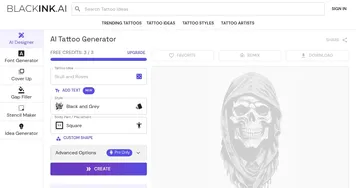
  1. BlackInk AI BlackInk AI Create your own unique tattoo in seconds with AI, or browse through 100,000+ designs
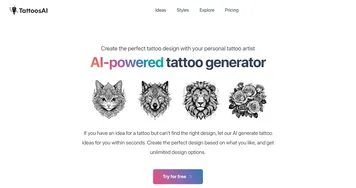
  2. Tattoos AI Tattoos AI Create the perfect tattoo design with your personal AI-powered tattoo artist
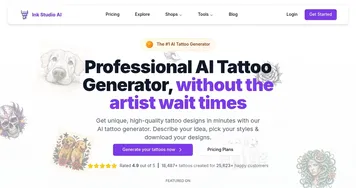
  3. Ink Studio AI Ink Studio AI Creates custom tattoo designs using AI from text or images
  4. Imagen Imagen Generates photorealistic images from detailed text prompts
  5. Black Forest Labs Black Forest Labs Generates high-quality images from text prompts with precision and speed
  6. Kling AI Kling AI Generates cinematic videos from text or images with realistic motion
Share
Tatship screenshot enlarged
Promote Tatship
light badge
Copy Embed Code
dark badge
Copy Embed Code
neutral badge
Copy Embed Code
Best AI Tools

Discover the best AI tools for any use case

Explore
  • Tool Categories
  • AI Use Cases
  • AI Events
  • AI News
  • Saved Tools
Company
  • About Us
  • Contact Us
  • Media & Partnerships
  • Suggest a Tool
Legal
  • Privacy Policy
  • Terms of Service
Copyright © 2026 Best AI Tools 415 Mission Street, 37th Floor, San Francisco, CA 94105