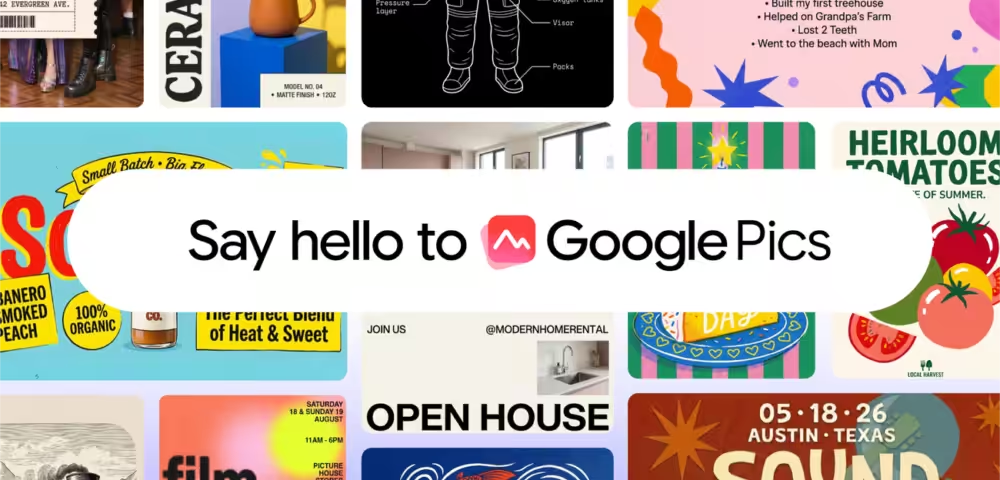
Most professionals using Google Workspace have been quietly routing around it for image work, opening Canva, Adobe Express, or even ChatGPT’s image tools in a separate tab. Google just made a direct move to change that. The company announced Google Pics, a standalone image creation and editing tool built into Workspace, now rolling out to all Google AI Pro and Ultra subscribers and most Workspace business customers.
What Google Pics actually does
The tool is built on Google’s Nano Banana image generation model. That name aside, the capabilities are serious. Google Pics is not just a prompt-to-image generator. It includes a set of editing controls that put it closer to Adobe Firefly or Canva’s AI suite than to a basic text-to-image wrapper.
- Object segmentation: Isolate a specific part of an image and edit it without touching the rest, with support for multiple edits at once
- In-image text editing and translation: Change or translate text inside an image while preserving the original font and layout
- Collaborative editing: Share a creation and edit the same image with teammates in real time
- Multiple generations: Get several image variations from a single prompt and pick the best one
These are not flashy edge-case features. Object segmentation and in-image text editing are things designers genuinely need, and most consumer AI image tools still handle them poorly. If Google executes well here, Pics could pull real usage away from Canva for basic marketing and presentation work.
The Workspace integration is the actual story
The standalone tool at pics.new matters less than where Pics is going. Integration with Google Docs and Slides is live now, with Google Drive support coming in the next few weeks. That means users can generate or edit images directly inside the apps where they’re already working, without copying files between tabs.
That is a distribution advantage Canva and Adobe do not have in the same way. Microsoft has been pushing Copilot image generation inside PowerPoint and Designer, and this is Google’s equivalent move. For enterprise Workspace users, having image AI built into the same authentication layer, sharing model, and file system is genuinely convenient.
Who should care, and who can wait
If your team already pays for Google AI Pro, Ultra, or a qualifying Workspace Business plan, this is worth testing now. The object segmentation and collaborative editing features alone make it a credible tool for anyone producing slide decks, social content, or product mockups inside Google’s ecosystem. For individual creators deeply invested in Midjourney or Firefly, the quality bar still needs to be proven. But for Workspace-first teams? This is hard to ignore.