logo-darklogo-darklogo-darklogo-dark
  • Tool Categories
    • ๐ŸŽจArt & Creative Design505
    • ๐ŸขBusiness Management644
    • ๐Ÿ’ปCoding & Development514
    • ๐Ÿ‘ฎDetection83
    • ๐Ÿง General Use728
    • ๐ŸฅHealth & Wellness55
    • ๐Ÿ“ทImage & Photo Analysis100
    • ๐Ÿ–ผ๏ธImage Generation & Editing618
    • ๐Ÿ“Interior & Architectural Design37
    • ๐ŸŽ“Learning & Education483
    • โš–๏ธLegal & Finance90
    • ๐ŸŽญLifestyle & Entertainment236
    • ๐Ÿ“ขMarketing & Advertising627
    • ๐ŸŽงMusic & Audio138
    • ๐Ÿ‘”Office & Workplace1,014
    • ๐Ÿ”ฌResearch & Data Analysis373
    • ๐Ÿ‘ฅSocial Media245
    • ๐ŸŽฅVideo Generation & Editing426
    • ๐Ÿ‘ง๐ŸปVirtual Companion135
    • ๐ŸŽคVoice Generation & Editing381
    • โœ๏ธWriting & Editing808
    • All Categories
    • AI Use Cases
  • News
  • Events
    • Academic Conferences
    • Developer Conferences
    • Expos / Trade Shows
    • Industry Summits
    • Workshops / Training
    • All Events
    • Past Events
  • Saved Tools
  • Suggest a Tool
โœ•
Home › Office & Workplace › Agent› AgentOps.ai
AgentOps.ai

AgentOps.ai

Tracks and debugs AI agents with precision, streamlining development

AgentOps is a developer platform for monitoring, debugging, and deploying AI agents and LLM applications, supporting over 400 frameworks and LLMs like OpenAI, CrewAI, and LangChain. It provides tools to track agent behavior, manage costs, and optimize performance. The platform integrates via a Python SDK, requiring just two lines of code for setup, and offers a TypeScript SDK for Node.js projects.

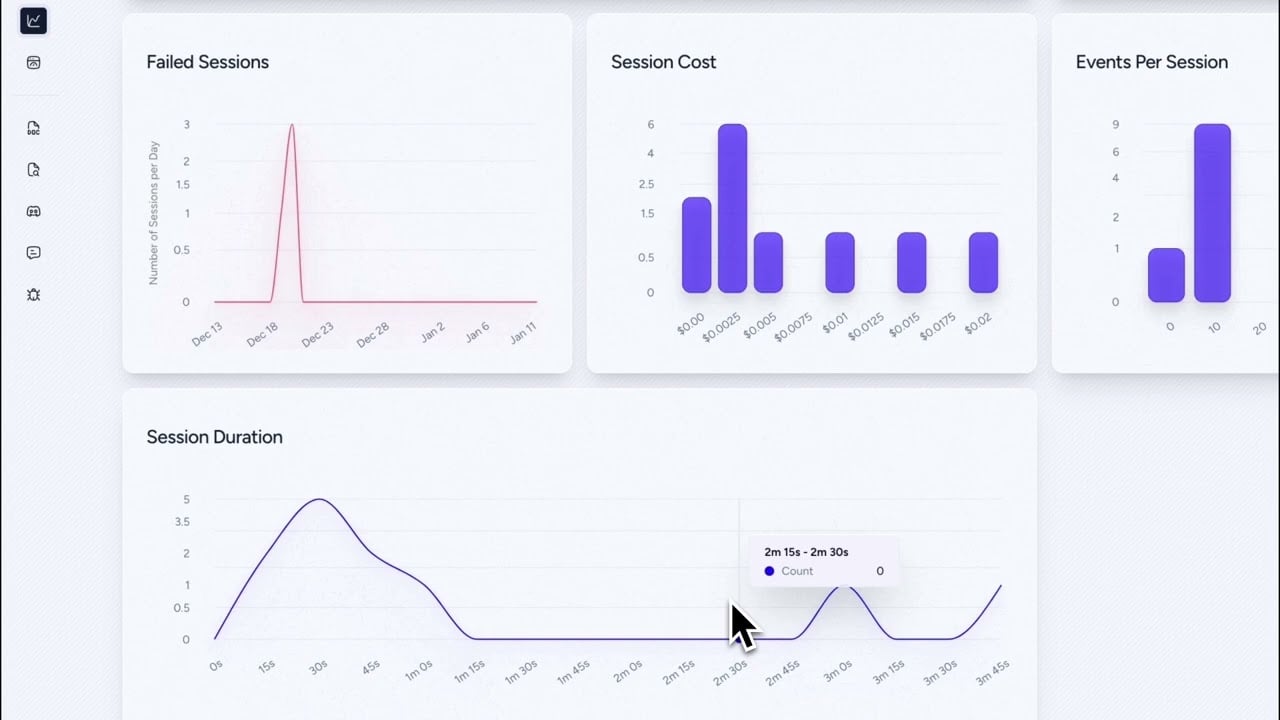
The Session Replay feature records and replays agent runs, allowing developers to inspect LLM calls, tool interactions, and multi-agent workflows with precise timestamps. Time Travel Debugging enables stepping backward through execution states to pinpoint errors. Cost Tracking monitors token usage and expenses across agents, supporting budget management. The platform’s visualization tools generate graphs of agent interactions, aiding in performance analysis. AgentOps also logs errors and potential prompt injection attacks, ensuring a robust audit trail.

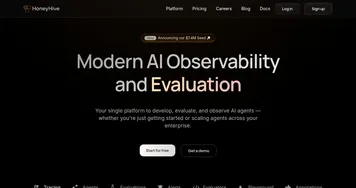
Pricing includes a free tier for small projects and flexible plans for enterprises, competitive with platforms like LangSmith and HoneyHive. LangSmith offers broader LLM debugging but is less focused on agent-specific workflows. HoneyHive provides similar observability but lacks AgentOps’ depth in time-travel debugging. The free tier suits solo developers, while enterprise plans scale for larger teams.

Some users report a learning curve for advanced features like custom trace decorators, particularly for those new to AI frameworks. The dashboard can lag with large datasets, as noted in recent Reddit feedback. Documentation is comprehensive but could include more beginner-level examples. Integration with over 400 LLMs and frameworks ensures versatility, though setup time varies by framework complexity.

To use AgentOps effectively, start with the free tier and test integrations with your primary framework. Use Session Replay for debugging and Cost Tracking to monitor expenses. Review the documentation for setup guides and join the Discord community for support. Regularly check the dashboard for performance insights and error logs to optimize your agents.

Visit AgentOps.ai ↗
Categories
๐Ÿ‘” Work
๐Ÿ”— Agent ๐Ÿ“ก Monitoring
๐Ÿ’ป Coding
๐Ÿ‘จโ€๐Ÿ’ป Development โœ… Testing ๐Ÿค– Code Assistant
๐Ÿ”ฌ Research
๐Ÿ“Š Data Analytics

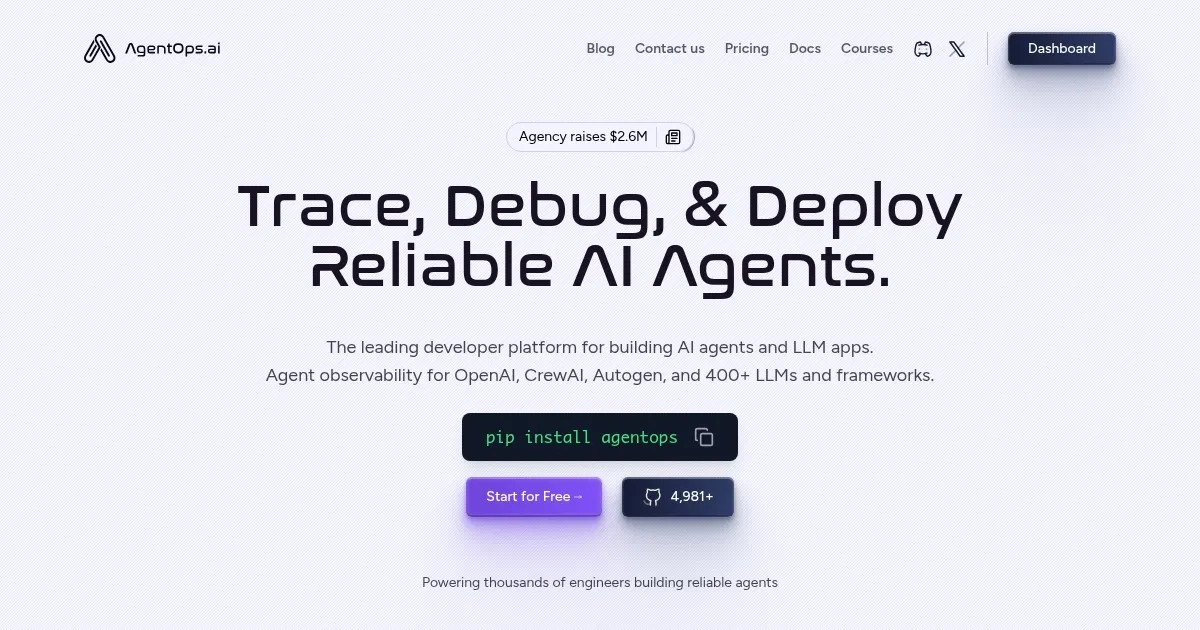
Homepage Screenshot 📸

AgentOps.ai screenshot

Video Overview 🎬

AgentOps.ai - Video Overview

What are the key features? ✨

  • Session Replay: Records and replays agent runs to debug LLM calls and tool interactions.
  • Time Travel Debugging: Steps backward through execution states to identify errors.
  • Cost Tracking: Monitors token usage and expenses across multiple agents.
  • Visualization Tools: Generates graphs of agent interactions for performance analysis.
  • Framework Integrations: Supports over 400 LLMs and frameworks like OpenAI and CrewAI.

Who is it for? 🤔

AgentOps is a boon for AI developers, data scientists, and engineering teams building or deploying AI agents and LLM applications, particularly those using frameworks like OpenAI, CrewAI, or LangChain. Itโ€™s ideal for solo developers experimenting with small projects, as well as enterprises scaling complex multi-agent systems, offering tools to monitor performance, debug issues, and manage costs effectively.

Examples of what you can use it for 💡

  • AI Developer: Uses Session Replay to debug a CrewAI agentโ€™s faulty tool interactions.
  • Data Scientist: Tracks token usage with Cost Tracking to optimize LLM expenses.
  • Engineering Team: Visualizes multi-agent workflows to improve system performance.
  • Startup Founder: Tests prototype agents with the free tier to validate ideas.
  • Enterprise Manager: Audits agent logs to ensure compliance in production systems.

Pros & Cons ⚖️

  • Robust debugging with Session Replay.
  • Supports 400+ frameworks and LLMs.
  • Free tier suits small projects.
  • Dashboard lag with large datasets.

FAQs 💬

What is AgentOps?
AgentOps is a platform for monitoring, debugging, and deploying AI agents and LLM apps.
Which frameworks does AgentOps support?
It integrates with over 400 LLMs and frameworks, including OpenAI, CrewAI, and LangChain.
Is there a free tier available?
Yes, AgentOps offers a free tier for small projects with scalable enterprise plans.
How does Session Replay work?
It records and replays agent runs, showing LLM calls and tool interactions with timestamps.
Can I track LLM costs with AgentOps?
Cost Tracking monitors token usage and expenses across multiple agents.
Is AgentOps suitable for beginners?
Itโ€™s accessible but has a learning curve for advanced features like custom traces.
Does AgentOps support TypeScript?
Yes, it offers a TypeScript SDK for Node.js projects alongside the Python SDK.
How does Time Travel Debugging help?
It lets developers step backward through agent execution to pinpoint errors.
Can I self-host AgentOps?
Yes, AgentOps supports self-hosting with detailed setup guides.
How does AgentOps compare to LangSmith?
AgentOps focuses on agent-specific observability, while LangSmith offers broader LLM debugging.

Ready to try AgentOps.ai?

Tracks and debugs AI agents with precision, streamlining development

Visit AgentOps.ai ↗

AgentOps.ai alternatives 🔗

  1. Gemini Gemini Generates responses from text, images, audio, and video inputs using advanced multimodal AI
  2. Claude Claude Assists users in reasoning, coding, writing, and analyzing data with advanced AI models
  3. Windsurf Windsurf Empowers developers with AI-driven code generation and real-time collaboration.
  4. Poe Poe Aggregates top AI models for seamless chatting and bot creation
  5. Replit AI Replit AI Transforms natural language prompts into fully deployable apps using AI agents
  6. Google AI Studio Google AI Studio Prototypes AI solutions using Gemini models in a browser-based IDE
Share
AgentOps.ai screenshot enlarged
Promote AgentOps.ai
light badge
Copy Embed Code
dark badge
Copy Embed Code
neutral badge
Copy Embed Code
Best AI Tools

Discover the best AI tools for any use case

Explore
  • Tool Categories
  • AI Use Cases
  • AI Events
  • AI News
  • Saved Tools
Company
  • About Us
  • Contact Us
  • Media & Partnerships
  • Suggest a Tool
Legal
  • Privacy Policy
  • Terms of Service
Copyright © 2026 Best AI Tools 415 Mission Street, 37th Floor, San Francisco, CA 94105