AudioStrip
Isolates vocals and separates stems from audio tracks using advanced AI models
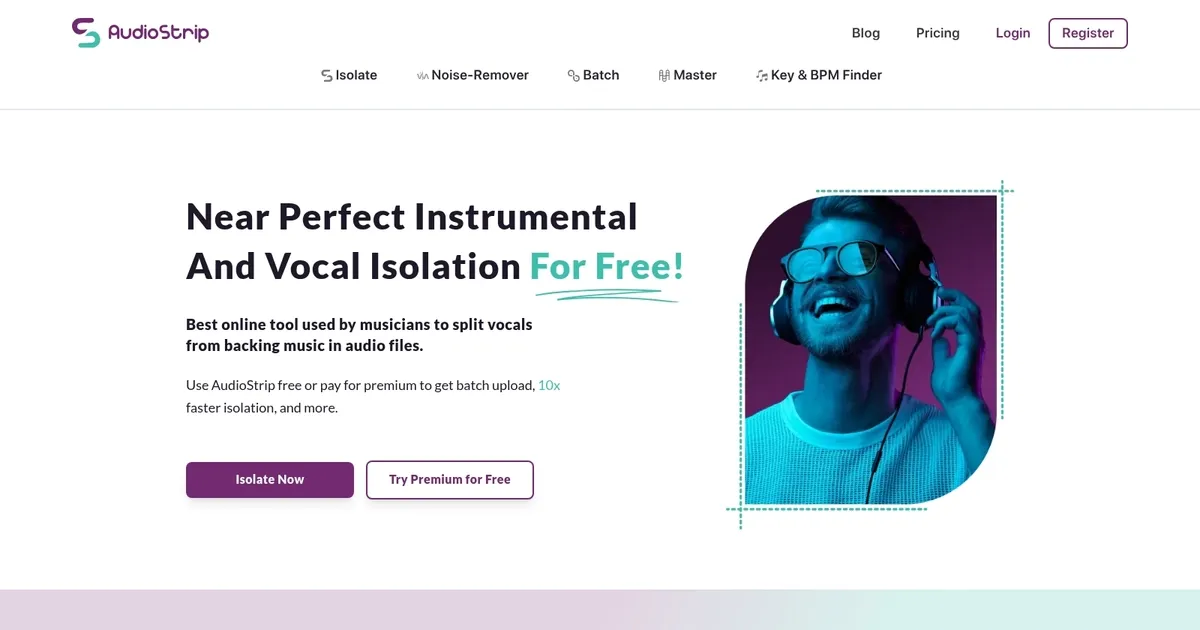
AudioStrip is an advanced online platform offering audio processing tools, ideal for musicians and creative professionals aiming to isolate vocals from backing tracks, denoise audio, execute batch song processing, apply instant AI mastering, and transcribe music using cutting-edge artificial intelligence technologies.
The platform presents a simple, user-friendly interface, allowing both free and premium users to access high-quality algorithms for quick and efficient audio separation and enhancement. While the free version includes features like a limited number of monthly isolations, masters, and transcriptions with MP3 output – the premium version offers unlimited access to these services, faster processing speeds, support for high-quality audio formats (WAV, FLAC), larger upload sizes, batch uploads, and additional premium features.
AudioStrip prides itself on providing near-perfect instrumental and vocal isolation quality, enabling users to creatively repurpose original tracks for their projects. This service is particularly appreciated in the music industry, where musicians, DJs, and producers utilize it to extract acapellas and instrumentals for remixes, covers, and other creative endeavors.
Endorsements from established artists and MTV Video Music Award winners highlight AudioStrip’s efficacy in allowing creatives to swiftly iterate on their musical ideas, using high-quality stems as placeholders while awaiting official versions.
Homepage Screenshot 📸
What are the key features? ✨
- High-Quality Vocal Isolation: Separates vocals from backing tracks with minimal artifacts using advanced AI models.
- Stem Separation: Extracts additional elements like drums, bass, piano, guitar, and more in premium mode.
- Batch Upload Processing: Allows multiple files to be isolated simultaneously for efficient workflows.
- AI Mastering: Automatically enhances and polishes audio tracks for professional-sounding output.
- Noise Removal: Cleans up background noise from speech or recordings with dedicated AI processing.
Who is it for? 🤔
Examples of what you can use it for 💡
- Musician creating backing tracks: Uploads a song to isolate instrumentals for practice or live performance.
- Remixer or producer: Separates drums, bass, and vocals from tracks to build new beats or mashups.
- Content creator: Extracts clean vocals from music for video voiceovers, podcasts, or social media edits.
- Karaoke enthusiast: Removes lead vocals to prepare custom backing tracks for singing along.
- Educator or student: Uses stem splits to analyze song structure and individual instrument parts in lessons.
Pros & Cons ⚖️
- High-quality separations
- Free tier available
- Fast premium processing
- Batch and mastering extras
- Free limits quickly
- Slower during peaks
FAQs 💬
Ready to try AudioStrip?
Isolates vocals and separates stems from audio tracks using advanced AI models
Visit AudioStripAudioStrip alternatives 🔗