PhonicMind
Isolates vocals and stems from audio tracks using AI for clean remixes.
PhonicMind is an AI-powered online tool that separates audio tracks into individual stems including vocals, drums, bass, and other instruments. It processes uploads quickly to generate previews and exports for uses like karaoke, remixing, and practice. The service supports formats such as MP3, FLAC, WAV, AAC, WMA, and AIFF for input, with outputs in FLAC for lossless files or MP3 for compressed ones, and stem.MP4 for DJ compatibility. Neural networks trained on extensive music datasets enable the separation, achieving studio-grade results in seconds for files up to 100MB and 9 minutes long.
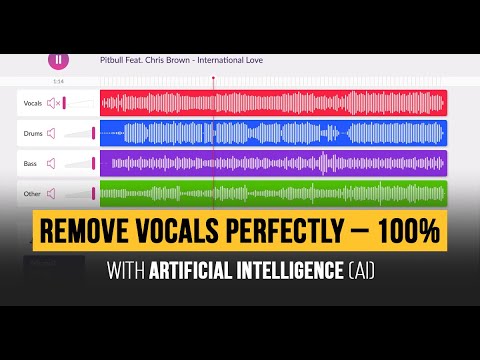
Key features include a free preview mode without signup, allowing users to assess separations before export. The four-stem output provides vocals, drums, bass, and a combined ‘other’ category, with an integrated mixer for volume adjustments and muting. Batch processing supports multiple files under subscription plans. The tool handles tasks like creating instrumentals by removing vocals or isolating acapellas for covers. It integrates with software like Native Instruments through compatible exports. Recent enhancements maintain high fidelity without artifacts in simpler mixes.
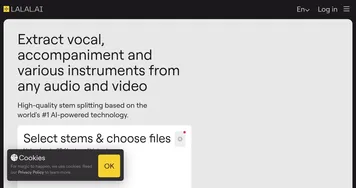
Competitors include LALAL.AI, which offers larger upload limits up to 2GB and more format flexibility but charges per minute processed. Moises provides mobile apps with pitch and tempo controls, suitable for on-the-go edits, though its free tier limits exports. Spleeter, an open-source option, requires technical setup for command-line use and yields lower quality separations compared to PhonicMind’s cloud-based AI. PhonicMind’s subscriptions start at basic levels for paced access, generally more affordable for frequent users than per-track fees elsewhere.
Users appreciate the clean vocal isolations, especially in reverb-heavy tracks, and the ease of generating karaoke-ready instrumentals. Exports hold up well in mixes, with minimal bleed in controlled tests. Drawbacks involve inconsistencies in complex arrangements, where drums or guitars may carry artifacts, and limited preview lengths in free mode. Supported use cases span DJ sets, music education, and content creation, with reliable performance on pop and rock genres. The platform retains files for 30 days post-subscription for retrieval.
For optimal results, upload high-quality sources above 44.1kHz and 16-bit. Test previews across genres to gauge fit, then select stems needed for export. Integrate outputs into DAWs like Ableton for further editing to refine any minor issues.
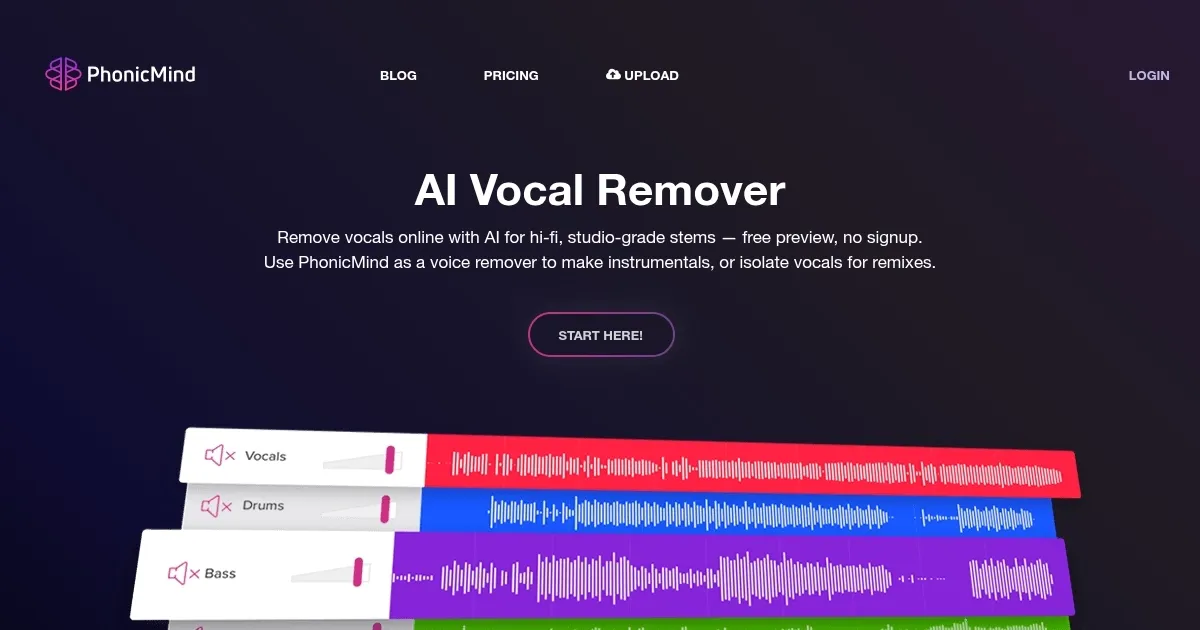
Homepage Screenshot 📸
Video Overview 🎬
What are the key features? ✨
- AI Stem Separation: Uses neural networks to divide tracks into vocals, drums, bass, and other instruments with high fidelity.
- Free Preview Mode: Allows instant audio previews without signup to evaluate separation quality before committing.
- Multi-Track Mixer: Enables volume adjustments and muting of individual stems for custom remixing.
- Format Compatibility: Supports input like MP3, FLAC, WAV and exports in lossless FLAC or stem.MP4 for DJ tools.
- Fast Processing: Handles uploads up to 100MB in seconds for quick workflow in production tasks.
Who is it for? 🤔
Examples of what you can use it for 💡
- DJ: Exports isolated stems to layer fresh beats over original bass and drums in live sets.
- Music Producer: Pulls clean acapellas to sample vocals into new electronic tracks seamlessly.
- Karaoke Enthusiast: Removes vocals from favorites to generate backing instrumentals for home sing-alongs.
- Educator: Isolates parts like drums for teaching rhythm without distractions in classroom exercises.
- Remix Artist: Adjusts stem volumes to blend elements from pop songs into custom mashups efficiently.
Pros & Cons ⚖️
- Fast previews
- Clean vocals
- Easy mixer
- Lossless exports
- Format limits
- Artifact risks
FAQs 💬
Ready to try PhonicMind?
Isolates vocals and stems from audio tracks using AI for clean remixes.
Visit PhonicMindPhonicMind alternatives 🔗