Skip to content
logo-darklogo-darklogo-darklogo-dark
  • Tool Categories
    • 🎨Art & Creative Design505
    • 🏢Business Management644
    • 💻Coding & Development514
    • 👮Detection83
    • 🧠General Use728
    • 🏥Health & Wellness55
    • 📷Image & Photo Analysis100
    • 🖼️Image Generation & Editing618
    • 📐Interior & Architectural Design37
    • 🎓Learning & Education483
    • ⚖️Legal & Finance90
    • 🎭Lifestyle & Entertainment236
    • 📢Marketing & Advertising627
    • 🎧Music & Audio138
    • 👔Office & Workplace1,014
    • 🔬Research & Data Analysis373
    • 👥Social Media245
    • 🎥Video Generation & Editing426
    • 👧🏻Virtual Companion135
    • 🎤Voice Generation & Editing381
    • ✍️Writing & Editing808
    • All Categories
    • AI Use Cases
  • News
  • Events
    • Academic Conferences
    • Developer Conferences
    • Expos / Trade Shows
    • Industry Summits
    • Workshops / Training
    • All Events
    • Past Events
  • Saved Tools
  • Suggest a Tool
    ✕
    Home › Coding & Development › App Building› Bravo Studio
    Bravo Studio

    Bravo Studio

    Converts Figma designs into native iOS and Android apps with AI assistance

    Bravo Studio is an AI tool that allows users to transform their Figma designs into fully functional native mobile apps for both iOS and Android, without the need for complex coding.

    It does its magic by relying on a powerful Figma plugin to make the app development process seamless, offering a quick transition from a design prototype to a market-ready product. By supporting a design-first approach, Bravo Studio opens up app development to designers and product teams — enabling them to prototype, publish, and iterate their apps with ease and flexibility. Users can also connect their apps to any third-party tool or service that provides a REST API, further enhancing functionality and user experience.

    Bravo Studio offers a range of templates and integrations, covering various types of apps like meditation, fitness, CRM, and event apps. The platform simplifies the app development cycle, from initial design in Figma to MVP in hours, and also takes care of the stressful app store submission process.

    In other words, Bravo Studio empowers users to create lifelike prototypes with native features such as haptic feedback, audio, and camera interactions — all with real-time changes and rapid testing. Pretty cool!

    Visit Bravo Studio ↗
    Categories
    💻 Coding
    📱 App Building 👨‍💻 Development 🏗️ Website Building
    🎨 Art
    🖼️ Design Generation 📱 UX Design

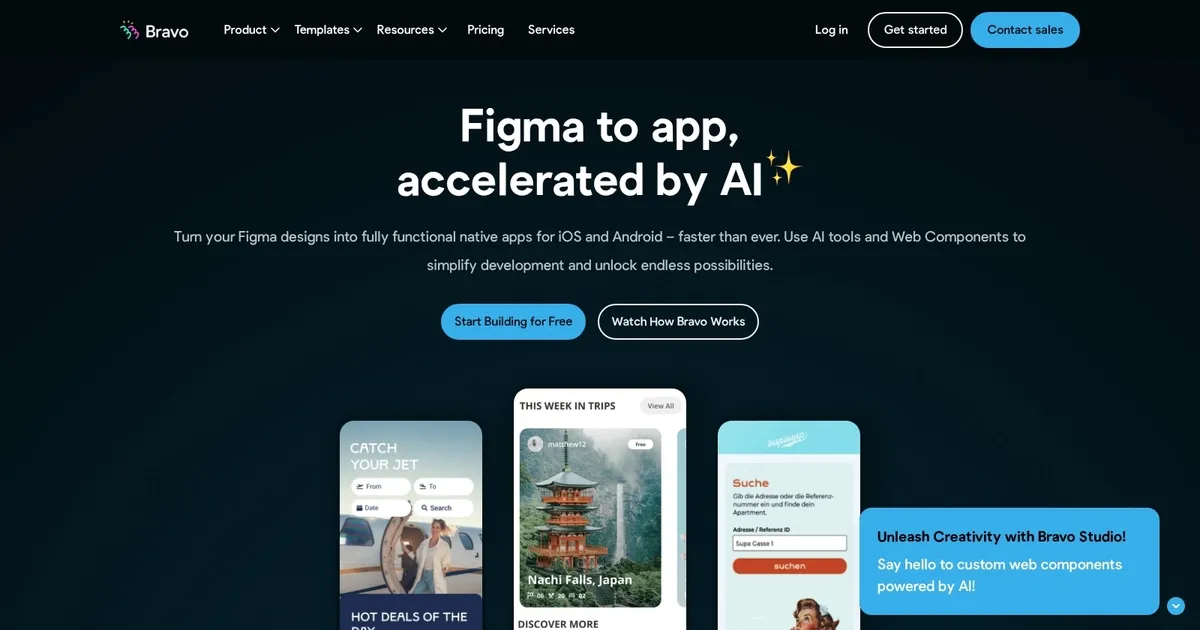
    Homepage Screenshot 📸

    Bravo Studio screenshot

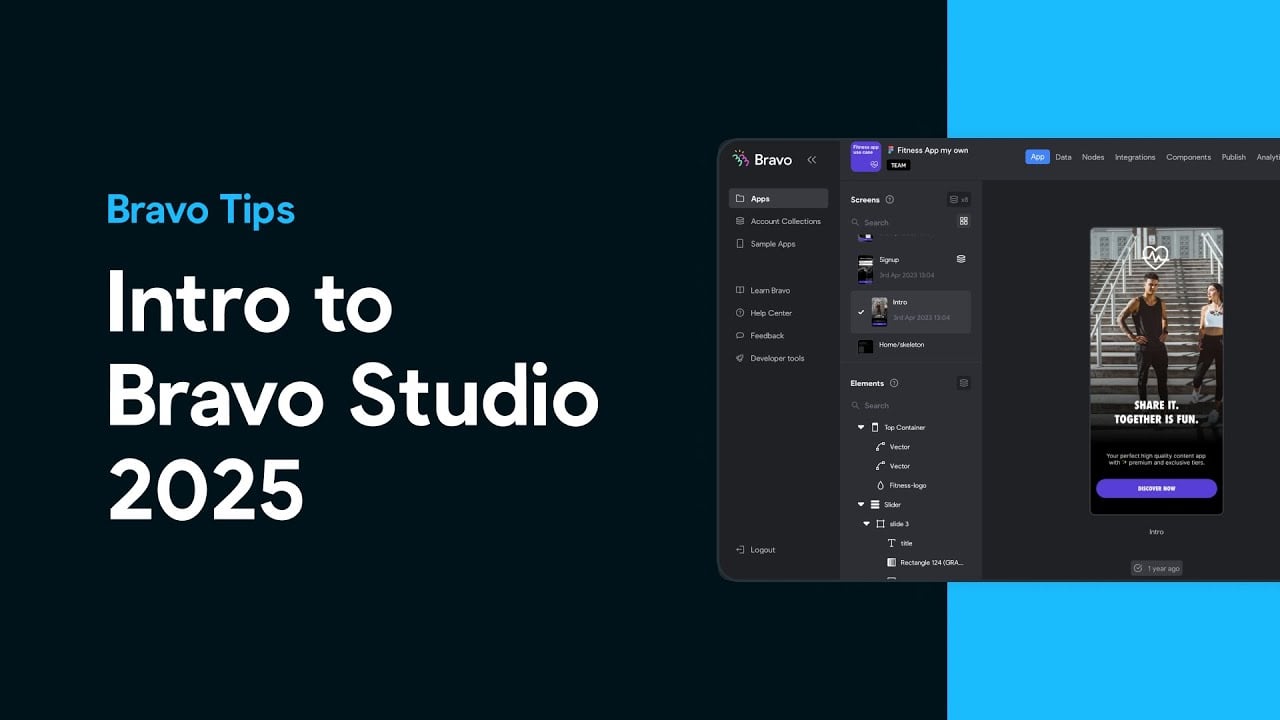
    Video Overview 🎬

    Bravo Studio - Video Overview

    What are the key features? ✨

    • Figma to App Conversion: turns Figma designs into native iOS and Android apps without coding.
    • AI-Enhanced Workflow: uses AI to generate backends and custom components quickly.
    • Web Components: adds custom HTML, JavaScript, and CSS for extended functionality.
    • Real-Time Previews: tests apps instantly on devices via Bravo Vision app.
    • API Integrations: connects to external data sources like REST APIs or Airtable.

    Who is it for? 🤔

    Bravo Studio helps designers, founders, creators, personal trainers, nutritionists, and entrepreneurs who already use Figma and want to build professional native mobile apps without learning to code or hiring developers. Its especially useful for those focused on high-fidelity UI who need fast iteration and app-store publishing.

    Examples of what you can use it for 💡

    • Designer with Figma prototype: converts static designs into interactive native app for client demo or launch.
    • Founder building MVP: creates fitness or meditation app with custom content and API-connected data quickly.
    • Content creator: builds branded mobile experience with dynamic feeds and user interactions from external sources.
    • Personal trainer or coach: develops client-facing app for schedules, progress tracking, and media without coding.
    • Small business owner: launches custom iOS and Android app for services or community with pixel-perfect design.

    Pros & Cons ⚖️

    • Pixel-perfect from Figma
    • Fast native publishing
    • AI speeds backend
    • Easy iteration
    • Tagging learning curve
    • Needs external backend

    FAQs 💬

    What is Bravo Studio mainly used for?
    Bravo Studio converts Figma designs into fully functional native iOS and Android mobile apps without writing code.
    Do I need coding skills to use Bravo Studio?
    No, its designed as a no-code tool, though some API knowledge helps for data connections and custom Web Components involve basic code pasting.
    Can I publish apps to the App Store and Google Play?
    Yes, Bravo supports native publishing to both Apple App Store and Google Play Store.
    How does the AI feature work in Bravo Studio?
    AI helps generate backends externally and create custom code for Web Components, often guided by Figma screenshots for style accuracy.
    Is there a free plan available?
    Yes, a free Starter plan exists with unlimited projects but limits on imported screens and features.
    What design tool does Bravo Studio integrate with?
    It primarily integrates with Figma for importing and syncing designs directly.
    How do I preview my app during building?
    Use the Bravo Vision app on your phone to scan a QR code and see real-time native previews.
    Can I update my live app easily?
    Yes, many updates sync from Figma without needing full app store resubmissions for minor changes.
    Does Bravo Studio support custom code?
    Yes, through Web Components where you paste HTML, JavaScript, and CSS for advanced features.
    What data sources can I connect?
    It connects to REST APIs, Airtable, Firebase, Google Sheets, and other external backends via API imports.

    Ready to try Bravo Studio?

    Converts Figma designs into native iOS and Android apps with AI assistance

    Visit Bravo Studio ↗

    Bravo Studio alternatives 🔗

    1. FigJam AI FigJam AI Instantly visualize ideas, suggest best practices, and automate tedious tasks
    2. Visily Visily Create software wireframes from sketches, screenshots, templates, and more
    3. Rocket Rocket Builds web and mobile apps rapidly using natural language or Figma designs
    4. Locofy Locofy An AI tool that can turn your designs into real code
    5. Buzzy Buzzy Turns ideas into functional web or mobile apps in minutes without coding
    6. FlutterFlow FlutterFlow An online application development platform for native mobile + web apps
    Share
    Bravo Studio screenshot enlarged
    Best AI Tools

    Discover the best AI tools for any use case

    Explore
    • Tool Categories
    • AI Use Cases
    • AI Events
    • AI News
    • Saved Tools
    Company
    • About Us
    • Contact Us
    • Media & Partnerships
    • Suggest a Tool
    Legal
    • Privacy Policy
    • Terms of Service
    Copyright © 2026 Best AI Tools 415 Mission Street, 37th Floor, San Francisco, CA 94105