Skip to content
logo-darklogo-darklogo-darklogo-dark
  • Tool Categories
    • 🎨Art & Creative Design505
    • 🏢Business Management644
    • 💻Coding & Development514
    • 👮Detection83
    • 🧠General Use728
    • 🏥Health & Wellness55
    • 📷Image & Photo Analysis100
    • 🖼️Image Generation & Editing618
    • 📐Interior & Architectural Design37
    • 🎓Learning & Education483
    • ⚖️Legal & Finance90
    • 🎭Lifestyle & Entertainment236
    • 📢Marketing & Advertising627
    • 🎧Music & Audio138
    • 👔Office & Workplace1,014
    • 🔬Research & Data Analysis373
    • 👥Social Media245
    • 🎥Video Generation & Editing426
    • 👧🏻Virtual Companion135
    • 🎤Voice Generation & Editing381
    • ✍️Writing & Editing808
    • All Categories
    • AI Use Cases
  • News
  • Events
    • Academic Conferences
    • Developer Conferences
    • Expos / Trade Shows
    • Industry Summits
    • Workshops / Training
    • All Events
    • Past Events
  • Saved Tools
  • Suggest a Tool
    ✕
    Home › Office & Workplace › Presentation Generation› Decktopus
    Decktopus

    Decktopus

    An AI presentation maker that creates stunning decks

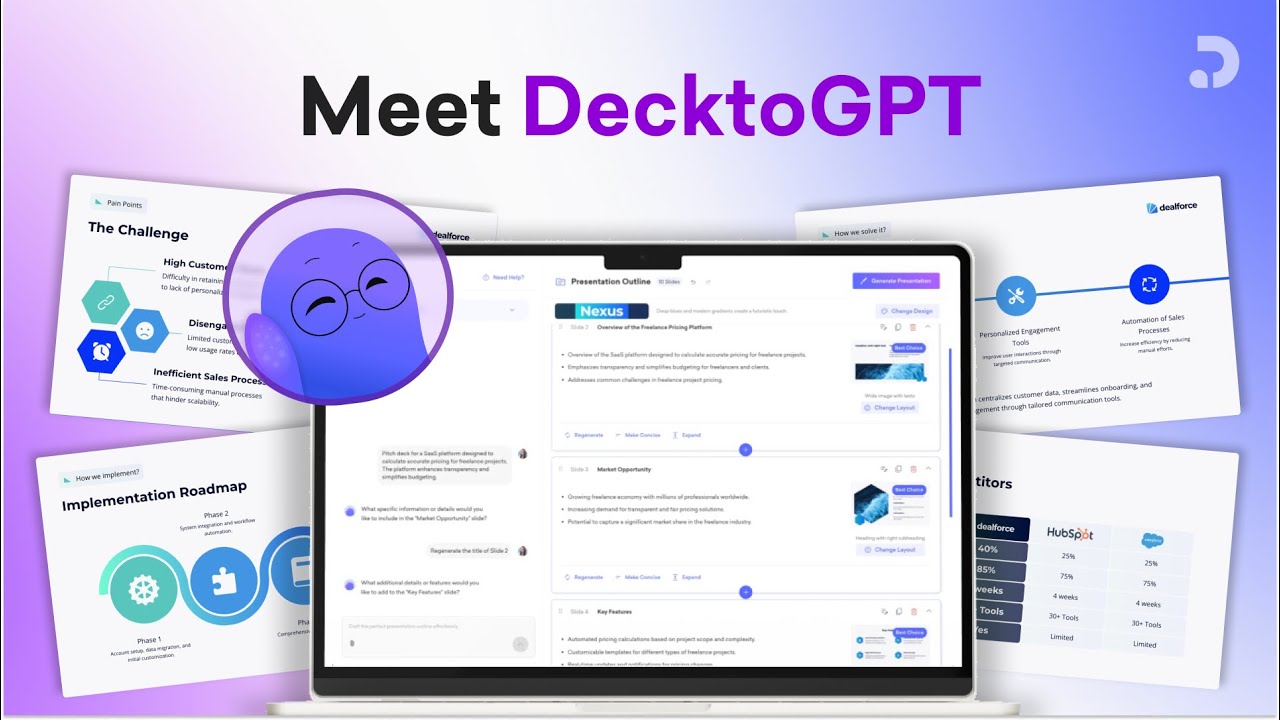
    Decktopus is probably the single most popular AI-powered presentation generator. It’s like ChatGPT with added graphics, charts and more. Simply input the presentation title and let Decktopus do the rest.

    Then, you can fine-tune the result with the help of Deckto, which is Decktopus’ AI assistant who (surprisingly) looks like an octopus.

    Deckto will guide you along the way, allowing you to easily resize and rearrange elements, find icons and images, change content, and more.

    Beyond the standard presentation elements, Decktopus’ also includes additional tools such as forms for collecting feedback from your audience in real time, voice recorder, webhook support for automating actions, and the ability to embed URLs and videos.

    And if you’re unsure what you want, there is the gallery of previously made presentations with Decktopus. You’ll definitely want to go through that part and find out for yourself why this tool is used by more than 1 million users, including those from Nike, Cisco, L’Oreal, and Snowflake, among others.

    Visit Decktopus ↗
    Categories
    👔 Work
    💬 Presentation Generation 📽️ PPT Generation 📄 Document Generation ⚡ Work Productivity
    🏢 Business
    📊 Pitch Deck Generation
    🎨 Art
    🖼️ Design Generation

    Homepage Screenshot 📸

    Decktopus screenshot

    Video Overview 🎬

    Decktopus - Video Overview

    What are the key features? ✨

    • Auto-created deck: Easily customize your presentations with a range of themes, fonts, and colors.
    • One-click design: Just give Deckto, Decktopus' built-in assistant, a topic and it will give you a fully prepared presentation.
    • Auto-adjusted layouts: No more manual resizing and rearranging of elements. Decktopus can do it all for you.
    • Image & icon finder: Instead of spending hours browsing stock photo websites, Deckto can do it for you.
    • Slide notes maker: Decktopus also boasts an AI writer that can create tailored slide notes for your topic and audience. Moreover, it can add more talking points to enrich your presentation.
    • Even more tools: Decktopus also includes other tools, such as fancy forms for collecting feedback from your audience in real time, voice recorder, webhook support for automating actions and streamlining workflows, and the ability to embed URLs and videos.
    • Deck samples: Not sure where to get started? Get inspired by Decktopus' AI-powered deck samples and see how easy it is to create professional-looking presentations.

    Who is it for? 🤔

    Decktopus is made for folks looking to make modern presentations with ease. Startups rely on it to create their pitch decks, teachers use it to prepare lessons, and all kinds of businesses use it to quickly come up with presentations. As that's the case with modern AI tools, Decktopus is super easy to use, and you can start by simply entering the title of the presentation you want to create. The underlying AI tech will take it from there, generating slides and content - from where you can take it to customize to your needs. Powerful stuff!

    Examples of what you can use it for 💡

    • Create the entire presentation with a single prompt
    • Then, change colors & layout and add icons & images
    • Get inspired by all the examples shared on the site
    • Raise the money with a perfect pitch deck

    Pros & Cons ⚖️

    • Creating the entire presentation by just entering the title amazing
    • The built-in icon and image finder is a huge time saver
    • Particularly amazing for startups creating their pitch decks
    • You can't export presentations as HTML

    FAQs 💬

    How does Decktopus create a presentation?
    You enter a prompt or topic, and the AI builds an outline, selects slides, generates content, images, and layouts while applying your brand elements.
    Can I customize the slides after generation?
    Yes, it offers drag-and-drop editing, slide regeneration for new versions, and easy tweaks to text, images, or layouts.
    Does Decktopus support team collaboration?
    It includes organization panels, shared company templates, and features that let teams manage and collaborate on decks by department.
    Can I use my own branding?
    Absolutely, the tool applies your colors, fonts, and logo automatically and supports custom templates for consistent branding.
    What kinds of presentations work best with Decktopus?
    It excels at business proposals, reports, training materials, executive summaries, case studies, sales decks, and internal meetings.
    Does it generate images and visuals?
    Yes, the AI creates custom images tailored to your content instead of relying on generic stock photos.
    Can I convert existing content into slides?
    You can paste text or convert PDFs into interactive, designed presentations quickly.
    Is there support for audience engagement features?
    It generates AI-powered Q&As, icebreakers, hooks, and scripts to help make presentations more interactive and engaging.
    How does Decktopus compare to PowerPoint?
    It automates design and content creation so decks look professional faster, though you can export or adapt for traditional tools.
    Who is Decktopus best suited for?
    Professionals, small teams, salespeople, marketers, educators, and consultants who want quick, branded presentations without heavy design work.

    Ready to try Decktopus?

    An AI presentation maker that creates stunning decks

    Visit Decktopus ↗

    Decktopus alternatives 🔗

    1. Presentations.AI Presentations.AI ChatGPT for presentations producing stunning decks with little effort
    2. Beautiful.AI Beautiful.AI An AI tool that helps create presentations
    3. SlidesPilot SlidesPilot An AI-powered platform designed to make creating professional presentations easier
    4. Pitch Pitch A presentation tool that combines intuitive design with robust collaborative features and AI
    5. Slidesgo AI Presentation Maker Slidesgo AI Presentation Maker An AI-powered presentation maker that simplifies the creation of presentations for all kinds of use cases
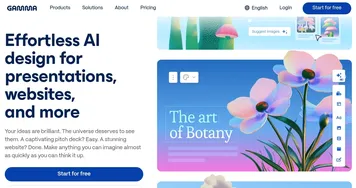
    6. Gamma Gamma An AI tool for creating presentations, documents, or webpages.
    Share
    Decktopus screenshot enlarged
    Best AI Tools

    Discover the best AI tools for any use case

    Explore
    • Tool Categories
    • AI Use Cases
    • AI Events
    • AI News
    • Saved Tools
    Company
    • About Us
    • Contact Us
    • Media & Partnerships
    • Suggest a Tool
    Legal
    • Privacy Policy
    • Terms of Service
    Copyright © 2026 Best AI Tools 415 Mission Street, 37th Floor, San Francisco, CA 94105