logo-darklogo-darklogo-darklogo-dark
  • Tool Categories
    • 🎨 Art
    • 🏢 Business
    • 💻 Coding
    • 👮 Detection
    • 🧠 General
    • 🏥 Health
    • 📷 Image Analysis
    • 🖼️ Image
    • 📐 Architecture
    • 🎓 Education
    • ⚖️ Legal/Finance
    • 🎭 Lifestyle
    • 📢 Advertising
    • 🎧 Music
    • 👔 Work
    • 🔬 Research
    • 👥 Social
    • 🎥 Video
    • 👧🏻 Companion
    • 🎤 Voice
    • ✍️ Writing
    • All Categories
    • AI Use Cases
  • News
  • Events
    • Academic Conferences
    • Developer Conferences
    • Expos / Trade Shows
    • Industry Summits
    • Workshops / Training
    • All Events
    • Past Events
  • Saved Tools
  • Suggest a Tool
✕
Home › Voice Generation & Editing › Voice Changer› Dubbing AI
Dubbing AI

Dubbing AI

Uses AI to modify vocal (audio) output during live interactions

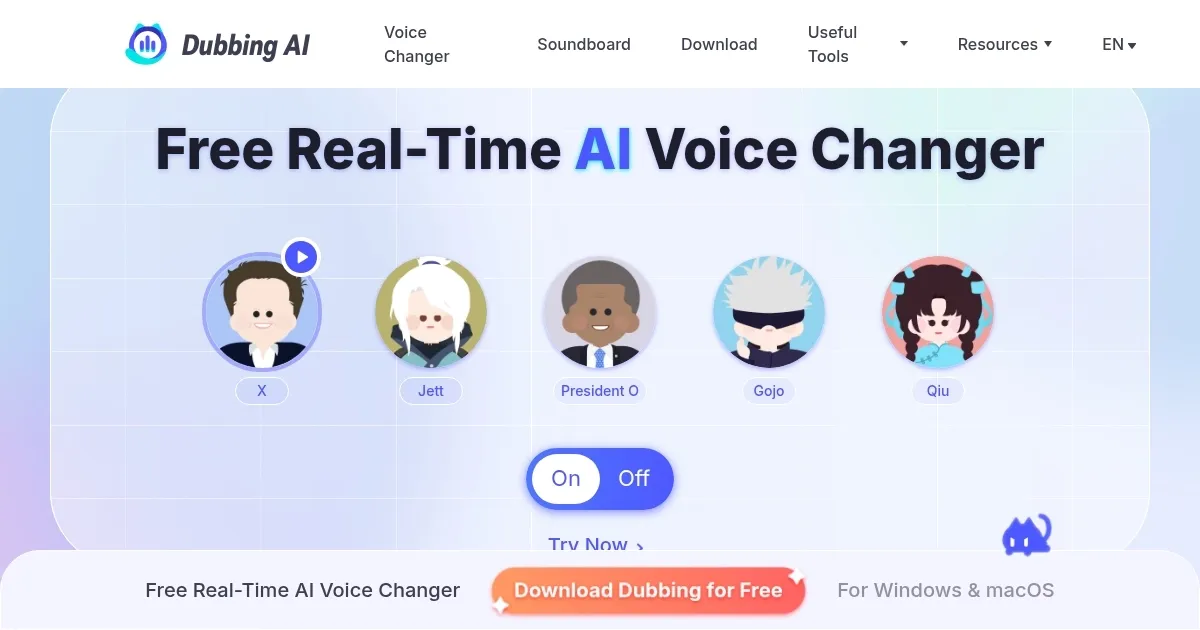
Dubbing AI is an advanced, real-time voice transformation tool made for users looking to modify their vocal output during live interactions. Leveraging sophisticated artificial intelligence algorithms, it offers over 1,000 distinct voice avatars across more than 100 languages to enable seamless voice modulation while maintaining the user’s emotional and intonational nuances.

All this makes Dubbing AI particularly beneficial for content creators, gamers, and professionals in the dubbing industry. By selecting a voice avatar, users can alter their voice during live streams, gaming sessions, or video conferences — adding a unique element to their content. Also, the platform’s compatibility with both Windows and Mac systems ensures broad accessibility.

Dubbing AI is easy to use and can work alongside different platforms — including Discord, Twitch, Zoom, and more — allowing users to integrate voice transformation seamlessly into their existing workflows.

The free version of Dubbing AI comes with basic functionalities, while premium plans unlock additional features — such as access to all voice avatars and advanced voice customization options. This tiered approach caters to both casual users and professionals seeking more sophisticated voice modulation capabilities.

Visit Dubbing AI ↗
Categories
🎤 Voice
🎛️ Voice Changer 👯 Voice Cloning 🗨️ Voice Generation 🎚️ Voice Dubbing 🌟 Celebrity Voice Generation
🎥 Video
🎙️ Video Dubbing
🎭 Lifestyle
🎮 Game

Homepage Screenshot 📸

Dubbing AI screenshot

Video Overview 🎬

What are the key features? ✨

  • Real-rime voice conversion: Dubbing AI uses AI to instantly transform your voice into different tones, accents, or character voices, making voiceovers and dubbing seamless.
  • Multi-language support: It offers voice conversion across a range of languages, allowing users to easily create localized versions of content.
  • Custom voice cloning: Users can create digital clones of their own or others' voices, which can be used to consistently dub content in the same voice.
  • Voice effects: Dubbing AI provides a library of preset voice effects, from robotic tones to cartoonish voices, enabling diverse content creation.
  • Cross-platform compatibility: IT works on both PC and Mac, ensuring flexibility for users across different operating systems.

Who is it for? 🤔

Dubbing AI is made for content creators, video producers, and game developers looking to enhance their audio output with AI-driven voice effects and dubbing. It also appeals to educators, podcasters, and marketers who need to create multilingual content or add unique voice effects to their media. With its easy-to-use interface and fancy voice transformation features, the platform suits both professional and casual users seeking to elevate their audio content.

Examples of what you can use it for 💡

  • Localize videos or podcasts into multiple languages without hiring voice actors
  • Game developers can use it to add unique character voices or background narrations directly within games
  • Podcasters can use it to change or enhance their voices during production or to translate episodes into other languages
  • Educators can use it to create multilingual lessons with voiceovers, making learning more accessible
  • Influencers and marketers can use it to create engaging voiceovers for social media content

Pros & Cons ⚖️

  • Instant voice modulation during live sessions
  • Voice changes in 100+ languages
  • Over 1000 distinct AI voices available
  • AI voice naturalness can vary, less nuanced

FAQs 💬

What is Dubbing AI mainly used for?
Dubbing AI works as a real-time voice changer for live gaming, streaming, meetings, and chats, letting you sound like game characters, anime voices, or celebrities instantly.
Does it require recording audio first?
No, it processes your voice in real time with low latency, so there's no need to prerecord anything.
How many voices does it offer?
It provides over 500 AI-generated voices drawn from popular games, anime, celebrities, and more, plus options for custom voice cloning.
Can I use it on mobile devices?
Yes, with the Dubbing Box hardware connected to Android phones (9.0+), you can change your voice in mobile apps like TikTok or WhatsApp.
Does it work with Discord or Zoom?
Absolutely, it integrates smoothly by routing audio through a virtual microphone device that you select in those apps.
Is voice cloning available?
Yes, you can upload short audio samples to create custom voices that mimic specific people or styles.
What about sound effects or memes?
It includes a large community soundboard with over 100,000 clips, and you can upload your own for playback during calls or streams.
Does it support multiple languages?
Voices focus heavily on English accents and character styles, though some accent conversion exists for broader use.
How lightweight is the software?
It installs fast and runs efficiently, typically using around 5% CPU on most PCs.
Is there a preview feature before going live?
Yes, the "Hear Myself" toggle lets you test any voice in real time before using it in apps.

Ready to try Dubbing AI?

Uses AI to modify vocal (audio) output during live interactions

Visit Dubbing AI ↗

Dubbing AI alternatives 🔗

  1. ElevenLabs ElevenLabs Generates lifelike, expressive AI voices for diverse applications
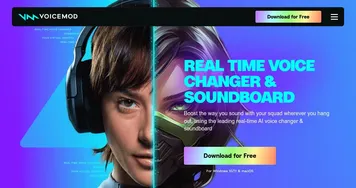
  2. Voicemod Voicemod Transforms your voice in real time with AI effects for gaming and streaming.
  3. Moises Moises Separates vocals and instruments from songs using AI for practice and production.
  4. Vozard Vozard Transforms voices in real time for gaming and streaming
  5. Voice.ai Voice.ai An online platform that offers users transformative voice modification capabilities
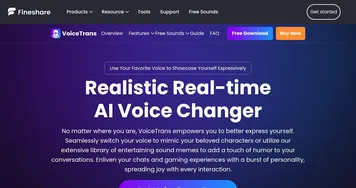
  6. FineShare FineShare A set of AI tools that lets you create videos, record your voice, and more
Share
Dubbing AI screenshot enlarged
Promote Dubbing AI
light badge
Copy Embed Code
dark badge
Copy Embed Code
neutral badge
Copy Embed Code
Best AI Tools

Discover the best AI tools for any use case

Explore
  • Tool Categories
  • AI Use Cases
  • AI Events
  • AI News
  • Saved Tools
Company
  • About Us
  • Contact Us
  • Media & Partnerships
  • Suggest a Tool
Legal
  • Privacy Policy
  • Terms of Service
Copyright © 2026 Best AI Tools 415 Mission Street, 37th Floor, San Francisco, CA 94105