Eskritor
Generates AI-powered content for blogs, emails, and social posts with ease
Writing content that grabs attention is tough, I get it. You’re staring at a blank screen, ideas swirling but refusing to land. Enter Eskritor, a tool that feels like a trusty sidekick, churning out polished text faster than you can say “writer’s block.” This AI-powered platform, built by Transkriptor, Inc., takes your prompts and spins them into blog posts, product descriptions, or snappy social media captions, all with a click. It’s not just about speed, it’s about delivering something you can actually use, whether you’re a marketer, student, or small business owner. The interface? Clean, intuitive, no PhD required. You type a prompt, pick a use case, and boom, there’s your draft, ready for tweaking.
What’s neat is how Eskritor adapts to your needs. Its AI Paragraph Writer crafts coherent blocks of text for anything from tech articles to healthcare reports. The AI Chatbot is a standout, acting like a brainstorming buddy, offering quick answers or fleshing out ideas. Need a catchy headline? The SEO Content Writer whips up meta descriptions and keyword-rich titles that play nice with Google. It supports over 40 languages, so global content creators can breathe easy. Plus, the grammar and style tools catch those pesky errors that make you look less than professional. I tried tossing it a vague prompt about meditation benefits, and it spit out a surprisingly thoughtful 300-word article, complete with stats and a friendly tone.
But it’s not all sunshine. The AI can stumble on longer, complex pieces, sometimes losing the thread or sounding a bit generic. If you’re after deeply creative flair, you might need to polish the output yourself. Compared to competitors like Jasper or Rytr, Eskritor holds its own with multilingual support and a user-friendly editor, but it lacks some of Jasper’s advanced tone customization. Pricing feels middle-of-the-road, with free credits to start and paid tiers that scale with usage, though heavy users might find the word limits restrictive compared to Writesonic.
A surprise? The Chrome extension. It’s a nifty add-on that lets you generate text right in your browser, perfect for quick social posts or email drafts. Another plus is the cross-device access, so your work syncs whether you’re on your phone or laptop. But I noticed occasional glitches when tweaking drafts, like the editor lagging on longer documents. Nothing deal-breaking, but it’s there.
For best results, start with clear, specific prompts. Experiment with the AI Chatbot for brainstorming, and use the SEO tools to boost visibility. If you’re juggling multiple content types, Eskritor’s versatility is a lifesaver, just don’t expect it to nail every niche without some human finesse. Keep a light hand on the editing wheel, and you’ll get solid drafts that save you hours.
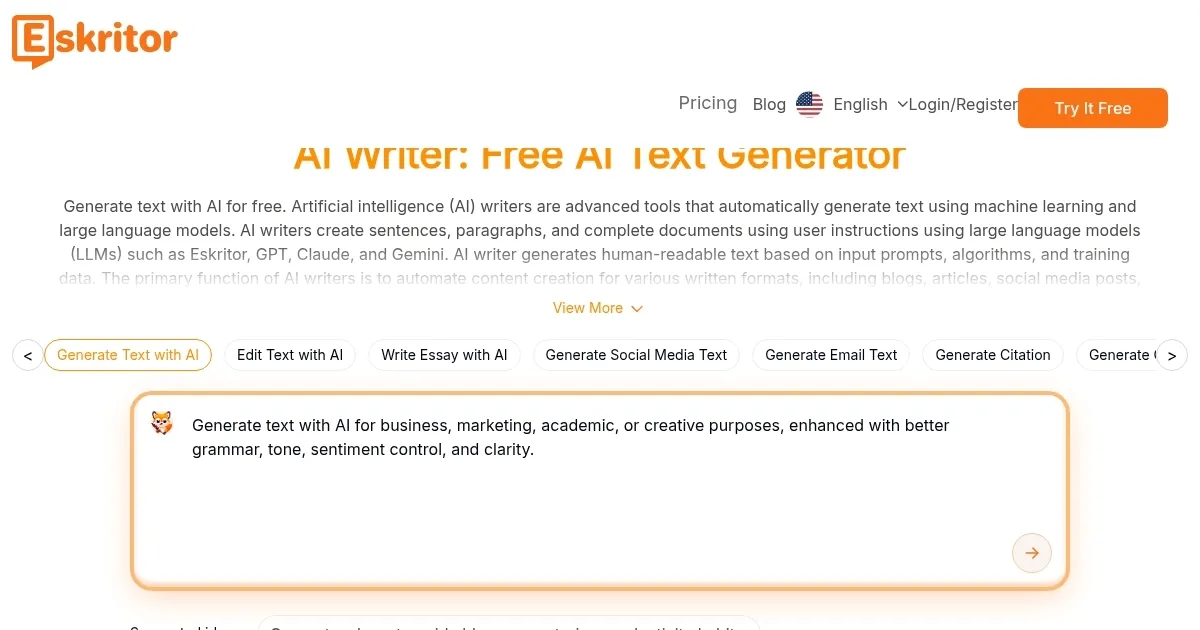
Homepage Screenshot 📸
Video Overview 🎬

What are the key features? ✨
- AI Paragraph Writer: Generates coherent paragraphs for articles, reports, or marketing copy.
- AI Chatbot: Provides real-time feedback and brainstorming for content ideas.
- SEO Content Writer: Creates keyword-rich headlines and meta descriptions for better search rankings.
- Multilingual Support: Supports content creation in over 40 languages for global users.
- Chrome Extension: Enables browser-based text generation for quick tasks.
Who is it for? 🤔
Examples of what you can use it for 💡
- Content Creator: Crafts engaging blog posts using the AI Blog Writer for consistent output.
- Marketer: Generates SEO-optimized social media posts to boost campaign reach.
- Student: Drafts essays or assignments with the AI Paragraph Writer for quick starts.
- E-commerce Owner: Writes persuasive product descriptions to drive online sales.
- Freelancer: Creates client-ready emails or reports with minimal editing time.
Pros & Cons ⚖️
- Fast content generation
- Supports 40+ languages
- Strong SEO tools
- Generic phrasing issues
- AI can struggle with vague prompts
FAQs 💬
Ready to try Eskritor?
Generates AI-powered content for blogs, emails, and social posts with ease
Visit EskritorEskritor alternatives 🔗