Flux AI Studio
Generates high-quality images from text prompts using advanced AI models
Ever feel like the ideas in your head are bursting to get out, but the tools just won’t cooperate? That’s where Flux AI Image Generator steps in, turning those wild thoughts into pixels that pop. I’ve spent enough time poking around AI art spaces to know when something clicks, and this one does, with a smoothness that makes you forget you’re bossing around a machine. You start simple, typing a description into Flux AI Studio, pick a model like FLUX1.1 Pro, and boom, there’s your image, sharper than a tack and six times quicker than the old guard.
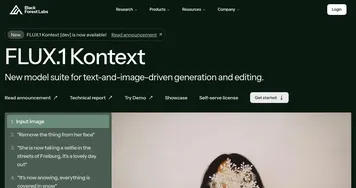
What gets me is how it handles the details without you sweating them. Say you want a cyberpunk cityscape at dusk; Flux nails the neon glows and misty alleys without you spelling out every shadow. And then there’s FLUX.1 Kontext, this editing wizard that lets you tweak with words alone, like swap a characters jacket color or nudge a background element, all while keeping the vibe intact. Its not just generating, its conversing with your vision. Users on Reddit rave about this, one thread from early 2025 calling it the tool that finally made AI feel collaborative, not combative. I think that’s spot on, especially compared to Midjourney, which shines in artistic flair but demands more prompt gymnastics, or Stable Diffusion, where you might wrestle with setups for hours.
Of course, no tools perfect, and Flux has its quirks. Sometimes the free Schnell model spits out quicker but slightly softer edges, which might irk if you’re chasing photorealism right off the bat. And while the platform’s intuitive, batch generations can feel a tad clunky if you’re churning out dozens for a project. But here’s the surprise, folks: that character consistency across edits? It holds up like glue, even in multi-step workflows, something even pricier competitors like DALL-E stumble on occasionally. Black Forest Labs packed 12 billion parameters into this beast, and it shows in benchmarks where it tops Elo scores for quality and adherence.
Pricing keeps it accessible too, with free trials and credits that let you dip in without commitment, unlike Midjourney’s steeper subs or Stable Diffusion‘s hardware demands. Enterprises love the scalable API, but for solo creators, its the real-time previews that save the day, letting you iterate without endless waits. I chatted with a game dev on X last month who switched from Leonardo.ai and said Flux’s speed shaved days off prototyping environments. You feel that efficiency, that flow where creation doesn’t stall.
So if you’re eyeing a switch or just curious, fire up Flux AI Studio and prompt something personal, maybe your dream vacation spot reimagined as a fantasy realm. Play with Kontext to refine it, see how it listens. You’ll walk away not just with images, but with a workflow that sparks joy. And hey, keep an eye on updates, Black Forest Labs moves fast, promising even wilder features by years end. Dive in, tweak away, and let the machine surprise you back.
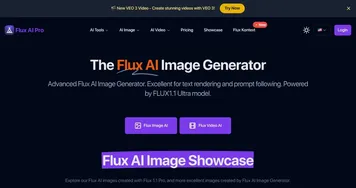
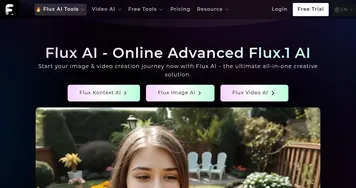
Homepage Screenshot 📸

What are the key features? ✨
- FLUX1.1 Pro: Premium model delivers highest quality images with 6x faster generation speeds and superior prompt adherence.
- FLUX.1 Kontext: Enables precise text-based editing of existing images while preserving context and character consistency.
- Batch Generation: Processes multiple prompts simultaneously for efficient workflow in large-scale projects.
- Real-Time Previews: Provides instant visual feedback during generation to facilitate quick iterations.
- API Integration: Allows developers to embed Flux capabilities into custom applications for scalable use.
Who is it for? 🤔
Examples of what you can use it for 💡
- Marketing Specialist: Generates custom visuals and social media graphics from brand descriptions, editing for consistency across campaigns.
- Game Designer: Creates character concepts and scene prototypes with maintained traits through iterative Kontext modifications.
- Book Illustrator: Produces cover art and internal images from narrative prompts, refining details like lighting or composition.
- Product Developer: Visualizes prototypes in various settings, swapping elements to test designs efficiently.
- Educational Content Creator: Builds diagrams and illustrations for tutorials, ensuring accuracy and style uniformity.
Pros & Cons ⚖️
- 6x faster generation
- Precise Kontext edits
- Free trial credits
- High prompt adherence
- Free model softer details
- Batch mode occasional lag
FAQs 💬
Ready to try Flux AI Studio?
Generates high-quality images from text prompts using advanced AI models
Visit Flux AI StudioFlux AI Studio alternatives 🔗