Forge Code
Enhances coding with AI-driven terminal assistance
Forge Code is an AI-powered coding assistant that operates in the terminal, enabling developers to interact with their codebase using natural language prompts. It supports tasks like code generation, debugging, refactoring, and Git operations, integrating with models like Claude, GPT, and Gemini. The tool analyzes project files, dependencies, and Git history to provide context-aware suggestions, with a sub-50ms startup time for quick access. It offers a multi-agent architecture, including the Forge Agent for code changes and the Muse Agent for analysis, ensuring flexibility. Security features include a restricted shell mode and local code storage.
Key features include context awareness, which scans your project to understand its structure, and conversational Git commands, allowing users to manage commits or resolve conflicts via prompts. The VS Code extension simplifies file referencing with a CTRL+U shortcut. Forge Code supports multiple AI providers, letting users choose based on speed or cost. Recent updates, noted on the tool’s site, include improved model integration and faster response times, based on user feedback from platforms like LinkedIn.
Compared to GitHub Copilot, Forge Code’s terminal-first approach is distinct but lacks Copilot’s deep IDE integration. Tabnine offers stronger autocompletion, while Forge Code excels in conversational tasks. Pricing is freemium, with a free tier and paid options for higher usage, competitive with similar tools. User reviews on Reddit highlight its ease for small projects but note occasional context missteps in complex codebases.
Drawbacks include a clunky OAuth setup process and inconsistent performance with large projects, as reported on X. The tool shines for solo developers or small teams needing quick, conversational coding help. Its privacy focus and local processing are significant advantages for security-conscious users.
To get started, install via npm or npx, follow the quickstart guide, and test on a small project. Use the VS Code extension for smoother integration, and check community forums for troubleshooting tips. Experiment with simple tasks like code reviews or unit test creation to gauge its fit for your workflow.
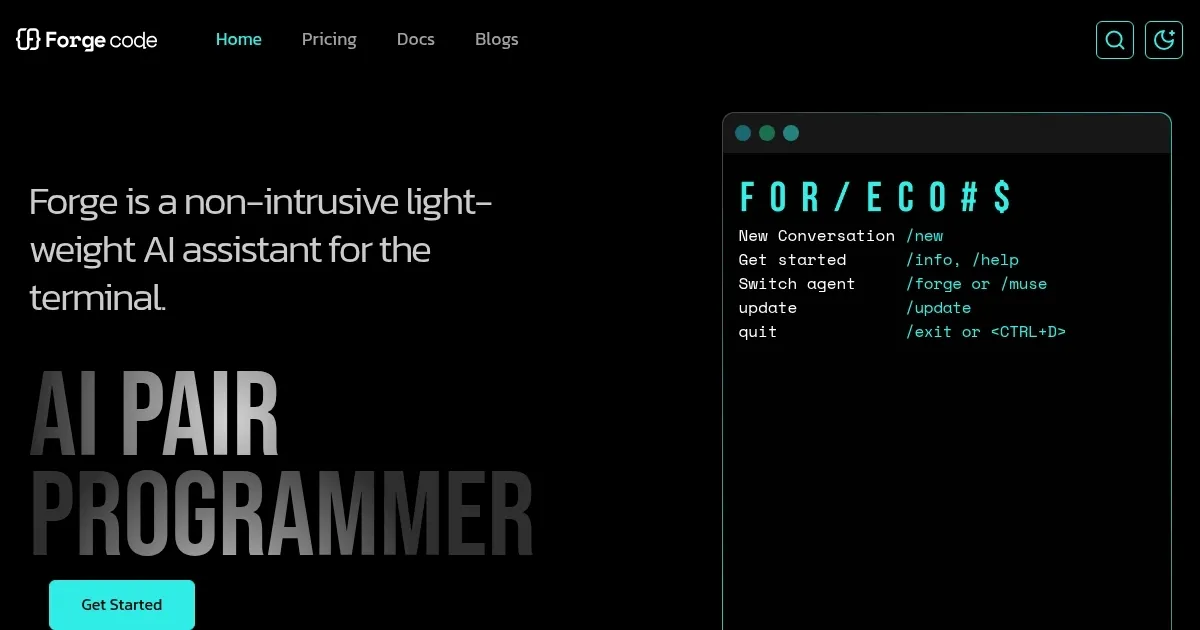
Homepage Screenshot 📸
Video Overview 🎬
What are the key features? ✨
- Context Awareness: Analyzes project files and Git history for tailored suggestions.
- Multi-Agent Architecture: Switches between Forge Agent for coding and Muse Agent for analysis.
- Conversational Git: Manages commits and resolves conflicts via natural language.
- VS Code Extension: Copies file references with CTRL+U for seamless integration.
- Local Processing: Keeps code and indexes on your machine for privacy.
Who is it for? 🤔
Examples of what you can use it for 💡
- Solo Developer: Uses Forge Code to debug errors in a personal project quickly.
- Small Team Lead: Implements new features with AI-generated code suggestions.
- Open-Source Contributor: Reviews code changes with Muse Agent’s analysis.
- Student Developer: Learns new tech stacks with tailored tutorials from Forge.
- Freelancer: Manages Git commits conversationally to streamline workflows.
Pros & Cons ⚖️
- Fast sub-50ms startup time.
- Conversational Git commands.
- Supports multiple AI models.
- Clunky OAuth setup process.
- Limited IDE integration.
FAQs 💬