logo-darklogo-darklogo-darklogo-dark
  • Tool Categories
    • 🎨Art & Creative Design505
    • 🏢Business Management644
    • 💻Coding & Development515
    • 👮Detection83
    • 🧠General Use727
    • 🏥Health & Wellness55
    • 📷Image & Photo Analysis100
    • 🖼️Image Generation & Editing618
    • 📐Interior & Architectural Design37
    • 🎓Learning & Education483
    • ⚖️Legal & Finance90
    • 🎭Lifestyle & Entertainment236
    • 📢Marketing & Advertising627
    • 🎧Music & Audio138
    • 👔Office & Workplace1,014
    • 🔬Research & Data Analysis372
    • 👥Social Media245
    • 🎥Video Generation & Editing426
    • 👧🏻Virtual Companion135
    • 🎤Voice Generation & Editing381
    • ✍️Writing & Editing808
    • All Categories
    • AI Use Cases
  • News
  • Events
    • Academic Conferences
    • Developer Conferences
    • Expos / Trade Shows
    • Industry Summits
    • Workshops / Training
    • All Events
    • Past Events
  • Saved Tools
  • Suggest a Tool
✕
Home › Business Management › Project Management› Gantt Chart AI
Gantt Chart AI

Gantt Chart AI

Generates professional Gantt charts from natural language project descriptions in seconds.

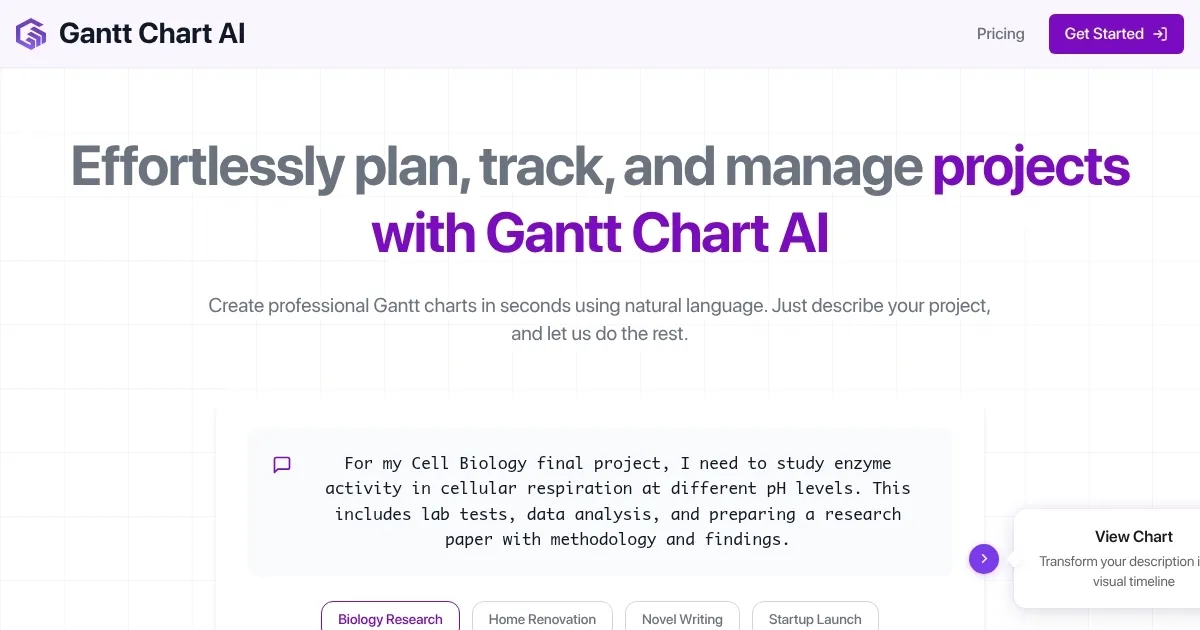
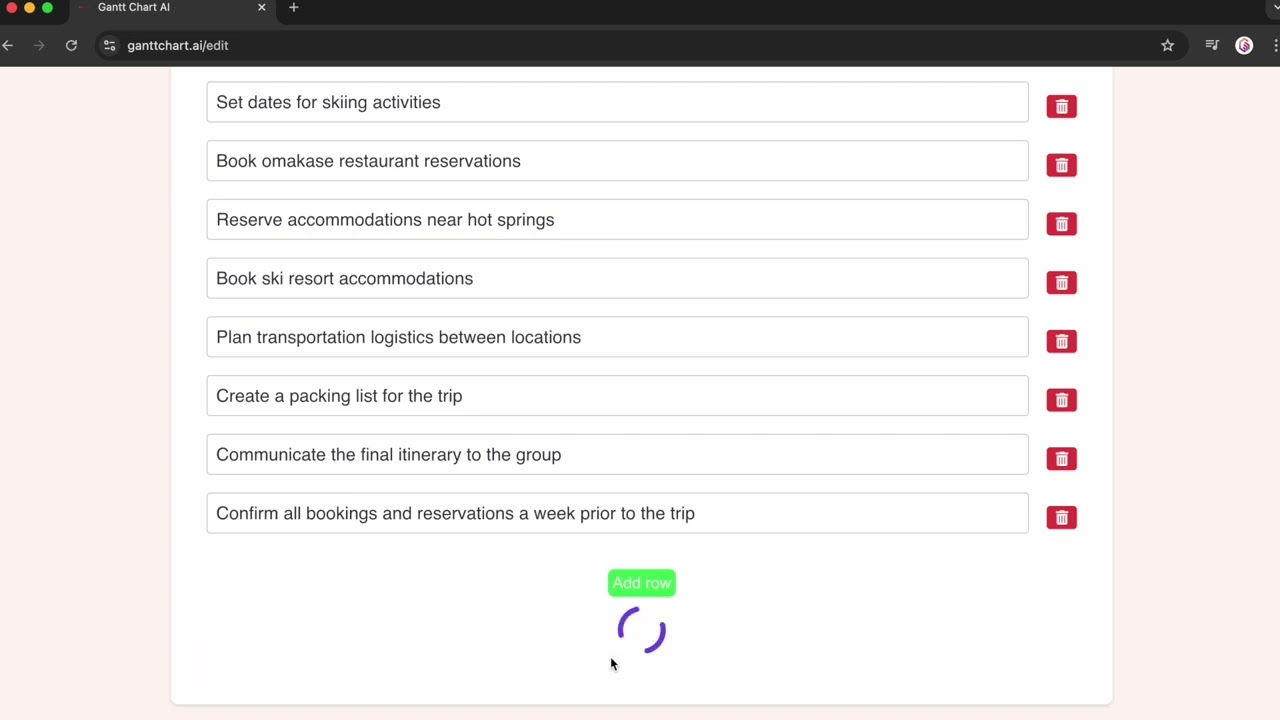
Gantt Chart AI is an online tool that creates Gantt charts from natural language descriptions of projects. It generates timelines with tasks, durations, dependencies, and milestones in seconds. The interface requires users to input project details in text form, after which the AI processes and visualizes the schedule.

Key integrations include Jira for importing epics, stories, and tasks, which auto-populates descriptions, teams, and scopes. Team assignments balance automatically based on imported data. Timelines regenerate when Jira updates occur. Google Sheets support allows editing and sharing charts in spreadsheet format, with Excel export options available.

The dashboard provides access to previous charts for download and management. Export formats include Excel files that retain structure for further editing. Pricing operates on a credit system, with two free credits for initial use and packs of 100 credits for ongoing needs. Premium features unlock with paid credits.

Competitors such as ClickUp offer broader project management with AI Gantt generation but require subscriptions. Tom’s Planner provides AI assistance in templates yet focuses more on manual adjustments. Gantt Chart AI excels in speed for simple visualizations but lacks advanced resource forecasting found in fuller suites.

Users report quick setup as a strength, with charts ready for presentations immediately. Limitations include occasional inaccuracies in complex dependency parsing, requiring manual corrections. For best results, provide detailed prompts with specific dates and sequences. Start with free credits to evaluate fit for sequential projects like events or launches.

Visit Gantt Chart AI ↗
Categories
🏢 Business
📋 Project Management
👔 Work
📈 Charting ✅ Task Management 🕒 Scheduling 📐 Diagram Generation 🗓️ Schedule Generation

Homepage Screenshot 📸

Gantt Chart AI screenshot

Video Overview 🎬

Gantt Chart AI - Video Overview

What are the key features? ✨

  • Natural Language Input: Users describe projects in everyday text, and the AI generates complete Gantt charts with tasks and timelines automatically.
  • Jira Integration: Imports epics, stories, and tasks from Jira to auto-fill project details, balance teams, and regenerate timelines based on updates.
  • Google Sheets Editing: Allows creation and modification of charts directly in Google Sheets for familiar spreadsheet workflows and collaboration.
  • Excel Export: Downloads charts in Excel format while preserving dependencies and formatting for offline use and further analysis.
  • Dashboard Access: Stores and retrieves all created charts for easy management and reuse without recreating from scratch.

Who is it for? 🤔

Gantt Chart AI suits freelancers and small teams handling straightforward projects like event planning or content creation, where quick timeline visualization trumps deep analytics. Its ideal for users familiar with Jira or Sheets who want AI to handle initial setup without steep learning curves, empowering beginners in project management to produce professional outputs fast while pros appreciate the time savings on routine charting.

Examples of what you can use it for 💡

  • Freelance Writer: Describes novel outline with chapter deadlines and dependencies to generate a Gantt chart for pacing revisions and submissions.
  • Event Planner: Inputs wedding schedule details like venue booking before catering to create a visual timeline shared with vendors via Sheets.
  • Software Developer: Imports Jira tasks for a startup launch, auto-balancing team loads to track sprints and milestones in real time.
  • Home Renovator: Outlines project phases from demolition to finishing, exporting the chart to Excel for contractor reviews and adjustments.
  • Research Coordinator: Details biology study timeline with lab work sequences, using the dashboard to update and access progress charts ongoing.

Pros & Cons ⚖️

  • Fast chart generation
  • Easy Jira import
  • Sheets integration
  • Affordable credits
  • Simple interface
  • Limited free tier
  • Dependency errors

FAQs 💬

What makes Gantt Chart AI different from traditional Gantt tools?
It uses AI to build charts from text descriptions, skipping manual entry for faster starts on projects.
How accurate are the AI-generated timelines?
Accuracy depends on prompt detail; basic projects hit high marks, but complex ones may need tweaks for precision.
Does it support team collaboration?
Collaboration happens via shared Sheets exports, though direct in-tool editing requires individual logins.
Can I use it for non-sequential projects?
Yes, but it performs best on linear tasks; parallel work might require prompt adjustments for clear visualization.
What if the AI misinterprets my description?
Refine the prompt with specifics like dates or orders, then regenerate the chart at no extra credit cost.
Is there a mobile app?
No dedicated app exists, but the web interface works on mobile browsers for on-the-go access.
How does pricing work beyond the free trial?
Buy credit packs for continued use, with each chart costing one credit after the initial two free ones.
Can I import from tools other than Jira?
Currently limited to Jira and manual text; Sheets export aids further integrations manually.
What file formats are supported for export?
Primary exports go to Excel and Google Sheets, maintaining full chart structure and editability.
Is customer support available?
Support comes via email and FAQs; response times vary but focus on quick resolutions for users.

Ready to try Gantt Chart AI?

Generates professional Gantt charts from natural language project descriptions in seconds.

Visit Gantt Chart AI ↗

Gantt Chart AI alternatives 🔗

  1. Asana AI Asana AI An AI helper built into the Asana platform to make managing projects and tasks easier
  2. ClickUp Brain ClickUp Brain Automates workflows with contextual AI for tasks, meetings, and content creation
  3. Miro AI Miro AI Visual collaboration platform that lets you build the next big thing with a prompt and a chat
  4. Notion AI Notion AI Streamlines work with AI-powered note-taking, app searches, and workflow automation
  5. Motion Motion AI tool that intelligently plans your day, schedules meetings, and creates to-do lists
  6. Creately AI Creately AI An AI-powered tool that aims to revolutionize how users create and manage visual content
Share
Gantt Chart AI screenshot enlarged
Promote Gantt Chart AI
light badge
Copy Embed Code
dark badge
Copy Embed Code
neutral badge
Copy Embed Code
Best AI Tools

Discover the best AI tools for any use case

Explore
  • Tool Categories
  • AI Use Cases
  • AI Events
  • AI News
  • Saved Tools
Company
  • About Us
  • Contact Us
  • Media & Partnerships
  • Suggest a Tool
Legal
  • Privacy Policy
  • Terms of Service
Copyright © 2026 Best AI Tools 415 Mission Street, 37th Floor, San Francisco, CA 94105