Gist
Summarizes web content, YouTube videos, and PDFs instantly
Gist is a free Chrome extension that uses ChatGPT to generate concise summaries of websites, YouTube videos, and PDFs, both online and local. It processes content with one click, extracting key points to save time and improve comprehension. The tool supports over 30 languages and imposes no limits on content length, making it accessible for diverse users. Its “Read More” feature allows users to explore summary sources in detail, while the “Jump to” feature for YouTube videos links directly to relevant segments. Gist prioritizes privacy, processing content without storing user data.
Compared to competitors like TLDR This and SummarizeBot, Gist stands out for its all-in-one functionality, handling multiple content types without requiring separate tools. It’s free, unlike some competitors that charge for premium features, though pricing for alternatives varies. The extension is easy to install and use, requiring no API keys or complex setup. Users pin it to the Chrome toolbar and click to summarize content instantly.
The tool excels at condensing long articles, videos, and documents into digestible summaries. For example, it can summarize a 50-page PDF or a 20-minute YouTube video in seconds. Its multilingual support makes it valuable for global users. The “Read More” feature enhances understanding by linking to specific source details, and the “Jump to” function saves time on video content.
However, summaries may lack depth for highly technical or nuanced content, as seen in user feedback on platforms like ProductHunt. Accuracy depends on the quality of source material, particularly for YouTube transcripts. Some users request customizable summary lengths, which the tool currently lacks. It requires an internet connection and Chrome browser, limiting offline or cross-browser use.
Gist suits students, researchers, and professionals needing quick insights from lengthy content. To maximize its value, test it on varied content types to understand its strengths. Check summaries against original sources for critical tasks to ensure accuracy.
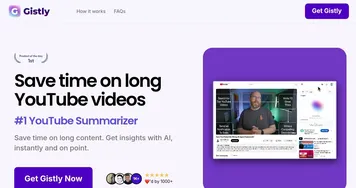
Homepage Screenshot 📸

What are the key features? ✨
- Instant Summarization: Extracts key points from articles, videos, and PDFs with one click.
- Read More: Allows users to explore detailed information from summary sources.
- Jump to Video: Links directly to relevant segments in YouTube videos.
- PDF Processing: Summarizes both online and local PDF files without size limits.
- Privacy Protection: Processes content without collecting user data.
Who is it for? 🤔
Examples of what you can use it for 💡
- Student: Summarizes research papers to grasp core concepts quickly.
- Business Analyst: Condenses reports for key insights during presentations.
- Content Creator: Extracts main points from videos for content planning.
- Researcher: Summarizes long PDFs to streamline literature reviews.
- Professional: Digests news articles for quick industry updates.
Pros & Cons ⚖️
- Free to use, no hidden costs.
- Handles multiple content types.
- Supports over 30 languages.
- No customizable summary length.
FAQs 💬
Gist alternatives 🔗