SummarizeBot
Summarizes text, audio, and images using AI in seconds
You’re drowning in information. Articles pile up, reports loom, and that podcast you swore you’d listen to mocks you from your phone. Enter SummarizeBot, a clever AI tool that promises to cut through the noise. It’s not just a summarizer; it’s a time-saver, pulling out the meat of web pages, documents, audio, and even images with startling speed. I think it’s like having a super-smart assistant who reads everything for you and hands you the CliffsNotes. But does it live up to the hype? Let’s dig in.
First off, SummarizeBot’s strength is its versatility. It handles over 100 languages, which is a godsend if you’re working with global content. You can toss it a dense PDF, a rambling podcast, or a blurry image with text, and it’ll spit out a concise summary, often in seconds. The tool uses natural language processing (NLP) and machine learning to identify key phrases and ideas, which it then stitches into a readable summary. Its integration with Slack and Facebook Messenger is a nice touch, you can share a link or file directly in a chat and get a summary without leaving the app. I’m impressed by how it structures unstructured data, especially for businesses dealing with messy datasets. It’s like turning a junk drawer into a neatly organized toolbox.
But it’s not all smooth sailing. The summaries can sometimes feel too brief, missing nuances that a human might catch. If you’re summarizing a complex scientific paper, for instance, you might find the output lacks depth. The audio summarization feature, still in beta, can be hit-or-miss, especially with low-quality recordings. And while the tool supports a ton of file formats (PDF, MP3, DOC, JPG, you name it), it struggles with private or poorly formatted web links. You might send it a URL and get an error message instead of a summary. That’s frustrating when you’re in a hurry.
Compared to competitors like QuillBot or Genei, SummarizeBot stands out for its platform integrations and multilingual support. QuillBot’s summarizer is great for text but doesn’t touch audio or images, and Genei focuses heavily on academic content, which might feel limiting for broader use cases. SummarizeBot’s blockchain integration, used for training its AI models, adds a layer of transparency, which is a nice surprise for tech nerds like me who care about how the sausage is made. Still, if you need detailed academic summaries, Genei might edge it out.
The pricing is flexible, with a free tier that’s generous for casual users, though businesses will likely need a paid plan for heavier use. Compared to QuillBot’s free 600-word limit or Genei’s paid-only model, SummarizeBot’s free offering feels accessible, but you’ll hit limits fast if you’re summarizing large files. The interface is clean, but it could use a bit more polish, especially on mobile, where navigation feels clunky.
Here’s my advice: start with the free plan to test SummarizeBot’s core features. Share a few links or files in Slack to see how it performs for your needs. If you’re handling multilingual content or need quick insights from varied sources, it’s a solid pick. Just don’t expect it to replace deep reading for complex material.
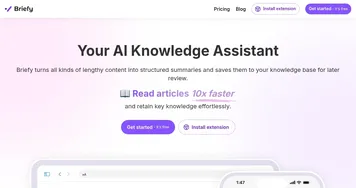
Homepage Screenshot 📸

What are the key features? ✨
- Summary Generation: Creates concise summaries from text, audio, or images in seconds.
- Keyword Extraction: Identifies critical terms to quickly grasp content topics.
- Multilingual Support: Processes content in over 100 languages, including Spanish and Chinese.
- Platform Integration: Works directly in Slack and Facebook Messenger for easy sharing.
- Blockchain Transparency: Uses blockchain for transparent AI model training.
Who is it for? 🤔
Examples of what you can use it for 💡
- Student: Summarizes lengthy research papers to focus on key arguments.
- Business Analyst: Extracts insights from market reports shared in Slack.
- Content Creator: Condenses podcast episodes into quick summaries for blog posts.
- Global Team Member: Summarizes foreign-language articles for team discussions.
- Researcher: Identifies key phrases in scientific PDFs for literature reviews.
Pros & Cons ⚖️
- Supports over 100 languages.
- Handles text, audio, and images.
- Integrates with Slack and Messenger.
- Free plan for light use.
- Summaries may lack depth.
- Audio summarization is inconsistent.
FAQs 💬
Ready to try SummarizeBot?
Summarizes text, audio, and images using AI in seconds
Visit SummarizeBotSummarizeBot alternatives 🔗