Ilus AI
Generates stylistically consistent illustrations from text prompts
I fired up Ilus AI last week for the first time, mostly out of curiosity after seeing a designer’s tweet about consistent character gens. Spent maybe four hours poking around, generating a handful of sets for a mock newsletter layout, and yeah, it hooked me quick. Picture this: you’re typing “cheerful robot serving coffee in a cozy cafe, ink style,” and bam, three crisp illustrations pop up, all with the same wobbly lines and shading, like they came from the same sketchbook. No more piecing together mismatched images from stock sites. The prompt-based flow feels intuitive, almost playful, with style dropdowns that nudge you toward flat vectors or doodles without overwhelming choices.
Diving deeper, the editing tools added a fun twist I didn’t expect. Magic Fill let me patch in a steaming mug where there was empty space, costing two credits but blending seamlessly, like the AI read my mind. I tried Remove Background on a character export, and it isolated the figure cleanly for layering into my layout, saving me Photoshop time. Exports shine too, PNGs drop free at high res, while SVGs, though pricier at four credits, scale beautifully for web icons, no pixelation in sight. A little surprise? The fine-tuning bit. I uploaded six quick sketches of a fox mascot, hit train, and within ten minutes, it spat out prompts like “fox reading a book on a hammock” in my exact wiggly style. Witty how it captured the quirk, turning my amateur doodles into pro-level assets.
Stack it against Midjourney, and Ilus wins for targeted illustration runs; Midjourney’s Discord chaos suits wild experiments but falters on style hold without remix loops. Ideogram impresses with text-in-image smarts, yet Ilus’s credit system feels lighter, pay-as-you-go packs that don’t expire, unlike Ideogram’s tiered subs that ramp up for heavy use. Folks on Reddit’s SideProject thread echo this, one founder noting it cut their MVP visual costs by ditching freelance illustrators, though they griped about occasional prompt misreads leading to off-pose figures.
Truth be told, the interface’s minimalism borders on sparse, no built-in gallery to browse past gens, so I ended up screenshotting favorites. And while generations fly at one credit per trio, complex fine-tunes demand more upfront images for sharp results, or you risk muddy outputs. Still, for marketers like me testing ad visuals, it’s a gem, churning brand-aligned doodles that pop in emails.
Grab the free trial, play with premade ink models for quick wins, and if it clicks, fine-tune early with your own refs. It’ll sharpen your prompts naturally, and soon you’ll have a toolkit that feels custom-built.
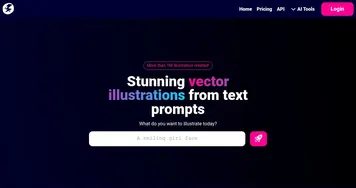
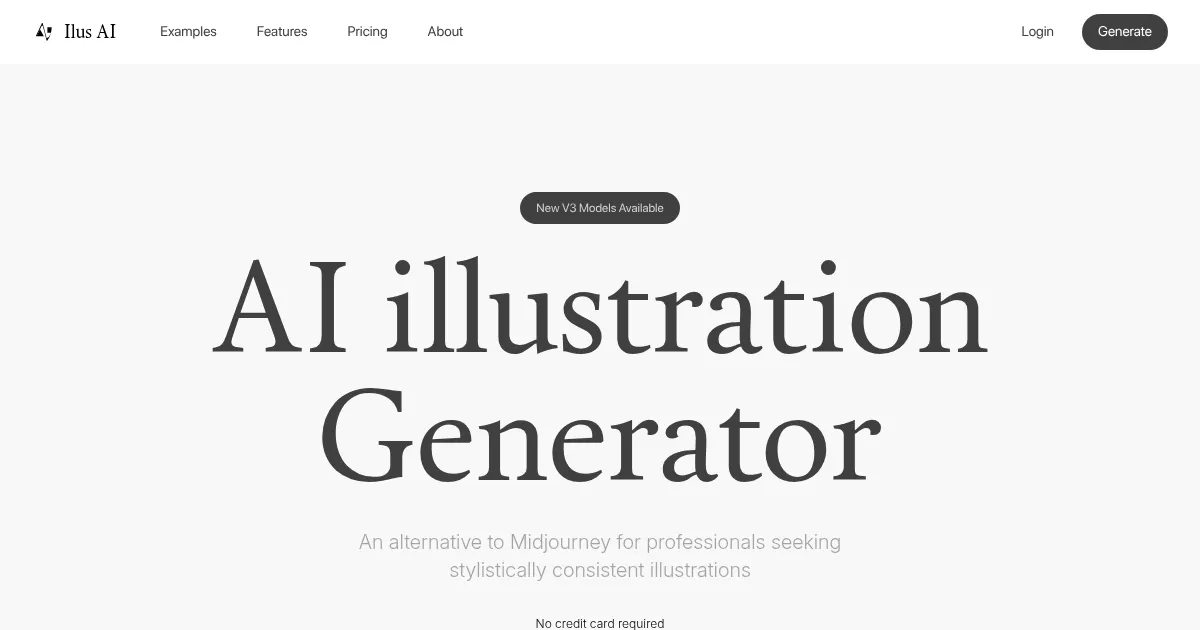
Homepage Screenshot 📸
What are the key features? ✨
- Prompt-Based Generation: Creates three consistent illustrations from text descriptions in selected styles like ink or doodle.
- Fine-Tuning: Trains custom models using 5-35 uploaded images to replicate specific aesthetics or characters.
- Editing Tools: Offers Magic Eraser, Remove Background, Upscale, and Magic Fill for post-generation adjustments.
- Export Options: Provides free PNG downloads and credit-based SVG exports for scalable vector use.
- Commercial License: Grants CC0 rights for unrestricted use in commercial projects like ads or products.
Who is it for? 🤔
Examples of what you can use it for 💡
- Graphic Designer: Generates matching icon sets in a custom ink style for app interfaces, ensuring visual harmony.
- Startup Founder: Creates prototype visuals for pitch decks, like consistent character illustrations depicting user journeys.
- Content Marketer: Produces doodle-style images for blog posts and social media, aligning with brand tone for engaging series.
- UI/UX Specialist: Fine-tunes models with reference sketches to output scalable SVGs for wireframe elements.
- Freelance Illustrator: Edits AI outputs with Magic Fill to add details, speeding up client revisions for commercial art.
Pros & Cons ⚖️
- Consistent styles
- SVG exports
- No subscriptions
- SVG credit cost
- Limited free tier
FAQs 💬
Ready to try Ilus AI?
Generates stylistically consistent illustrations from text prompts
Visit Ilus AIIlus AI alternatives 🔗