logo-darklogo-darklogo-darklogo-dark
  • Tool Categories
    • ๐ŸŽจArt & Creative Design505
    • ๐ŸขBusiness Management644
    • ๐Ÿ’ปCoding & Development515
    • ๐Ÿ‘ฎDetection83
    • ๐Ÿง General Use727
    • ๐ŸฅHealth & Wellness55
    • ๐Ÿ“ทImage & Photo Analysis100
    • ๐Ÿ–ผ๏ธImage Generation & Editing618
    • ๐Ÿ“Interior & Architectural Design37
    • ๐ŸŽ“Learning & Education483
    • โš–๏ธLegal & Finance90
    • ๐ŸŽญLifestyle & Entertainment236
    • ๐Ÿ“ขMarketing & Advertising627
    • ๐ŸŽงMusic & Audio138
    • ๐Ÿ‘”Office & Workplace1,014
    • ๐Ÿ”ฌResearch & Data Analysis372
    • ๐Ÿ‘ฅSocial Media245
    • ๐ŸŽฅVideo Generation & Editing426
    • ๐Ÿ‘ง๐ŸปVirtual Companion135
    • ๐ŸŽคVoice Generation & Editing381
    • โœ๏ธWriting & Editing808
    • All Categories
    • AI Use Cases
  • News
  • Events
    • Academic Conferences
    • Developer Conferences
    • Expos / Trade Shows
    • Industry Summits
    • Workshops / Training
    • All Events
    • Past Events
  • Saved Tools
  • Suggest a Tool
โœ•
Home › General Use › Assistant› Kin
Kin

Kin

Provides personalized, private AI coaching for work and life challenges

Kin is a privacy-focused, emotionally intelligent AI companion designed to support professional growth and personal development through tailored coaching, planning, and learning. Available on iPhone and Android, it emphasizes secure, local-first data storage, setting it apart in a crowded AI market. Its core features include smart long-term memory, intelligent reminders, and smart journaling, all aimed at helping users navigate work challenges and personal goals. The app integrates with Google Calendar for scheduling and is built on open-source models, ensuring flexibility and transparency.

The smart long-term memory feature stores user interactions locally, enabling Kin to provide context-aware advice based on past conversations. For example, it can recall your work priorities to suggest actionable steps later. Smart journaling lets users log thoughts, which Kin uses to refine its guidance, while intelligent reminders keep you on track with timely nudges. Compared to competitors like Pi, which focuses on broad, casual conversations, Kin hones in on workplace productivity and self-improvement. ChatGPT, another rival, offers vast knowledge but lacks Kin’s privacy-first approach and emotional depth.

Kin’s strengths lie in its clean, user-friendly interface and robust privacy measures. Data encryption and local storage give users control, unlike cloud-based tools like Claude. The app’s beta status, however, means some features — like voice chat and additional app integrations — are not yet available. This can frustrate users expecting a complete product. The mobile-only access also limits its versatility, though desktop support is planned. Pricing is currently free, but a subscription model is expected, which may affect its value compared to Grok, which offers free and paid tiers.

User feedback highlights Kin’s ability to feel like a personal coach, especially for planning and emotional support. Some users note occasional bugs, typical of a beta product, and wish for faster feature rollouts. The Google Calendar integration is a practical touch, letting users optimize schedules with AI-driven insights. The app’s Scandinavian design is visually appealing, making it easy to navigate.

For those interested, download Kin during its free beta phase. Test its journaling and calendar features to see if it fits your workflow. If privacy and professional growth are priorities, Kin’s a strong contender, but be prepared for some beta limitations.

Visit Kin ↗
Categories
๐Ÿง  General
๐Ÿค– Assistant ๐Ÿ’ฌ Chatbot โœ… Productivity
๐Ÿ‘ง๐Ÿป Companion
๐ŸŽญ Character
๐ŸŽ“ Education
๐Ÿ—‚๏ธ Knowledge Management ๐Ÿ“– Knowledge Base
๐Ÿ‘” Work
๐Ÿ’ผ Workplace Assistant

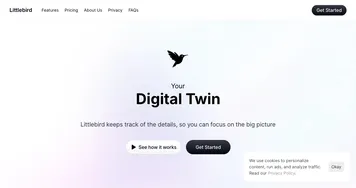
Homepage Screenshot 📸

Kin screenshot

Video Overview 🎬

Kin - Video Overview

What are the key features? ✨

  • Smart Long-Term Memory: Stores user interactions locally to provide context-aware, personalized advice.
  • Smart Journaling: Allows users to log thoughts, enhancing Kinโ€™s ability to offer tailored guidance.
  • Intelligent Reminders: Sends timely nudges based on user goals and schedules.
  • Private, Encrypted Storage: Keeps all data secure on the userโ€™s device, ensuring privacy.
  • Google Calendar Integration: Syncs with calendars to optimize daily planning.

Who is it for? 🤔

Kin is best for professionals, freelancers, and students who need a private, emotionally intelligent AI to navigate work challenges, plan effectively, and grow personally. Its focus on workplace productivity and secure data storage appeals to those prioritizing privacy and self-improvement, particularly in high-pressure environments where personalized coaching is often out of reach.

Examples of what you can use it for 💡

  • Busy Professional: Uses Kin to plan meetings and prioritize tasks via Google Calendar integration.
  • Freelancer: Relies on Kinโ€™s smart journaling to reflect on client feedback and set goals.
  • Student: Learns new topics with Kinโ€™s structured lessons created in seconds.
  • Team Leader: Prepares for tough conversations with tailored guidance from Kin.
  • Creative Worker: Brainstorms ideas with Kin as a supportive soundboard.

Pros & Cons ⚖️

  • Privacy-focused with local storage
  • Emotionally intelligent responses
  • Clean, user-friendly interface
  • Google Calendar integration
  • Limited app integrations

FAQs 💬

What makes Kin different from other AI chatbots?
Kin focuses on privacy and professional growth, storing data locally unlike cloud-based tools like ChatGPT.
Is Kin really private?
Yes, all data is encrypted and stored on your device, giving you full control.
Do I need to pay for Kin?
Itโ€™s free during beta, but a subscription model is planned for the full release.
Can Kin help with work tasks?
Absolutely, it offers planning, reminders, and guidance for workplace challenges.
Does Kin work on desktops?
Not yet, but desktop support is in development for future updates.
Can Kin connect to other apps?
It currently syncs with Google Calendar, with more integrations coming soon.
How does Kinโ€™s memory work?
It stores your conversations locally to provide context-aware, personalized advice.
Is Kin suitable for students?
Yes, it creates quick, structured lessons for learning new topics.
Whatโ€™s the beta phase like?
Expect a functional app with some bugs, as features are still being refined.
How does Kin compare to Pi?
Kin focuses on professional growth and privacy, while Pi is more for casual chats.

Ready to try Kin?

Provides personalized, private AI coaching for work and life challenges

Visit Kin ↗

Kin alternatives 🔗

  1. ChatGPT ChatGPT All-round AI assistant generating human-like responses to user queries and tasks
  2. Gemini Gemini Generates responses from text, images, audio, and video inputs using advanced multimodal AI
  3. Claude Claude Assists users in reasoning, coding, writing, and analyzing data with advanced AI models
  4. Grok Grok Delivers witty, real-time AI responses with advanced reasoning and image generation
  5. DeepSeek DeepSeek Delivers advanced AI models for coding and reasoning at low costs
  6. Perplexity Perplexity Delivers cited AI answers from web searches instantly
Share
Kin screenshot enlarged
Promote Kin
light badge
Copy Embed Code
dark badge
Copy Embed Code
neutral badge
Copy Embed Code
Best AI Tools

Discover the best AI tools for any use case

Explore
  • Tool Categories
  • AI Use Cases
  • AI Events
  • AI News
  • Saved Tools
Company
  • About Us
  • Contact Us
  • Media & Partnerships
  • Suggest a Tool
Legal
  • Privacy Policy
  • Terms of Service
Copyright © 2026 Best AI Tools 415 Mission Street, 37th Floor, San Francisco, CA 94105